hydrobert/lakeensemblr_workshop repository overview
Ensemble lake modelling with LakeEnsemblR

:spiral_calendar: May 27, 2021
:alarm_clock: 09:00-10:00 CEST
:busts_in_silhouette: Tadhg Moore [material co-developed with Jorrit Mesman, Johannes Feldbauer, Robert Ladwig]
:computer: Material
:octocat: Homepage
Description
A guided walkthrough of the R package "LakeEnsemblR"" that has been developed within the GLEON modelling group. Learn how to set up multiple lake models for your lake physical system, how to calibrate your models and explore model uncertainty. Brainstorming of further ideas for how this package can be applied to aid further research. Everyone is welcome to attend, but the workshop is mostly aimed at people with at least some experience in lake modelling.
What will this workshop cover?
Introduction to LakeEnsemblR package:
- Why use ensembles?
- What is LakeEnsemblR?
Using LakeEnsemblR:
- Standardisation of input data
- Functions
- Visualising output & calibration
- Apply it to YOUR lake! (or on OUR examples)
Future plans regarding LakeEnsemblR:
- Adding more models
- Creating a static WQ model
- Potential applications
- Stick around to talk about questions and raise issues
Prerequisites
There are two paths to follow the workshop examples:
1. Use Github and your local R setup
Clone or download files from this Github repository. You’ll need R (version >= 3.5), preferably a GUI of your choice (e.g., Rstudio) and these packages:
install.packages("remotes")
remotes::install_github("GLEON/rLakeAnalyzer")
remotes::install_github("FLARE-forecast/GLM3r")
remotes::install_github("aemon-j/GOTMr")
remotes::install_github("aemon-j/SimstratR")
remotes::install_github("aemon-j/gotmtools", ref = "yaml")
remotes::install_github("USGS-R/glmtools", ref = "ggplot_overhaul")
remotes::install_github("tadhg-moore/LakeEnsemblR", ref = "flare")
Update:
If you experience problems on macOS (we tested the model binaries only for macOS Catalina) with error messages like 'dyld: Library not loaded', you can try the following approach:
- install the missing libraries, e.g. by using 'brew':
/bin/bash -c "$(curl -fsSL https://raw.githubusercontent.com/Homebrew/install/master/install.sh)" - then you will need the missing libraries or you will need to update your current versions of gfortran, netcdf and gc:
brew install gcc,brew install netcdf,brew install gc - check if everything is working:
gcc -vandgfortran --versionwhich should give you
"Apple clang version 12.0.0 (clang-1200.0.32.2)"
and
"GNU Fortran (Homebrew GCC 10.2.0) 10.2.0"
- if you still experience library problems, you can continue installing these missing dependencies using 'brew'
2. Use Docker
To be sure that all the examples will work during the workshop, you can use a container of all the material. I'll quote the Docker website here:
"A container is a standard unit of software that packages up code and all its dependencies so the application runs quickly and reliably from one computing environment to another. A Docker container image is a lightweight, standalone, executable package of software that includes everything needed to run an application: code, runtime, system tools, system libraries and settings."
You can install the Docker software from here. Once installed, you'll need to open a terminal and type (the pulling will take some time depending on your internet connection, it's about 4 Gb big)
docker pull hydrobert/lakeensemblr-rocker
docker run --rm -d  -p 8000:8000 -e ROOT=TRUE -e PASSWORD=password hydrobert/lakeensemblr-rocker:latest
Then, open any web browser and type "localhost:8000" and input user: rstudio, and password: password. Rstudio will open up with the script and data available in the file window.
3. RStudio Cloud
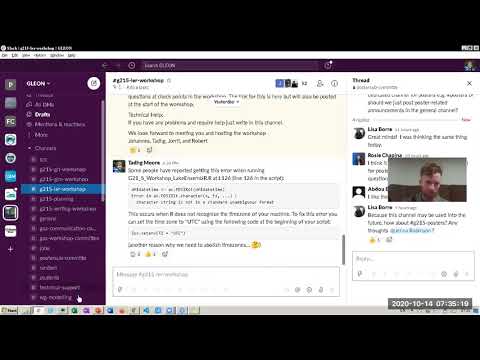
We have created a YouTube video walkthrough of how to set up LakeEnsemblR using RStudio Cloud. Enjoy!
Files
Workshop Files
The HTML and PDF files in the repository both contain the information needed for the workshop. You can pick which one you prefer. You can copy the code into an R script and run it yourself, or use the pre-made R script ("03_CIBR_2021_Workshop_LakeEnsemblR.R"), which contains all the lines of code that are run during the workshop and some short comments.
LakeEnsemblR Examples
There is a selection of lakes of different areas, depths and climatic zones that have been collated to show you different applications of LakeEnsemblR. They can be downloaded from the LER_examples repository on the "aemon-j" GitHub account.
Tag summary
Content type
Image
Digest
Size
1.5 GB
Last updated
over 5 years ago
docker pull hydrobert/lakeensemblr_workshop