iccb1013/shendesk
High-performance and reliable live chat — 24/7 uptime, no missed messages, no lost leads!
10K+
iccb1013/shendesk repository overview
ShenDesk
After starting the container, refer to: Getting Started: Download the Agent Console from the Container to Start Chatting
Download the image from Docker Hub:
docker pull iccb1013/shendesk:latest
For example, use the following command to start the container:
docker run -e ApiUrl=http://api.yourname.com -e ResourceUrl=http://res.yourname.com -e TcpIpAddress=Your server's public IP address -p 8021-8023:8021-8023 -p 9527:9527 -dit --restart=always --privileged=true --name=shendesk_latest iccb1013/shendesk:latest
Environment Variables
The startup command includes three environment variables:
- ApiUrl – the domain name of the Server Application
- ResourceUrl – the domain name of the Visitor Interface
- TcpIpAddress – the server's public IP address
A domain name is not required. You can also access the system using your server's public IP address with a port number. See: Prepare Domains
When starting the container with domain names as environment variables, you need to create corresponding sites on the host machine using Nginx, and configure them to forward requests to the Docker container. See: Linux: Configure Domain and Proxy to Docker Container in Nginx
If you access the system using an IP address instead of a domain name, the startup command would look like this (assuming the IP address is 8.8.8.8):
docker run -e ApiUrl=http://8.8.8.8:8021 -e ResourceUrl=http://8.8.8.8:8022 -e TcpIpAddress=8.8.8.8 -p 8021-8023:8021-8023 -p 9527:9527 -dit --restart=always --privileged=true --name=shendesk_latest iccb1013/shendesk:latest
By specifying these environment variables, the container can go online immediately after startup without manually editing configuration files inside the container.
Alternatively, if you don't specify a domain name or IP address when starting the container, the application will run at http://localhost: and listen on port 9527 at 127.0.0.1. This setup allows you to test the system locally on Windows Docker Desktop.
docker run -p 8021-8023:8021-8023 -p 9527:9527 -dit --restart=always --privileged=true --name=shendesk_latest iccb1013/shendesk:latest
Port Mapping Details
After the Docker container starts, it listens on the following ports:
- 8021 – Server Application (api.yourname.com)
- 8022 – Visitor Interface (res.yourname.com)
- 8023 – Web Admin Panel (mgmt.yourname.com)
- 9527 – used by the Agent to establish a TCP connection with the server.
Make sure to open port 9527 in the firewall, as the Agent will use this port to establish a TCP connection with the server. If you are using a cloud server, its management console usually provides security group or firewall settings. Make sure to allow the necessary ports there.
Initialization
When starting the container for the first time, database initialization and other setup tasks will run automatically. Please wait a moment before accessing the system.
Getting Started
See: Getting Started: Download the Agent from the Container and Start Chatting
UI Screenshots
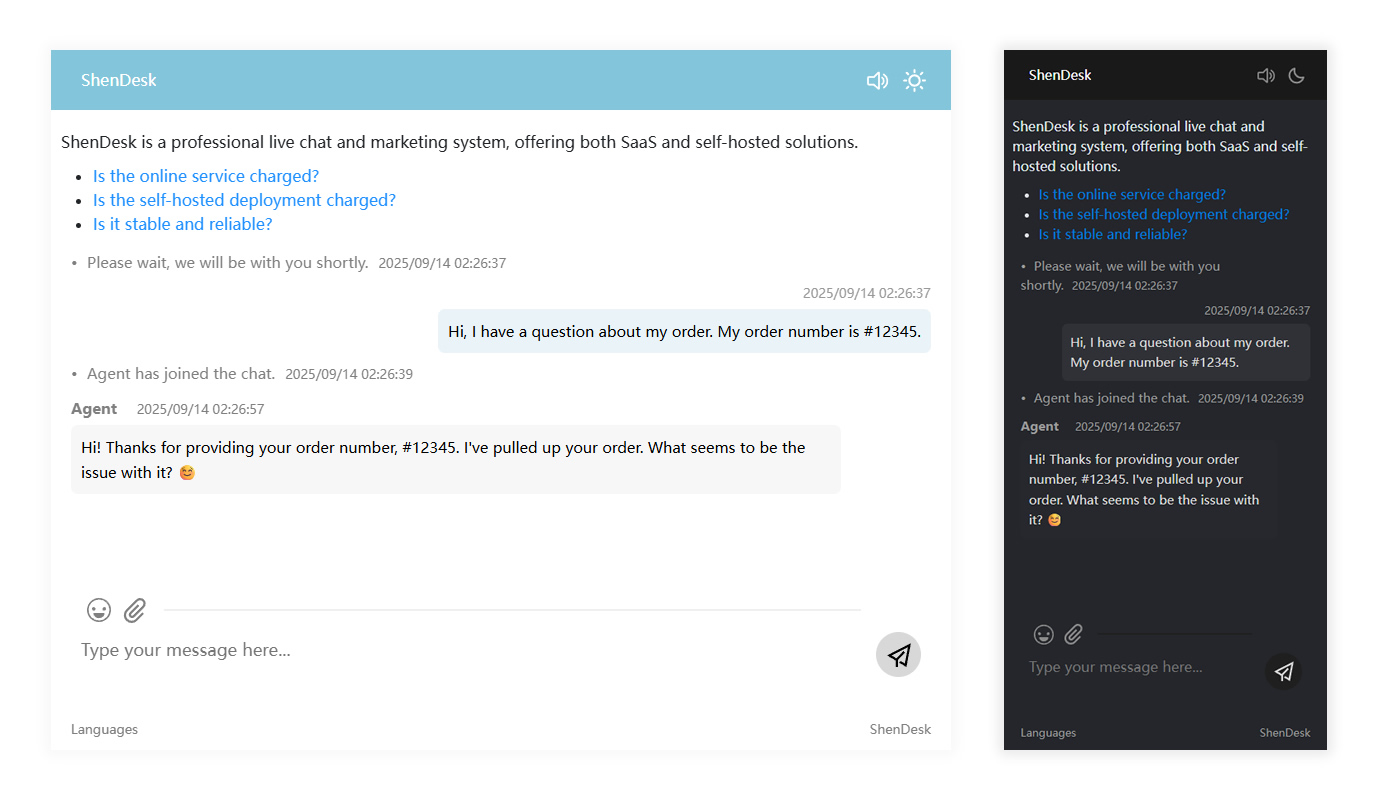
Visitor Interface: instant loading, no message loss.
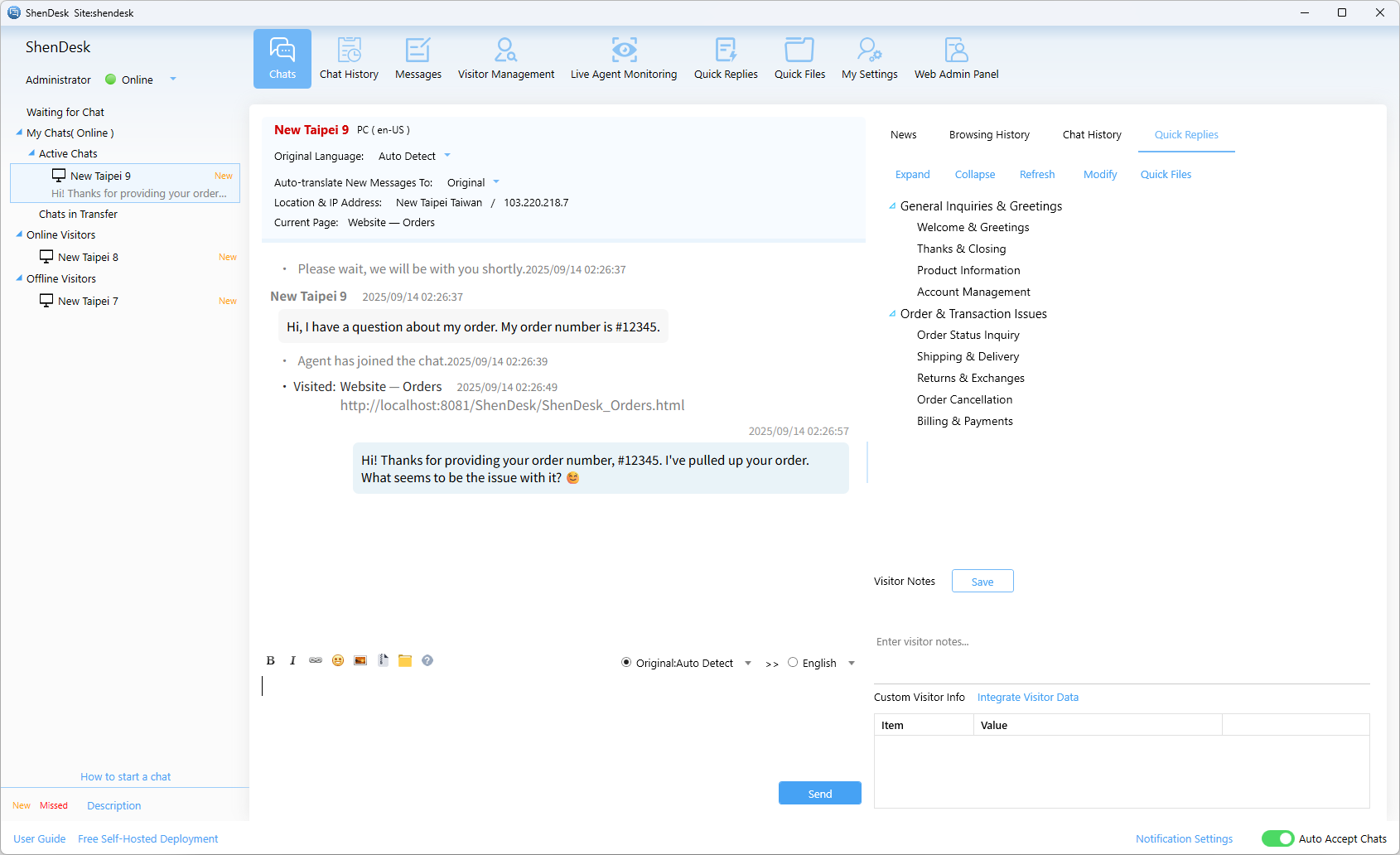
Agent Console: reliable and fully featured.
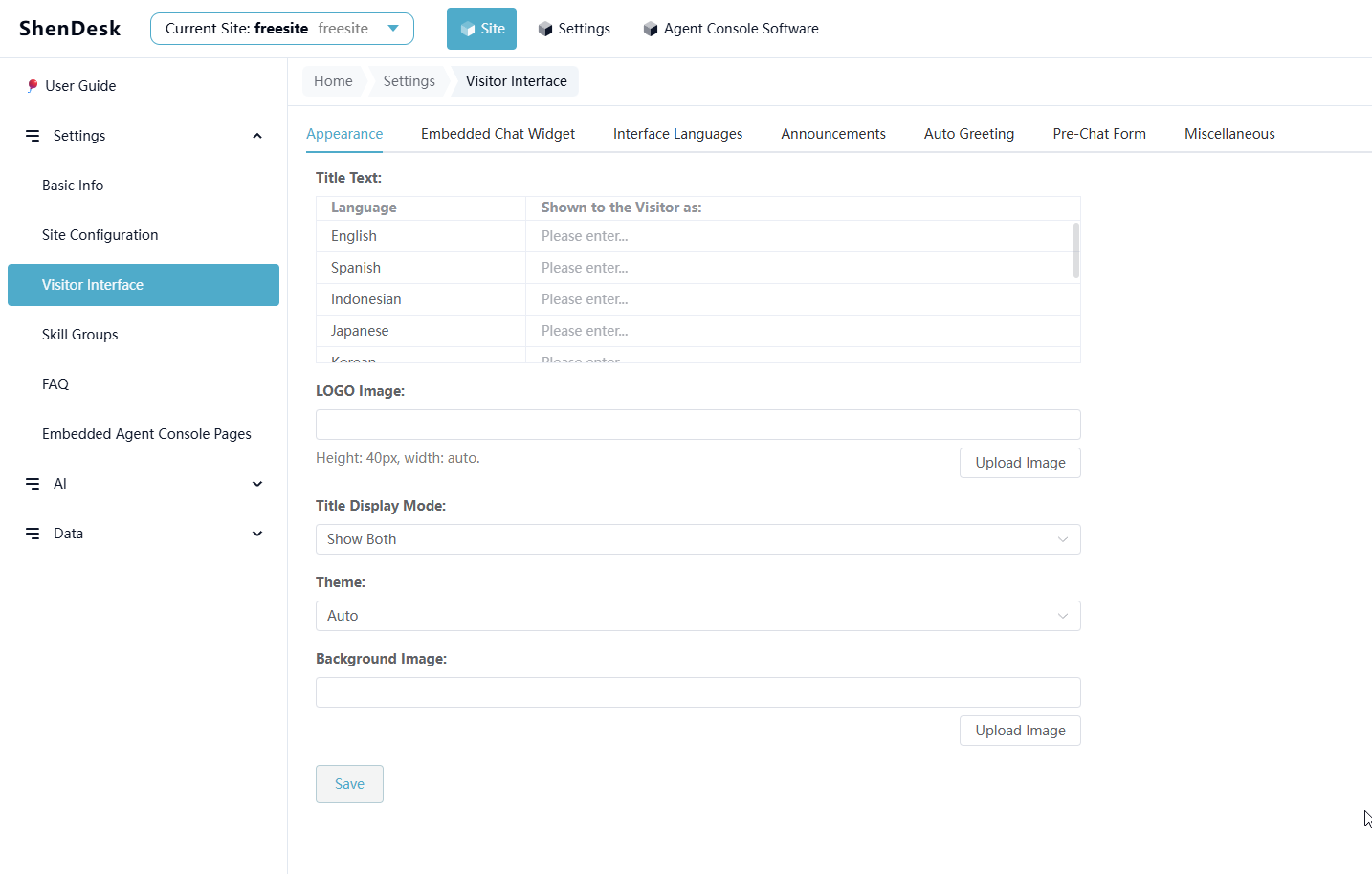
Web Admin Panel
Tag summary
Content type
Image
Digest
sha256:355b943ac…
Size
713.4 MB
Last updated
4 months ago
docker pull iccb1013/shendesk