icra2018/maoris
Cutting most types of maps in smaller more meaningful bits.
896
icra2018/maoris repository overview
MAORIS : MAp Of RIpples' Segmentation


Cutting most types of maps in smaller more meaningful bits.
Description
This program segment maps in semantically meaningful parts, such as rooms and corridors. It has been tested on robot build maps and sketch maps, but the principle can easily be extended to other type of maps such as city maps.
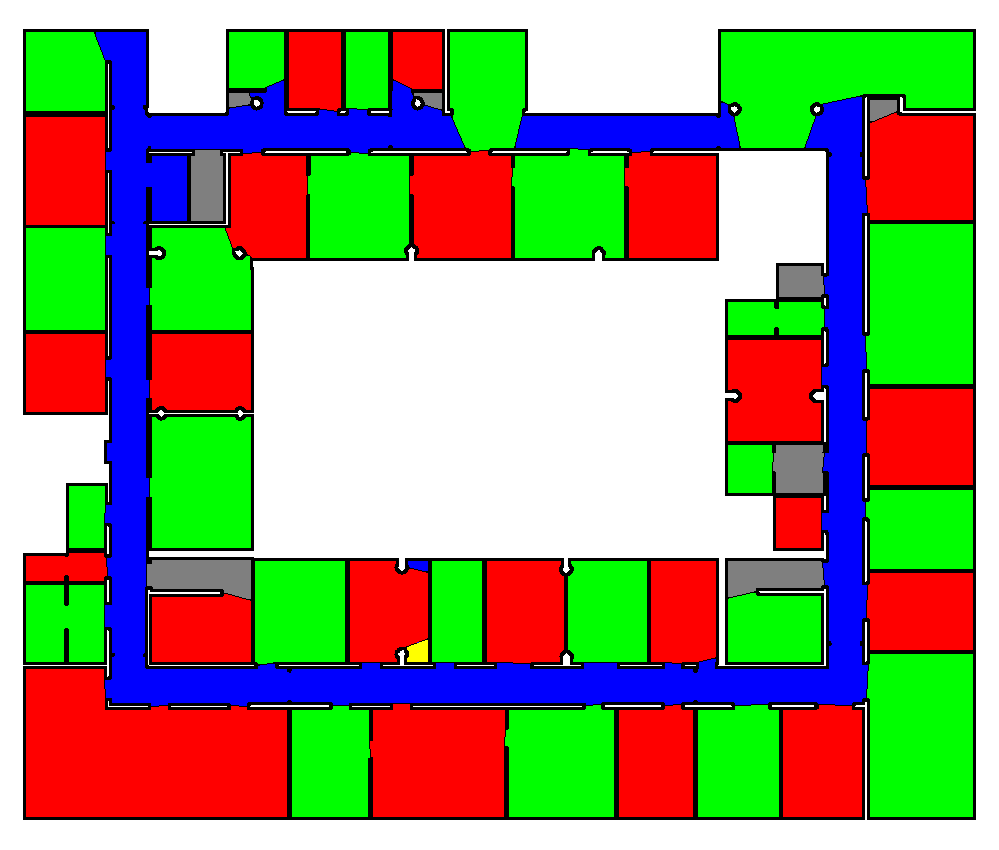
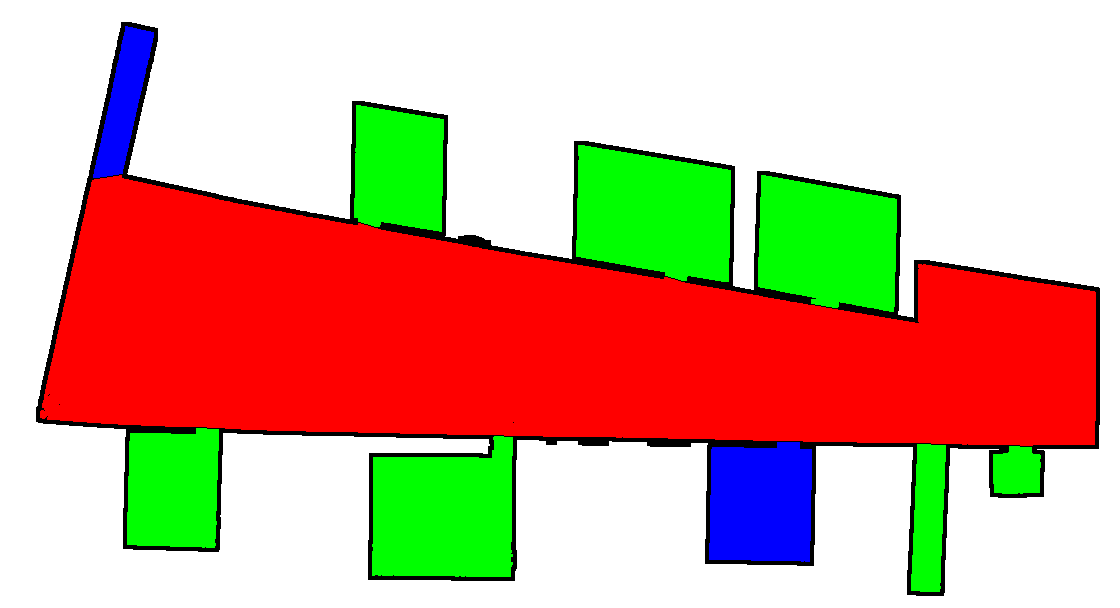
It also provides a way to evaluate and test your own segmentation using Matthews Correlation Coefficient.
A little bit more about this here.
Paper
The paper describing the method was accepted for publication at ICRA2017 (:D!) and should be published soon after the conference. The preprint version is available on Arxiv.
How to compile
Dependencies
- boost
- openCV 2.9 or more (openCV 3 included)
- bettergraph
- VoDiGrEx
Compile by doing
mkdir release
cmake ..
make
If one need to use maoris for other project you can do
sudo make install
to install and
sudo make uninstall
To uninstall.
How to use maoris
After compilation, you will have those executables:
For segmentation:
-
segmentation_live : use the webcam of your laptop to segment maps. Just take a picture of the map and its ground truth and there you go.
-
evaluation_2files_fodler : compare segmented images files from two folders
-
evaluation_gt : compare a map with a segmented ground truth image
For evaluation
-
evaluation_2gt : compare two segmented images
-
evaluation_gt_all_files : segment all maps in a folder and then compare them to all segmented ground truths in another folder This file returns a gnuplot dat file named
maoris_all_measures.datwith all the data from the segmentation. -
evaluation_gt_param : evaluate maoris' parameters This file returns four gnuplot dat files named
maoris_param_threshold.dat,maoris_param_margin.dat,maoris_param_ripples.dat, andmaoris_param_doors.dat, with all the data from the segmentation for each parameters.
The arguments of all programs are given in the command line as in evaluation_gt_all_files folder1 folder2 should_draw.
Evaluating your own segmentations
You can evaluate your own segmentation results to ground truths by doing:
evaluation_2files_fodler folder_with_your_segmentation folder_with_your_ground_truth
We also provide segmentation by maoris, DuDe and a Voronoi based segmentation. DuDe segmentation results are in Test/RobotMap/DuDe_results for the robot maps and Test/Sketches/DuDe for the sketch maps. The Voronoi based segmentation results are in Test/RobotMap/Voronoi for the robot maps and Test/Sketches/Voronoi for the sketch maps. maoris segmentation results are in Test/RobotMap/maoris for the robot maps and Test/Sketches/maoris for the sketch maps.
How to Run with Docker
Linux
Tested on Ubuntu 16.04.6 with Docker 18.06.1-ce.
- Open a terminal and run the command:
docker run --rm -p 8888:8888 -e DISPLAY -v /tmp/.X11-unix:/tmp/.X11-unix icra2018/maoris:latest
- Run a web browser and open the link: http://localhost:8888/lab/tree/README.ipynb
macOS
Prerequisites
- XQuartz:
- Activate the option
Allow connections from network clientsin XQuartz settings - Quit & restart XQuartz (to activate the setting)
- Open a terminal and run the command:
xhost + localhost
- Activate the option
Tested on macOS Mojave 10.14.3 with XQuartz 2.7.11 and Docker Desktop 2.0.0.3 (engine: 18.09.2).
- Open a terminal and run the command:
docker run --rm -p 8888:8888 -e DISPLAY=host.docker.internal:0 -v /tmp/.X11-unix:/tmp/.X11-unix icra2018/maoris:latest
- Run a web browser and open the link: http://localhost:8888/lab/tree/README.ipynb
Windows
Prerequisites
- VcXsrv or another X Windows Server
- Run
Xlaunchfrom the Start menu - Select
Multiple windows,Start no client, and setDisable access control
- Run
Tested on Windows 10 Education wih VcXsrv 1.20.1.4 and Docker Desktop 2.0.0.3 (engine: 18.09.2).
- Open a Windows PowerShell and run the command:
docker run --rm -p 8888:8888 -e DISPLAY=host.docker.internal:0 icra2018/maoris:latest
- Run a web browser and open the link: http://localhost:8888/lab/tree/README.ipynb
Tag summary
Content type
Image
Digest
Size
446.2 MB
Last updated
over 7 years ago
docker pull icra2018/maoris