idealpostcodes/paf-api
HTTP service that parses Postcode Address File records into a correctly formatted address
1.5K
idealpostcodes/paf-api repository overview
HTTP API that parses Postcode Address File records into correctly formatted address lines







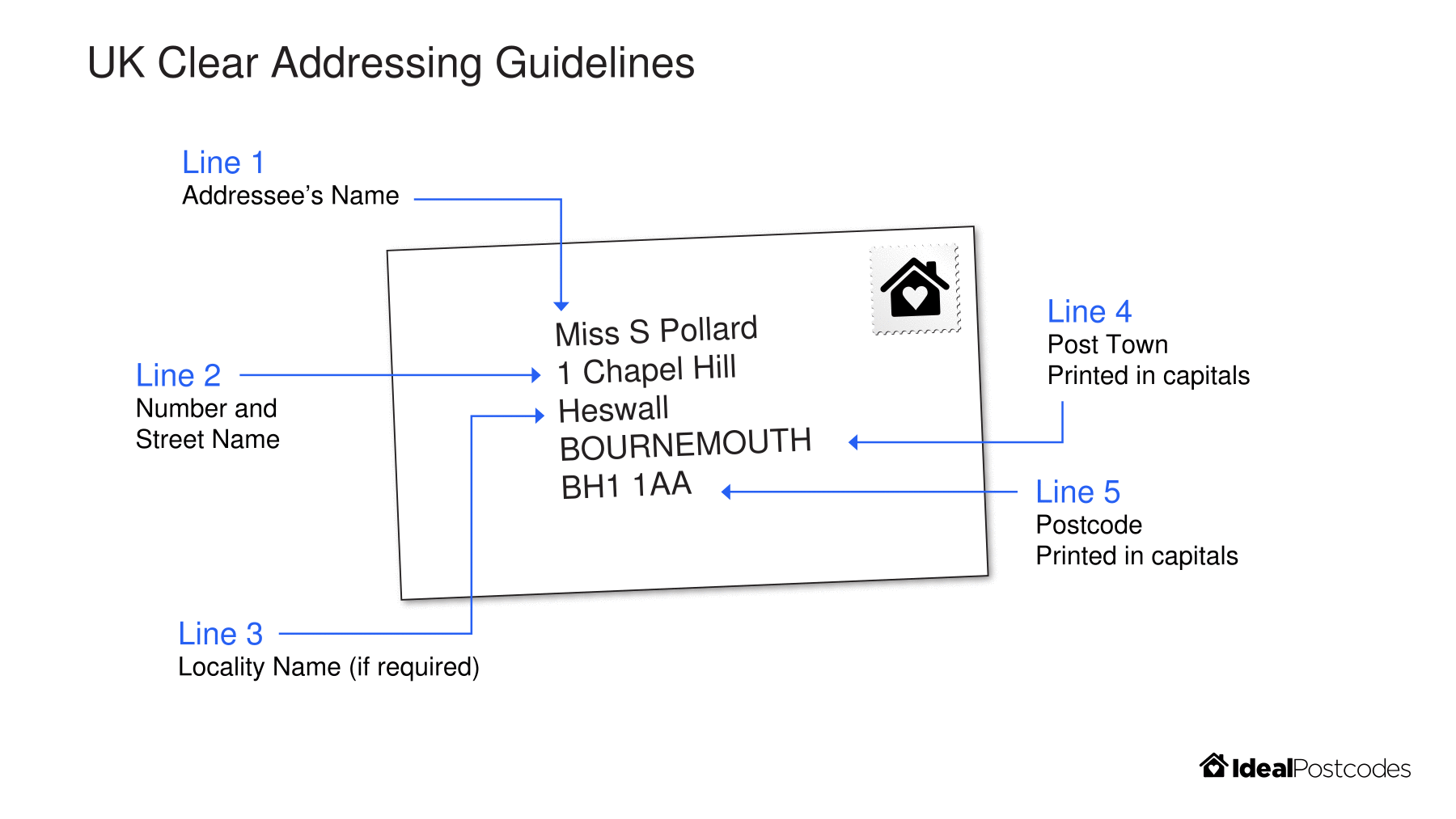
Parses Postcode Address File records into correctly formatted address recognised by Royal Mail according to its Clear Addressing Guidelines.
Produces consistent address lines, a post town line and a postcode line via HTTP
Features
- Exposes UK Clear Addressing as a HTTP service
- Deployable as a docker container or node.js application
Links
- GitHub Repository
- Test Live on paf-api.ideal-postcodes.dev
- Docker Hub Image
- UK Clear Addressing Project
- NPM Package
- More information on Postcode Address File data attributes
- PAF Programmer's Guide
Getting Started
Try on paf-api.ideal-postcodes.dev
curl -X POST \
  https://paf-api.ideal-postcodes.dev/parse \
  -H 'Content-Type: application/json' \
  -d '{ "sub_building_name": "Flat 8", "building_name": "Oxford House 110-114", "thoroughfare": "High Street" }'
HTTP API Usage
This API responds to POST requests to /parse with a JSON payload representing a PAF Record
POST /parse
Request
POST /parse

{
  "postcode": "WS11 5SB",
  "post_town": "CANNOCK",
  "thoroughfare": "Pye Green Road",
  "building_name": "Flower House 189A",
  "organisation_name": "S D Alcott Florists",
}
Response
{
  "query": {
    "postcode": "WS11 5SB",
    "post_town": "CANNOCK",
    "thoroughfare": "Pye Green Road",
    "building_name": "Flower House 189A",
    "organisation_name": "S D Alcott Florists",
    "building_number": "",
    "sub_building_name": "",
    "dependant_locality": "",
    "double_dependant_locality": "",
    "dependant_thoroughfare": "",
    "po_box": "",
    "department_name": "",
  },
  "formatted": {
    "postcode": "WS11 5SB",
    "post_town": "CANNOCK",
    "line_1": "S D Alcott Florists",
    "line_2": "Flower House",
    "line_3": "189a Pye Green Road",
    "premise": "Flower House, 189a"
  }
}
Available Payload Attributes
{
  building_number: string | number;
  building_name: string;
  sub_building_name: string;
  dependant_locality: string;
  double_dependant_locality: string;
  thoroughfare: string;
  dependant_thoroughfare: string;
  po_box: string;
  post_town: string;
  postcode: string;
  department_name: string;
  organisation_name: string;
}
Deploy
Deploy as a docker container
Using the Docker CLI
docker pull idealpostcodes/paf-api:latest

docker run -p 8080:8080 idealpostcodes/paf-api
Alternatively with docker-compose
git clone https://github.com/ideal-postcodes/paf-api && cd paf-api

docker-compose up -d
Deploy as a Node.js process
Requires Node.js 8 or above
git clone https://github.com/ideal-postcodes/paf-api && cd paf-api && npm install

npm start # Traffic served on 8080
NPM Module
The npm module exports an Express app factory, which takes a pino logger
const { App } = require("paf-api");

const app = App({ logger: pino() });

http.createServer(app).listen(PORT);
Configuration
The following environment variables can be passed to the application.
PORT=8080 # Sets the port to listen on
Licence
MIT
Tag summary
Content type
Image
Digest
Size
26.8 MB
Last updated
over 5 years ago
docker pull idealpostcodes/paf-api