imashen/zerotier-aio
Zerotier Private Server with WebUI
3.6K
imashen/zerotier-aio repository overview
README.md
Zerotier All in One









Quick Navigation:
Setup Standalone Panel
Environment Variables
File Server
Setup Moon/Planet Server
Simple Usage
docker run -d -p 9993:9993/udp -p 3443:3443 -p 3180:3180 \
    -v zerotier-one:/var/lib/zerotier-one \
    -v zerotier-webui:/opt/imashen/zerotier-webui/etc \
    -v zerotier-logs:/var/log/zerotier-aio \
    --env-file ./denv \
    --name zerotier-aio \
    imashen/zerotier-aio
Additionally, you can change the data volume to be mounted as a local directory, and the method of introducing environment variables can also be changed to use the
-eoption. For the contents of the--env-fileenvironment variable file, please refer to thedenvin the repository.
docker run -d -p 9993:9993/udp -p 3443:3443 -p 3180:3180 \
    -v /opt/zerotier/zerotier-one:/var/lib/zerotier-one \
    -v /opt/zerotier/zerotier-webui:/opt/imashen/zerotier-webui/etc \
    -v /opt/zerotier/zerotier-logs:/var/log/zerotier-aio \
    -e NODE_ENV=production \
    -e ZEROTIER-WEBUI_PASSWD=password \
    -e MYDOMAIN=site.test \
    --name zerotier-aio \
    imashen/zerotier-aio
Files Func
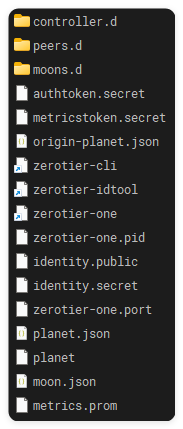
/var/lib/zerotier-one is used to store Zerotier's default runtime and configuration files.
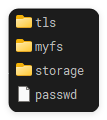
/opt/imashen/zerotier-webui/etc is the file server and contains the certificates for the Web UI.
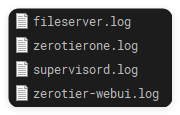
/var/log/zerotier-aio stores the log files.
Environment Variables
Required Environment Variables
| Name | Description | Default Value |
|---|---|---|
| NODE_ENV | Refer to https://pugjs.org/api/express.html | production |
| MYADDR | Your IP address, preferably a public IP | No default value |
Optional Environment Variables
| Name | Description | Default Value |
|---|---|---|
| HTTPS_HOST | Listen only on HTTPS_HOST:HTTPS_PORT | No default value |
| HTTPS_PORT | HTTPS Port | 3443 |
| HTTP_PORT | HTTP Port | 3000 |
| HTTP_ALL_INTERFACES | Listen on all interfaces, applicable only to HTTP, suitable for reverse proxy | No default value |
| MYDOMAIN | Domain name for dynamically generated TLS certificates | site.test(can also be the local IP) |
| ZEROTIER-WEBUI_PASSWD | Password for the dynamically generated admin | password(in the new version of the image, it may be dynamically generated; see the logs for details) |
Please note that for security,
HTTPS_PORT listens on all network interfaces by default, whileHTTP_PORT listens only onlocalhost/127.0.0.1.
File Server
This image opens an HTTP server on port 3180, allowing you to serve files stored in /myfs/. For example, you can use this to build your own root server and distribute planet files.
Moon/Planet Easy Deployment
You can enter the container using docker exec -it zerotier-aio /bin/bash.

Run mkmoon or mkplanet to view help.
1. Setup Moon Server | mkmoon
Enter the command mkmoon to get help information.
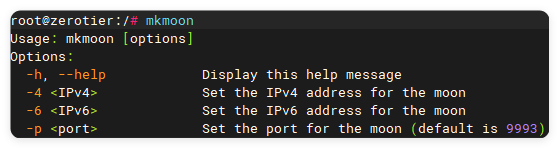
Usage: mkmoon [options]
Options:
  -h, --help            Display this help message
  -4 <IPv4>             Set the IPv4 address for the moon
  -6 <IPv6>             Set the IPv6 address for the moon
  -p <port>             Set the port for the moon (default is 9993)
You must provide either an IPv4 or IPv6 address. Each parameter can be omitted. The default port is 9993.
The following is an example of a successful operation:

2. Setup Planet Server | mkplanet
Enter the command mkplanet to get help information.
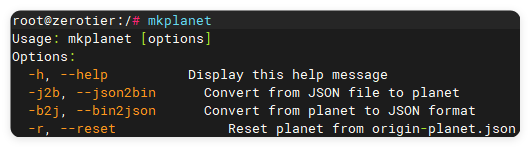
Usage: mkplanet [options]
Options:
  -h, --help          Display this help message
  -j2b, --json2bin      Convert from JSON file to planet
  -b2j, --bin2json      Convert from planet to JSON format
  -r, --reset              Reset planet from origin-planet.json
First, run mkplanet -b2j or mkplanet --bin2json to convert the official planet file to a JSON file for easy modification.
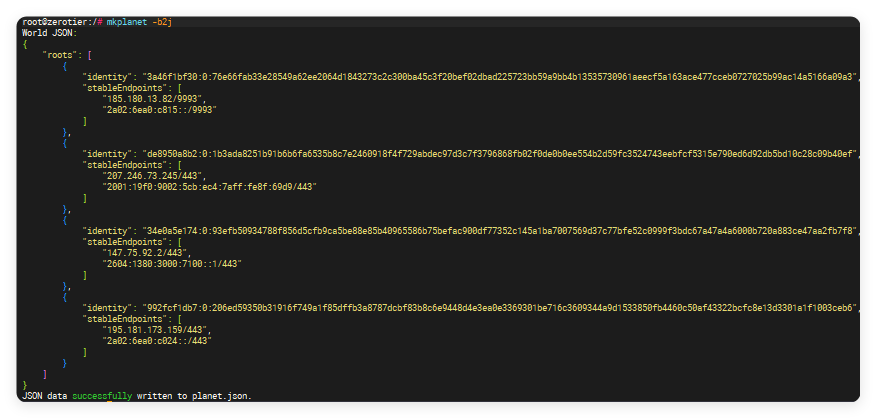
Fill in your own Planet server information in the planet.json file following the specified structure. You can fill in up to four entries.
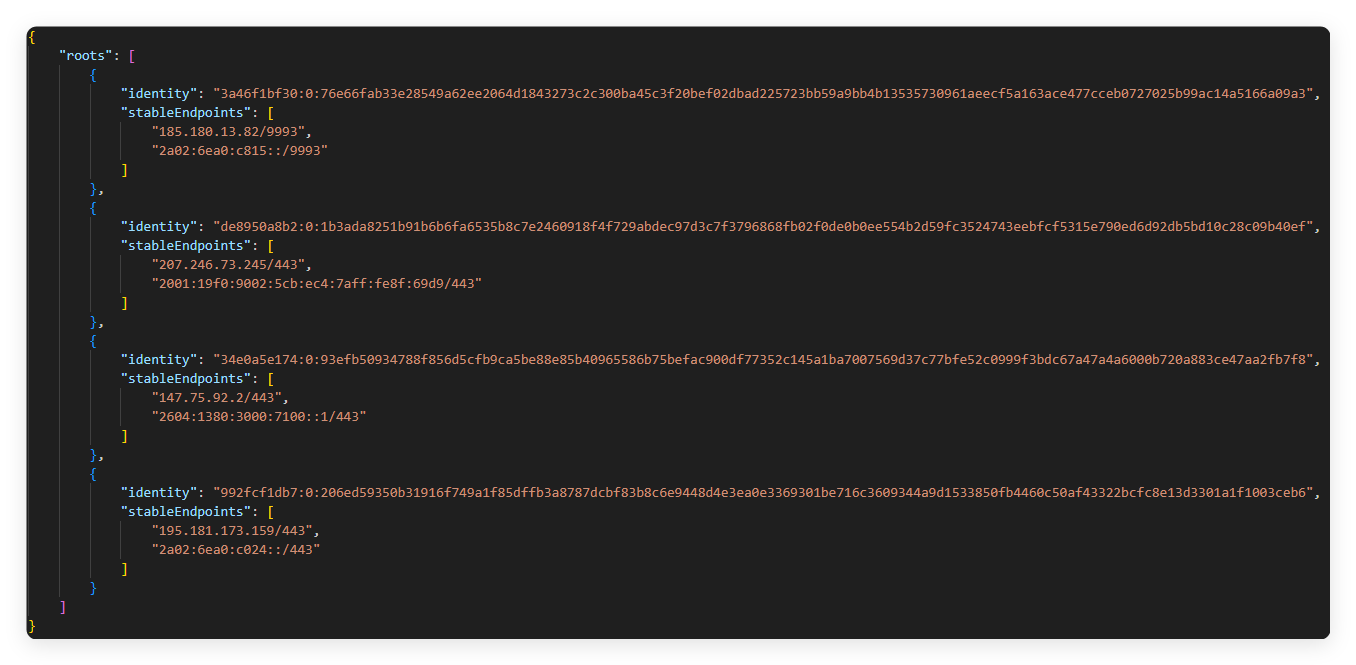
After configuring, run mkplanet -j2b or mkplanet --json2bin to repackage the JSON file into a planet file.

Distribute this planet file to your devices to set up your own Moon server. For easier distribution, see File Server.
Additionally, the mkplanet tool includes a one-click reset feature. If your configuration file is corrupted or you lose the official file,
you can use mkplanet -r or mkplanet --reset to regenerate the official planet file.

Tag summary
Content type
Image
Digest
sha256:6658a4cf7…
Size
107.4 MB
Last updated
almost 2 years ago
docker pull imashen/zerotier-aio