inokappa/uchiwa repository overview
Uchiwa
Uchiwa is a simple dashboard for the Sensu monitoring framework, built with node.js.
The dashboard is under active development, and major changes are not uncommon.

Features
- Support of multiple Sensu APIs
- Real-time updates with Socket.IO
- Client and checks stashes management
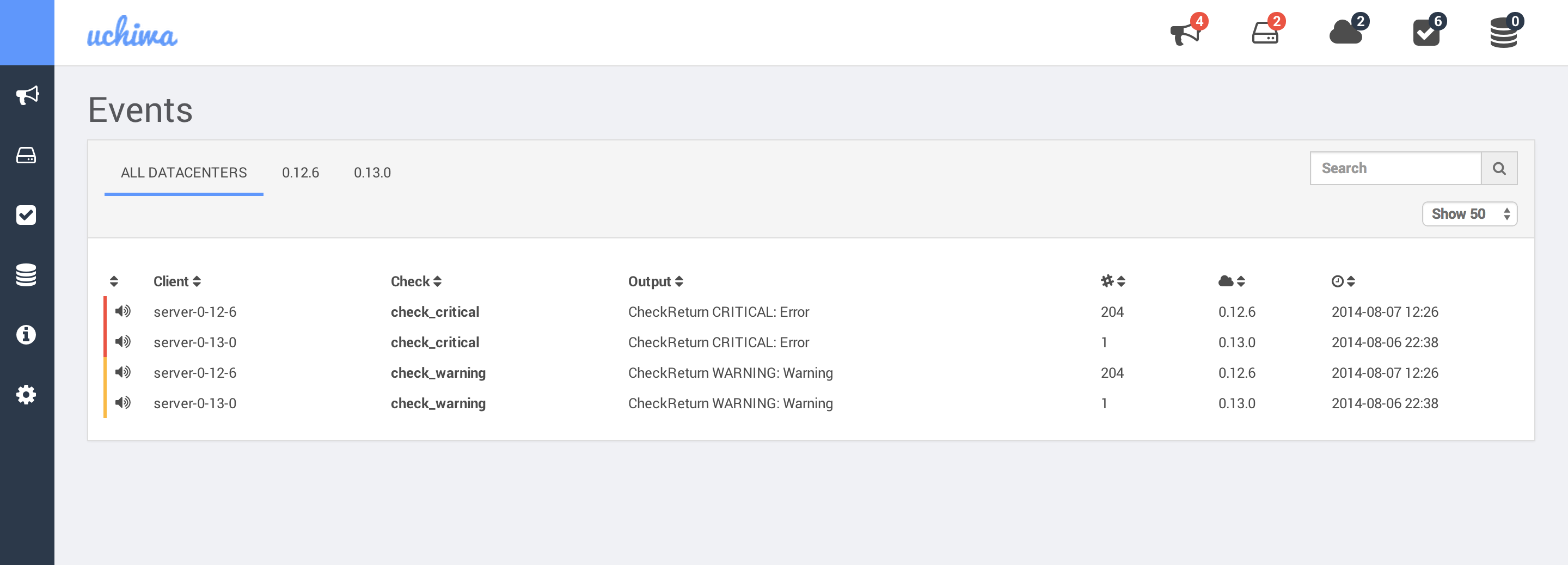
- Easily filter events, clients, stashes and events
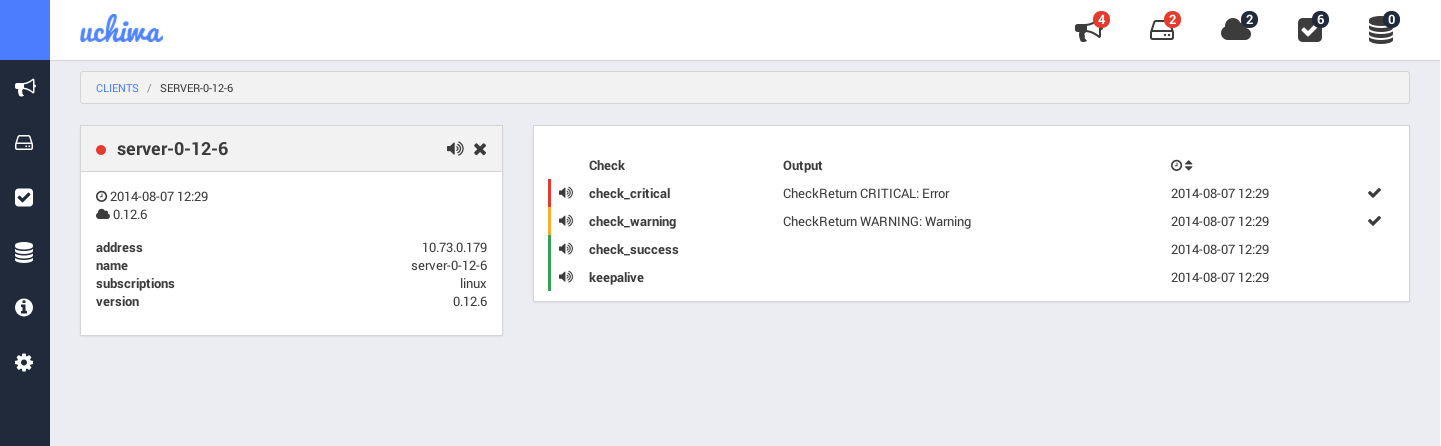
- Simple client details view
- Easy installation
Screenshots
Installation
- Checkout the source:
git clone [email protected]:palourde/uchiwa.git - Install bower on your system:
npm install -g bower - Install the dependencies:
npm install
Getting Started
- Copy config.js.example to config.js - modify your Sensu API information. See configuration section below
- Start the dashboard:
node app.js - Browse your browser:
http://localhost:3000/
Migration from 0.0.x to 0.1.x
With the support of mutiple Sensu APIs, the configuration structure has been modified. To configure multiple APIs, simply refer yourself to the config.js.example file.
Also make sure to run npm install to install any missing dependencies.
Use nginx as proxy
The first thing you need is Nginx 1.3.13 or higher, since previous versions do not support websocket connections.
Then, you simply need to open up the Nginx configuration file and add the following route to your virtual server:
location / {
  proxy_pass http://localhost:3000;
  proxy_http_version 1.1;
  proxy_set_header Upgrade $http_upgrade;
  proxy_set_header Connection "upgrade";
  proxy_set_header Host $host;
}
In case you want the dashboard to be accessible within a certain path on the proxy, let's say /uchiwa, simply use the following block instead:
 location ~ (/uchiwa/|/socket.io/) {
  proxy_pass http://localhost:3000;
  proxy_http_version 1.1;
  proxy_set_header Upgrade $http_upgrade;
  proxy_set_header Connection "upgrade";
  proxy_set_header Host $host;

  rewrite /uchiwa/(.*) /$1 break;
}
Configuration
sensu
host- String: The address of the Sensu API.ssl- Boolean: Determines whether or not the API use a SSL certificate.port- Integer: The port of the Sensu API. The default value is 4567.user- String: The username of the Sensu API. Leave empty for none.pass- String: The password of the Sensu API. Leave empty for none.path- String: The path of the Sensu API. Leave empty in case of doubt.timeout- Integer: Timeout for the Sensu API, in milliseconds. The default value is 5000.
uchiwa
user- String: The username of the Uchiwa dashboard. Leave empty for none.pass- String: The password of the Uchiwa dashboard. Leave empty for none.stats- Integer: Determines the retention, in minutes, of graphics data. The default value is 10.refresh- Integer: Determines the interval to pull the Sensu API, in milliseconds. The default value is 10000.
Debugging
You may start the dashboard with the following command in order to enable verbose mode: NODE_ENV="development" node app.js
Authors
Created and maintained by Simon Plourde ([email protected])
License
Apache 2.0 (see LICENSE)
Tag summary
Content type
Image
Digest
sha256:b52049673…
Size
314.9 MB
Last updated
about 11 years ago
docker pull inokappa/uchiwa