iotportal/iot-suite
An awesome IoT Web Portal demo developed based on Tuya OpenAPI
4.4K
iotportal/iot-suite repository overview
Control Tuya IoT Devices with IoT Suite
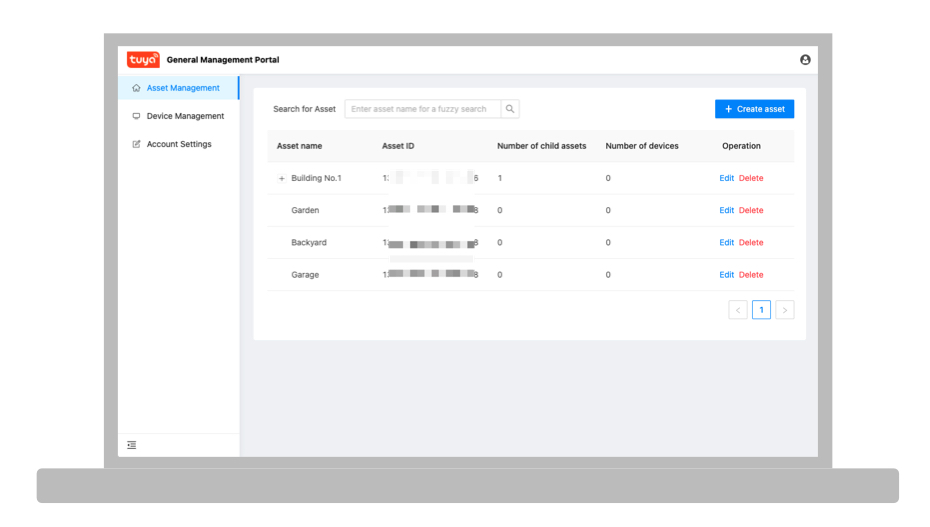
IoT Suite is an IoT web portal demo application developed using Tuya OpenAPI. Through IoT Suite, you can implement basic functions such as asset management, device management, and device control. As part of the open source program of Tuya, the front-end and back-end parts of IoT Suite will also be open sourced to Github, and updated continuously.
Prerequisites
Set up the Docker environment
The application is deployed in the form of a Docker image and requires a Docker runtime environment. If you are using a PC or Mac, we recommend that you install Docker Desktop according to the official guides.
Create a cloud development project
For more information about project creation, see Create a project. Pay attention to the following project configuration information when you create the project.
- Specify Custom Development as the development method.
- On the basis of the default APIs, you must add the following APIs, including Industrial General Permissions Management, Email Service, and Short Message Service. The following list shows all required API products.
- Authorization
- Industrial General Device Registration
- Industrial General Device Management
- Industrial General Device Status Query
- Industrial General Device Control
- Industrial General User Management
- Industrial General Asset Management
- Industrial General Permissions Management
- Email Service
- Short Message Service
Note: For more information about how to subscribe to the API products, see Manage Cloud Products.
View configuration parameters
-
Access ID and Access Secret: Get them in the section Cloud Application Authorization Key.
-
Project ID: The project ID in the URL of the project page, starting with a lowercase letter
p.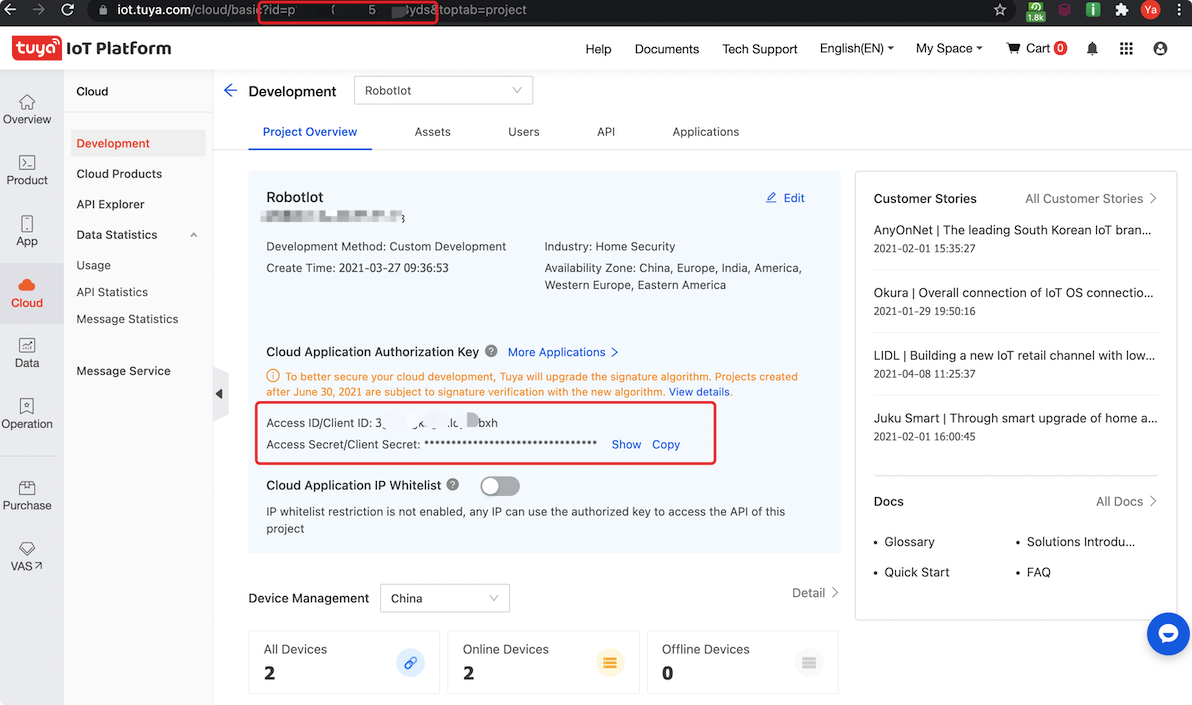
Deploy the image
-
After Docker Desktop or other Docker environments are installed, use the CMD tool of the Windows operating system or the terminal tool of the Mac/Linux operating system to run the following command and download the Docker image.
docker pull iotportal/iot-suite:latest -
Create the environment configuration file iot-suite.env under the current directory.
AK= SK= PC= REGION= SMS_TEMPLATEID_CN= SMS_TEMPLATEID_EN= MAIL_TEMPLATEID_CN= MAIL_TEMPLATEID_EN=The environment variables are defined as follows.
Variable name Description Example Required AK Access ID. qyp5t3********vzp7b1 Yes SK Access Secret. 1048e7f02****************55168 Yes PC The project ID. p1616********7dmk Yes REGION The current availability zones. Valid values: CN,US,EU, andIN.CN No SMS_TEMPLATEID_CN The ID of a specified SMS message template in Chinese. SMS_458****330 No SMS_TEMPLATEID_EN The ID of a specified SMS message template in English. SMS_911****540 No MAIL_TEMPLATEID_CN The ID of a specified email template in Chinese. MAIL_605****151 No MAIL_TEMPLATEID_EN The ID of a specified email template in English. MAIL_802****485 No Note: You can call the APIs of Tuya's short message service and email service to get the IDs of the SMS message template and email template. You can use API Explorer to quickly simulate the calls.
-
After the image download is completed, run the image with the following command.
docker run --name iot -d -p 80:80 --env-file ./iot-suite.env iotportal/iot-suite:latest -
Use the command
docker start iotto start, or start the image in the Docker Dashboard. -
After the Docker image is running, visit
http://localhost/loginin the browser and log in with the following information.- Account: [email protected]
- Password: Admin123456
SaaS Development Framework usage
In the current version of SaaS Development Framework, we provide the most basic functions such as asset management, device management, device status query, and device control.
Asset management
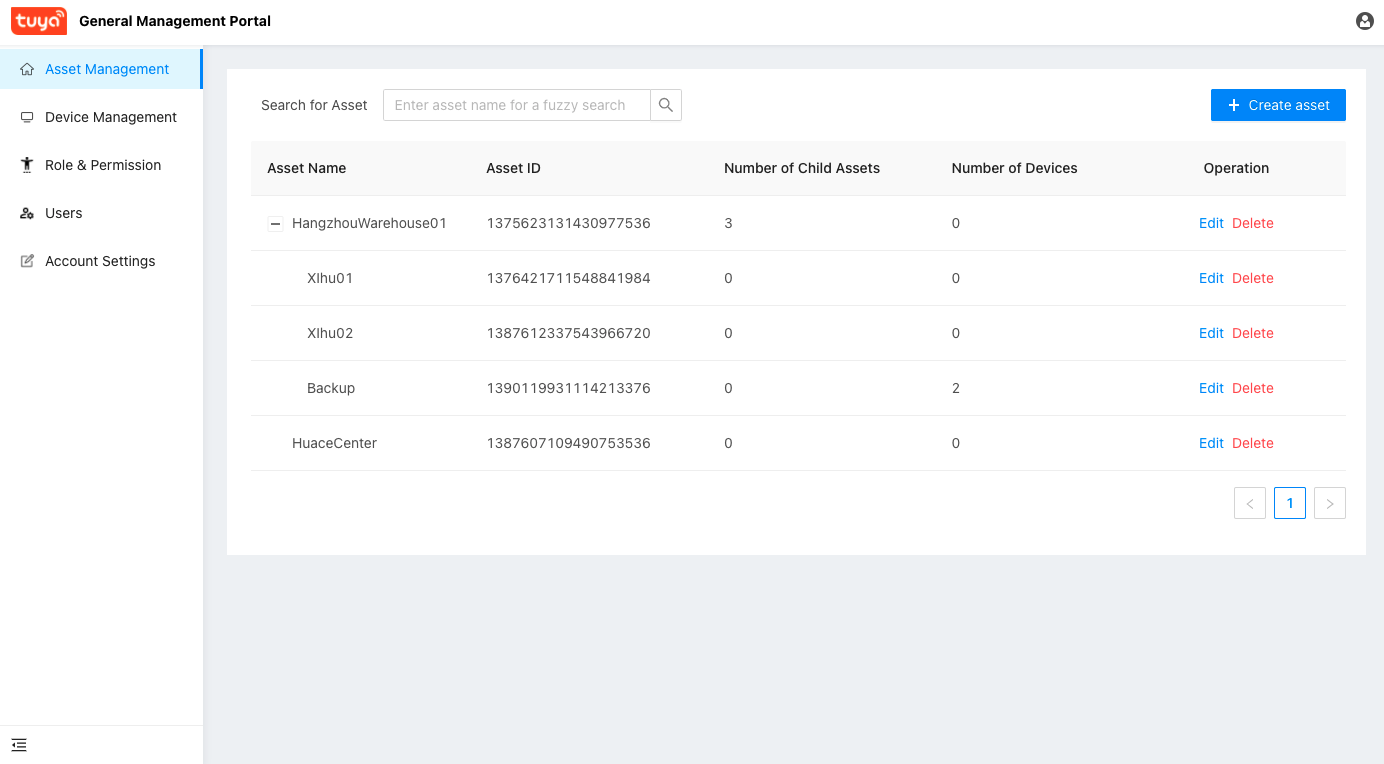
Before you start adding Tuya IoT devices, you first need to add an asset on the page of Asset Management. Assets are the spatial locations where the devices are deployed. Use the supporting mini program or app to add the devices to the specified assets, and then you can manage and control the devices in the SaaS Development Framework.
Device management
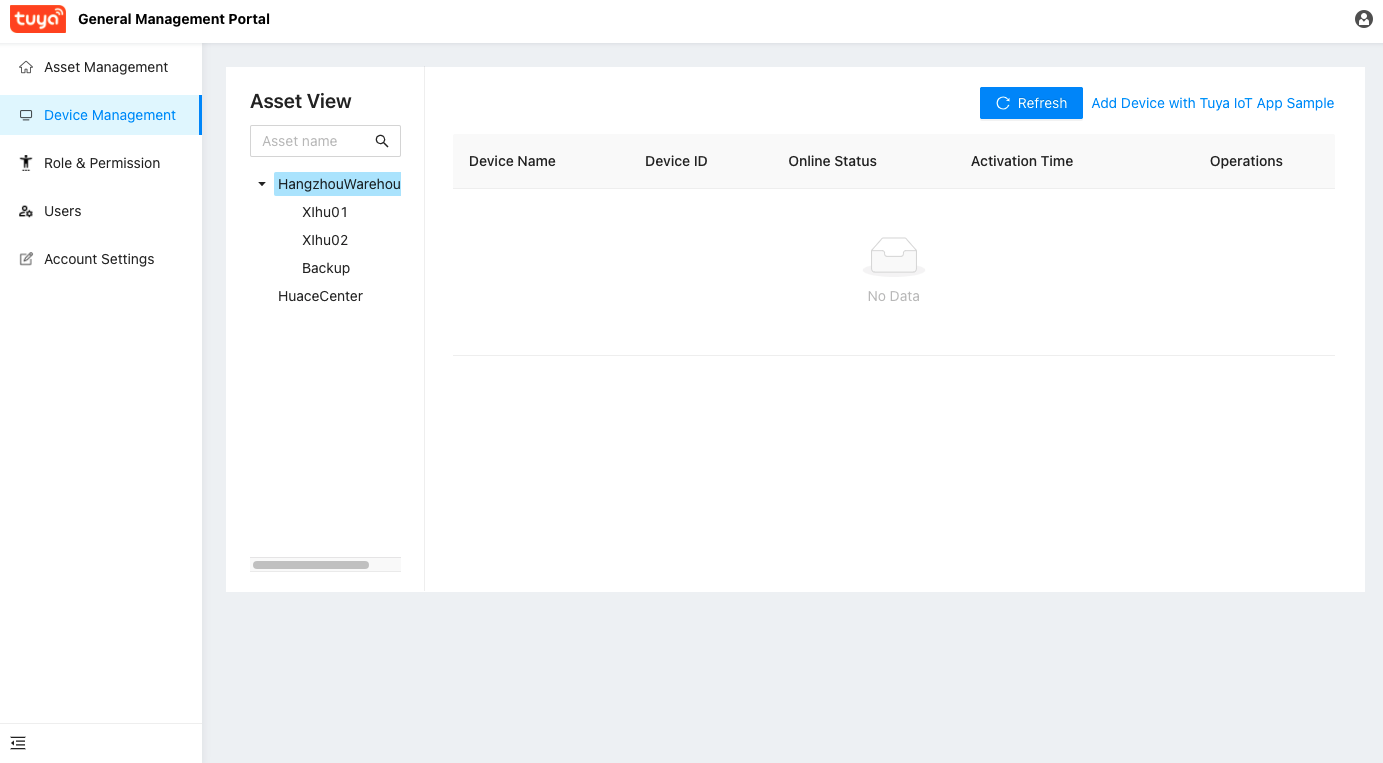
On the Device Management page, you can add devices by using the tools displayed in the top-right corner of the device list. The added device will appear in the device list. Go to the Control page of the device to view its latest status, or send control commands to the device.
Tag summary
Content type
Image
Digest
Size
149 MB
Last updated
about 5 years ago
docker pull iotportal/iot-suite