iotuelich/keyway
Self-hosted web SSH & VNC client with SFTP, encrypted vault and offline command help. Mobile-ready.
260
iotuelich/keyway repository overview

Keyway
Self-hosted web SSH & VNC client — terminal, remote screen, files, encrypted vault and offline command help in one browser tab.
Works on desktop and phone. One small container, no cloud, no account.
by IoTUeli · Source on GitHub · MIT license
Why Keyway
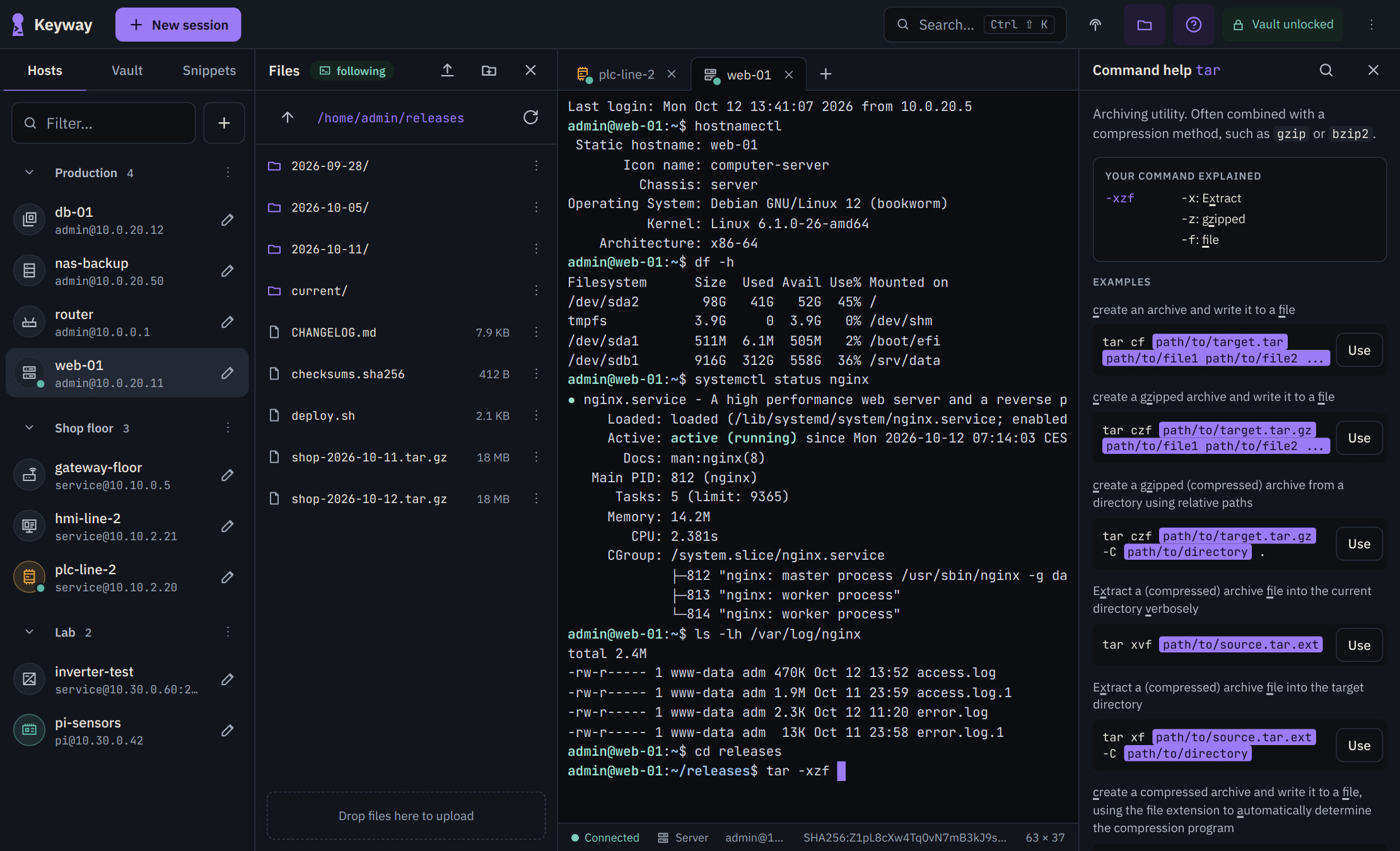
- SSH terminal in the browser — tabs, 256 colors, full-screen programs (top, vi), copy & paste. Sessions keep running on the server and reattach after a reload or a dropped mobile connection.
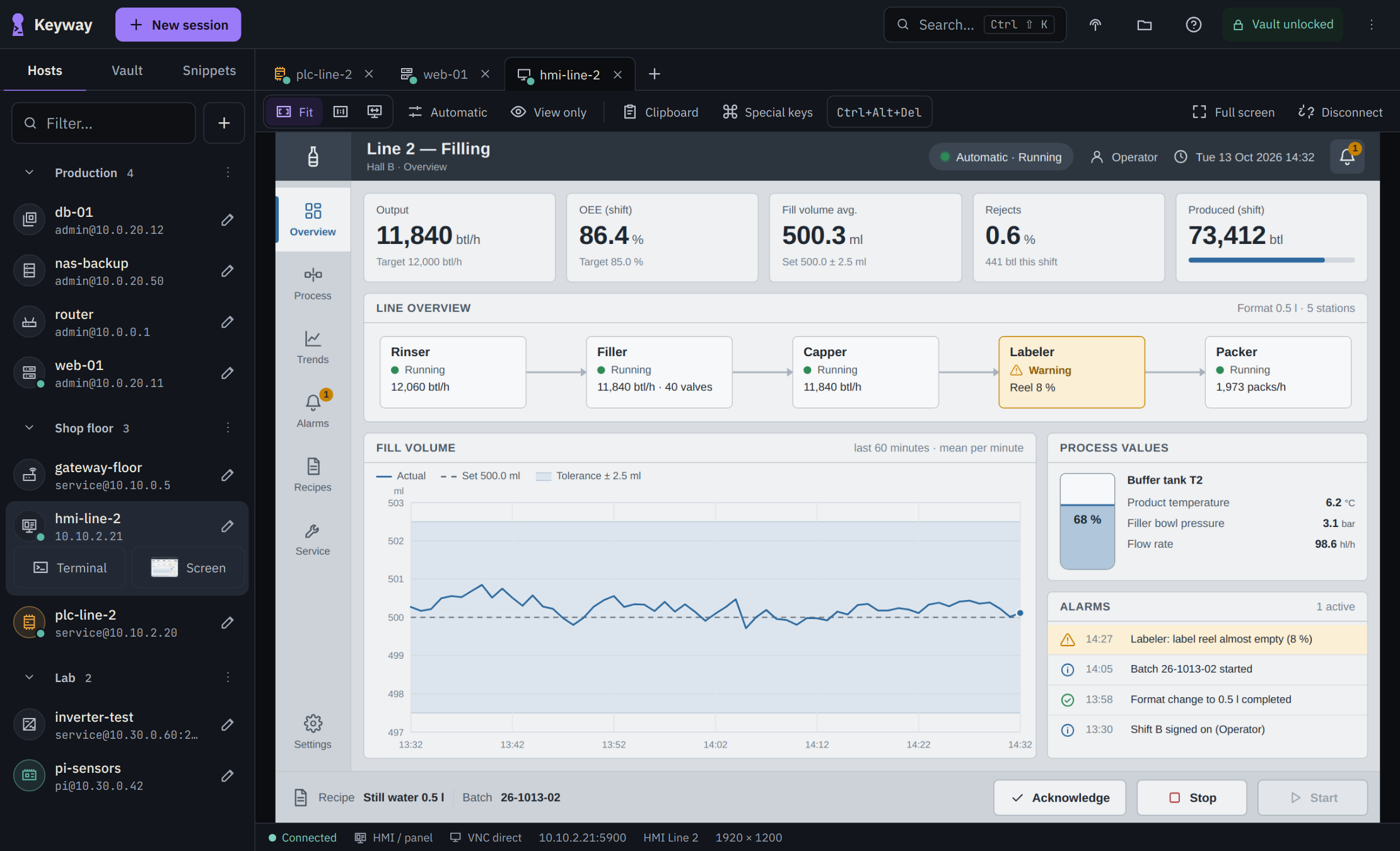
- Remote screen (VNC) — RealVNC-style viewer next to your terminals. Tunneled over SSH by default (encrypted, no open VNC port on the device), or direct for panels without SSH. The VNC password stays on the server.
- Files (SFTP) — upload, download, rename, delete. On Linux hosts the file panel follows your
cdin the terminal. - Encrypted vault — passwords and private keys are stored encrypted (AES-256-GCM, key derived from your sign-in password with Argon2id). Generate ed25519 keys and install them on a host with one click.
- Command help, offline — about 7,000 commands from tldr-pages (English and German). Search in plain words (“extract archive”, “port in use”); Keyway explains the line you are typing, flag by flag.
- Device types — icons for PLC, HMI, gateway, server, VM, container, Raspberry Pi, router, switch, firewall, NAS and more, so you see at a glance what you connect to.
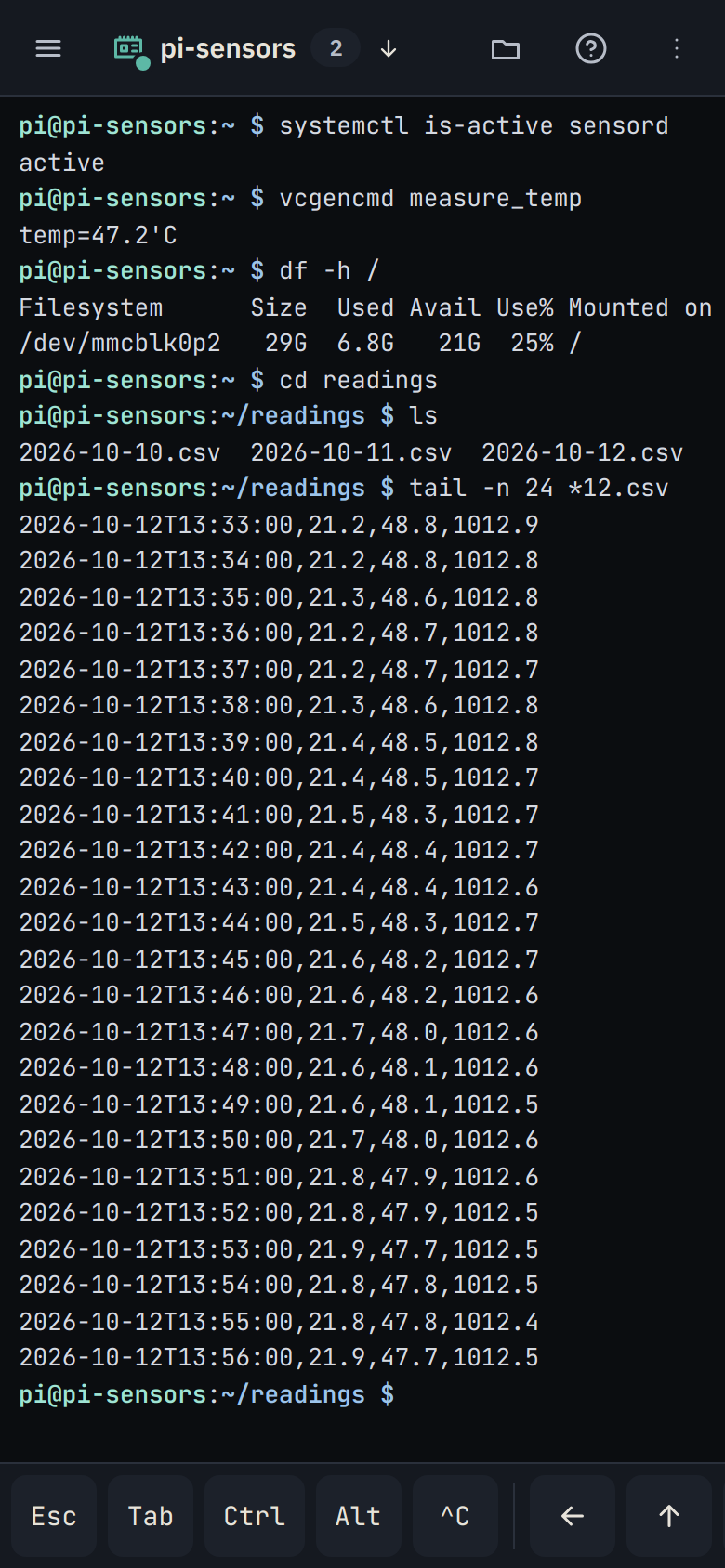
- Made for the phone — extra key row (Esc, Tab, Ctrl, Alt, arrows), dialogs that stay above the on-screen keyboard, touch gestures and zoom on the VNC screen.
- Backup — one encrypted file with all hosts, credentials, snippets and known host keys. Restore it on another system with your recovery key.
- English and German user interface, accent color of your choice.
| Remote screen (VNC) | On the phone |
|---|---|
 |  |
Quick start
docker run -d --name keyway \
  -p 8443:8443 \
  -v keyway-data:/data \
  --restart unless-stopped \
  --stop-timeout 30 \
  iotuelich/keyway:latest
Open https://<your-server>:8443. Keyway creates its own TLS certificate on first start, so your browser warns once — that is expected. To compare the fingerprint, run docker logs keyway (the log lines are in German: look for Fingerabdruck SHA-256).
Docker Compose (recommended, hardened)
services:
  keyway:
    image: iotuelich/keyway:latest
    container_name: keyway
    restart: unless-stopped
    ports:
      - "8443:8443"
    volumes:
      - keyway-data:/data
    environment:
      SSHAPP_LEERLAUF_MIN: "30"   # minutes without activity until the vault locks
    read_only: true
    tmpfs:
      - /tmp
    cap_drop:
      - ALL
    security_opt:
      - no-new-privileges:true
    stop_grace_period: 30s   # lets a running upload finish on stop

volumes:
  keyway-data:
docker compose up -d
First-time setup
- Choose a username and password (at least 10 characters). The password also unlocks the vault.
- Keyway shows your recovery key once. Copy it or save it as a file and keep it somewhere else (for example in your password manager). You need it to reset the password and to restore a backup — without it a backup cannot be read.
- Add hosts: device type, name, address (
user@host:portworks too), user and password — tick Save password to keep it in the vault, or leave it empty to be asked on connect.
Set up Keyway right after starting the container: until the first account exists, whoever opens the page first can set it up.
Remote screen (VNC)
In the host dialog, open Advanced → Screen (VNC) and switch it on.
- Tunneled over SSH (recommended): Keyway logs in to the host via SSH and connects to the VNC port on the device itself (
127.0.0.1:<port>). Everything is encrypted, and the VNC port does not need to be reachable on the network. - Direct: for devices without SSH (many HMI panels). Plain VNC is unencrypted — use it only in a trusted network.
- Password: VNC authentication (and “None”) is done by Keyway on the server; the password never reaches the browser. Other schemes (VeNCrypt, RealVNC RA2, Apple) are passed through to the viewer and are not stored; for RealVNC, Keyway remembers the server key and warns if it changes.
- Toolbar: fit / 100 % / remote resize, full screen, quality, view only, clipboard, Ctrl+Alt+Del and special keys, disconnect. Thumbnails of the last screen are kept in your browser only.
Tags and platforms
| Tag | Meaning |
|---|---|
latest | latest release |
0.3.0, 0.3 | exact release / latest patch of a minor version |
Images are built for linux/amd64 and linux/arm64 (Raspberry Pi 4/5, industrial ARM controllers). Docker pulls the right one automatically.
The same images are also published on the GitHub Container Registry: ghcr.io/uiff/keyway.
Ports and volumes
8443/tcp | Web UI (HTTPS) |
/data | Database, TLS certificate — put this on a volume |
The container runs as the unprivileged user nonroot (UID 65532) in a distroless image without a shell. A bind mount for /data must be writable by UID 65532:
mkdir -p /opt/keyway && chown 65532:65532 /opt/keyway and then -v /opt/keyway:/data.
Configuration
| Variable | Default | Meaning |
|---|---|---|
SSHAPP_ADDR | :8443 | Address and port inside the container (keep the form :<port>; the health check uses it) |
SSHAPP_TLS | auto | auto = self-signed certificate, aus (off) = plain HTTP behind a reverse proxy, eigen (own) = your certificate from SSHAPP_TLS_CERT / SSHAPP_TLS_KEY |
SSHAPP_TLS_CERT, SSHAPP_TLS_KEY | – | With SSHAPP_TLS=eigen: PEM certificate (with chain) and key, readable by UID 65532 |
SSHAPP_COOKIE_SECURE | – | 1 = cookie over HTTPS only (set with SSHAPP_TLS=aus behind an HTTPS proxy) |
SSHAPP_PROXY | – | Trusted reverse proxies (addresses or networks, comma-separated) for X-Forwarded-For / X-Forwarded-Host |
SSHAPP_HOSTS | – | Additional host names for the app (DNS rebinding protection), e.g. keyway.example.com |
SSHAPP_ORIGINS | – | Additional allowed WebSocket origins if a proxy rewrites the Host header |
SSHAPP_HSTS | – | 1 = send Strict-Transport-Security (only if everything under this name speaks HTTPS) |
SSHAPP_LEERLAUF_MIN | 30 | Minutes without activity until sign-in expires and the vault locks; running terminal sessions stay alive |
The SSHAPP_ prefix comes from the project’s original name and is kept for compatibility.
Behind a reverse proxy (example: Caddy)
With a proxy and a certificate your browser trusts, the certificate warning goes away. Keyway then speaks plain HTTP and is reachable only by the proxy:
    ports:
      - "127.0.0.1:8080:8080"        # only for the proxy on the same machine
    environment:
      SSHAPP_ADDR: ":8080"
      SSHAPP_TLS: "aus"               # plain HTTP, TLS is done by the proxy
      SSHAPP_COOKIE_SECURE: "1"       # cookie over HTTPS only
      SSHAPP_PROXY: "172.16.0.0/12"   # how Keyway sees a proxy on the same machine (Docker networks)
keyway.example.com {
    reverse_proxy 127.0.0.1:8080
}
The proxy must pass WebSockets (/api/ws, /api/vnc), keep the Host header (or set X-Forwarded-Host), set X-Forwarded-For and allow large uploads. For names that exist only in your own network use tls internal in Caddy. Details and nginx/Traefik examples: README.
Backup and moving to a new system
Settings → Backup → Download backup creates one encrypted file. On the new system choose Restore backup during the first setup and enter the file and your recovery key; then sign in with the username and password of the old system.
Security
- Sign-in lockout after 5 failed attempts (15 minutes per address),
HttpOnly+SameSite=Strictcookies, CSRF header, strict Content-Security-Policy. - Secrets are stored encrypted; the key exists only in memory while someone is signed in. To connect, the server has to decrypt a secret briefly — end-to-end encryption into the browser is not possible for an SSH gateway.
- SSH host keys are confirmed on first connect; a changed key is shown as a clear warning.
- Keyway is meant for your own network. Do not expose it to the internet without protection.
Updating
docker pull iotuelich/keyway:latest
docker rm -f keyway   # data stays in the volume
docker run -d --name keyway -p 8443:8443 -v keyway-data:/data --restart unless-stopped --stop-timeout 30 iotuelich/keyway:latest
With Compose: docker compose pull && docker compose up -d.
License and credits
Keyway is released under the MIT license — © IoTUeli. “Keyway” and “IoTUeli” are names of IoTUeli. Included third-party software: xterm.js (MIT), noVNC (MPL-2.0, unmodified), pako (MIT), IBM Plex Sans and JetBrains Mono (OFL-1.1), command help from tldr-pages (CC BY 4.0), Go libraries listed in NOTICE.
Questions and bug reports: GitHub issues.
Tag summary
Content type
Image
Digest
sha256:268933d95…
Size
9.4 MB
Last updated
21 days ago
docker pull iotuelich/keyway