iphysresearch/cadabra2_docker
Docker image for Cadabra2 (https://cadabra.science)
Image
1
199
iphysresearch/cadabra2_docker repository overview
Docker image for Cadabra2 https://cadabra.science
Tags
- Tags: 2.3.6.6: Cadabra2 version 2.3.6.6 (dated 2021-08-31)
Usage
Run the following command in your shell: (replace <your_work_place> as your local absolute directory)
docker run -p 3090:22 -p 3091:8888 -p 3092:3092 \
-v <your_work_place>:/home/ -w /home \
iphysresearch/cadabra2_docker:2.3.6.6 /bin/bash
Run the command below in your container to keep it runing:
nohup jupyter lab --allow-root &
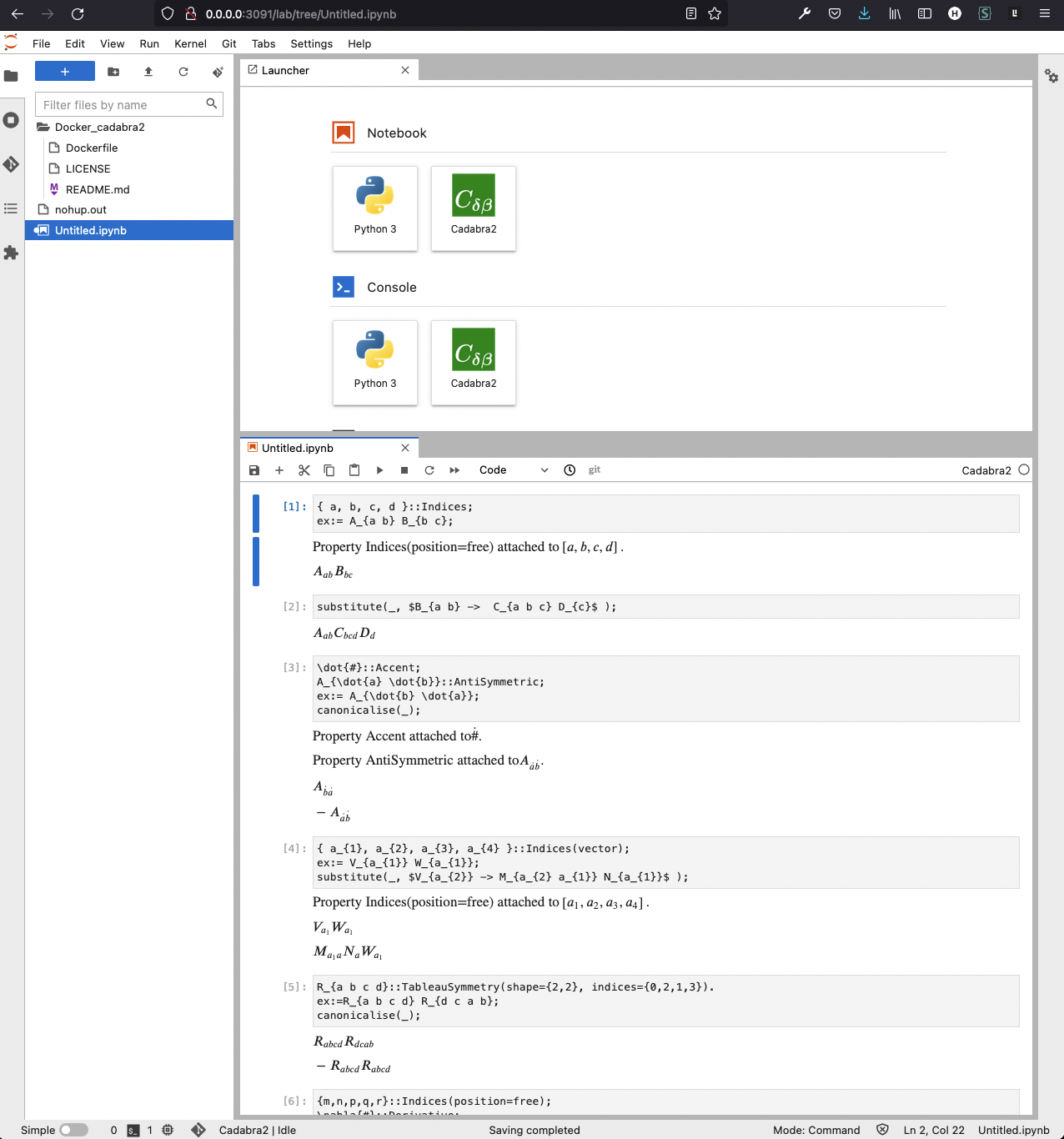
Then, a Jupyter Lab server is running at your localhost http://0.0.0.0:3091/lab as usual.
Lastly, just type ctrl+p+q to exit and keep the container active.
Screenshot
Below is outdated.
Tags
- Tags: 2.2.7: Cadabra2 version 2.2.7 (build 2134.2c4993dd63 dated 2019-06-12)
Usage
- Install XQuartz
brew cask install xquartz
- Open XQuartz
open -a XQuartz
- Configuration
ip=$(ifconfig en0 | grep inet | awk '$1=="inet" {print $2}')
xhost + $ip
- Run
docker run -d --name cadabra2 -e DISPLAY=$ip:0 -v /tmp/.X11-unix:/tmp/.X11-unix iphysresearch/cadabra2_docker:2.2.7
Dockerfile
Built from stewartmh/cadabra2-build
FROM stewartmh/cadabra2-build
USER root
RUN apt update
RUN DEBIAN_FRONTEND=noninteractive apt install -y sudo git cmake python3-dev \
      g++ libpcre3 libpcre3-dev libgmp3-dev \
      libgtkmm-3.0-dev libboost-all-dev libgmp-dev libsqlite3-dev uuid-dev  \
      texlive texlive-latex-extra dvipng \
      python3-matplotlib python3-mpmath python3-pip python3-setuptools
RUN sudo pip3 install sympy
RUN rm -rf cadabra2/
RUN git clone https://github.com/kpeeters/cadabra2
RUN cd cadabra2
RUN mkdir build;cd build
RUN cmake ..
RUN make
RUN sudo make install
RUN ctest
ENTRYPOINT ["cadabra2-gtk"]
Tag summary
Content type
Image
Digest
Size
1.1 GB
Last updated
about 5 years ago
docker pull iphysresearch/cadabra2_docker:2.3.6.6