ipradeepmishra/seeker
A beautiful, fast, and secure web-based file browser. Browse, manage, and organize your files.
2.1K
ipradeepmishra/seeker repository overview
Seeker - Modern File Browser for Home Servers
A beautiful, fast, and secure web-based file browser built with Bun, Elysia, and React. Browse, manage, and organize your files through an elegant web interface.
Features
- Blazing Fast - Built on Bun runtime for maximum performance
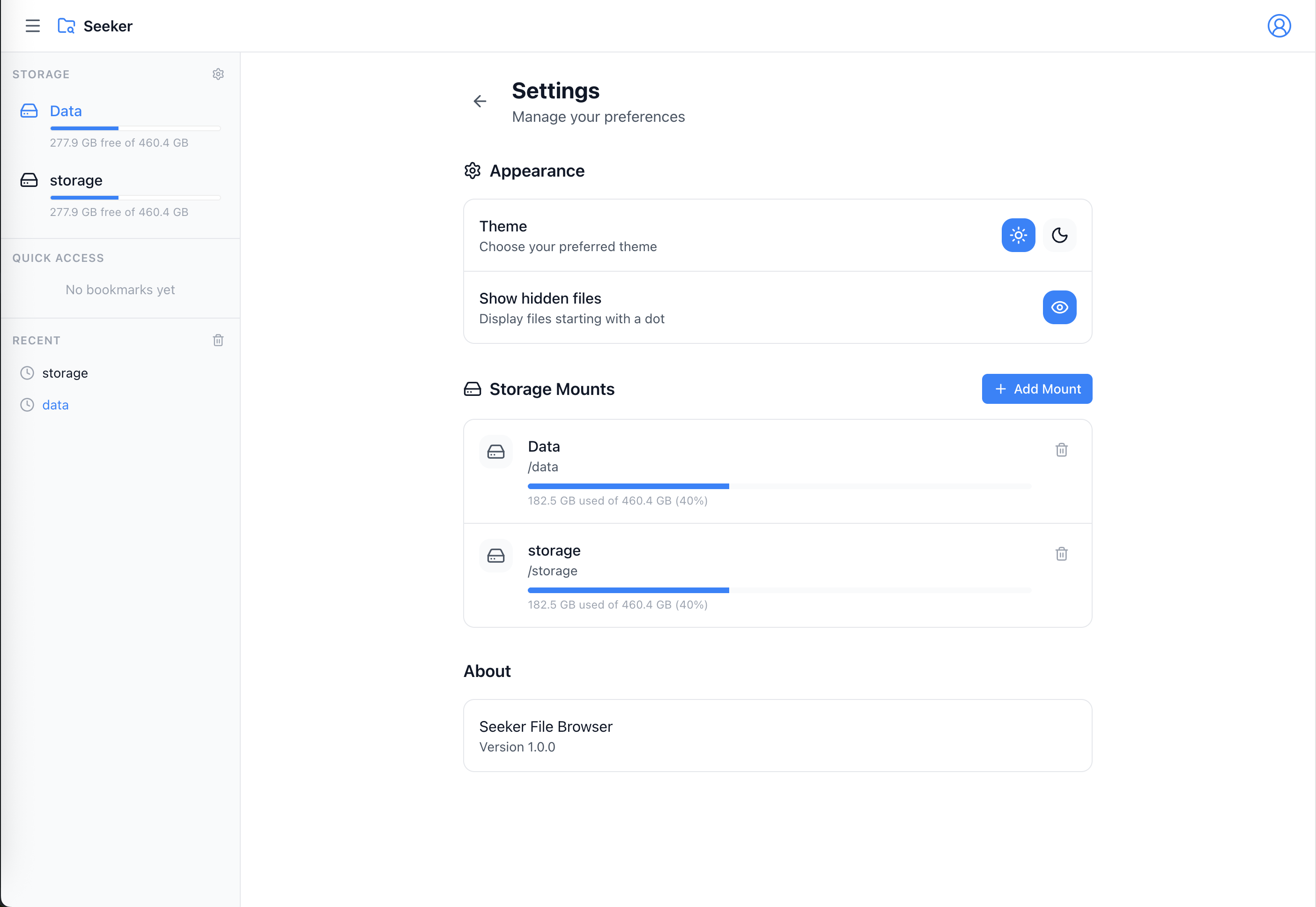
- Modern UI - Clean, responsive interface with dark/light themes
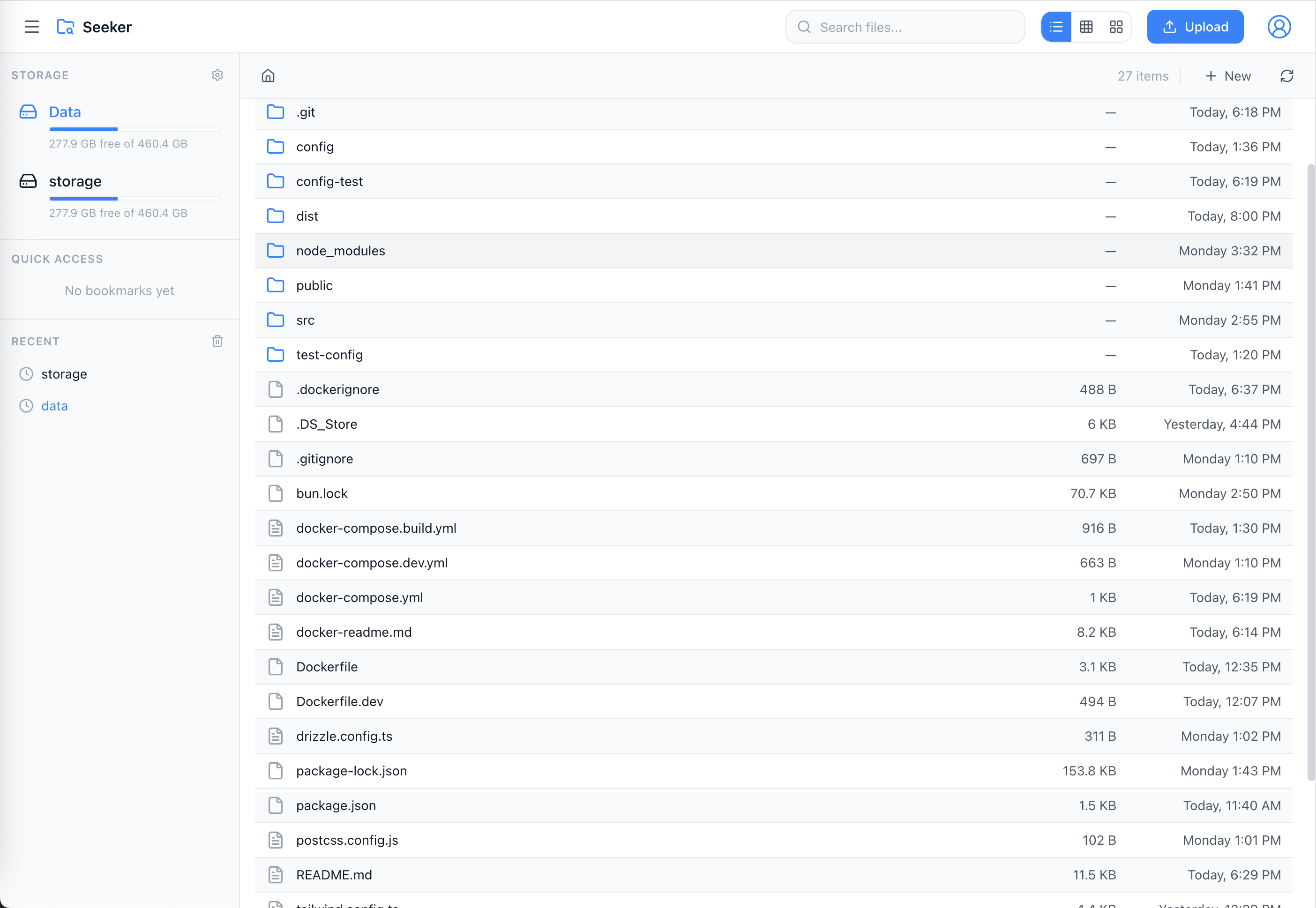
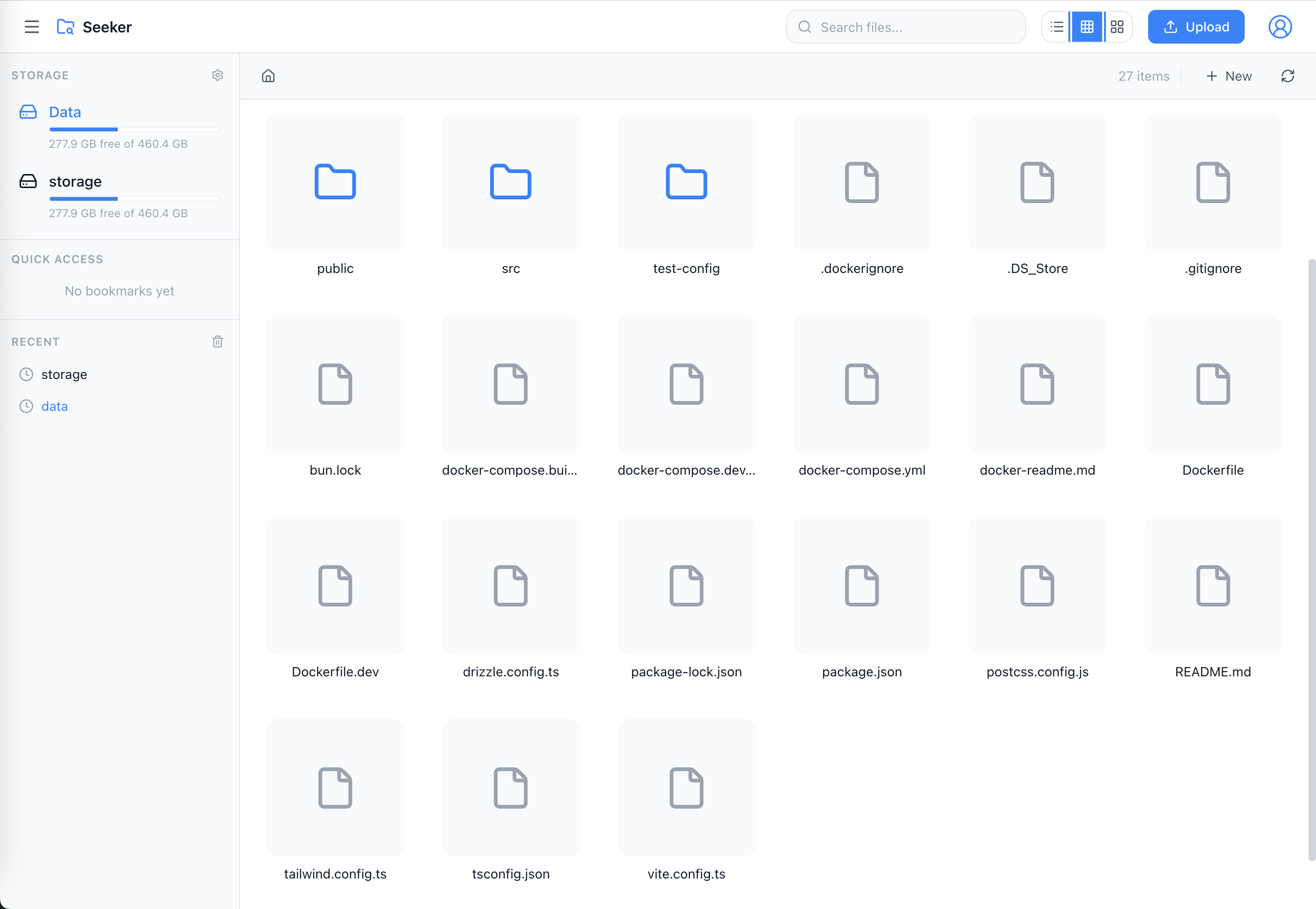
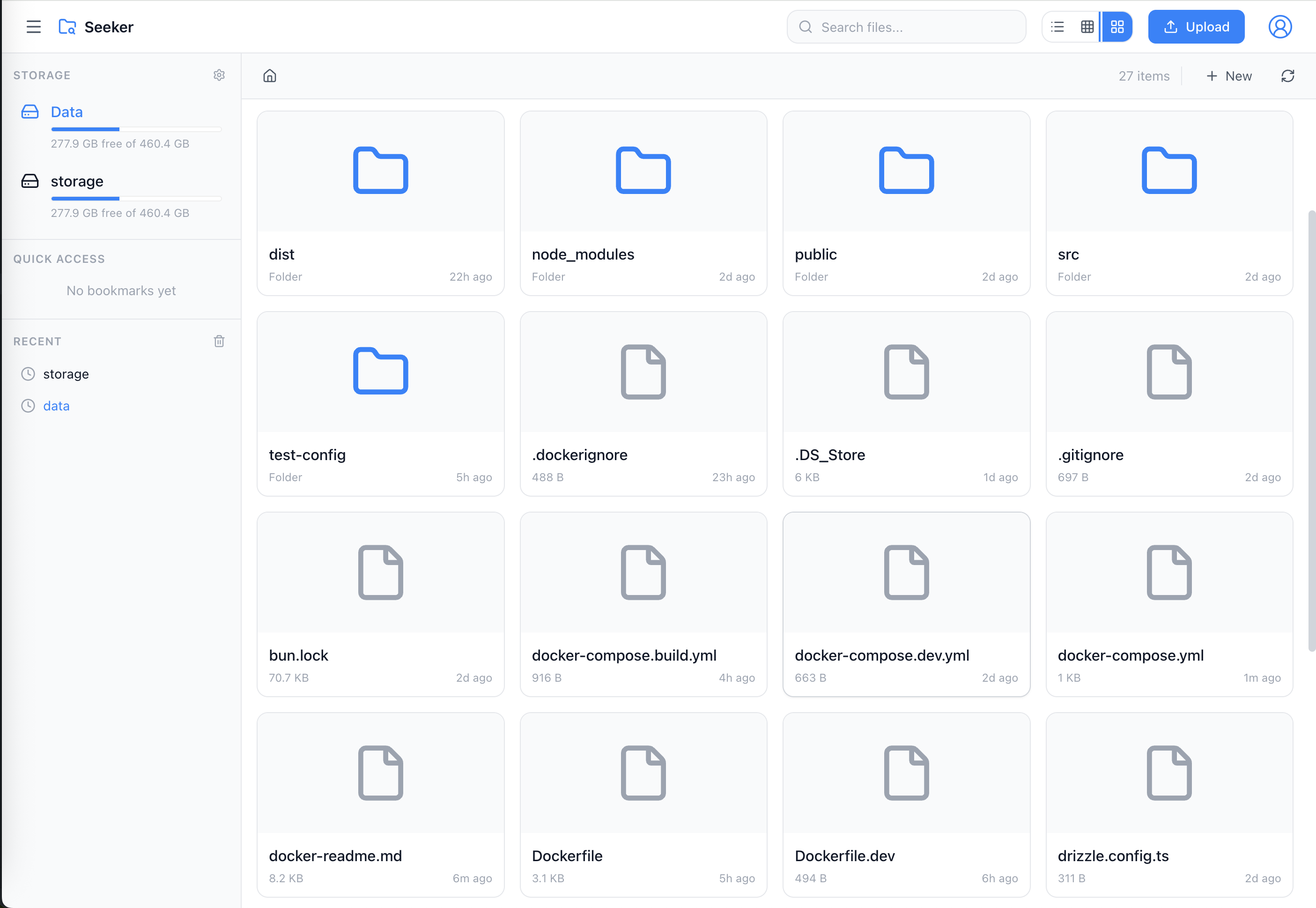
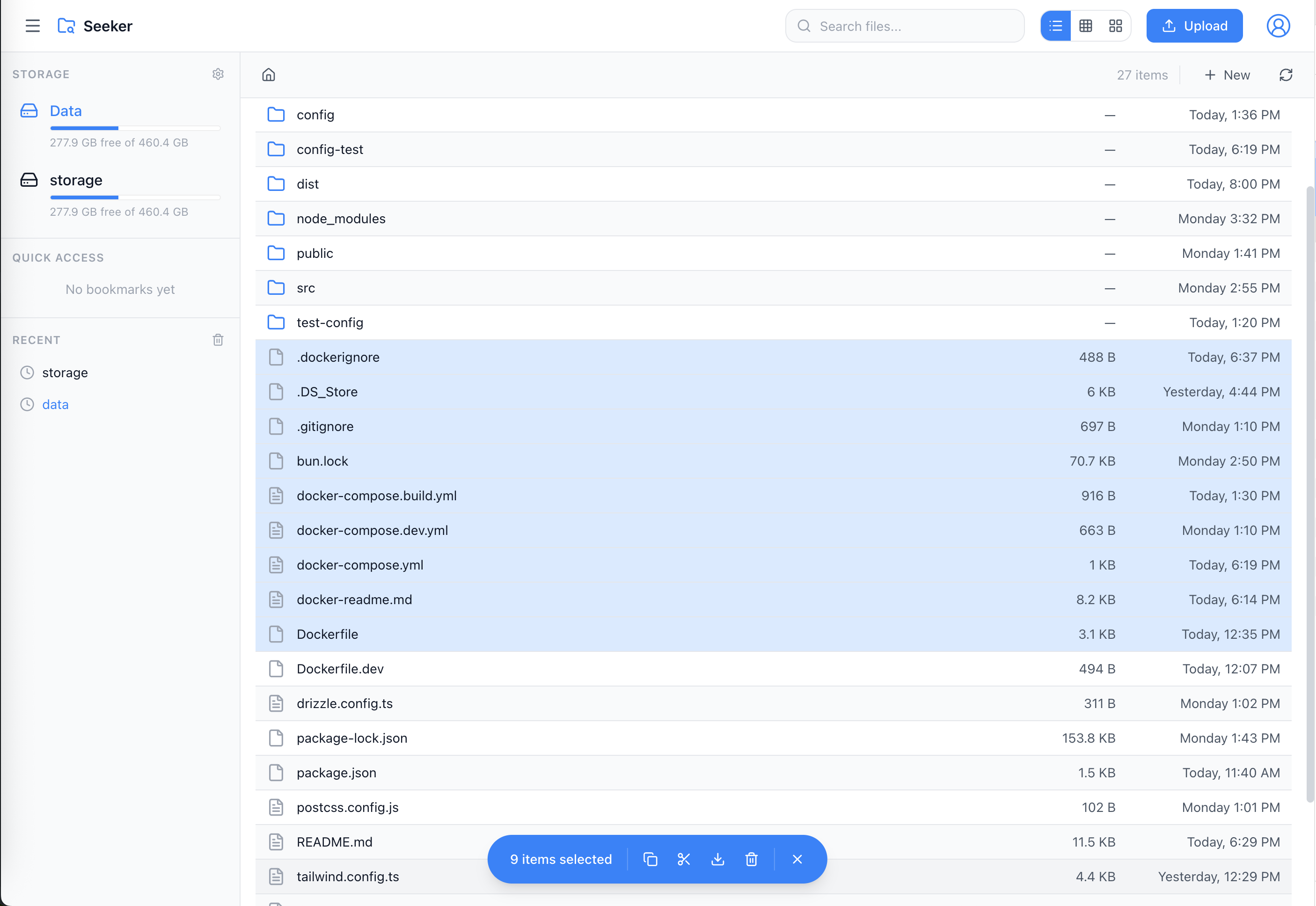
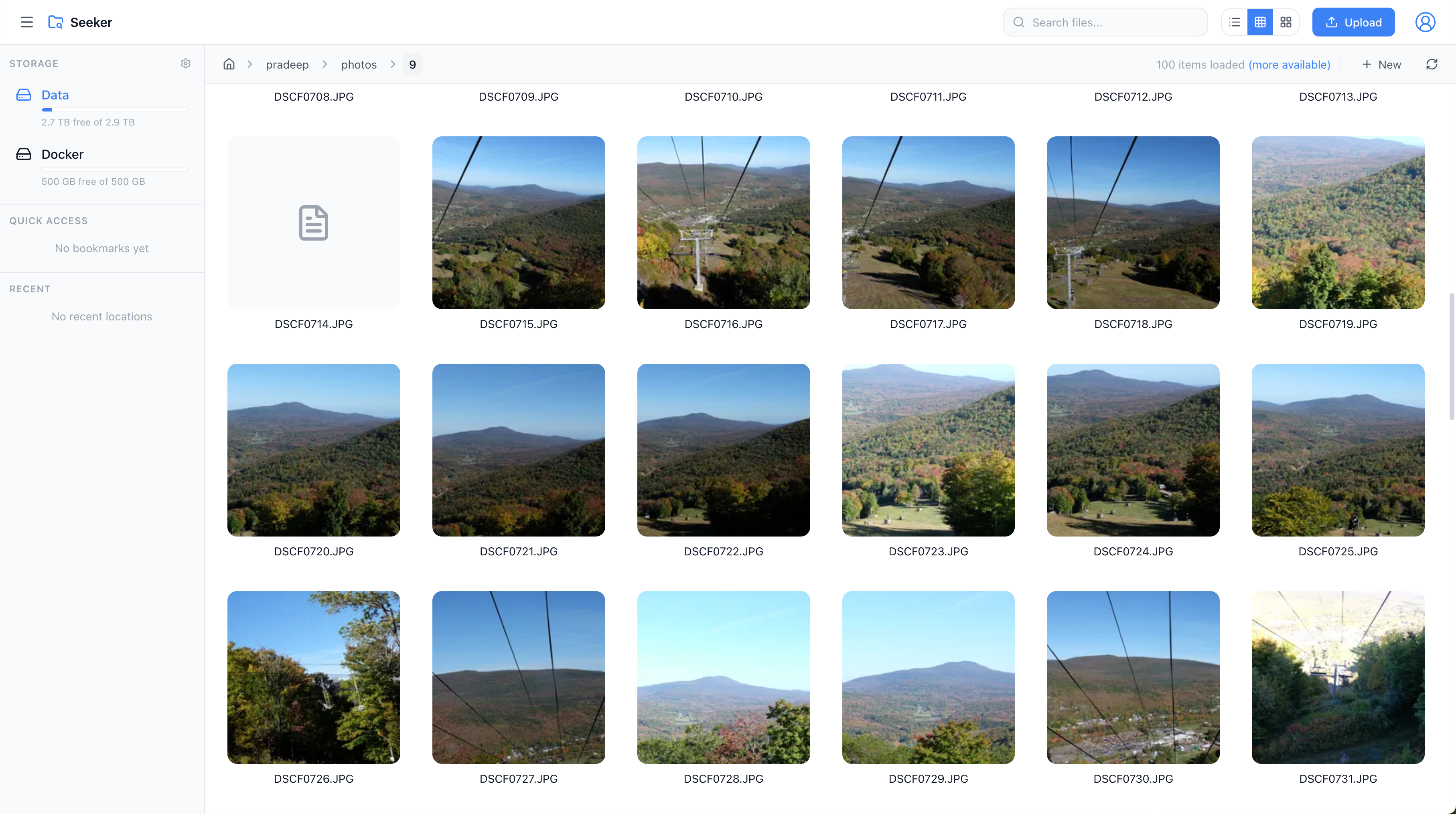
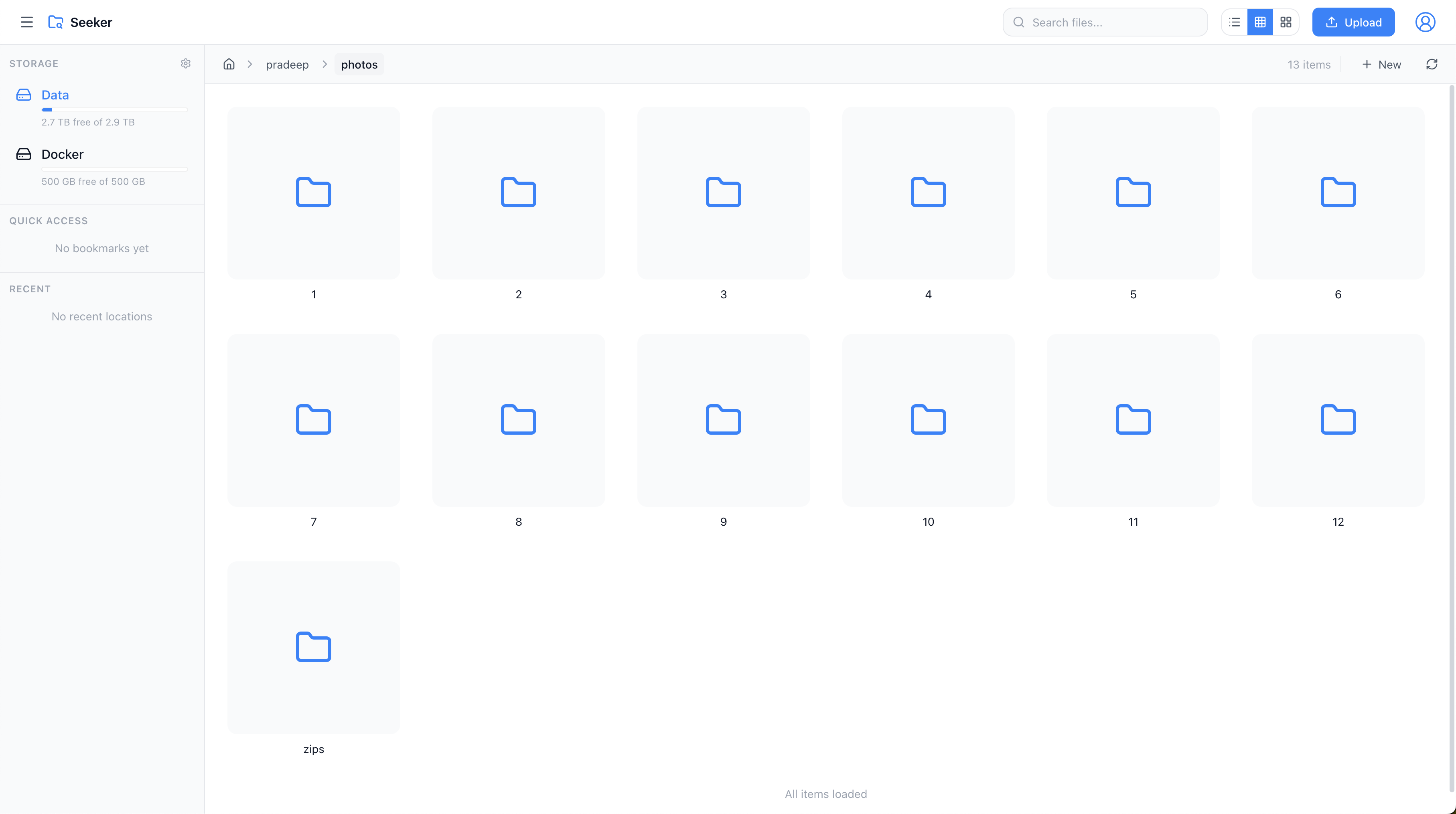
- Multiple Views - List, thumbnail, and card views for your files
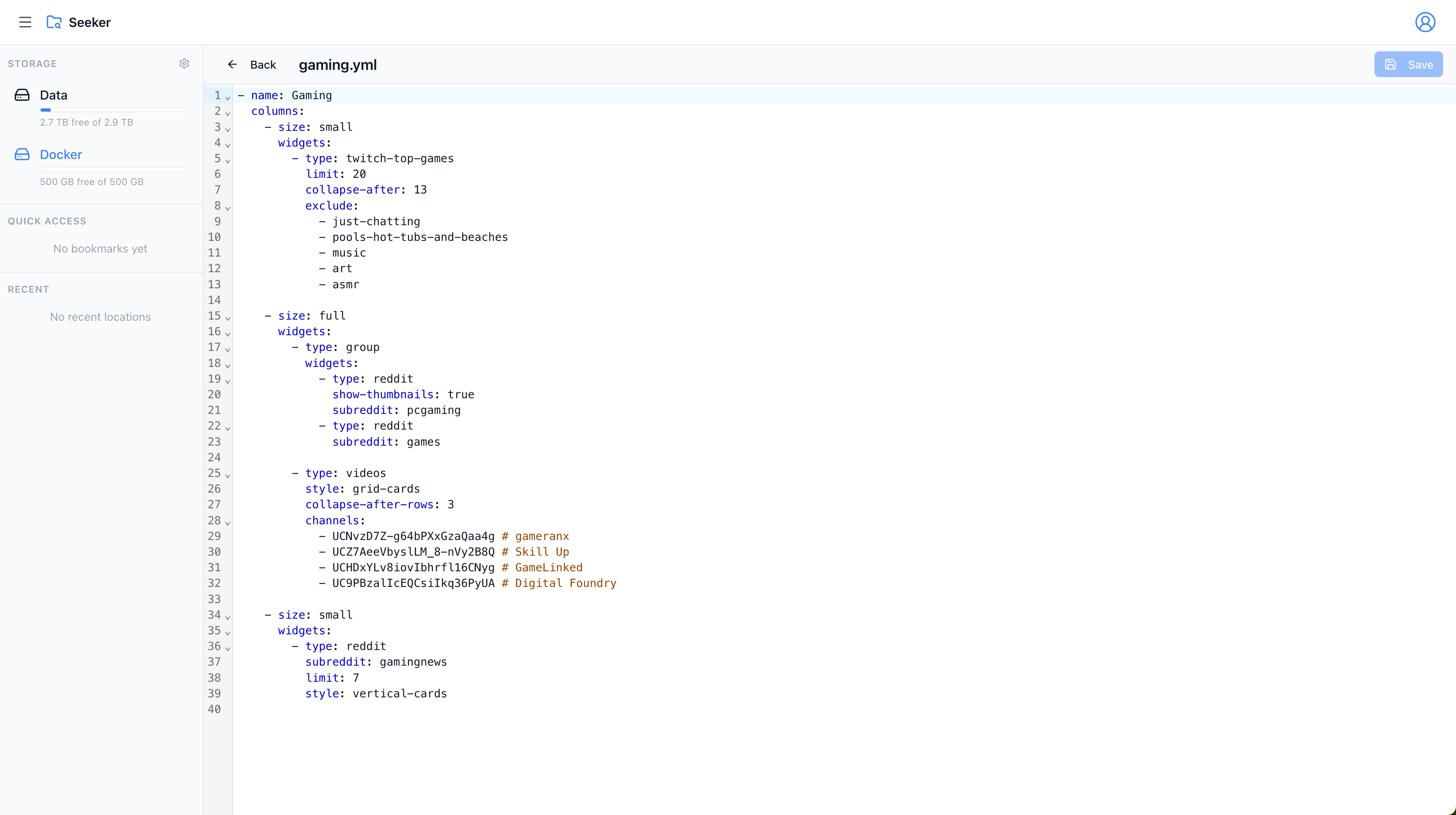
- Built-in Text Editor - Edit text files directly with syntax highlighting for JSON, YAML, YML, ENV, and more
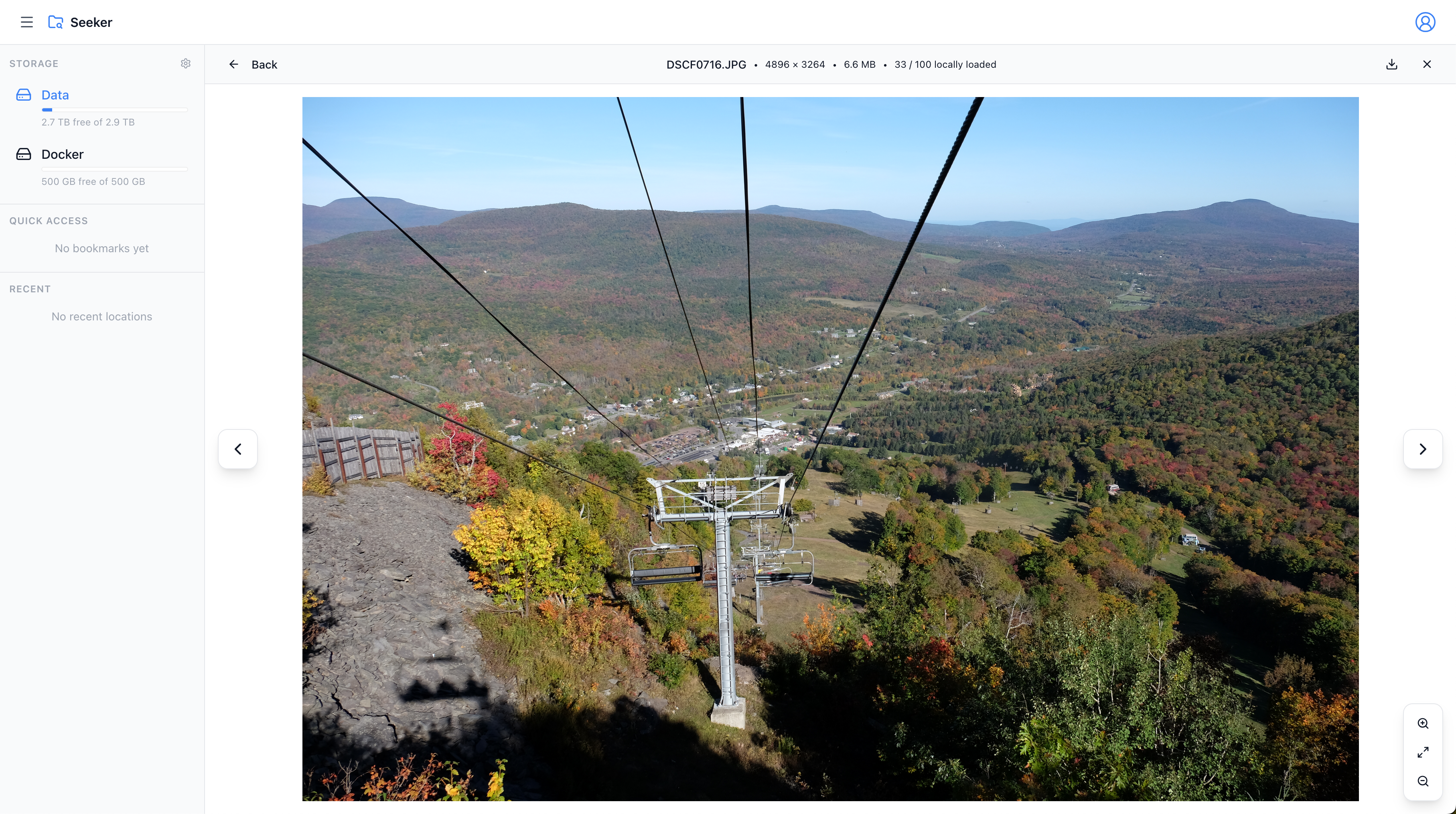
- Image Preview - View images in original size with zoom in/out controls
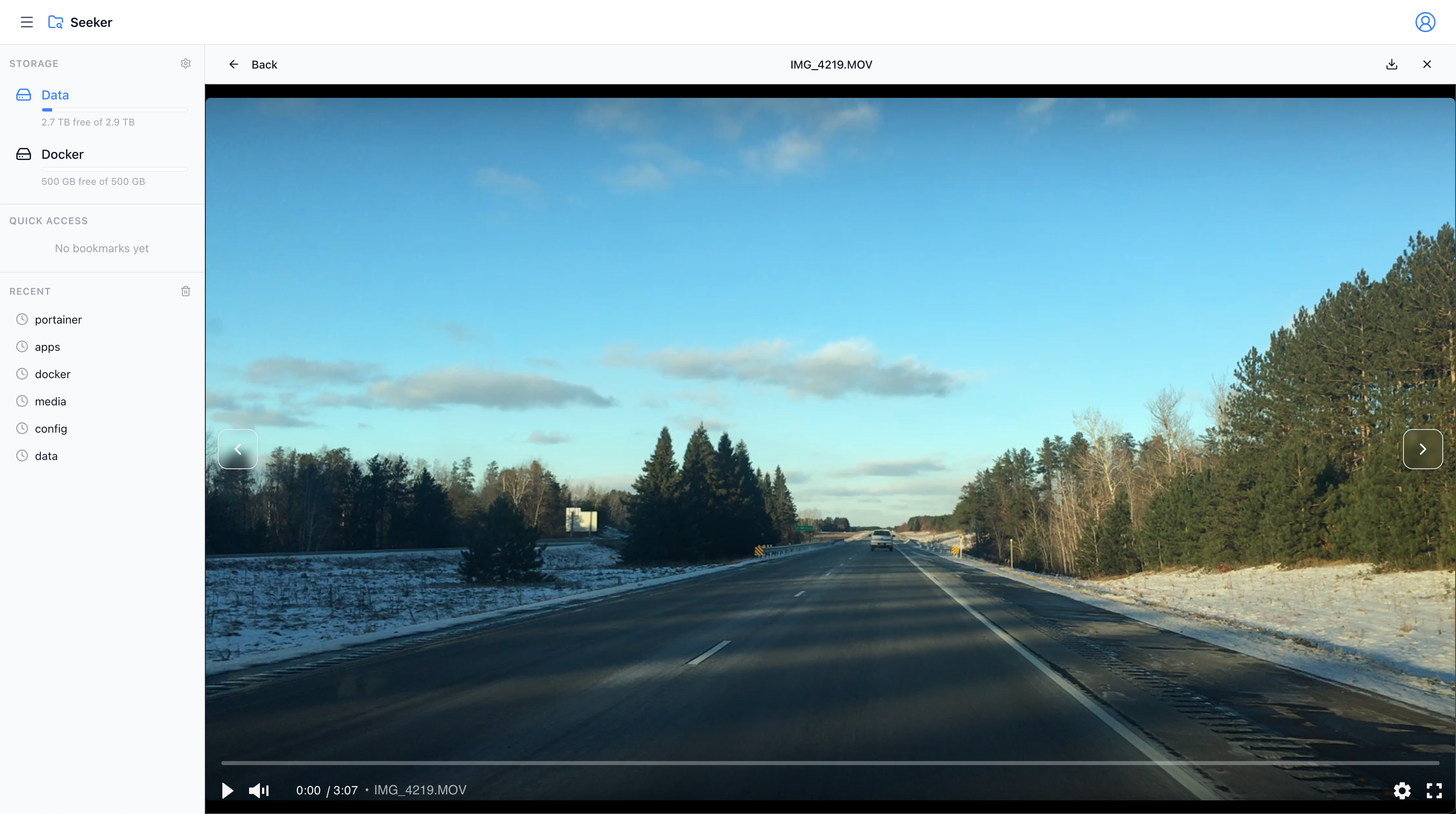
- Video Player - Built-in video player with full playback controls and streaming support
- PDF Thumbnails - Automatic thumbnail generation for PDF documents
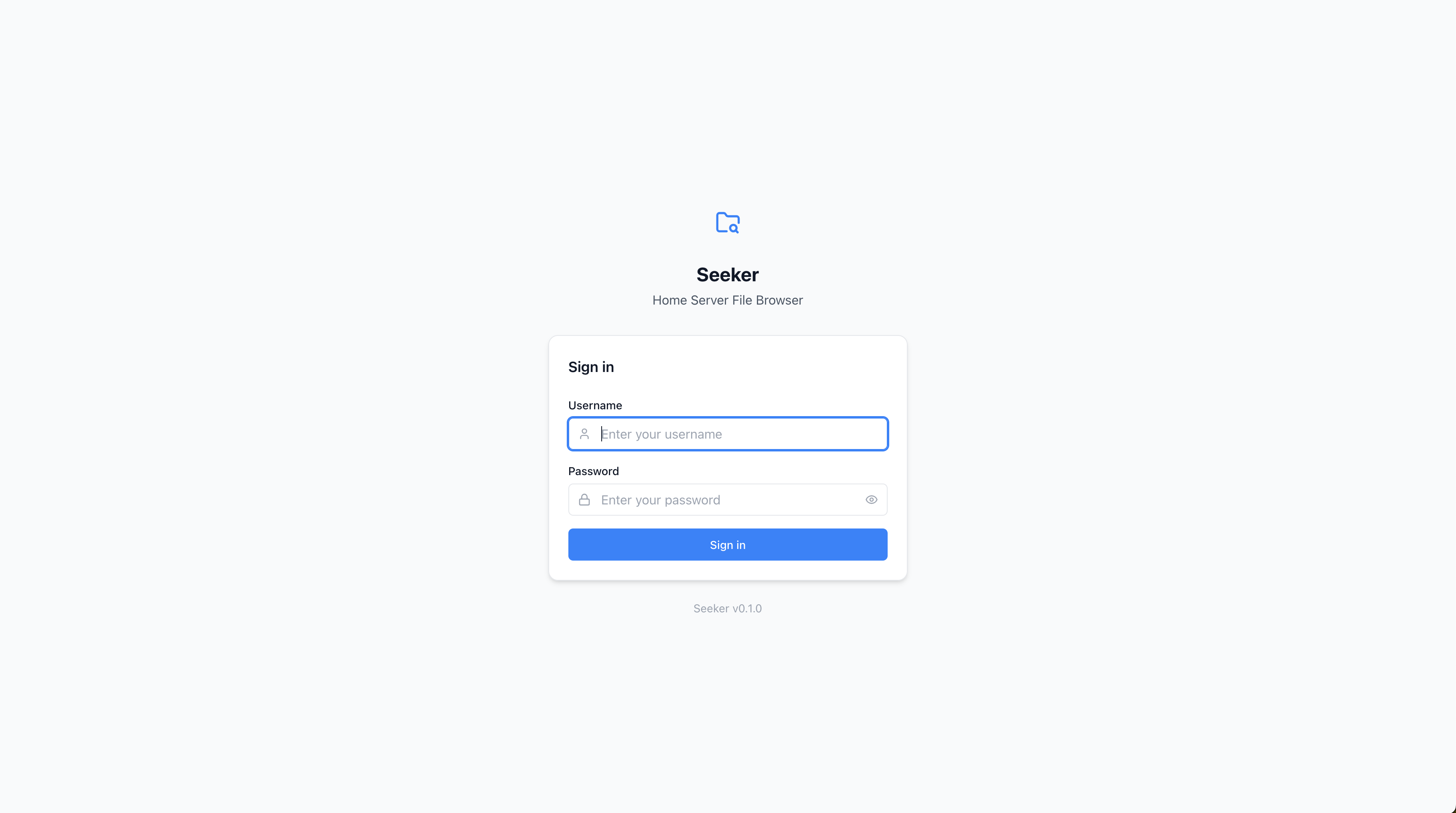
- Secure - Session-based authentication with HTTP-only cookies
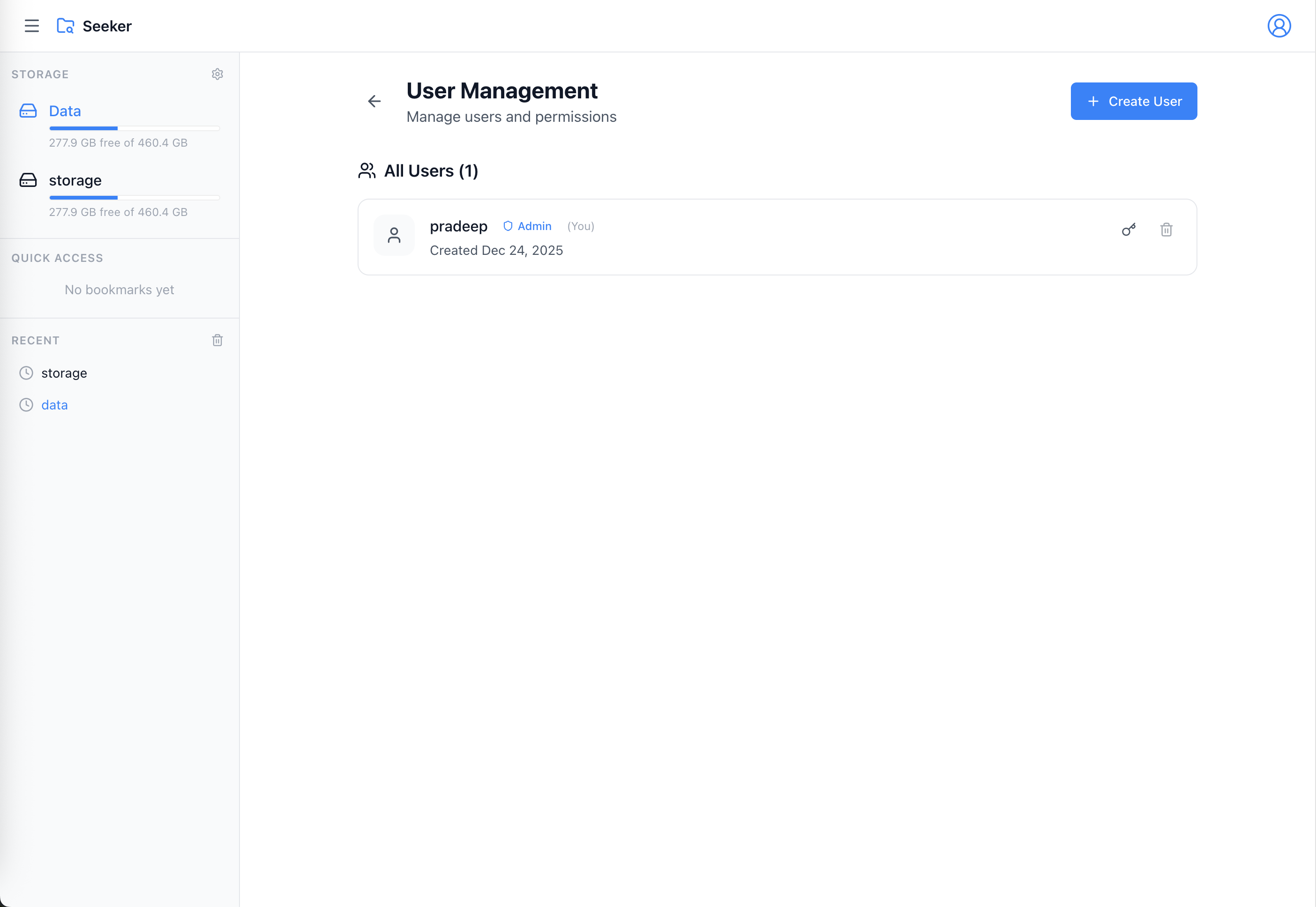
- Multi-user - User management with admin controls
- Bookmarks - Pin frequently accessed folders
- Smart Search - Quick file and folder navigation
- Thumbnails - Automatic image and PDF thumbnail generation
- File Upload - Chunked uploads with resume support
- Folder Upload - Upload whole directories while keeping their structure
- Multiple Mounts - Access different directories through a single interface
- Virtual Folders - Build collections of files from multiple mounts without moving them
- Health Checks - Built-in health monitoring
- Non-root - Runs as unprivileged user (UID | 1000)
Quick Start
Using Docker Run
docker run -d \
  --name seeker \
  -p 7335:3000 \
  -u 1000:1000 \
  -v ./config:/config \
  -v /path/to/your/files:/data \
  ipradeepmishra/seeker:latest
Then open http://localhost:3000 and create your admin account.
Using Docker Compose
Create a docker-compose.yml:
services:
  seeker:
    image: ipradeepmishra/seeker:latest
    container_name: seeker
    restart: unless-stopped
    ports:
      - "7335:3000"
    volumes:
      - ./config:/config
      - /path/to/your/files:/data
    environment:
      - UID=1000 # optional, user id default is 1000
      - GID=1000 # optional, group id default is 1000
      - PORT=3000 # optional, default is 3000
      - HOST=0.0.0.0 # optional, default is 0.0.0.0
      - CONFIG_PATH=/config # optional, default is /config
      - DEFAULT_MOUNT=/data # optional, default is /data
Start the container:
docker-compose up -d
Key Features Explained
Text Editor
Seeker includes a powerful built-in text editor with syntax highlighting support:
- Supported Formats: JSON, YAML, YML, ENV, TXT, MD, JS, TS, JSX, TSX, CSS, HTML, XML, and more
- Syntax Highlighting: CodeMirror-powered editor with language-specific highlighting
- Direct Editing: Edit files in-place without downloading
- Direct-save: Changes are saved directly to your files
- Line Numbers: Easy navigation with line numbering
Simply click on any text file to open it in the editor.
Virtual Folders
Create smart collections without duplicating files:
- Cross-Mount Collections: Add files and folders from any mount into a single virtual folder
- Non-Destructive: Items stay in their original locations; virtual folders store references only
- Flexible Management: Create, rename, reorder, and delete collections without touching your filesystem
- Easy Adding/Removing: Use multi-select actions or context menus to manage membership quickly
Image Preview
View your images with advanced preview capabilities:
- Full-Size Viewing: See images in their original resolution
- Zoom Controls: Zoom in and out for detailed inspection
- Pan Support: Navigate around zoomed images
- Next/Previous Navigation: Quickly browse through images using keyboard arrows or on-screen controls
- Supported Formats: JPEG, PNG, GIF, WebP, SVG, and more
- Fast Loading: Optimized image delivery
- Seamless Browsing: Navigate through all images in a folder without returning to the file list
Video Player
Watch your videos with a professional video player:
- Built-in Playback: Play videos directly in your browser without downloading
- Full Controls: Play, pause, seek, volume, fullscreen, and picture-in-picture
- Streaming Support: Efficient range request streaming for smooth playback and seeking
- Format Support: MP4, WebM, MOV (QuickTime), and other browser-supported formats
- Keyboard Shortcuts: Space to play/pause, arrow keys for seeking, M to mute, F for fullscreen
- Next/Previous Navigation: Browse through all videos in a folder seamlessly
- Mobile-Friendly: Touch gestures and inline playback on mobile devices
- Quality Auto-Detection: Automatic format compatibility warnings for unsupported codecs
PDF Support
Handle PDF documents with ease:
- Thumbnail Generation: Automatic thumbnail creation for PDF files
- Fast Access: Efficiently browse folders containing PDF documents
Configuration
Environment Variables
| Variable | Default | Description |
|---|---|---|
PORT | 3000 | Internal Server port |
HOST | 0.0.0.0 | Server host (keep as 0.0.0.0 for Docker) |
CONFIG_PATH | /config | Path to store databases and configuration |
DEFAULT_MOUNT | /data | Auto-configure this path as default mount on first run |
Volumes
| Volume | Required | Description |
|---|---|---|
/config | Yes | Stores SQLite databases (main.db, thumb.db) and configuration |
/data | Yes | Default mount point for your files (can be any path) |
| Additional mounts | No | Add as many as you need (e.g., /storage, /media, /backups) |
Important: The /config volume must be persistent to retain users, settings, and bookmarks.
Ports
| Port | Description |
|---|---|
3000 | Internal Web interface (HTTP) |
7335 | Exposed Web interface (HTTP) |
Advanced Usage
Multiple Data Directories
Mount multiple directories and add them through the admin settings:
docker run -d \
  --name seeker \
  -p 7335:3000 \
  -v ./config:/config \
  -v /data:/data \
  -v /media/photos:/photos \
  -v /media/videos:/videos \
  -v /media/documents:/documents \
  ipradeepmishra/seeker:latest
After starting, login and add mounts via Settings → Mounts.
Custom Port
docker run -d \
  --name seeker \
  -p 8080:8080 \
  -v ./config:/config \
  -v /path/to/your/files:/data \
  -e PORT=8080 \
  ipradeepmishra/seeker:latest
Using Specific Version
docker pull ipradeepmishra/seeker:0.0.1
docker run -d \
  --name seeker \
  -p 7335:3000 \
  -v ./config:/config \
  -v /path/to/your/files:/data \
  ipradeepmishra/seeker:0.0.1
Health Check
The image includes a built-in health check that monitors the /health endpoint:
# Check container health
docker inspect seeker --format='{{.State.Health.Status}}'

# View health check logs
docker inspect seeker --format='{{json .State.Health}}' | jq
Health check configuration:
- Interval: 30 seconds
- Timeout: 10 seconds
- Retries: 3
- Start period: 10 seconds
Security
Non-root User
The container runs as a non-root user (UID | 1000, GID | 1000) for enhanced security:
# Verify the container runs as non-root
docker exec seeker whoami
# Output: user
File Permissions
If you encounter permission issues with mounted volumes, ensure your host directories are accessible by UID/GID | 1000:
# On your host machine
sudo chown -R 1000:1000 ./config # replace 1000:1000 with your user:group id
sudo chown -R 1000:1000 /path/to/your/files # replace 1000:1000 with your user:group id
Or run with custom UID/GID (requires rebuilding the image).
First-Time Setup
- Start the container using docker run or docker-compose
- Open your browser and navigate to
http://localhost:3000 - Create admin account on the setup page
- Login with your new credentials
- Add mounts via Settings → Mounts (if needed)
- Start browsing your files!
Data Persistence
All user data is stored in the /config volume:
- main.db - Users, sessions, bookmarks, mounts, settings
- thumb.db - Generated image thumbnails
Backup your config volume regularly:
# Backup
tar -czf seeker-backup-$(date +%Y%m%d).tar.gz ./config

# Restore
tar -xzf seeker-backup-20240101.tar.gz
Upgrading
Upgrading is simple - just pull the new image and restart:
# Pull latest version
docker pull ipradeepmishra/seeker:latest

# Stop and remove old container
docker stop seeker
docker rm seeker

# Start new container (same volumes)
docker run -d \
  --name seeker \
  -p 7335:3000 \
  -v ./config:/config \
  -v /path/to/your/files:/data \
  ipradeepmishra/seeker:latest
With docker-compose:
docker-compose pull
docker-compose up -d
Your data in the /config volume will be preserved across upgrades.
Troubleshooting
Container won't start
# Check logs
docker logs seeker

# Check if port is already in use
lsof -i :3000
Permission denied errors
# Fix ownership
sudo chown -R 1000:1000 ./config /path/to/your/files # replace 1000:1000 with your user:group id

# Or check current ownership
ls -la ./config
Can't access files
Ensure directories are mounted correctly:
# Check container mounts
docker inspect seeker --format='{{json .Mounts}}' | jq
Database migration errors
On first run or upgrade, migrations run automatically. If you see errors:
# Remove old database and start fresh (loses data!)
docker stop seeker
rm -rf ./config/*
docker start seeker
Documentation
- GitHub Repository: https://github.com/pradeep-mishra/seeker
- Issues & Support: https://github.com/pradeep-mishra/seeker/issues
Built With
- Bun - JavaScript runtime, bundler & package manager
- Elysia - Fast web framework for Bun
- React - UI framework
- Vidstack - Professional video player
- Drizzle ORM - TypeScript ORM
- SQLite - Embedded database
- Sharp - High-performance image processing
License
This project is licensed under the MIT License - see the LICENSE file for details.
Support
If you find this project useful, please consider:
- Starring the GitHub repository
- Reporting issues or suggesting features
- Contributing to the project
- Sharing with others
Links
- Docker Hub: https://hub.docker.com/r/ipradeepmishra/seeker
- GitHub: https://github.com/pradeep-mishra/seeker
- Issues: https://github.com/pradeep-mishra/seeker/issues

Maintained by pradeep
Tag summary
Content type
Image
Digest
sha256:de9b59fd9…
Size
96.5 MB
Last updated
9 months ago
docker pull ipradeepmishra/seeker