ivangabriele/cuda-desktop
Ubuntu PyTorch CUDA with KDE Plasma Desktop & VNC. Ideal for LLM & Deep Learning remote work.
Image
0
7.2K
ivangabriele/cuda-desktop repository overview
Docker Image :: Ubuntu KDE Plasma Desktop with PyTorch, CUDA & VNC



Ideal for LLM & Deep Learning remote work.
Screenshot
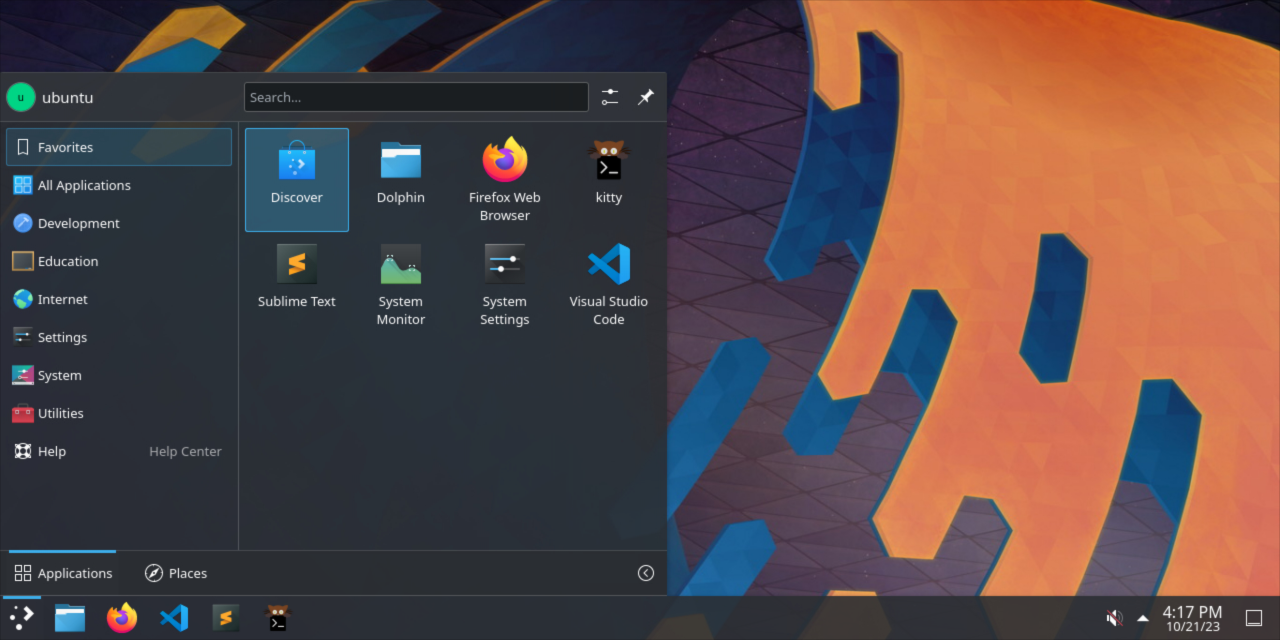
Content
Base
- PyTorch (base image including Ubuntu & CUDA)
- KDE Plasma Desktop
- VNC Server (port
5900)
Main Applications
- Firefox (ESR)
- Kitty (terminal)
- Sublime Text
- Visual Studio Code (must be run with
--no-sandboxflag)
Nice to Have
- Fira Code (monospace font)
- zsh (with oh-my-zsh)
Tags
Pytorch tag as per their official documentation:
- PyTorch 23.09-py3
latest
Environment Variables
VNC_PASSWORD: Password for VNC connection. Default:password.VNC_SCREEN_SIZE: Screen size. Default:1920x1080.
Usage
To connect to the container's desktop, you can use any VNC client.
Note
You will have a wide list of errors during startup but you can ignore them. Enulating a full X server in Docker is not an easy task.
Your server will be ready once you see this line in the logs:
[...]
cuda-desktop-server  | Plasma Shell startup completed
[...]
Deployment
RunPod
Note
You can create and attach a Storage Network Volume to your RunPod pod to automatically sync and persist your `/home/ubuntu` directory between deployments.
Backup Volume in Deployment
When deploying your container, you can also attach a shared storage as a volume for backup.
Simply mount your desired backup directory to /volumes/home_ubuntu_backup in your Docker run command
or Docker composer file. It will be automatically retored (on subsequent boots) and then synced each minute.
Thanks
Tag summary
Content type
Image
Digest
sha256:acb56a02e…
Size
11.5 GB
Last updated
almost 3 years ago
docker pull ivangabriele/cuda-desktop