jacobshuman/readl8r
A no-nonsense read later service
305
jacobshuman/readl8r repository overview

readl8r
A no-nonsense read later service



⭐️ Features
- ➕ Add an article by making a
POSTrequest (withurlin aJSONbody) to/articles/add. - 📋 Get a
JSONarray of all articles by making aGETrequest to/articles. - 🗑️ Remove all articles by making a
DELETErequest to/articles/clear. - 🗄️ All articles are stored in a
/data/local.sqliteSQLite database. - 📥 Get an RSS, Atom, and JSON feed of articles at
/rss,/atom, and/jsonrespectively.
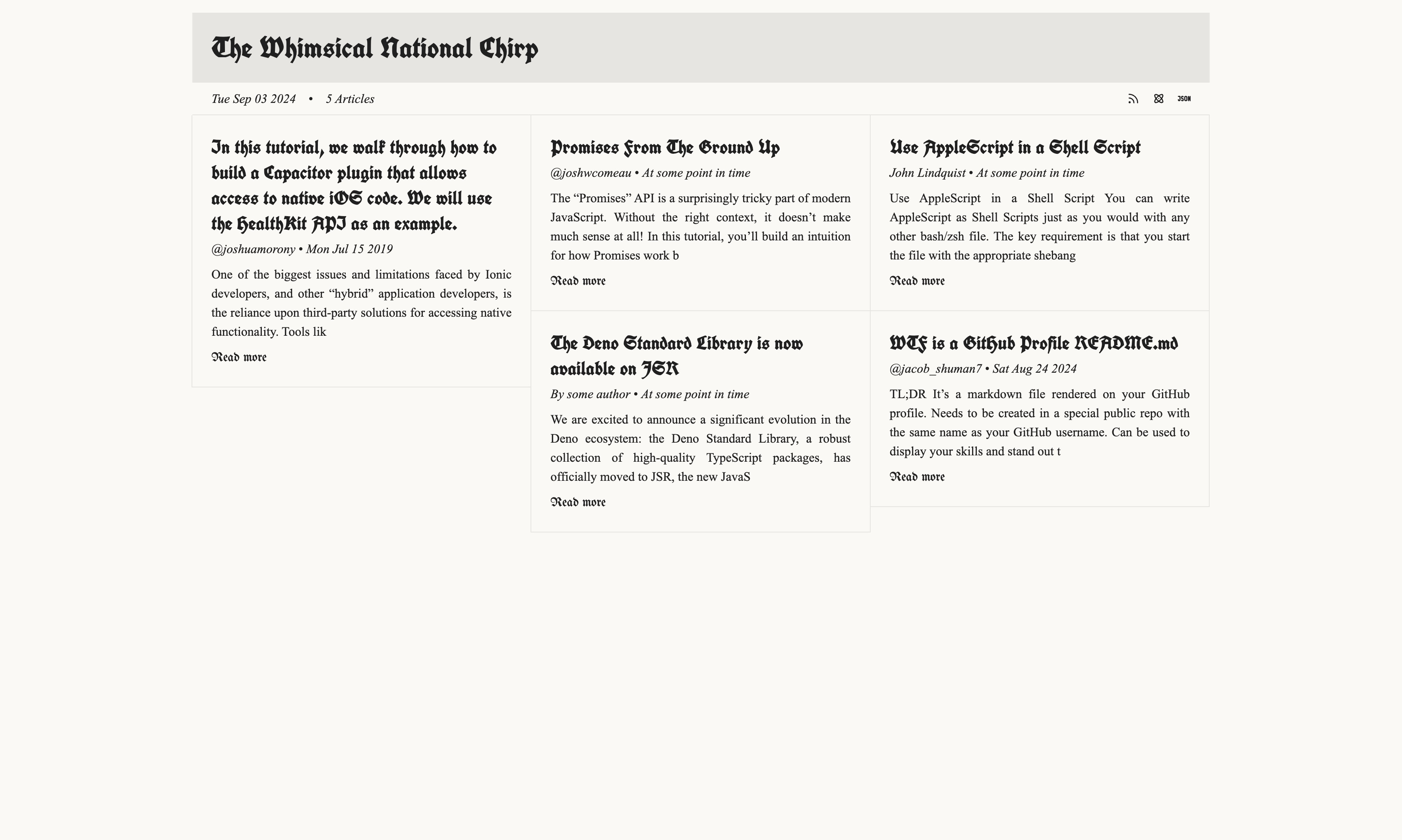
🚀 Getting started
🚢 Docker Compose
Although you can clone/build readl8r locally, it's recommended for users to run the docker image on Docker Hub. Copy the contents of this docker-compose.yml file to your computer and run:
docker compose up
🌴 Environment variables
| Name | Required | Description | Default |
|---|---|---|---|
AUTH_SECRET | If PASSWORD is set | Used to sign auth JWTs | undefined |
HOST | No | Hostname or IP address where the service is hosted | 0.0.0.0 |
PORT | No | The port number used for the service | 80 |
SECURE | No | Indicates whether to use HTTPS (true) or HTTP (false) | false |
PASSWORD | No | Password required for authentication | undefined |
FEED_TITLE | No | Title of the feed (displayed on the web app) | undefined |
FEED_DESCRIPTION | No | Brief description of the feed's content and purpose (displayed on the web app) | undefined |
FEED_IMAGE | No | URL to an image that represents the feed (e.g., logo or banner) | undefined |
FEED_FAVICON | No | URL to the favicon to be displayed in browsers for the feed | undefined |
FEED_COPYRIGHT | No | Copyright information regarding the content of the feed | undefined |
AUTHOR_NAME | No | Name of the feed's author | undefined |
AUTHOR_EMAIL | No | Email address of the author | undefined |
AUTHOR_LINK | No | URL to the author's website or social media profile | undefined |
🔒 Authentication
You can optionally protect your reading list with a password by setting the PASSWORD and AUTH_SECRET environment variables in your docker compose config.
This will protect all routes excluding feed routes (/rss, /atom, etc).
I'm still looking into how rss aggregators generally handle auth for feeds and only want to add auth when it doesn't prevent aggregators from accessing reading lists.
Stucture of an article
{
	id: number;
	url: string;
	publish_date: string; // date article was published (added_date if this can't be found)
	added_date: string; // date the article was added to readl8r
	title: string | null;
	description: string | null;
	content: string | null;
	author: string | null;
	favicon: string | null;
	ttr: number | null; // estimated time to read article in seconds
}
➕ Add an article
🔒 Requires Authentication
You can add an article by providing the article's url in the body of a POST request:
POST (http|https)://HOST:PORT/articles/add
🏋️ body
{
	// required
	"url": "https://dev.to/jacobshuman/wtf-is-a-github-profile-readmemd-1p8c"
}
Responses
| Status | StatusText | Body | Content-Type |
|---|---|---|---|
| 200 | article added successfully | undefined | application/json |
| 400 | url is required | undefined | undefined |
| 400 | unable to extract metadata at {url} | undefined | undefined |
| 401 | not authorized | undefined | undefined |
📄 Get a single JSON article
🔒 Requires Authentication
You can get a single JSON object representing an article by making a GET request to the /articles/:id route:
GET (http|https)://HOST:PORT/articles/:id
Responses
| Status | StatusText | Body | Content-Type |
|---|---|---|---|
| 200 | undefined | Article | application/json |
| 401 | not authorized | undefined | undefined |
| 404 | there is no article with an id of ":id" | undefined | undefined |
📋 Get a JSON array of all articles
🔒 Requires Authentication
You can get a JSON array of articles by making a GET request to the /articles route:
GET (http|https)://HOST:PORT/articles
Responses
| Status | StatusText | Body | Content-Type |
|---|---|---|---|
| 200 | undefined | Article[] | application/json |
| 401 | not authorized | undefined | undefined |
📝 Update an article
🔒 Requires Authentication
You can update an article based on it's id by making a PATCH request to the /articles/:id/update route:
PATCH (http|https)://HOST:PORT/articles/:id/update
🏋️ body
{
	"article": {
		"url": "", // optional
		"publish_date": "", // optional
		"added_date": "", // optional
		"title": "", // optional
		"description": "", // optional
		"content": "", // optional
		"author": "", // optional
		"favicon": "", // optional
		"ttr": "" // optional
	}
}
Responses
| Status | StatusText | Body | Content-Type |
|---|---|---|---|
| 200 | article :id deleted successfully | undefined | undefined |
| 401 | not authorized | undefined | undefined |
| 404 | there is no article with id of :id | undefined | undefined |
🗑️ Delete an article
🔒 Requires Authentication
You can delete an article based on it's id by making a DELETE request to the /articles/:id/delete route:
DELETE (http|https)://HOST:PORT/articles/:id/delete
Responses
| Status | StatusText | Body | Content-Type |
|---|---|---|---|
| 200 | article :id deleted successfully | undefined | undefined |
| 401 | not authorized | undefined | undefined |
| 404 | there is no article with id of :id | undefined | undefined |
🗑️ Remove all articles
🔒 Requires Authentication
DELETE (http|https)://HOST:PORT/articles/clear
Responses
| Status | StatusText | Body | Content-Type |
|---|---|---|---|
| 200 | x articles cleared successfully | undefined | undefined |
| 401 | not authorized | undefined | undefined |
🗑️ Purge old articles
🔒 Requires Authentication
You can manually purge articles older than a certain threshhold using the /articles/purge route. Simply pass an older_than query parameter in the url with the following format:
h = hours
d = days
m = months
y = years

<integer>h|d|m|y

Examples

30d = 30 days
4m  = 4 months
2y  = 2 years
Please note the
older_thanparameter does not accept numbers with decimals.
DELETE (http|https)://HOST:PORT/articles/purge?older_than=<number>(h|d|m|y)
Responses
| Status | StatusText | Body | Content-Type |
|---|---|---|---|
| 200 | x articles purged successfully | undefined | undefined |
| 400 | invalid format, use the formula "<number><h | d | m | y>" | undefined | undefined |
| 401 | not authorized | undefined | undefined |
📥 Generate RSS2 feed from articles
GET (http|https)://HOST:PORT/rss
GET (http|https)://HOST:PORT/rss.xml
GET (http|https)://HOST:PORT/feed
GET (http|https)://HOST:PORT/feed.xml
Responses
| Status | StatusText | Body | Content-Type |
|---|---|---|---|
| 200 | undefined | RSS Feed | application/rss+xml |
📥 Generate Atom feed from articles
GET (http|https)://HOST:PORT/atom
Responses
| Status | StatusText | Body | Content-Type |
|---|---|---|---|
| 200 | undefined | Atom Feed | application/atom+xml |
📥 Generate JSON feed from articles
GET (http|https)://HOST:PORT/json
Responses
| Status | StatusText | Body | Content-Type |
|---|---|---|---|
| 200 | undefined | JSON Feed | application/json |
❤️ Health
A simple GET route to see if the server is up and ready to handle incoming requests.
GET (http|https)://HOST:PORT/health
Responses
| Status | StatusText | Body | Content-Type |
|---|---|---|---|
| 200 | OK | undefined | undefined |
Tag summary
Content type
Image
Digest
sha256:b093db449…
Size
107.3 MB
Last updated
almost 2 years ago
docker pull jacobshuman/readl8r