jdheim/jdvm
JDVM - A Virtual Machine for Java Developers, powered by Docker, available on Windows and Linux
3.2K
jdheim/jdvm repository overview






Latest version: latest-ea, 26.09.1-ea
Early Access:
-ea version is an early access version
Image usage: check GitHub repo
💻 JDVM: One VM to Code Them All
Less configuration, more creation
Caution
🛠️ This repository is under active development.Only Early Access (EA) builds are provided at this stage.
The JDVM is a powerful development environment designed specifically for Java Developers working on Windows or Linux. This Virtual Machine is based on Ubuntu, providing a familiar Linux environment that integrates seamlessly with Windows through Docker Desktop or Linux through Docker Engine.
The main advantage of the JDVM is its time-saving nature. Developers no longer need to spend valuable time manually setting up their development environment or installing the necessary tools. Everything you need - such as OpenJDK (via Eclipse Temurin), IDE, build tools, Version Control System, Docker, Kubernetes and so on - is pre-configured and ready to go right out of the box.
With the JDVM, developers can focus on writing code and delivering high-quality software, instead of worrying about installation issues or environment configuration. It's an ideal solution for anyone looking for a streamlined, efficient, and hassle-free Java development setup.
It requires 2 dependencies on Windows:
- WSL version 2 (Windows Subsystem for Linux) - lets you
install a Linux distribution and use Linux applications, utilities, and Bash command-line tools directly on Windows,
unmodified, without the overhead of a traditional virtual machine or dualboot setup. Check quickly if you have it with
command:
wsl --versionin CMD/PowerShell - Docker Desktop - lets you build, share, and run containerized applications. It provides a straightforward GUI (Graphical User Interface) that lets you manage your containers, applications, and images directly from your machine
It requires only 1 dependency on Linux:
- Docker Engine - lets you build, share, and run containerized applications. It does not provide any GUI, management is performed via CLI
Container from the image can be started with a batch script:
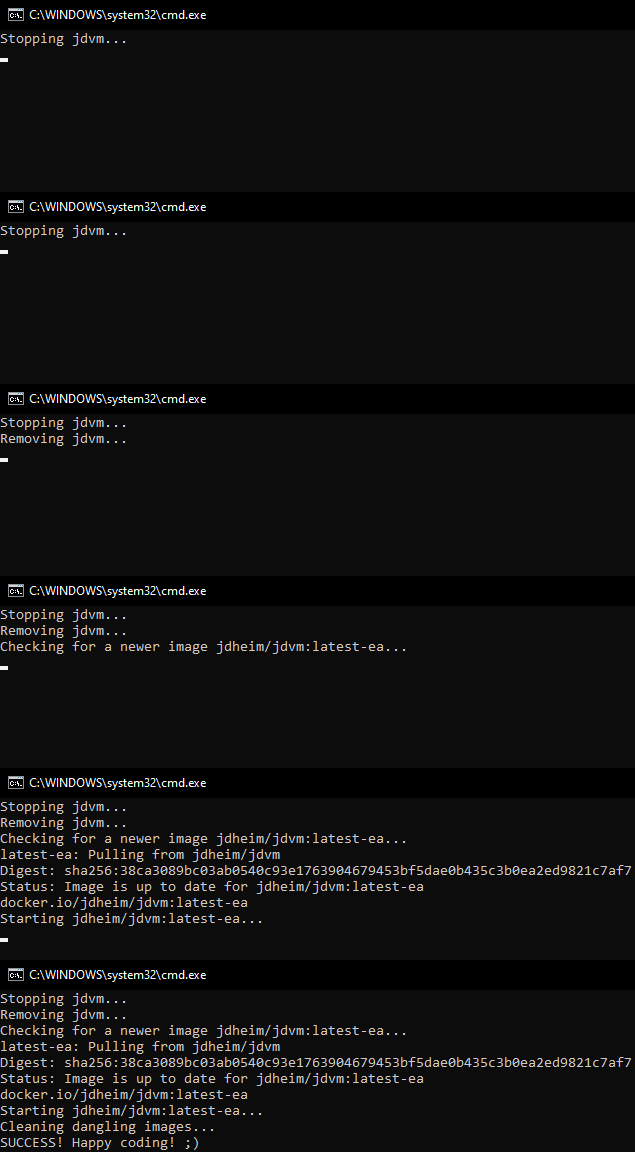
After the container is started, you'll see the dock with the applications having a graphical interface:
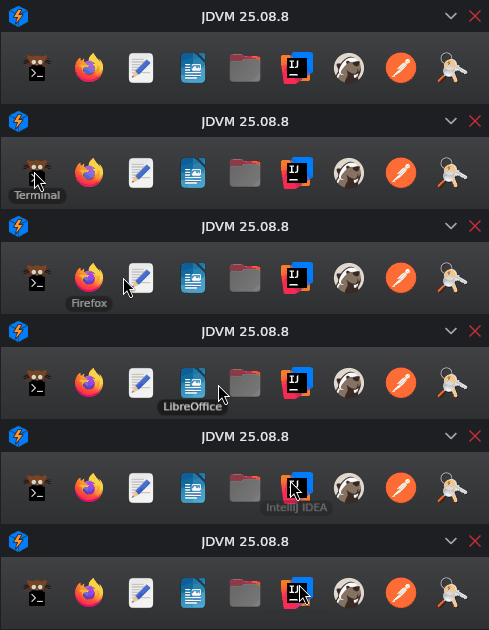
For example, IntelliJ IDEA (not installed by default, you can install it manually):
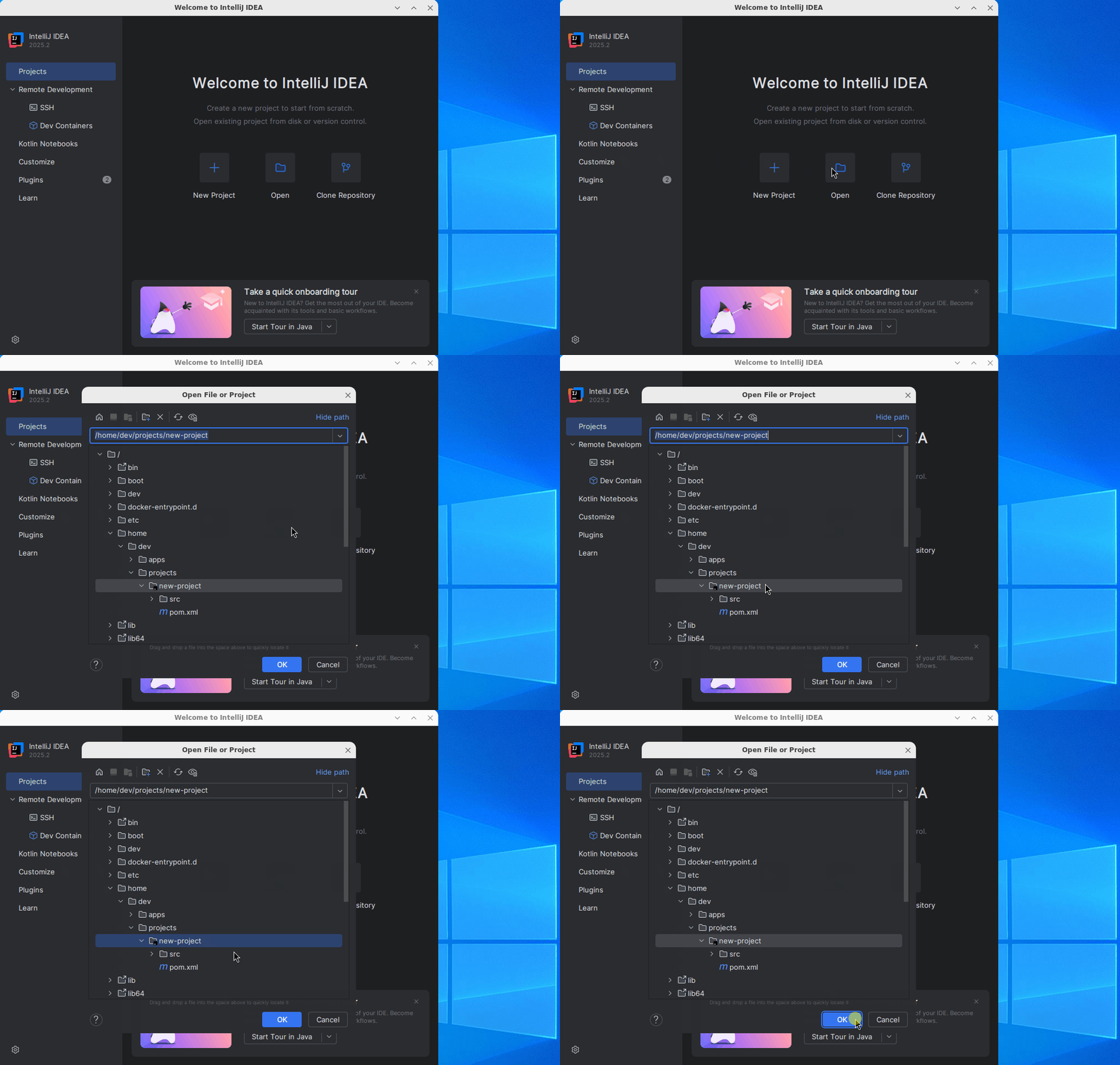
All applications having graphical interface (even the ones not included in the dock, e.g. engrampa archive manager)
open as a separate window which you can move freely on your Windows / Linux:

💖 Support
Hey there! If you enjoy my work and would like to support me, consider buying me a coffee! 🙂 Your contributions help me keep creating, and I truly appreciate every bit of support you offer.

Also, please consider giving this image a ⭐ on DockerHub. This kind of support helps promote the image and lets others know that it's worth checking out.
Thank you for being amazing!
©️ License
© 2024-2026 JDHeim
This project is licensed under the Apache License, Version 2.0. See the LICENSE file for full license terms.
This repository defines a Dockerfile that builds a development environment based on Ubuntu and includes third-party open-source components.
As with all Docker images, the resulting Docker image includes software licensed under various open-source licenses, including but not limited to:
- Apache License 2.0 (e.g. Apache Maven)
- MIT License (e.g. Git LFS, supporting CLI tools)
- Mozilla Public License 2.0 (e.g. Firefox browser)
- GNU General Public License v2 with Classpath Exception (e.g. Eclipse Temurin JDK)
- GNU General Public License v2 (e.g. Git)
- GNU General Public License v3 (e.g. Kitty terminal)
These components are included in binary form and retain their original license terms. Consult the respective project websites for full licensing details.
As for any pre-built image usage, it is the image user's responsibility to ensure that any use of this image complies with any relevant licenses for all software contained within.
Java® is a registered trademark of Oracle and/or its affiliates.
Docker® is a registered trademark of Docker, Inc.
JDVM is an independent open-source project and is not affiliated with or endorsed by Oracle or Docker.
Tag summary
Content type
Image
Digest
sha256:66a8fbe49…
Size
2.7 GB
Last updated
28 days ago
docker pull jdheim/jdvm:latest-ea