jenmud/behave-graph
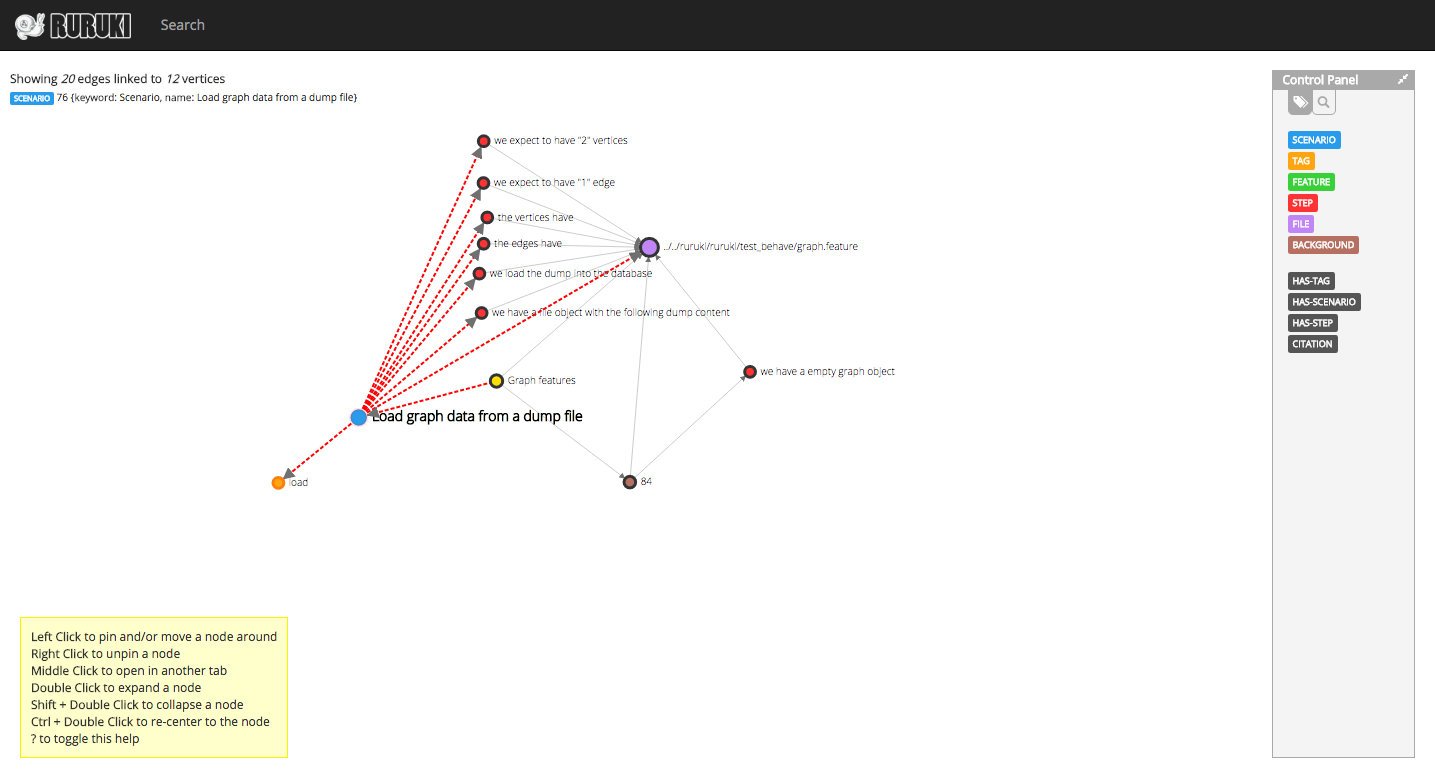
Graph visualization for behave features, scenarios, and steps.
Image
3
449
jenmud/behave-graph repository overview
Graph visualization for behave features, scenarios, and steps
Running the container
To use this container, you will need to mount your root test behave directory which contains all the features and steps to the container directory called my-share. The ruruki-eye server will listen and expose port 80. So you may need to port map.
Example mounting volumes to scrape and mapping port 80 to 8000.
$ docker run -t -p 8000:80 -v /git-repos/ruruki/ruruki/test_behave/:/my-share jenmud/behave-graph
Stopping the container
Once you have run the container (as example above) it will run forever in the background. So you will need to manually stop it once you are done.
$ docker stop jenmud/behave-graph
Screenshot
Tag summary
Content type
Image
Digest
Size
29.9 MB
Last updated
over 10 years ago
docker pull jenmud/behave-graph