jiankaiwang/codein
A Cross-Platform Swift IDE Based on Docker (https://codein.ddns.net/)
561
jiankaiwang/codein repository overview
codein
Codein is a cross-platform swift IDE based on docker.
CodeIn provides you a well solution to swift programming. It not only runs without internet and installation, but also provides you cloud storage API. All you need is play with the swift.
CodeIn is a web-based Swift IDE and was developed under PHP 7.0 and Apache 2. It provides you an intuitional and simplifed coding interface. Furthermore, a dropbox and gist api were also embedded to provide you a easy way sharing with the other.
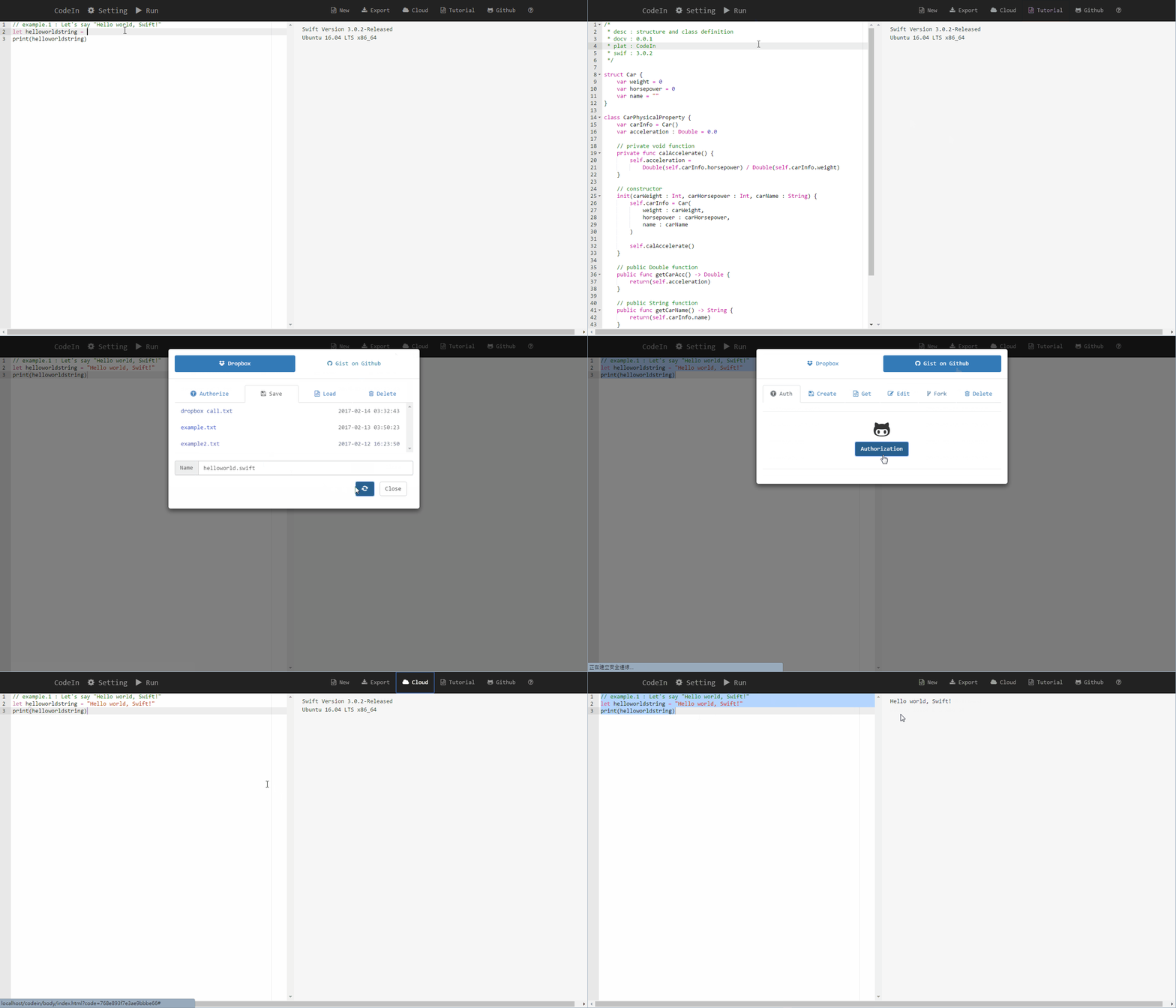
CodeIn on Docker
Install docker first. Please refer to the page https://www.docker.com/get-docker. The Docker Community Edition (docker-ce) is enough for the codein app.
The Dockerfile of Codein is hosted on Github and docker hub.
Noteic that ip forwaring from host port 12280 to container port 80 can not be changed due to Dropbox and Gist API rule.
- CodeIn in Linux (On the
terminal)
# pull the image from docker hub
sudo docker pull jiankaiwang/codein:latest

# start the service
# -d : run as the daemon
# -p : port forwarding must be from 12280 (host) to 80 (container)
# --name : container name
sudo docker run -d -p 12280:80 --name codein jiankaiwang/codein:latest

# stop CodeIn
sudo docker stop codein
- CodeIn in Windows 10 (On the
PowerShell)
# pull the image from docker hub
docker pull jiankaiwang/codein:latest

# start the service
# -d : run as the daemon
# -p : port forwarding must be from 12280 (host) to 80 (container)
# --name : container name
docker run -d -p 12280:80 --name codein jiankaiwang/codein:latest

# stop CodeIn
docker stop codein
-
CodeIn in Windows 10 (on the
Kitematicservice)- download the kitematic first (right click the docker icon on the bottom right corner of the screen and choose
Kitematic) - Unzip the compressed file (default name is Kitematic-Windows.zip)
- Click
Kitematic.exe - [Optional] Login the dockerhub account or skip this step
- Type
jiankaiwang/codeinon the search bar (on the top of the service) - Click button
CREATE - After creating the container (showing
RUNNINGon the top), you have to establish the port forwarding. - Click
Settingson the top right of the Kitematic service. - Click
Hostname/Portson the menu. - [Notice] Type
80on theDOCKER PORT,12280on thePUBLISHED IP:PORTand click+to add the rule - [Notice] You could modify the rule if it is already established on docker port 80.
- Service is now starting.
- You could stop the service by clicking button
STOPon the top of kitematic service.
- download the kitematic first (right click the docker icon on the bottom right corner of the screen and choose
-
CodeIn in Windows 7/8 Toolbox (On the
Docker Quickstart Terminal)
Assume that docker is configured to use the default machine with IP 192.168.99.100. If you are the first time starting CodeIn, you would establish the port forwarding from host to containter by setting the virtualbox interface.
# the VM is not running
VBoxManage modifyvm "default" --natpf1 "codein,tcp,,12280,,12280"

# the VM is running
VBoxManage controlvm "default" natpf1 "codein,tcp,,12280,,12280"
The following is the command starting CodeIn.
# pull the image from docker hub
docker pull jiankaiwang/codein:latest

# start the service
# -d : run as the daemon
# -p : port forwarding must be from 12280 (host) to 80 (container)
# --name : container name
docker run -d -p 12280:80 --name codein jiankaiwang/codein:latest

# stop CodeIn
docker stop codein
- After starting CodeIn, borswe the webpage
http://localhost:12280/by the browser (Chrome, Firefox, IE, Edge, Safari, etc.), and begin to program in swift.
Programming IDE Framework
In detail, codein not only provides you a swift IDE, but also is the IDE framework for multiple kinds of programming languages. The idea of Codein architecture is composed of frontend user iterface and backend execution with access to API.
Like other web-IDE, Codein IDE framework and coding iterface are also built on several 3rd party open source, including jquery, bootstrap, font-awesome, ace and base64. The whole 3rd party resource is located on directory resource.
Dropbox Storage API and Github gist API are also embedded into Codein. The source code of these APIs is developed by PHP language and is located under the directory api.
The connection between frontend interface and backend execution /w API access is also the API by the CRUD method in json format.
-
The resource in frontend interface is
general.jslocated on directoryresource. -
The resource of backend execution is
exec.phplocated on directoryapi. -
The resources of backend access API to dropbox and github gist are
DropboxAPI.phpandGistAPI.php. They both use another open sourceCRUD.phpto access the Dropbox and Github service. All of the above is located on directoryapi.
Tag summary
Content type
Image
Digest
Size
738.1 MB
Last updated
almost 7 years ago
docker pull jiankaiwang/codein