jiro4989/textimg
Command to convert from color text (ANSI or 256) to image.
2.3K
jiro4989/textimg repository overview
textimg


textimg is command to convert from color text (ANSI or 256) to image.
Drawn image keeps having colors of escape sequence.
Table of contents:
Usage
Simple examples
textimg $'\x1b[31mRED\x1b[0m' > out.png
textimg $'\x1b[31mRED\x1b[0m' -o out.png
echo -e '\x1b[31mRED\x1b[0m' | textimg -o out.png
echo -e '\x1b[31mRED\x1b[0m' | textimg --background 0,255,255,255 -o out.jpg
echo -e '\x1b[31mRED\x1b[0m' | textimg --background black -o out.gif
Output image format is PNG or JPG or GIF.
File extention of -o option defines output image format.
Default image format is PNG. if you write image file with > redirect then
image file will be saved as PNG file.
With other commands
grep:
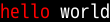
echo hello world | grep hello --color=always | textimg -o out.png
screenfetch:
screenfetch | textimg -o out.png
bat:
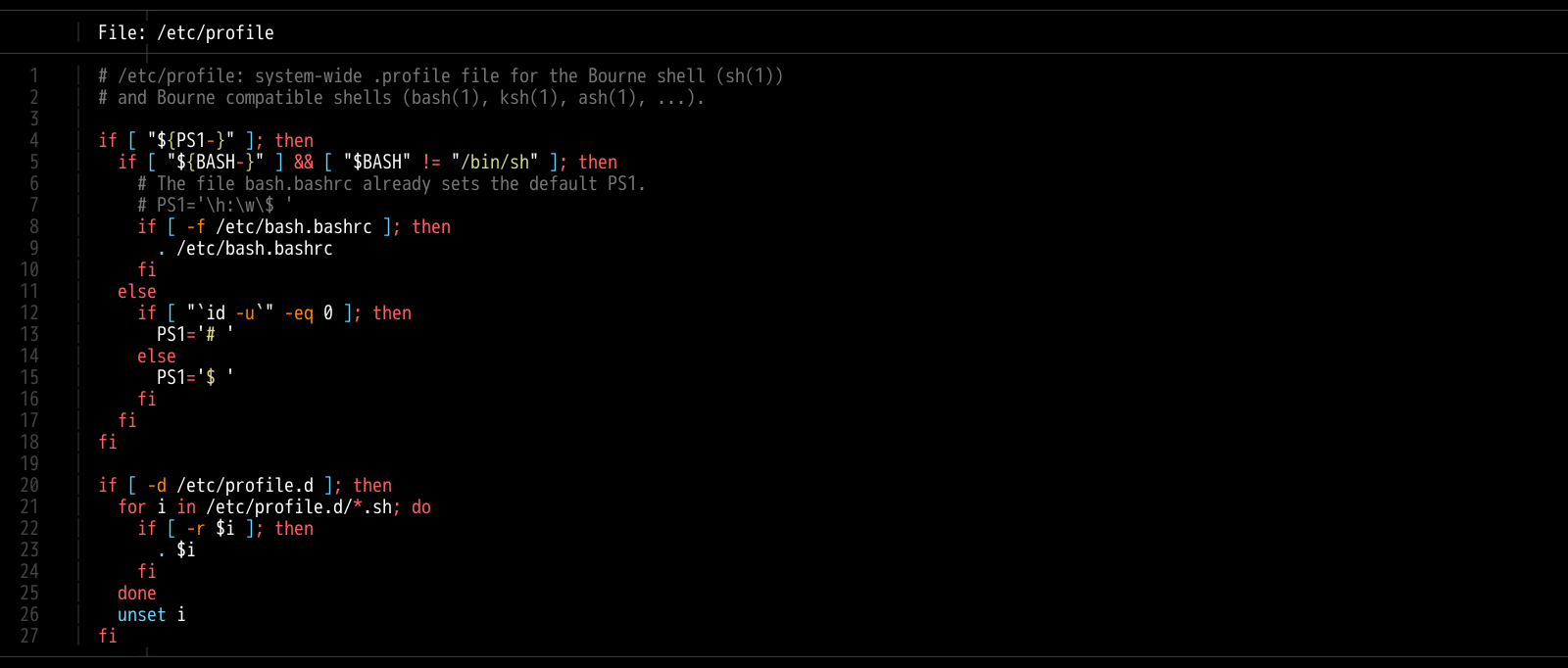
bat --color=always /etc/profile | textimg -o out.png
Rainbow examples
From ANSI color
textimg supports \x1b[30m notation.
colors=(30 31 32 33 34 35 36 37)
i=0
while read -r line; do
  echo -e "$line" | sed -r 's/.*/\x1b['"${colors[$((i%8))]}"'m&\x1b[m/g'
  i=$((i+1))
done <<< "$(seq 8 | xargs -I@ echo TEST)" | textimg -b 50,100,12,255 -o testdata/out/rainbow.png
Output is here.

From 256 color
textimg supports \x1b[38;5;255m notation.
Foreground example is below.
seq 0 255 | while read -r i; do
  echo -ne "\x1b[38;5;${i}m$(printf %03d $i)"
  if [ $(((i+1) % 16)) -eq 0 ]; then
    echo
  fi
done | textimg -o 256_fg.png
Output is here.

Background example is below.
seq 0 255 | while read -r i; do
  echo -ne "\x1b[48;5;${i}m$(printf %03d $i)"
  if [ $(((i+1) % 16)) -eq 0 ]; then
    echo
  fi
done | textimg -o 256_bg.png
Output is here.

From 256 RGB color
textimg supports \x1b[38;2;255;0;0m notation.
seq 0 255 | while read i; do
  echo -ne "\x1b[38;2;${i};0;0m$(printf %03d $i)"
  if [ $(((i+1) % 16)) -eq 0 ]; then
    echo
  fi
done | textimg -o extrgb_f_gradation.png
Output is here.

Animation GIF
textimg supports animation GIF.
echo -e '\x1b[31mText\x1b[0m
\x1b[32mText\x1b[0m
\x1b[33mText\x1b[0m
\x1b[34mText\x1b[0m
\x1b[35mText\x1b[0m
\x1b[36mText\x1b[0m
\x1b[37mText\x1b[0m
\x1b[41mText\x1b[0m
\x1b[42mText\x1b[0m
\x1b[43mText\x1b[0m
\x1b[44mText\x1b[0m
\x1b[45mText\x1b[0m
\x1b[46mText\x1b[0m
\x1b[47mText\x1b[0m' | textimg -a -o ansi_fb_anime_1line.gif
Output is here.

Slide animation GIF
echo -e '\x1b[31mText\x1b[0m
\x1b[32mText\x1b[0m
\x1b[33mText\x1b[0m
\x1b[34mText\x1b[0m
\x1b[35mText\x1b[0m
\x1b[36mText\x1b[0m
\x1b[37mText\x1b[0m
\x1b[41mText\x1b[0m
\x1b[42mText\x1b[0m
\x1b[43mText\x1b[0m
\x1b[44mText\x1b[0m
\x1b[45mText\x1b[0m
\x1b[46mText\x1b[0m
\x1b[47mText\x1b[0m' | textimg -l 5 -SE -o slide_5_1_rainbow_forever.gif
Output is here.

Using on Docker
You can use textimg on Docker. (DockerHub)
docker pull jiro4989/textimg
docker run -v $(pwd):/images -it jiro4989/textimg -h
docker run -v $(pwd):/images -it jiro4989/textimg Testあいうえお😄 -o /images/a.png
docker run -v $(pwd):/images -it jiro4989/textimg Testあいうえお😄 -s
or build docker image of local Dockerfile.
docker-compose build
docker-compose run textimg $'\x1b[31mHello\x1b[42mWorld\x1b[m' -s
Saving shortcut
textimg saves an image as t.png to $HOME/Pictures (%USERPROFILE% on
Windows) with -s options. You can change this directory with
TEXTIMG_OUTPUT_DIR environment variables.
textimg adds current timestamp to the file suffix when activate -t options.
$ textimg 寿司 -st

$ ls ~/Pictures/
t_2021-03-21-194959.png
And, textimg adds number to the file suffix when activate -n options and
the file has existed.
$ textimg 寿司 -sn

$ textimg 寿司 -sn

$ ls ~/Pictures/
t.png  t_2.png
Installation
Linux users (Debian base distros)
wget https://github.com/jiro4989/textimg/releases/download/v3.0.0/textimg_3.0.0_amd64.deb
sudo dpkg -i ./*.deb
Linux users (RHEL compatible distros)
sudo yum install https://github.com/jiro4989/textimg/releases/download/v3.0.0/textimg-3.0.0-1.el7.x86_64.rpm
With Go
go get -u github.com/jiro4989/textimg/v3
Manual
Download binary from Releases.
Help
textimg is command to convert from colored text (ANSI or 256) to image.

Usage:
  textimg [flags]

Examples:
textimg $'\x1b[31mRED\x1b[0m' -o out.png

Flags:
  -g, --foreground string         foreground text color.
                                  available color types are [black|red|green|yellow|blue|magenta|cyan|white]
                                  or (R,G,B,A(0~255)) (default "white")
  -b, --background string         background text color.
                                  color types are same as "foreground" option (default "black")
  -f, --fontfile string           font file path.
                                  You can change this default value with environment variables TEXTIMG_FONT_FILE
  -x, --fontindex int
  -e, --emoji-fontfile string     emoji font file
  -X, --emoji-fontindex int
  -i, --use-emoji-font            use emoji font
  -z, --shellgei-emoji-fontfile   emoji font file for shellgei-bot (path: "/usr/share/fonts/truetype/ancient-scripts/Symbola_hint.ttf")
  -F, --fontsize int              font size (default 20)
  -o, --out string                output image file path.
                                  available image formats are [png | jpg | gif]
  -t, --timestamp                 add time stamp to output image file path.
  -n, --numbered                  add number-suffix to filename when the output file was existed.
                                  ex: t_2.png
  -s, --shellgei-imagedir         image directory path for shellgei-bot (path: "/images/t.png")
  -a, --animation                 generate animation gif
  -d, --delay int                 animation delay time (default 20)
  -l, --line-count int            animation input line count (default 1)
  -S, --slide                     use slide animation
  -W, --slide-width int           sliding animation width (default 1)
  -E, --forever                   sliding forever
      --environments              print environment variables
      --slack                     resize to slack icon size (128x128 px)
  -h, --help                      help for textimg
  -v, --version                   version for textimg
Fonts
Default font path
Default fonts that to use are below.
| OS | Font path |
|---|---|
| Linux | /usr/share/fonts/truetype/vlgothic/VL-Gothic-Regular.ttf |
| MacOS | /Library/Fonts/AppleGothic.ttf |
| Windows | Not supported (Welcome Pull Request!) |
You can change this font path with environment variables TEXTIMG_FONT_FILE .
Examples.
export TEXTIMG_FONT_FILE=/usr/share/fonts/TTF/HackGen-Regular.ttf
Emoji font (image file path)
textimg needs emoji image files to draw emoji.
You have to set TEXTIMG_EMOJI_DIR environment variables if you want to draw
one.
For example, run below.
# You can clone your favorite fonts here.
sudo git clone https://github.com/googlefonts/noto-emoji /usr/local/src/noto-emoji
export TEXTIMG_EMOJI_DIR=/usr/local/src/noto-emoji/png/128
export LANG=ja_JP.UTF-8
echo Test👍 | textimg -o emoji.png

Emoji font (TTF)
textimg can change emoji font with TEXTIMG_EMOJI_FONT_FILE environment variables and set -i option.
For example, swicthing emoji font to Symbola font.
export TEXTIMG_EMOJI_FONT_FILE=/usr/share/fonts/TTF/Symbola.ttf
echo あ😃a👍!👀ん👄 | textimg -i -o emoji_symbola.png

Development
go version go1.15 linux/amd64
How to build
You run below.
go build
I didn't test on Windows.
How to test
make docker-build
make docker-test
See also
Tag summary
Content type
Image
Digest
Size
36.1 MB
Last updated
over 5 years ago
docker pull jiro4989/textimg