jrvela/fys-alpine
Contains the fys-app from https://www.duckysoup.com/. Fys-app is a financial market live scanner.
4.3K
jrvela/fys-alpine repository overview
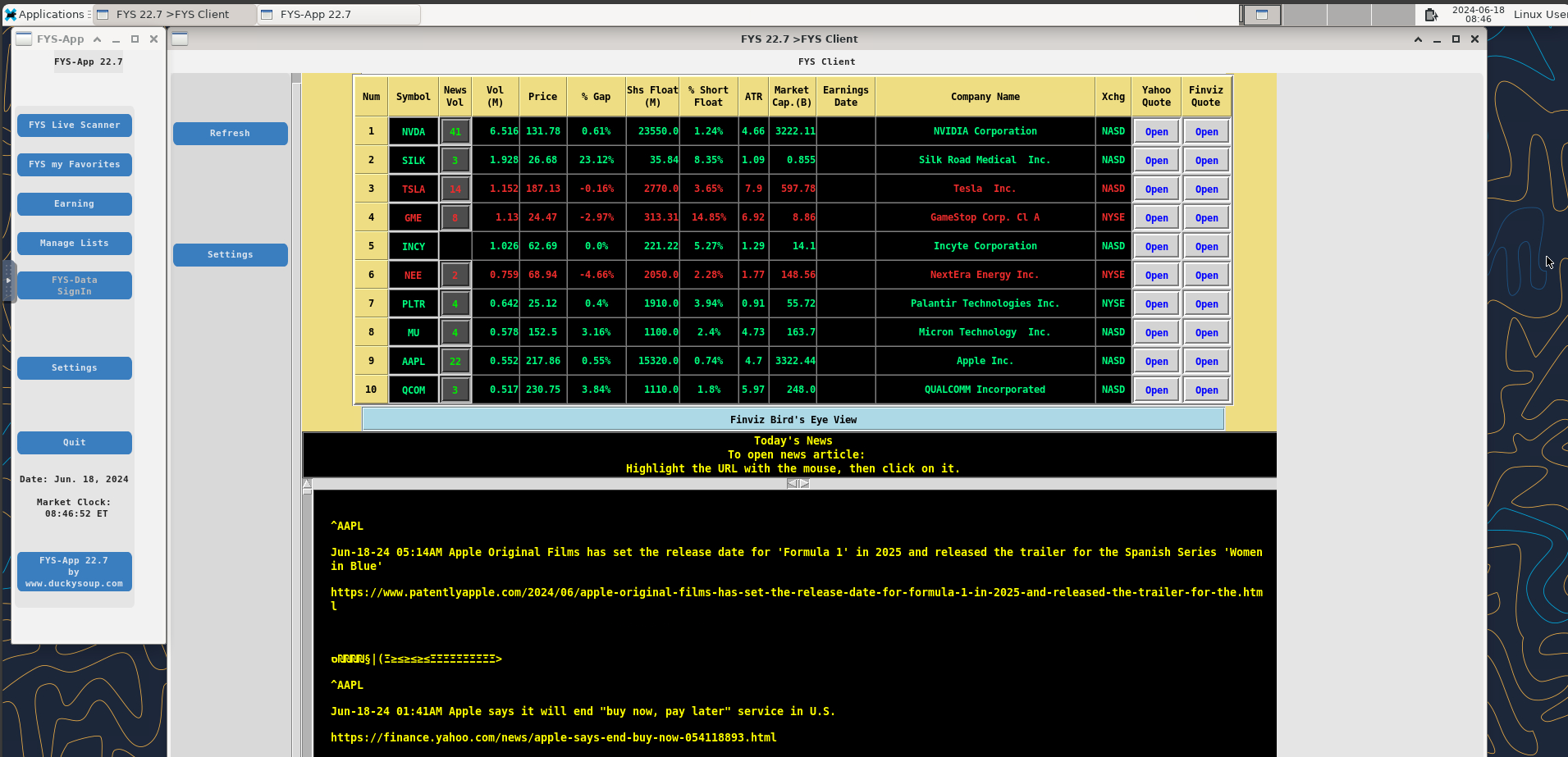
This Docker image contains the Fys-App application from https://www.duckysoup.com/ . The application runs on top of an Alpine desktop environment which, is accessible thru a web browser.
The best way to run the application is by having a local directory to hold the data generated by the application.
Installing on Windows
Assumptions:
mkdir %HOMEDRIVE%%HOMEPATH%\Documents\fys-data
Windows shell command to run fys-alpine:
docker run -it -p 6080:6080 -v "%HOMEDRIVE%%HOMEPATH%\Documents\fys-data":/home/alpine/fys-data --name fys-alpine jrvela/fys-alpine:latest & docker stop fys-alpine & docker rm fys-alpine
Installing on Linux
Assumptions:
sudo /usr/sbin/usermod -aG docker ${USER}
mkdir ${HOME}/fys-data
Linux shell command to run fys-alpine:
docker run -it -p 6080:6080 -v ${HOME}/fys-data:/home/alpine/fys-data --name fys-alpine jrvela/fys-alpine:latest ; docker stop fys-alpine ; docker rm fys-alpine
Once the container is running, open a web browser to:
http://localhost:6080/vnc.html
When the noVNC page comes up, click Connect. You will be prompted for a password for the alpine id on the image. The password is "alpine". The Fys-App welcome window should pop up, you must accept the Terms to proceed to the application. While Fys-App is running, it will continuously generate a csv file in the folder "fys-data" described above. The file w_Live.csv contains a list of stock tickers created by Fys-App. The file w_Live.csv constantly updates as market conditions change. If your trading platform supports importing a csv, you can import w_Live.csv and use it to analyze stocks that you may be interested in.
To stop the Docker, go back to the terminal where you did the docker run command and press CTR+C. Then issue the following commands to stop the container and remove it:
docker stop fys-alpine
docker rm fys-alpine
After Installation
After you successfully installed fys-app in Docker and ran it once, the fys-data directory that you created earlier will be the way to interface with fys-app. Among, other things, the directory will have scripts that will assist you in launching fys-app in Docker. This will vary depending on your system (Windows, Linux, etc.).
In Windows you can simply use the File Explorer to navigate to the fys-data directory and double click on 'fys-alpine' to start fys-app in Docker. This will launch fys-app and the web browse to access the app. As long as the app is running, you can access it by opening http://localhost:6080/vnc.html .
In Linux you can start the fys-app by running ~/fys-data/fys-run.sh from the shell. The access the fys-app by opening the web page: http://localhost:6080/vnc.html .
The web browser will present a screen for "noVNC". Click 'Connect' and provide the password "alpine".
For documentation on how to use Fys-app please refer to:
Tag summary
Content type
Image
Digest
sha256:8e1d74177…
Size
542.6 MB
Last updated
3 months ago
docker pull jrvela/fys-alpine