jtech/kafka-manager
A Docker image based on based on the smallest Linux - Alpine with latest OpenJDK, Kafka Manager
1.0K
jtech/kafka-manager repository overview
Kafka Manager in Docker



A Docker image based on the smallest Linux - Alpine with latest OpenJDK, Kafka Manager.
Prerequisites
- Install Docker on host
Source Repository
https://github.com/TerrenceMiao/docker/images/kafka-manager
How To
𝜆 docker run -it --rm -p 9000:9000 -e ZK_HOSTS="10.101.32.74:2181" jtech/kafka-manager
Without luxury DNS resolver, "10.101.32.74" is the ip address of host that Zookeeper and Kafa run on.
Without define ZK_HOSTS, default value is "localhost:2181"
Other runtime options, for example:
𝜆 docker run -it --rm -p 9000:9000 -e ZK_HOSTS="10.101.32.74:2181" -e APPLICATION_SECRET=letmein jtech/kafka-manager

𝜆 docker run -it --rm -p 9000:9000 -e ZK_HOSTS="10.101.32.74:2181" -e APPLICATION_SECRET=letmein -e KM_ARGS=-Djava.net.preferIPv4Stack=true jtech/kafka-manager

𝜆 docker run -it --rm -v /Users/terrence/kafka-manager/conf:/config -e KM_CONFIGFILE=/config/application.conf -p 9000:9000 --name kafka-manager jtech/kafka-manager
Tips
- In /Users/terrence/kafka-manager/conf/application.conf file, has last line with:
kafka-manager.zkhosts=${?ZK_HOSTS}
kafka-manager.zkhosts="10.101.32.74:2181"
- Remove /tmp/kafka-logs directory when to reset all the Kafka Cluster settings and Zookeeper Host URLs
- Set Zookeeper Host URL to as SAME as environment variable ZK_HOSTS above i.e. "10.101.32.74:2181"
Single node Kafka in Docker
- Run Zookeeper
𝜆 docker run -d --net=host --name=zookeeper -e ZOOKEEPER_CLIENT_PORT=2181 -e ZOOKEEPER_TICK_TIME=2000 confluentinc/cp-zookeeper

𝜆 docker logs zookeeper
- Run Kafka
𝜆 docker run -d --net=host --name=kafka -e KAFKA_ZOOKEEPER_CONNECT=localhost:2181 -e KAFKA_ADVERTISED_LISTENERS=PLAINTEXT://localhost:9092 confluentinc/cp-kafka

𝜆 docker logs kafka
- Create a topic
𝜆 docker run --net=host --rm confluentinc/cp-kafka kafka-topics --create --topic test --partitions 1 --replication-factor 1 --if-not-exists --zookeeper localhost:2181

𝜆 docker run --net=host --rm confluentinc/cp-kafka kafka-topics --describe --topic test --zookeeper localhost:2181
- Generate messages by Producer
𝜆 docker run --net=host --rm confluentinc/cp-kafka bash -c "seq 42 | kafka-console-producer --broker-list localhost:9092 --topic test && echo 'Produced 42 messages.'"
- Read messages by Consumer
𝜆 docker run --net=host --rm confluentinc/cp-kafka kafka-console-consumer --bootstrap-server localhost:9092 --topic test --new-consumer --from-beginning --max-messages 42
Or with Docker Compose:
𝜆 docker-compose up
Go to http://localhost:9000 Kafka Manager UI.
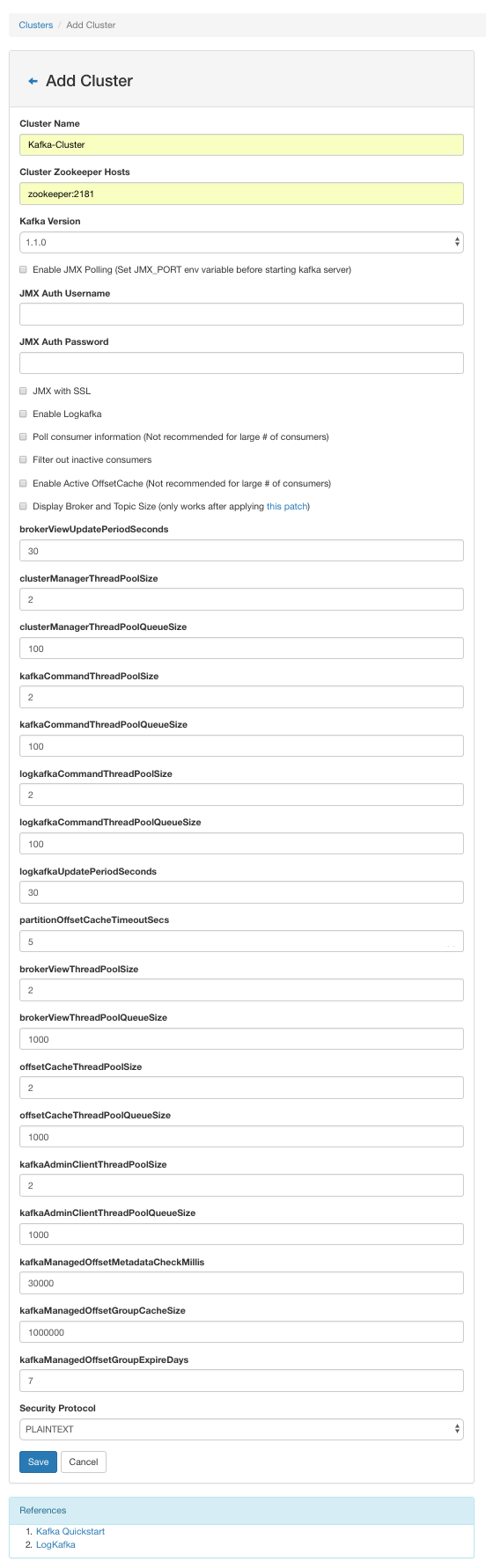
Add a Kafka cluster at first. Give zookeeper:2181 as Cluster Zookeeper Hosts. Others use default values.
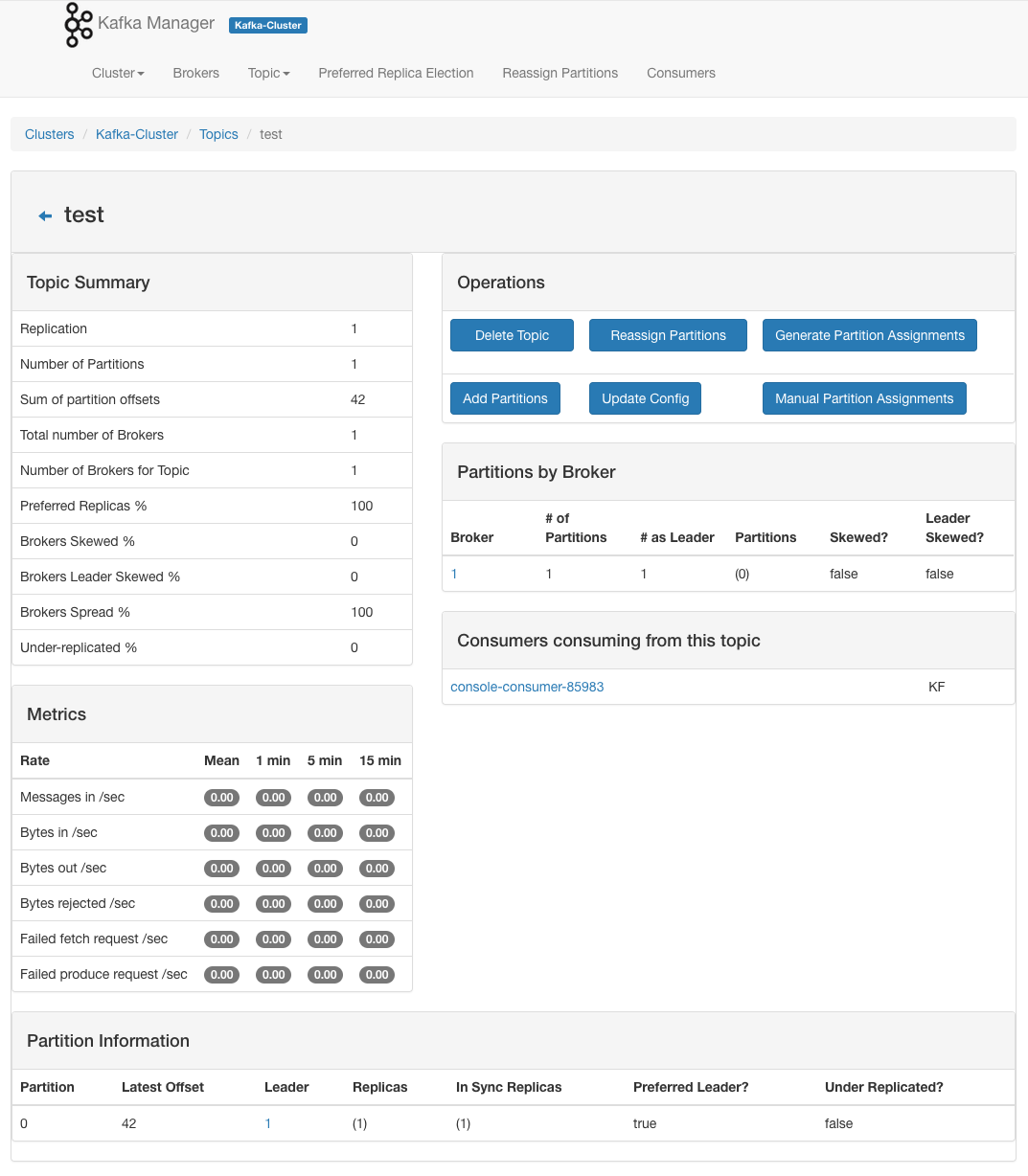
Visit "test" topic in Kafka cluster.
References
- Kafka Manager Download, https://github.com/yahoo/kafka-manager
- Kafka Manager Dockerfile, https://github.com/sheepkiller/kafka-manager-docker
- Step by step run Kafka on Mac, https://terrencemiao.github.io/blog/2018/12/10/Step-by-step-run-Kafka-on-Mac/
- Getting Started, https://github.com/confluentinc/cp-docker-images/wiki/Getting-Started
Copying
Copyright © 2019 - Terrence Miao. Free use of this software is granted under the terms of the GNU General Public License version 3 (GPLv3).
Tag summary
Content type
Image
Digest
Size
146.6 MB
Last updated
almost 8 years ago
docker pull jtech/kafka-manager