julianhintermann/hustlify
Self-hosted time tracking via YAML. Timer, dark mode, heatmap, backups, CSV import/export, ntfy push
320
julianhintermann/hustlify repository overview
Hustlify
Self-hosted time tracking, configured entirely through a single YAML file.
Hustlify is a small, neutral time-management web app built to run as one Docker
container on a home server or NAS. Track work with a live timer or by hand,
organize it into categories, watch your weekly target, and export a clean PDF
work report — all stored in a local SQLite database. Nothing is hardcoded to any
person or company: everything you'd want to change lives in config.yaml.
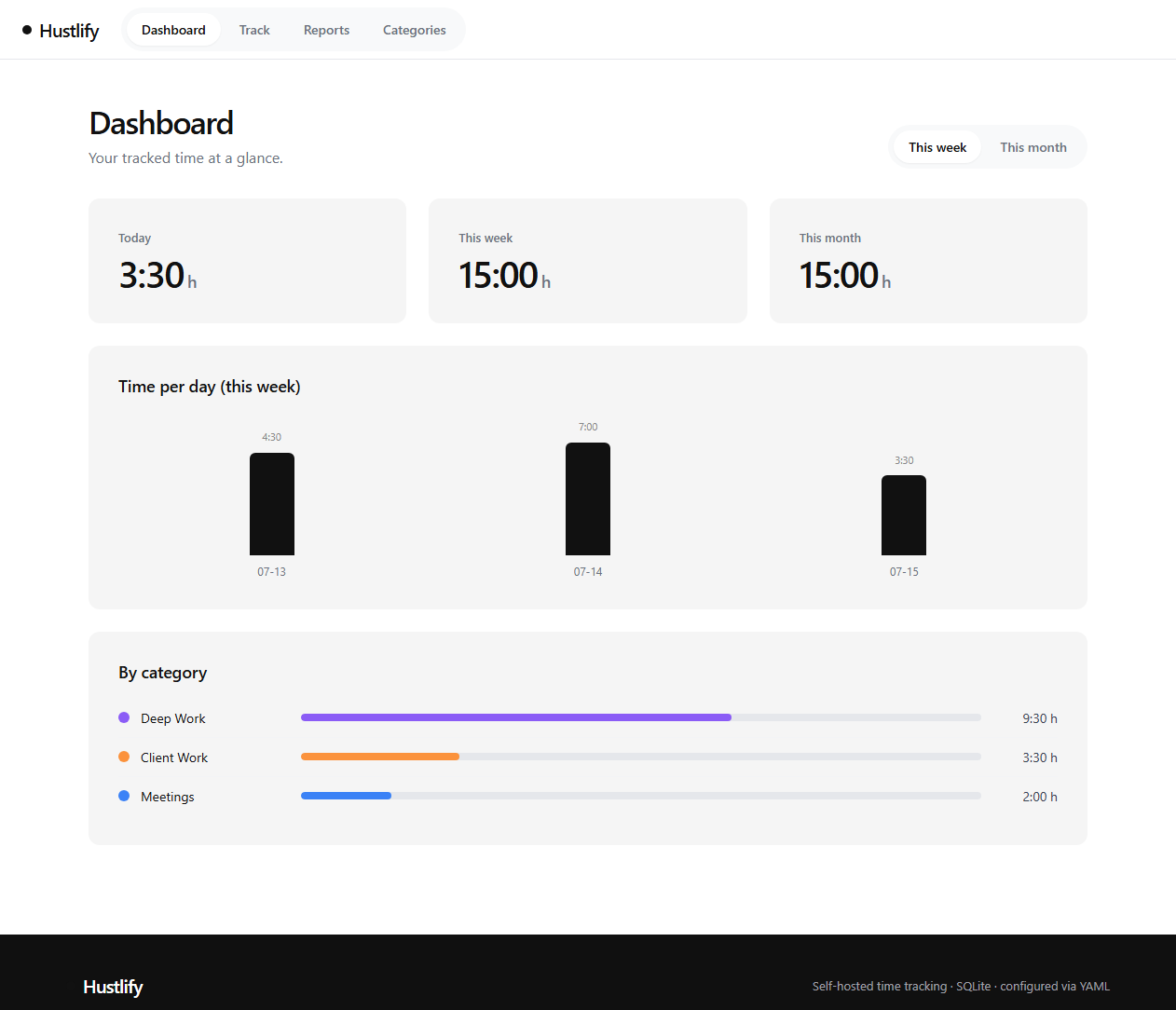
What's new in 1.2.0
- Database restore — upload a backup to replace the live database in place; validated before anything is touched, no restart needed.
- CSV import — import entries from an exported CSV, auto-creating any categories referenced by name.
- Idle / away detection — a "Welcome back" prompt when the timer reveals a large gap (hidden tab, sleeping device), letting you discard the idle time.
- ntfy push notifications (optional) — a timer reminder plus daily/weekly summaries, sent to your own ntfy topic.
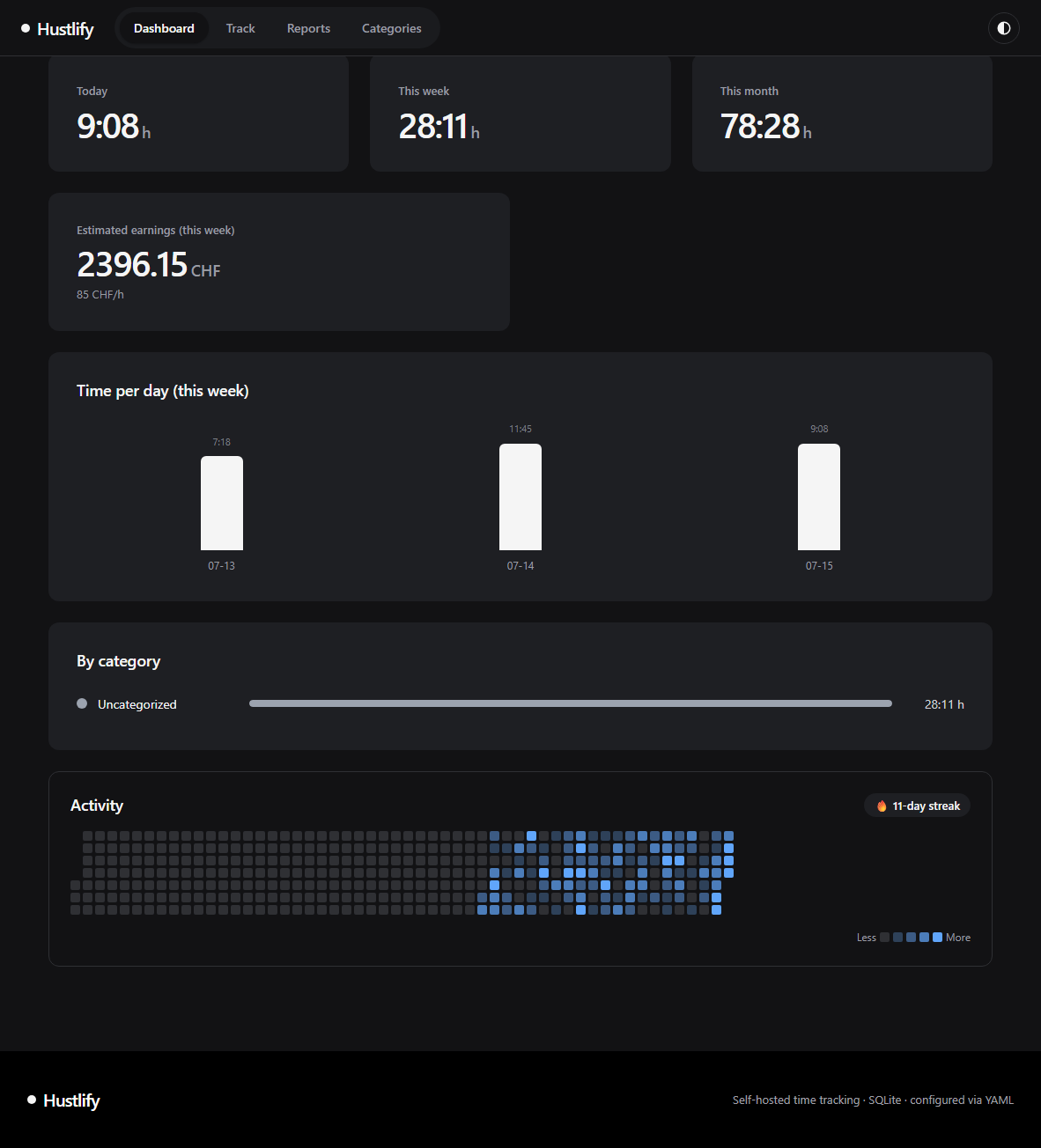
- Dark mode — a header toggle cycles System / Light / Dark.
- Undo on delete — a 6-second "Undo" toast instead of a confirmation dialog.
- Year activity heatmap + streak on the Dashboard.
- Mobile layout fixes for field rows that were squeezing side-by-side.
See CHANGELOG.md for the full history.
Features
- Live timer — one click to start, one to stop. The running timer lives in the database, so it survives browser closes and container restarts, and can be edited in place if you forgot to start it on time.
- Manual entries — add or correct time by hand with start/end and a note.
- Categories — colored, archivable labels to organize your time. Deleting a category keeps its entries (they simply become uncategorized).
- Dashboard — today / this week / this month totals, an overtime balance against your weekly target, optional estimated earnings, a per-day bar chart and a per-category breakdown.
- PDF work report — a clean, day-grouped report with per-category totals and optional earnings, personalized from your YAML.
- CSV export & import — export the raw data for any period, or import it back (or from anywhere else exporting the same shape); unknown categories are created automatically.
- Database backup & restore — download a complete, consistent copy of the SQLite file at any time, and restore from one in place, validated before anything is touched.
- Search & filter — filter entries by date range and category, and search notes; quick presets for common report periods.
- Idle detection — a prompt to trim idle time if the timer's tab was hidden or the device slept while it was running.
- Optional ntfy push notifications — a timer-still-running reminder plus daily/weekly summaries, off by default.
- Optional password — set one in the YAML to require login; leave it empty for an open app on your LAN.
- Timezone-correct — days, weeks and reports follow the timezone you set.
- Dark mode — System / Light / Dark, remembered per device.
- Activity heatmap & streak — a year-at-a-glance view of tracked days.
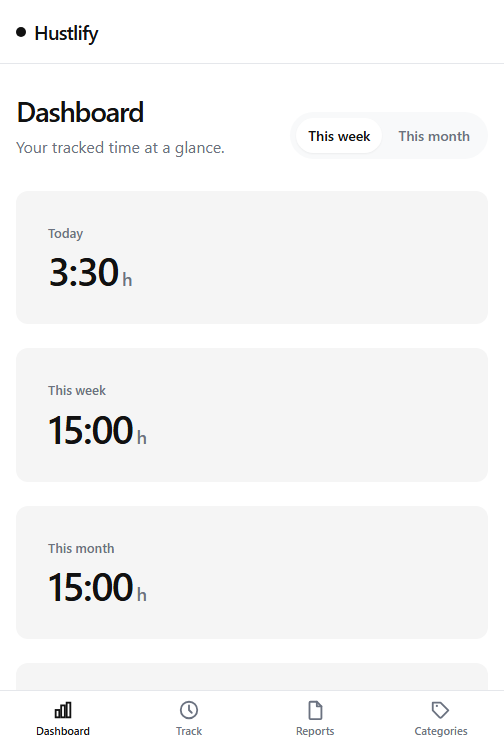
- Mobile-friendly — a touch-optimized layout with a bottom navigation bar on phones, installable as a home-screen app.
Quick start (Docker Compose)
-
Create a folder on your NAS and add a
config.yaml(start fromconfig.example.yaml):app: title: "My Time Tracker" timezone: "Europe/Zurich" work: weekly_target_hours: 40 hourly_rate: 0 currency: "CHF" -
Add a
docker-compose.yml(seedocker-compose.example.yml):services: hustlify: image: julianhintermann/hustlify:latest container_name: hustlify restart: unless-stopped ports: - "3000:3000" volumes: - ./config.yaml:/config/config.yaml:ro - ./data:/data -
Start it:
docker compose up -d -
Open
http://<your-nas-ip>:3000.
That's it — the SQLite database and session secret are created automatically in
the ./data folder.
Run without Compose
docker run -d --name hustlify -p 3000:3000 \
  -v "$PWD/config.yaml:/config/config.yaml:ro" \
  -v "$PWD/data:/data" \
  julianhintermann/hustlify:latest
Configuration reference
Every key is optional; omitted keys use the defaults shown here.
| Key | Default | Description |
|---|---|---|
app.title | Hustlify | Name shown in the header and browser tab. |
app.port | 3000 | Port the server listens on inside the container. |
app.timezone | Europe/Zurich | IANA timezone for day/week/month grouping and reports. |
app.first_day_of_week | monday | monday or sunday. |
auth.password | "" | Empty = no login. Any value requires it before use. |
work.weekly_target_hours | 40 | Weekly target. 0 disables overtime tracking. |
work.tracking_start | "" | ISO date (YYYY-MM-DD); overtime is counted from here. |
work.hourly_rate | 0 | 0 hides earnings everywhere; any value shows estimates. |
work.currency | CHF | Currency label shown next to earnings. |
work.long_timer_warning_hours | 10 | Warn on the timer card past this many hours running. 0 disables it. |
work.idle_detection_minutes | 5 | Prompt to trim idle time after the tab was hidden/asleep this long while a timer runs. 0 disables it. |
report.person_name | "" | Printed on the PDF work report. |
report.company_name | "" | Optional company/employer on the report. |
report.footer_note | "" | Optional note at the bottom of the report. |
notifications.ntfy_url | "" | e.g. http://192.168.1.125:3061/hustlify. Empty disables all push notifications. |
notifications.timer_reminder | true | Push once when a running timer passes long_timer_warning_hours. |
notifications.daily_summary_at | "" | "HH:MM" local time for a daily push with today's tracked hours. Empty = off. |
notifications.weekly_summary_at | "" | "HH:MM" local time on first_day_of_week for a weekly summary push. Empty = off. |
Note: if you change
app.port, map that same port in your compose file (e.g."8080:8080"withapp.port: 8080).
Volumes
| Path | Purpose |
|---|---|
/config/config.yaml | Your configuration file (mount read-only). |
/data | Persistent SQLite database and the generated session secret. |
Backup & restore
Download a complete, consistent copy of the database at any time from the
Reports view ("Download database backup"), or directly via GET /api/backup.db.
To restore, use "Restore from backup" in the same view — the uploaded file is
validated (it must genuinely be a Hustlify database) and then swapped in while
the app keeps running, no container restart needed.
Push notifications (ntfy)
Point notifications.ntfy_url at any ntfy topic — your own
self-hosted instance or the public one — to enable push notifications:
notifications:
  ntfy_url: "https://ntfy.sh/your-private-topic-name"
  daily_summary_at: "18:00"
Install the ntfy app and subscribe to the same topic to receive the pushes.
CSV import
"Import CSV" in the Reports view accepts a file in the same shape Hustlify
exports (Date,Start,End,Duration,Hours,Category,Note). Any category name
that doesn't already exist is created automatically. Invalid rows are skipped
with a reason rather than failing the whole import.
Development
Requires Node.js 22.5+ (uses the built-in node:sqlite, so there is no native
build step).
npm install            # backend deps
npm --prefix web install
npm test               # backend unit + integration tests

# Run the two dev servers (API on :3000, Vite on :5173 with a proxy)
npm run dev:server
npm run dev:web

# Or build the frontend and run the whole app from the server on :3000
npm run build
npm start
Configuration during development is read from ./config.yaml (set
CONFIG_PATH to point elsewhere) and data is written to ./data (set
DATA_DIR).
Tech
- Backend: Node.js, Express, built-in
node:sqlite,pdfkit,js-yaml - Frontend: React + Vite, framework-free CSS design tokens
- Storage: a single SQLite file
- Image: multi-arch (
linux/amd64,linux/arm64)
License
MIT — see LICENSE.
Tag summary
Content type
Image
Digest
sha256:c8911760c…
Size
86.8 MB
Last updated
4 months ago
docker pull julianhintermann/hustlify