julianhintermann/skopos
Traffic monitoring, firewall management and ntfy alerting for your NAS — one container, one YAML f
3.7K
julianhintermann/skopos repository overview
Skopos
σκοπός — the watcher. Traffic monitoring, firewall management and ntfy alerting for your NAS, in a single container configured by a single YAML file.



Try it in 30 seconds
No NAS, no privileges, no real traffic. Demo mode fabricates a plausible home network — including the occasional port scan — so you can click around first:
docker run --rm -p 8686:8686 -e SKOPOS_DEMO=1 julianhintermann/skopos
Then open http://localhost:8686.
What it does
| Traffic monitoring | Live capture on the host's interfaces (AF_PACKET), aggregated into flows, split by upload and download, with a LAN device inventory and readable names from DNS/SNI. Rolled-up aggregates hold months of history. Each bucket records what the capture was doing while it was filled, so a chart breaks where nothing was measured instead of drawing a line across the gap. |
| Firewall management | Block IPs and CIDRs through a dedicated nftables table with in-kernel TTL expiry. State is declarative and restored on every start, so reboots and updates never drop protection. The kernel is read back every two minutes and the dashboard reports what it found, not what the config asked for. |
| Detection | Port scans (vertical & horizontal), connection-rate spikes, blocklist-feed hits (FireHOL L1, Spamhaus DROP, or any URL) and new-device alerts — thresholds all yours in YAML. |
| ntfy alerts | Push to a self-hosted ntfy or ntfy.sh, severity mapped to priority, tapping through to the page for that alert. A generic JSON webhook too. |
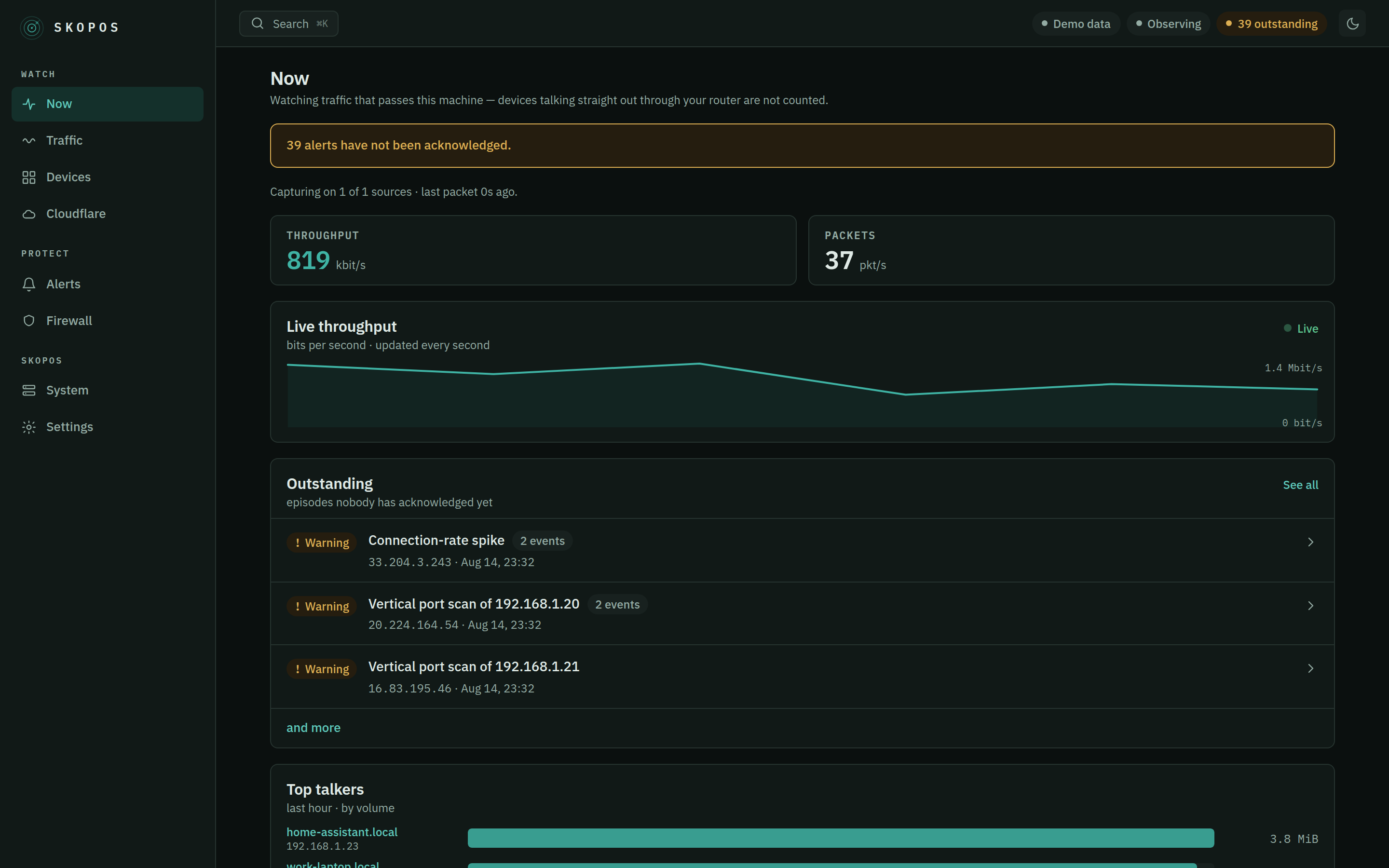
| Web dashboard | Eight pages: Now, Traffic, Devices, Cloudflare, Alerts, Firewall, System, Settings. Light, dark, or your OS's choice. Embedded in the binary — no second container. |
| Privacy switches that work | capture.dns and capture.sni gate name extraction at the parser: with either off, DNS queries and TLS server names are never read out of the packet. |
| One YAML file | Every path, interface, threshold, topic and credential. Nothing about your environment is hardcoded. |
Safe by default: the firewall ships in observe mode. Skopos logs what it
would block and changes nothing until you deliberately arm it. The gateway
and your allowlist can never be blocked.
Tags
| Tag | Meaning |
|---|---|
latest | Newest stable release |
0.4.0, 0.4, 0 | Specific version — pin one of these in production |
edge | Built from main on every push. Useful, but unreleased |
Architectures: linux/amd64 and linux/arm64. The image is a distroless static build — roughly 7 MB compressed.
Run it on a NAS
Skopos captures traffic and manages the host firewall, so it needs host networking and exactly two Linux capabilities. Everything else is dropped.
services:
  skopos:
    image: julianhintermann/skopos:latest
    container_name: skopos
    restart: unless-stopped

    network_mode: host                 # required: capture + host firewall
    cap_drop: [ALL]
    cap_add: [NET_ADMIN, NET_RAW]      # NET_RAW = capture, NET_ADMIN = nftables
    security_opt: [no-new-privileges:true]
    read_only: true
    tmpfs: [/tmp]

    volumes:
      - /volume1/docker/skopos/config:/config   # SSD  — config.yaml
      - /volume1/docker/skopos/data:/data       # SSD  — database, runtime state
      - /mnt/nas/skopos/archive:/archive        # HDD  — backups and logs

    mem_limit: 512m
    cpus: 2.0
Adjust the two volume source paths, then docker compose up -d and open
http://<nas-ip>:8686.
Hot and cold storage
Two independent volumes, both fully configurable:
- Hot (
/data, put it on your SSD) — SQLite database and runtime state. Size-capped; the oldest raw flows are dropped first while aggregates are kept, so it can never fill your disk. - Cold (
/archive, put it on your HDD or NAS share) — daily database backups, and JSON logs underlogs/whilelogging.fileis on. If it goes offline the backup is skipped and Skopos says so; capture never stops. Nothing is exported here:storage.archive_atis accepted and inert, and rows past their retention are deleted rather than archived.
Configuration
One file, config.yaml. An empty file is valid — every option has a
working default. A realistic minimum:
interfaces: [auto]                     # or [eth0, eth1]

server:
  auth:
    username: admin
    password_hash: "$argon2id$v=19$..."   # docker run --rm -it julianhintermann/skopos hash-password
  external_url: https://skopos.example.com

notify:
  ntfy:
    url: https://ntfy.example.com
    topic: skopos
    token: ${SKOPOS_NTFY_TOKEN}        # from the environment, not the file

firewall:
  enforcement: observe                 # observe → enforce when you're ready
Secrets support ${VAR} and ${VAR:-default} interpolation. Validate any file
without starting the server: docker run --rm -v ./config:/config julianhintermann/skopos validate.
📖 Full configuration reference — every option, type and default, generated from the source.
Commands
The entrypoint is the skopos binary:
| Command | Purpose |
|---|---|
serve | Run the monitor, firewall and dashboard (default) |
validate | Load and validate the configuration, then exit |
hash-password | Generate an Argon2id hash for config.yaml |
notify-test | Send a test notification to the configured channels |
health | Probe the health endpoint (used by the container HEALTHCHECK) |
version | Print version information |
Screenshots
| Live traffic | Cloudflare |
|---|---|
 | 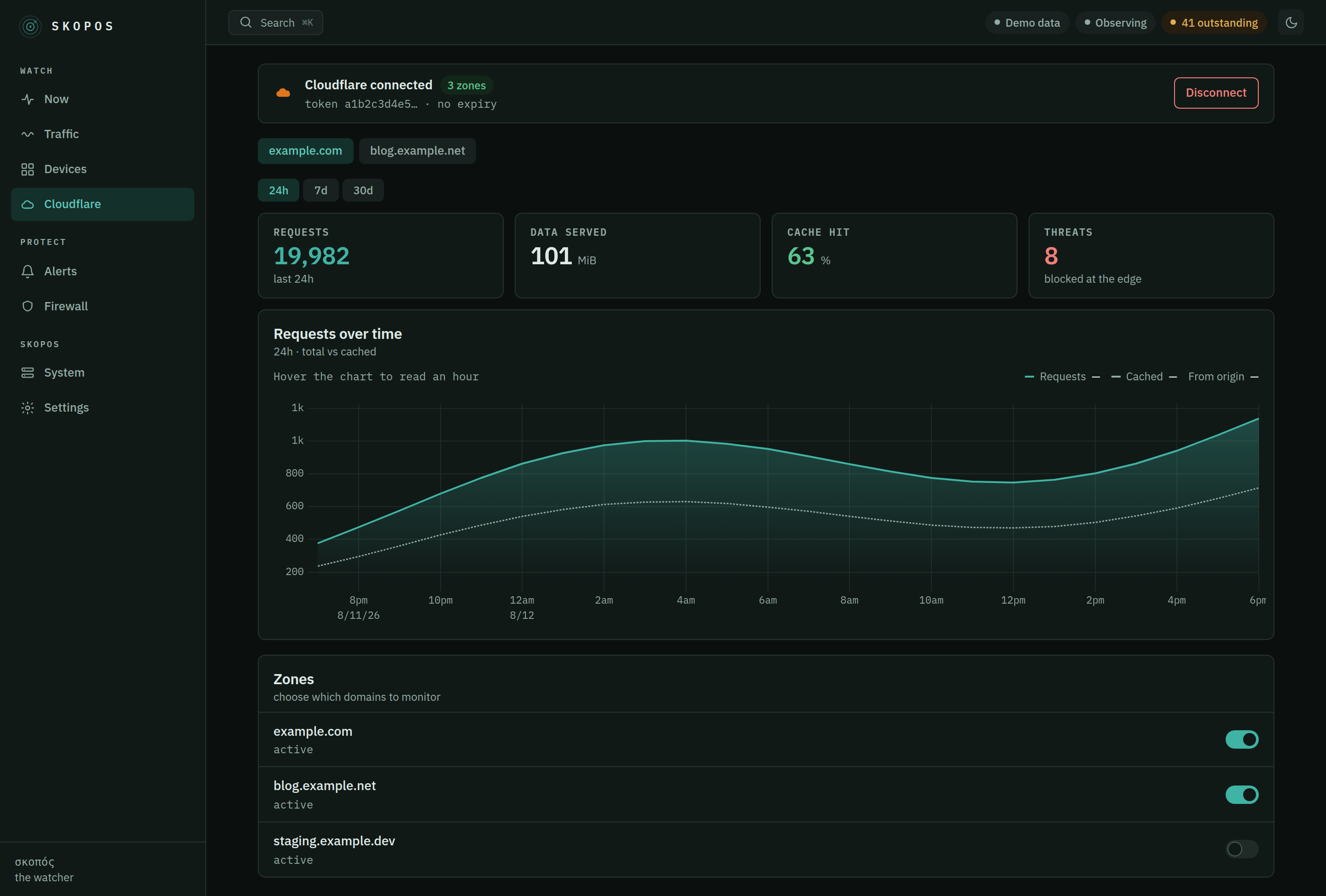 |
| Alerts | Traffic |
|---|---|
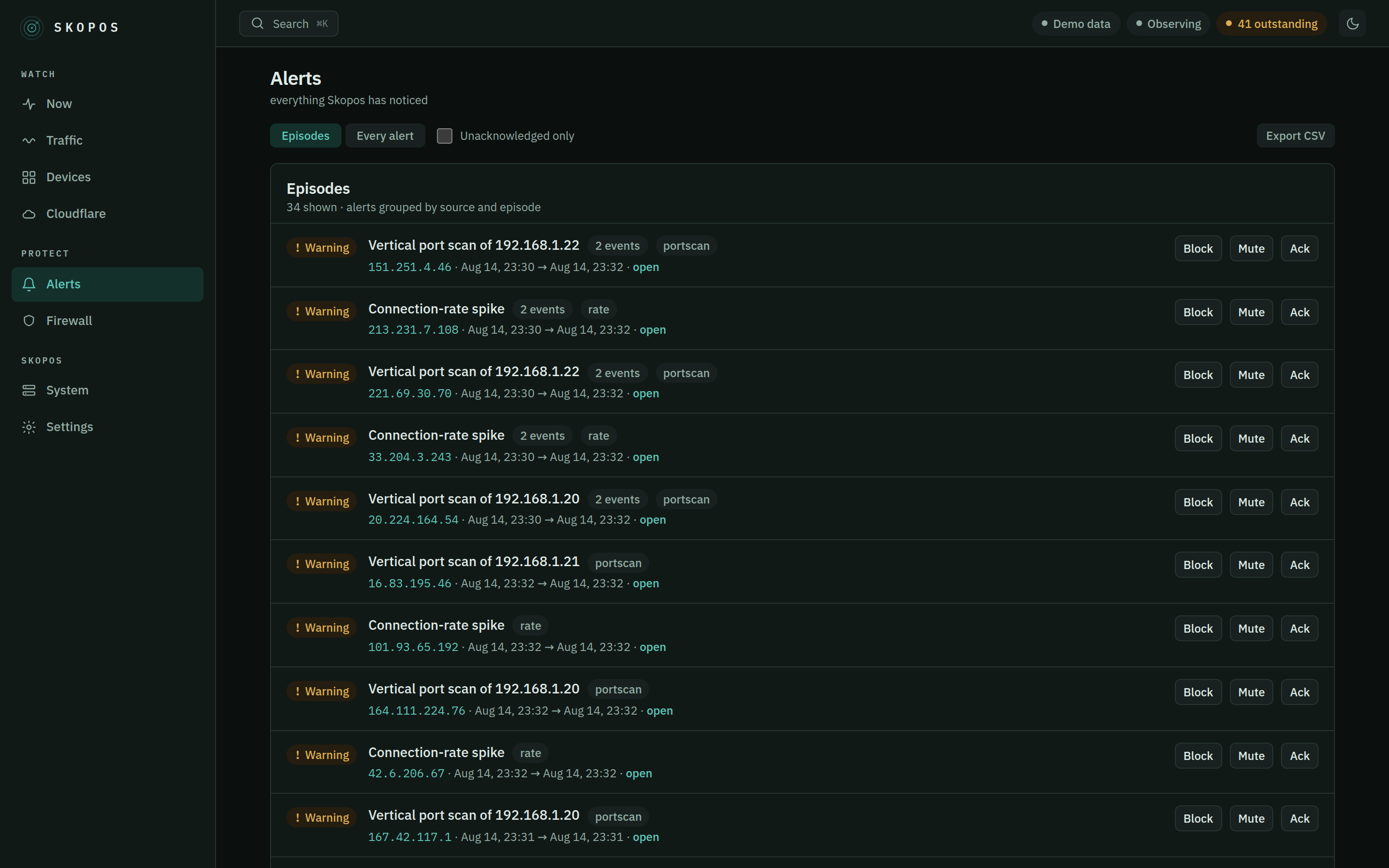 | 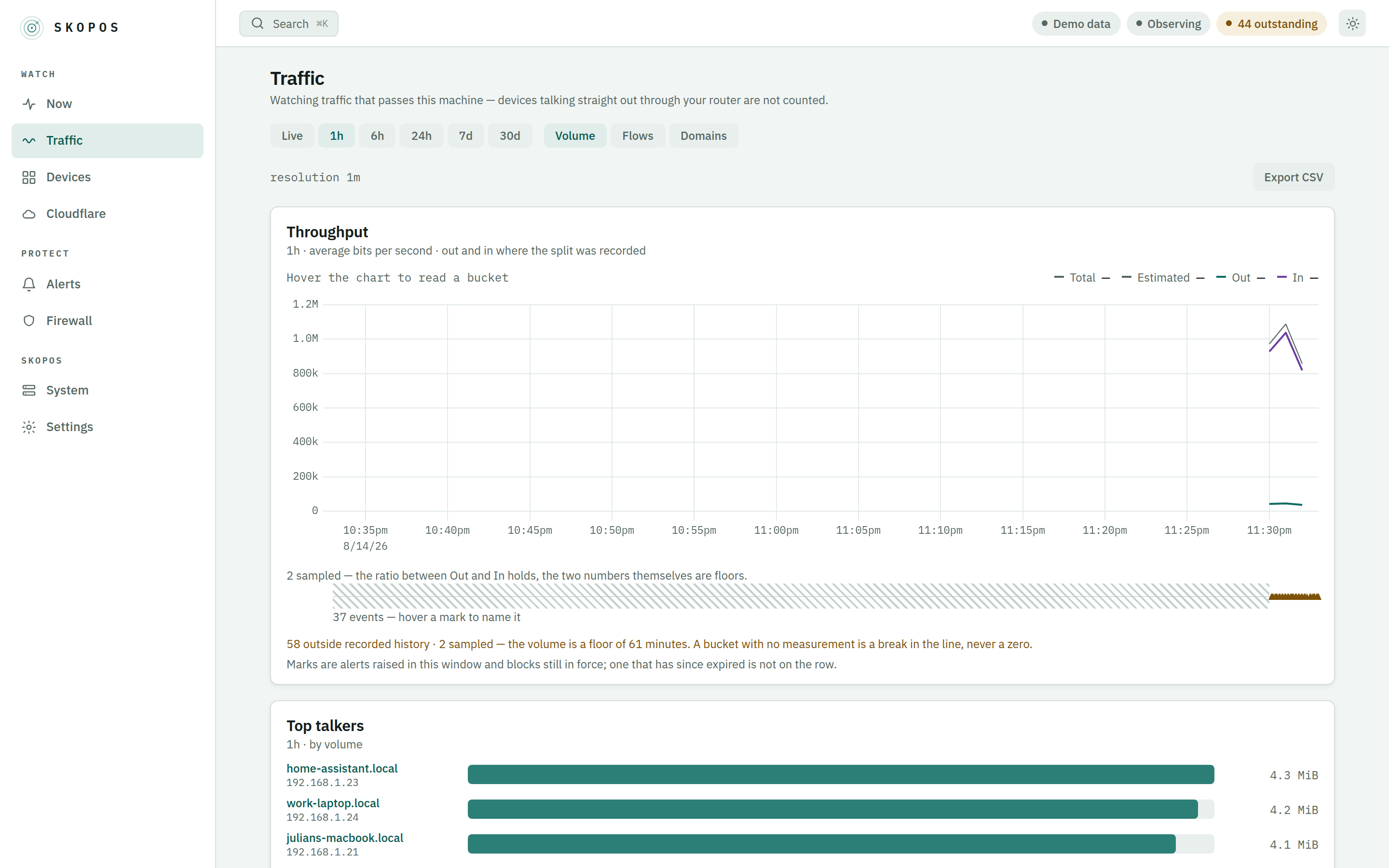 |
Security
Host networking plus NET_RAW (capture) and NET_ADMIN (nftables), with every
other capability dropped, a read-only root filesystem and no-new-privileges.
Only packet headers and DNS/SNI names are processed — raw packets are
never written to disk. No telemetry.
🔒 SECURITY.md derives every privilege from the feature that needs it, and documents the threat model.
Links
- Source & issues: https://github.com/julianhintermann-cmd/skopos
- Configuration reference: docs/configuration.md
- Changelog: CHANGELOG.md
- Also on GHCR:
ghcr.io/julianhintermann-cmd/skopos
License: AGPL-3.0 — free to run, study, share and improve; network services built on modified versions must publish their source.
Tag summary
Content type
Image
Digest
sha256:777b4c262…
Size
7.3 MB
Last updated
2 months ago
docker pull julianhintermann/skopos