julieio/hello
A hello-world node.js app with graceful shutdown for demos.
2.2K
julieio/hello repository overview
Hello Welt
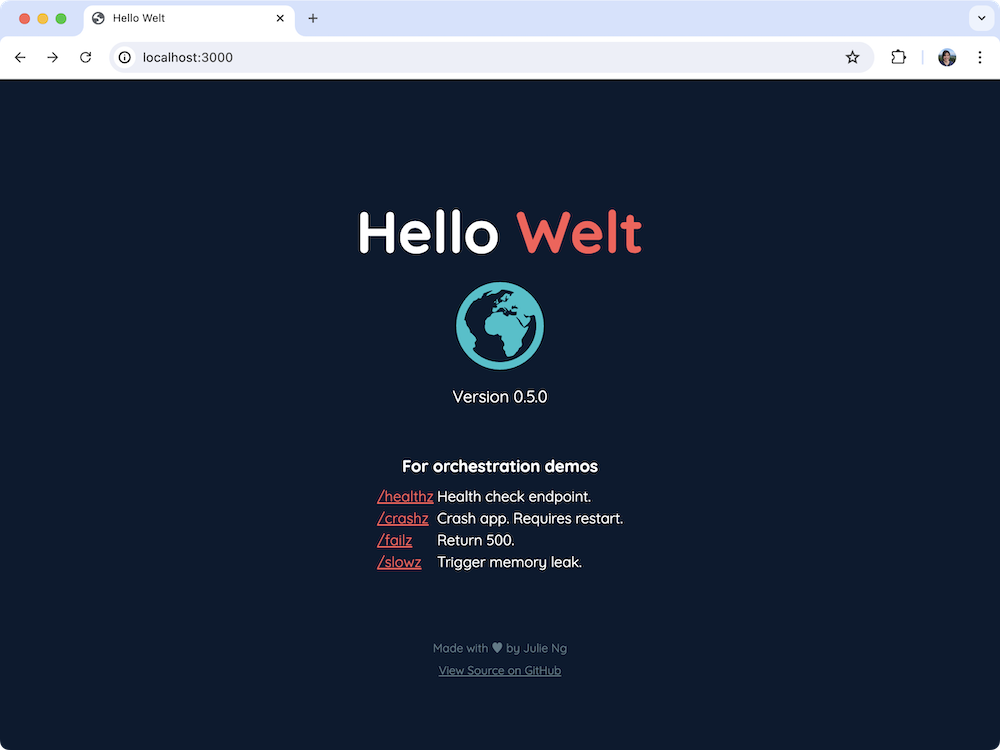
Simple Hello World Fastify Node.js app with JSON based logging incl. log levels, graceful shutdown, readiness probes and built-in crash triggers, etc. for container orchestration demos.



Configuration
The following variables can be configured
| Environment Variable | Default |
|---|---|
VERSION | Version from package.json |
HELLO_GREETING | Hello |
HELLO_NAME | Welt |
HELLO_COLOR | #ff5757 |
EARTH_COLOR | #57ffd1 |
PORT | 3000 |
HOST | localhost in development and 0.0.0.0 in production |
Demo
This image can be used to demo the following for learning about container orchestration.
Note
These demo routes use `z-pages` covention based on Google's internal practices to indicate that these endpoints are not part of the app's expected functionality.
Best Practices
| Best Practice | Route | Description |
|---|---|---|
| Health Check | /healthz | Health check page with info for debugging. Returns 200. |
| Graceful Shutdown | N/A | See app/server.js, which responds to SIGINT and SIGTERM to shutdown database, etc. |
Problems
| Problem | Route | Description |
|---|---|---|
| Error 500 | /failz | Returns 500 response and logs error to stdout. App continunes to run. |
| Crash | /crashz | Simulate a crash. App needs to be restarted. |
| Memory Leak | /slowz | Simulate a memory leak. App continues to function. |
Usage
Pull from Docker Hub
Pull the julieio/hello public image from Docker Hub and then run it:
docker pull julieio/hello:latest
docker run -p 3000:3000 julieio/hello:latest
Optionally - pass configuration via environment variables:
docker run -p 3000:3000 -e HELLO_NAME=Julie julieio/hello:latest
or build from scratch
docker build . -t hello-welt
docker run -p 3000:3000 hello-welt
Local Development
To use this image locally, clone this repo, install dependencies and run the app:
git clone https://github.com/julie-ng/hello-welt
npm install
npm start
Then open http://localhost:3000 in your browser.
Logging
For local development, we will use pino-pretty to format logs with color
npm install -g pino-pretty
We also also use nodemon to automatically restart the app when code changes. Use the dev command to put everything together
npm run dev
References
- Heroku Blog: Let It Crash: Best Practices for Handling Node.js Errors on Shutdown by Julián Duque
- Snyk Blog: 10 best practices to containerize Node.js web applications with Docker by Liran Tal and Yoni Goldberg
License
MIT
Tag summary
Content type
Image
Digest
sha256:56d900316…
Size
53.4 MB
Last updated
over 2 years ago
docker pull julieio/hello