justintime50/easypost-tools-ui
Create shipping labels, track, insure, and refund packages all from a simple UI.
1.8K
justintime50/easypost-tools-ui repository overview



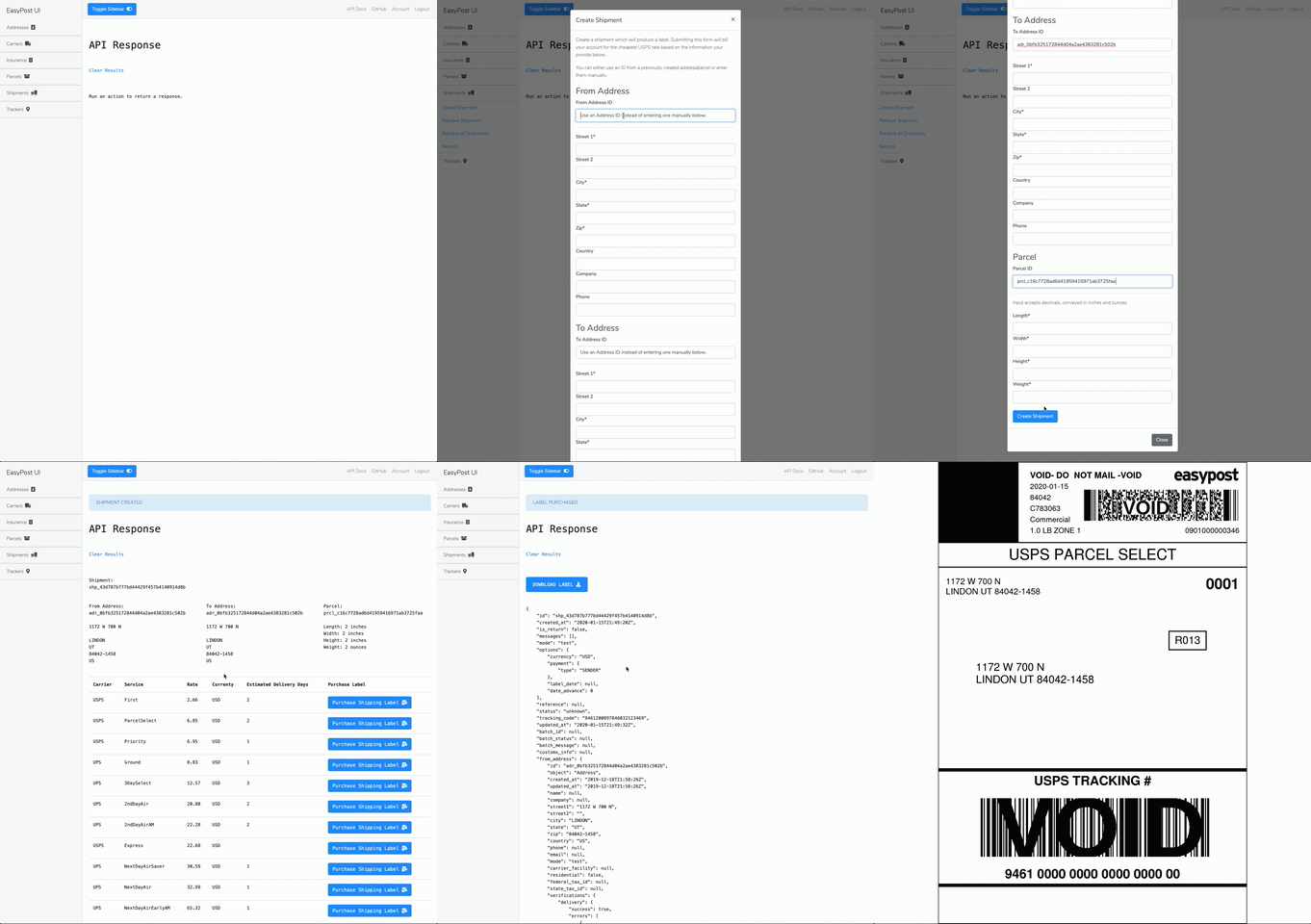
What Can it Do?
The EasyPost Tools UI is a proof of concept on how to build a complete shipping solution using the EasyPost API.
- Create & retrieve shipments
- Buy and print labels
- Buy and print envelope stamps
- Refund shipments
- Generate QR codes
- Create and retrieve trackers
- Create and retrieve insurance
- Create and retrieve addresses
- Create and retrieve parcels
- Search for EasyPost objects by ID
- Support multiple users with unique logins and EasyPost API keys
See the accompanying EasyPost Tools repo for additional tooling not available via the UI.
How it Works
The EasyPost API allows you to create shipping labels with some of the biggest parcel carriers in the world. Supply a from_address, to_address, parcel, and preferred shipping rate/method. Print the label, slap it on your package, and drop it off at your carrier's location. That's it!
Install
# Copy the env files, edit as needed
cp src/.env-example src/.env && cp .env-example .env

# Run the setup script which will bootstrap all the requirements, spin up the service, and migrate the database
just setup
Usage
Navigate to easyposttools.localhost.
Once the project is setup, simply interact with the various links in the app to interact with the API. Create records, retrieve them, and purchase shipping labels all without needing to do the hard work of integrating with an API.
EasyPost API: You'll need a test or production API key from EasyPost's website. Create an account and grab the API key you'd like to use. If using your production API key, make sure to setup billing info on your EasyPost account.
Deploy
# Deploy the project locally
just run

# Deploy the project in production
just prod
Development
# Get a comprehensive list of development tools
just --list
Tag summary
Content type
Image
Digest
sha256:46cef4a67…
Size
132.4 MB
Last updated
6 months ago
docker pull justintime50/easypost-tools-ui