jykke/speedtest-influxdb
ARM64 version of quadstingray/speedtest-influxdb for Raspberry Pi.
1.4K
jykke/speedtest-influxdb repository overview
speedtest-influxdb:0.9.3
Introduction
Git-Repository to build Docker Container Image to run speedtest with speedtest.net to influxdb. The Implementation is inspired by https://github.com/frdmn/docker-speedtest
Contributing
If you find this image helpfull, so you can see here how you can help:
- Create an new branch and send a pull request with your features and bug fixes
- Help users resolve their issues.
Issues
Before reporting your issue please try updating Docker to the latest version and check if it resolves the issue. Refer to the Docker installation guide for instructions.
If that recommendations do not help then report your issue along with the following information:
- Output of the
docker versionanddocker infocommands - The
docker runcommand ordocker-compose.ymlused to start the image. Mask out the sensitive bits.
Getting started
Installation
Automated builds of the image are available on Dockerhub
docker pull speedtest-influxdb:0.9.3
Alternatively you can build the image yourself.
docker build . --tag 'speedtest-influxdb:dev';
Quickstart
docker run -e "HOST=local" speedtest-influxdb:0.9.3
Alternatively, you can use the sample docker-compose.yml file to start the container using Docker Compose
Environment Variables
| Variable | Default Value | Informations |
|---|---|---|
| INTERVAL | 3600 | Seconds between import of statistics |
| HOST | local | host where the speedtest is running for grafana filter |
| SPEEDTEST_SERVER | '' | speedtest.net server. Empty string, means speedtest return server for test |
| SPEEDTEST_ALGO_TYPE | 'max' | how to calculate the speedtest up- and downlad values. changing of SPEEDTEST_ALGO_TYPE means avg |
| SPEEDTEST_LIST_SERVERS | 'false' | list all available speedtest.net servers at the console |
| SPEEDTEST_LIST_KEEP_CONTAINER_RUNNING | 'false' | keep docker container running after listing all speedtet.net servers |
| SHOW_EXTERNAL_IP | 'false' | You can activate logging your external Ip to InfluxDb to monitor IP changes. |
| INFLUXDB_USE | 'true' | You can deactivate save speedtest results to influx |
| INFLUXDB_URL | http://influxdb:8086 | Url of your InfluxDb installation |
| INFLUXDB_DB | speedtest | Database at your InfluxDb installation |
| INFLUXDB_USER | DEFAULT | optional user for insert to your InfluxDb |
| INFLUXDB_PWD | DEFAULT | optional password for insert to your InfluxDb |
Environment Variable: SPEEDTEST_SERVER
Per default the server is choosen by speedtest.net, but you can set SPEEDTEST_SERVER with the id of your favorite server.
You can get a list of all available servers by set the evironment variable SPEEDTEST_LIST_SERVERS to true. The list is ordered by country.
...
2018/07/18 00:16:53 County: Virgin Islands | Location: Saint Croix | ServerId: 4470 | Sponsor: Viya
2018/07/18 00:16:53 County: Virgin Islands | Location: Saint Croix | ServerId: 6762 | Sponsor: VI Next Generation Network
2018/07/18 00:16:53 County: Virgin Islands | Location: Road Town | ServerId: 7633 | Sponsor: CCTBVI
2018/07/18 00:16:53 County: Virgin Islands, British | Location: Road Town | ServerId: 17056 | Sponsor: Flow BVI
2018/07/18 00:16:53 County: Wales | Location: Pembrokeshire | ServerId: 16607 | Sponsor: Pembs Wifi Ltd
2018/07/18 00:16:53 County: Wales | Location: Newport | ServerId: 5833 | Sponsor: Hub Network Services Ltd
...
Grafana
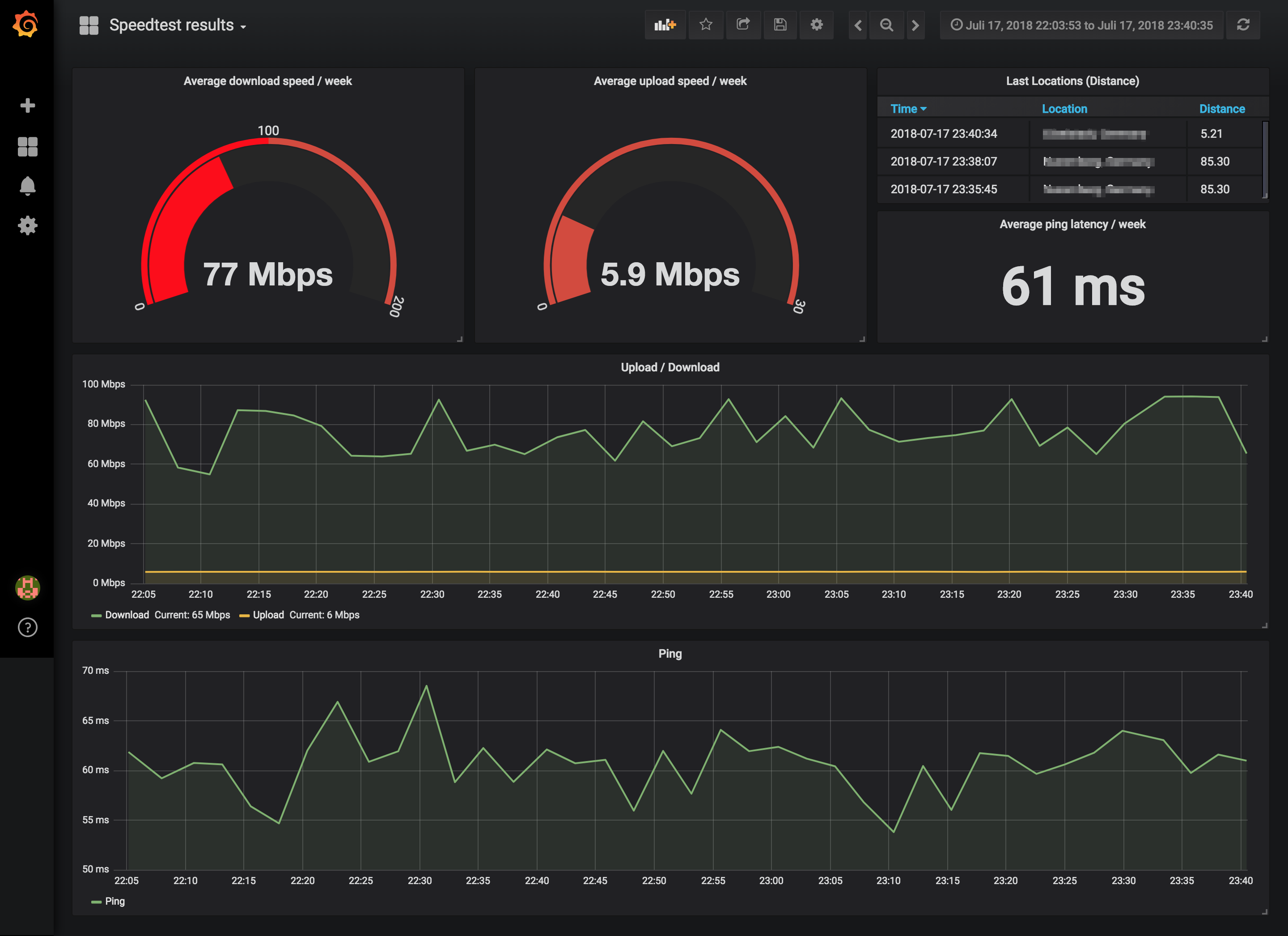
There is an sample grafana dashboard at this repository. You can import that to your Grafana installation. speedtest.json
Tag summary
Content type
Image
Digest
Size
8.4 MB
Last updated
about 6 years ago
docker pull jykke/speedtest-influxdb