kechangdev/browser-vnc repository overview
Browser-VNC Docker Container
This project provides a Dockerized environment to run a web-based VNC client using noVNC, enabling access to a Chromium browser via a VNC connection. The container is built using Alpine Linux and includes necessary components such as Xvfb, x11vnc, fluxbox, and supervisor to mRanage the processes.
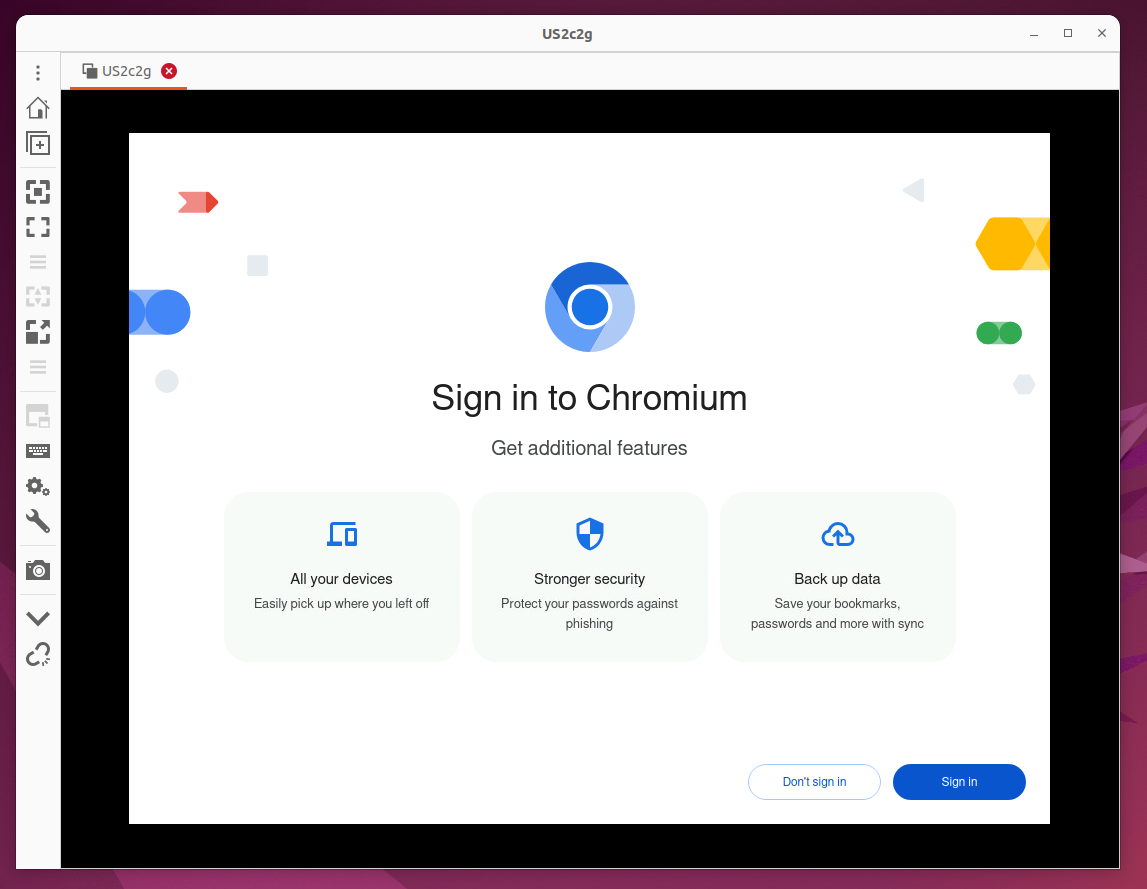
Usage
To run the Docker container, use the following command:
docker run -d \
		   -p 5900:5900 \
		   -p 6080:6080 \
		   -v ~/chrome-data:/data \
		   -e VNC_PASSWORD=yourpassword \
		   --name browservnc \
		   kechangdev/browser-vnc
-p 5900:5900: Maps the VNC server port.-p 6080:6080: Maps the noVNC web client port.-v ~/chrome-data:/data: Mounts a volume for persistent Chromium user data.-e VNC_PASSWORD=yourpassword: Sets the VNC password.--name browservnc: Names the container instance.kechangdev/browser-vnc: Uses the specified Docker image.
Accessing the Browser
- VNC Client: Connect to
localhost:5900using a VNC client with the password set inVNC_PASSWORD. - Web Browser: Open a web browser and navigate to
http://localhost:6080to use noVNC for accessing the VNC server through the browser.
Project Structure
The project consists of three main files:
Dockerfile
The Dockerfile builds the Docker image, configuring all the necessary components:
- Base Image: Uses
alpine:latestfor a lightweight base. - Builder Stage: Installs
wget,curl, andunzip, then downloads and extracts noVNC and websockify. - Main Stage:
- Installs Chromium, Xvfb, x11vnc, fluxbox, ttf-freefont, and supervisor.
- Copies the noVNC files from the builder stage.
- Copies the
supervisord.conffile for process management. - Copies and sets execution permissions for the
start.shscript. - Exposes ports 5900 (VNC) and 6080 (noVNC).
- Sets the default command to run
start.sh.
FROM alpine:latest AS builder

RUN apk add --no-cache \
    wget \
    curl \
    unzip

RUN mkdir -p /opt/noVNC/utils/websockify \
    && wget -qO- https://github.com/novnc/noVNC/archive/v1.3.0.tar.gz | tar xz --strip 1 -C /opt/noVNC \
    && wget -qO- https://github.com/novnc/websockify/archive/v0.9.0.tar.gz | tar xz --strip 1 -C /opt/noVNC/utils/websockify

FROM alpine:latest

COPY --from=builder /opt/noVNC /opt/noVNC

RUN apk add --no-cache \
    chromium \
    xvfb \
    x11vnc \
    fluxbox \
    ttf-freefont \
    supervisor

COPY supervisord.conf /etc/supervisor/conf.d/supervisord.conf

COPY start.sh /start.sh
RUN chmod +x /start.sh

EXPOSE 5900 6080

CMD ["/start.sh"]
supervisord.conf
The supervisord.conf file configures Supervisor to manage multiple services:
- Xvfb: Sets up a virtual framebuffer to enable off-screen rendering.
- x11vnc: Starts a VNC server to allow remote connections.
- fluxbox: Runs the window manager.
- chromium: Launches the Chromium browser with remote debugging enabled.
- noVNC: Provides a web-based VNC client.
[supervisord]
nodaemon=true

[program:Xvfb]
command=/usr/bin/Xvfb :99 -screen 0 1024x768x16
autostart=true
autorestart=true
stdout_logfile=/var/log/xvfb.log
stderr_logfile=/var/log/xvfb_error.log

[program:x11vnc]
command=/usr/bin/x11vnc -forever -usepw -display :99 -rfbport 5900
autostart=true
autorestart=true
stdout_logfile=/var/log/x11vnc.log
stderr_logfile=/var/log/x11vnc_error.log

[program:fluxbox]
command=/usr/bin/fluxbox
autostart=true
autorestart=true
stdout_logfile=/var/log/fluxbox.log
stderr_logfile=/var/log/fluxbox_error.log

[program:chrome]
command=/usr/bin/chromium-browser --no-sandbox --disable-dev-shm-usage --remote-debugging-port=9222 --user-data-dir=/data --display=:99
autostart=true
autorestart=true
stdout_logfile=/var/log/chrome.log
stderr_logfile=/var/log/chrome_error.log

[program:noVNC]
command=/opt/noVNC/utils/novnc_proxy --vnc localhost:5900 --listen 6080
directory=/opt/noVNC
autostart=true
autorestart=true
stdout_logfile=/var/log/novnc.log
stderr_logfile=/var/log/novnc_error.log
start.sh
The start.sh script initializes the VNC password and starts Supervisor:
- VNC Password: Sets the VNC password from the
VNC_PASSWORDenvironment variable (default: 1234). - Supervisor: Launches Supervisor to manage the configured services.
#!/bin/sh

if [ -z "$VNC_PASSWORD" ]; then
    echo "VNC_PASSWORD is 1234"
    VNC_PASSWORD=1234
fi

mkdir -p ~/.vnc
x11vnc -storepasswd $VNC_PASSWORD ~/.vnc/passwd

/usr/bin/supervisord -c /etc/supervisor/conf.d/supervisord.conf
This setup provides a lightweight and convenient environment to run and interact with a Chromium browser remotely via VNC.
Tag summary
Content type
Image
Digest
sha256:d41cc2e49…
Size
274.4 MB
Last updated
over 2 years ago
docker pull kechangdev/browser-vnc