kevinrsdev/autogpt
🦀 A Pure Rust Framework For Building AGIs.
2.4K
kevinrsdev/autogpt repository overview
🤖 AutoGPT
















🐧 Linux (Recommended) | 🪟 Windows | 🐋 | 🐋 |
|---|---|---|---|
| |  |  |
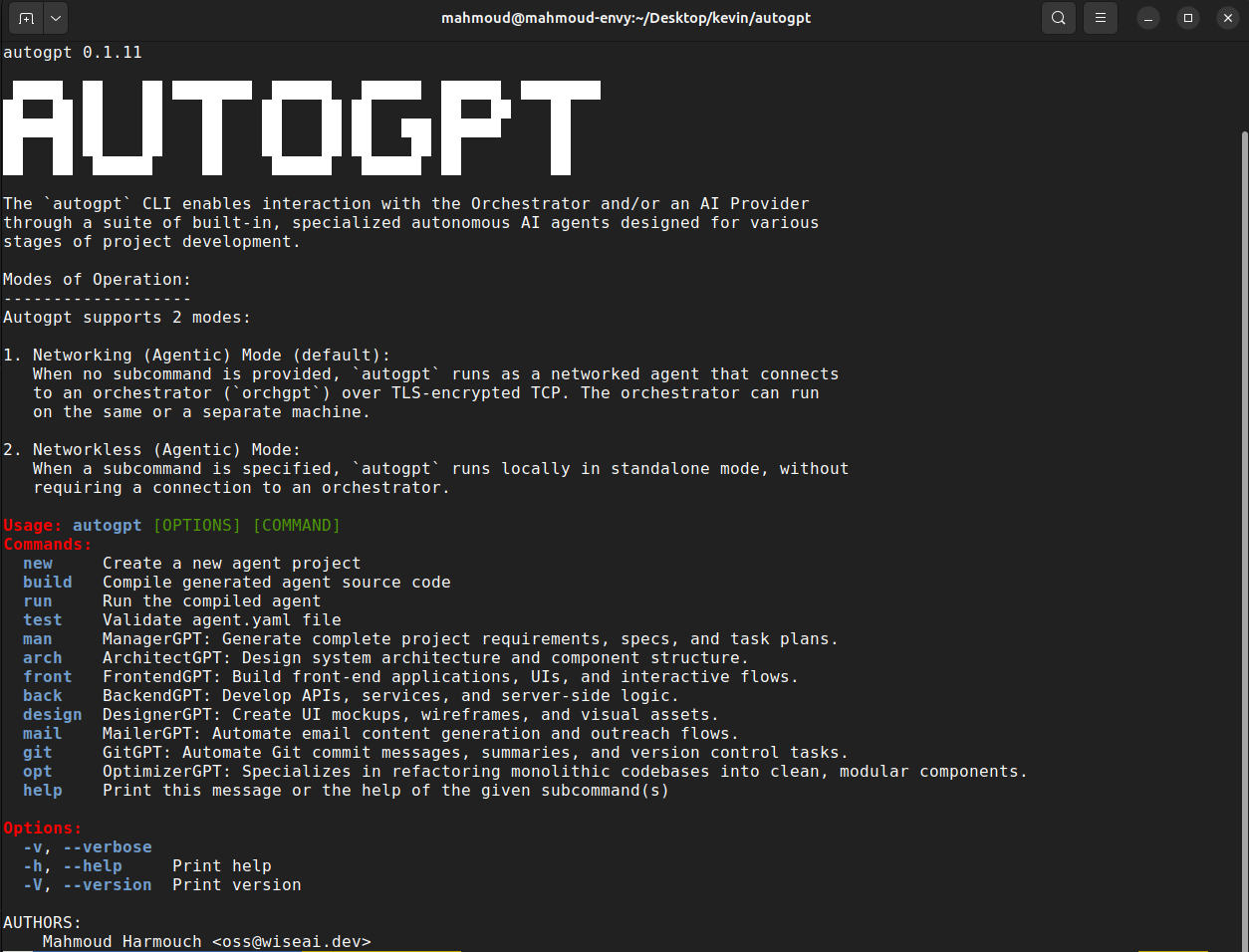 | 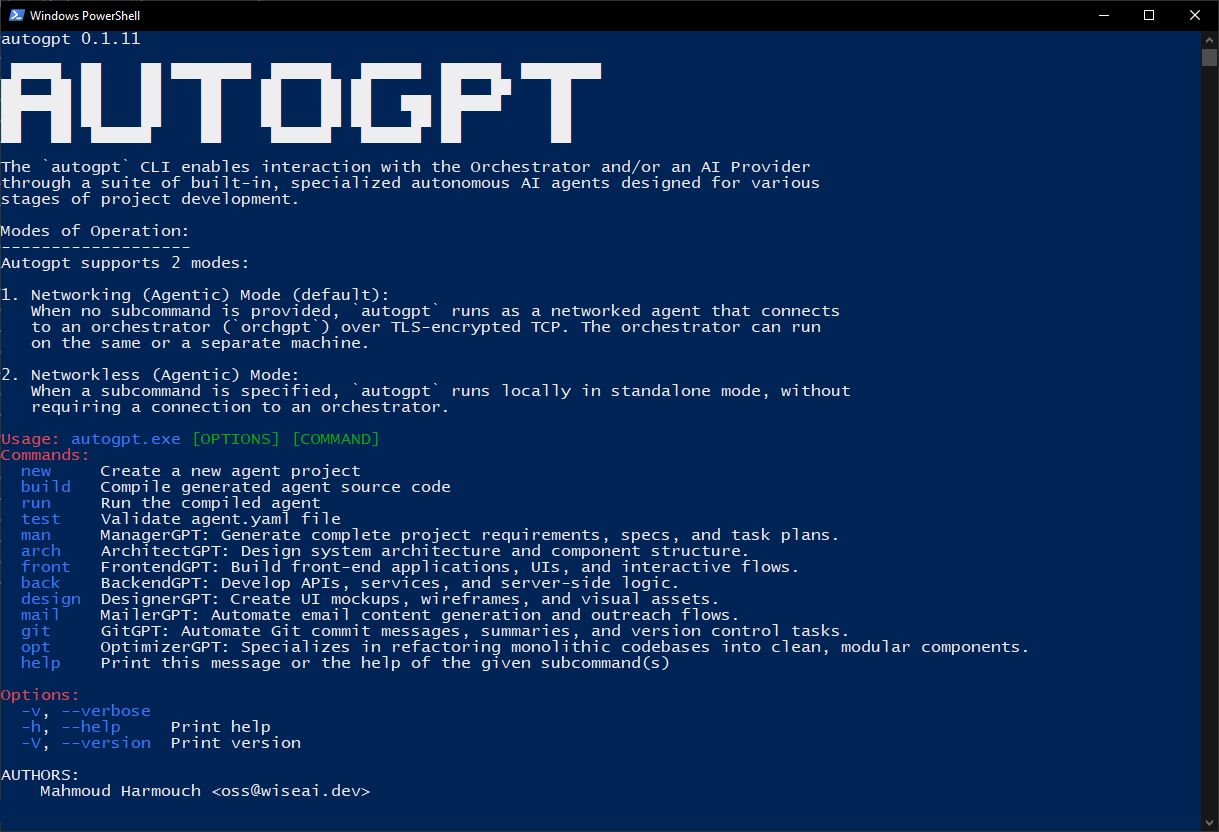 | - | - |
| Method 1: Download Executable File | Download .exe File | - | - |
Method 2: cargo install autogpt --all-features | cargo install autogpt --all-features | docker pull kevinrsdev/autogpt | docker pull kevinrsdev/orchgpt |
| Set Environment Variables | Set Environment Variables | Set Environment Variables | Set Environment Variables |
autogpt -h orchgpt -h | autogpt.exe -h | docker run kevinrsdev/autogpt -h | docker run kevinrsdev/orchgpt -h |
Note
This project is under active development. There is also a parallel project, [**lmm**](https://github.com/wiseaidotdev/lmm), under equally active development; It does **not** use LLMs at all. Instead, it uses equation-based intelligence to predict new words and reason without gradient-trained models. Check it out if you're interested in a fundamentally different approach to machine intelligence!
AutoGPT is a pure rust framework that simplifies AI agent creation and management for various tasks. Its remarkable speed and versatility are complemented by a mesh of built-in interconnected GPTs, ensuring exceptional performance and adaptability.
🧠 Framework Overview
AutoGPT agents are modular, autonomous, and designed for flexibility:
- 🔌 Tools & Sensors: Interface with the real world via actions (e.g., file I/O, APIs) and perception (e.g., audio, video, data).
- 🧠 Memory & Knowledge: Combines long-term vector memory with structured knowledge bases for reasoning and recall.
- 📝 No-Code Agent Configs: Define agents and their behaviors with simple, declarative YAML, no coding required.
- 🧭 Planner & Goals: Breaks down complex tasks into subgoals and tracks progress dynamically.
- 🧍 Persona & Capabilities: Customizable behavior profiles and access controls define how agents act.
- 🧑🤝🧑 Collaboration: Agents can delegate, swarm, or work in teams with other agents.
- 🪞 Self-Reflection: Introspection module to debug, adapt, or evolve internal strategies.
- 🔄 Context Management: Manages active memory (context window) for ongoing tasks and conversations.
- 🔌 MCP (Model Context Protocol): First-class support to seamlessly connect external tool servers (Stdio, SSE, HTTP) to extend capabilities.
- 📅 Scheduler: Time-based or reactive triggers for agent actions.
- 🧪 Custom Agent Creation: Build tailored agents for different roles or domains.
- 📋 Task Orchestration: Manage and distribute tasks across agents efficiently.
- 🧱 Extensibility: Add new tools, behaviors, or agent types with ease.
- 💻 CLI Tools: Command-line interface for rapid experimentation and control.
- 🧰 SDK Support: Embed AutoGPT into existing projects or systems seamlessly.
- 🔀 Mixture of Providers (MoP): Parallel fan-out and weighted scoring across multiple AI backends for optimal response quality.
📦 Installation
Please refer to our tutorial for guidance on installing, running, and/or building the CLI from source using either Cargo or Docker.
Note
For optimal performance and compatibility, we strongly advise utilizing a Linux operating system to install this CLI.
🔄 Workflow
AutoGPT supports 4 modes of operation: interactive, direct prompt, standalone agentic, and distributed agentic.
0. 🤖 GenericGPT Interactive Mode (Default)
When you run autogpt with no subcommand or flags, it launches an interactive AI TUI powered by GenericGPT, a production-hardened autonomous software engineering agent. GenericGPT features intent detection, a complete seven-step reasoning and execution pipeline, automatic build-and-verify loops, and metacognition for learning across tasks.
autogpt
Note
For an in-depth breakdown of how GenericGPT works under the hood, including its architecture, interactive shell, Mixture of Providers (MoP), and execution pipeline, see the [GenericGPT Documentation](GenericGPT.md).
1. 💬 Direct Prompt Mode
In this mode, you can use the CLI to interact with the LLM directly, no need to define or configure agents. Use the -p flag to send prompts to your preferred LLM provider quickly and easily. Combine with --mixture to get the best answer from all your providers at once.
# Single provider
autogpt -p "Explain the Rust borrow checker in simple terms"

# Mixture of Providers (fanned out)
autogpt -m -p "Implement a Red-Black tree in Rust"
2. 🧠 Agentic Networkless Mode (Standalone)
In this mode, the user runs an individual autogpt agent directly via a subcommand (e.g., autogpt arch). Each agent operates independently without needing a networked orchestrator.
flowchart TD
    User([User Provides Project Prompt]) --> M[ManagerGPT\nDistributes Tasks]
    M --> B[BackendGPT]
    M --> F[FrontendGPT]
    M --> D[DesignerGPT\nOptional]
    M --> A[ArchitectGPT]
    B --> BL[Backend Logic]
    F --> FL[Frontend Logic]
    D --> DL[Design Assets]
    A --> AL[Architecture Diagram]
    BL & FL & DL & AL --> M2[ManagerGPT\nCollects & Consolidates]
    M2 --> Result([User Receives Final Output])
- ✍️ User Input: Provide a project's goal (e.g. "Develop a full stack app that fetches today's weather. Use the axum web framework for the backend and the Yew rust framework for the frontend.").
- 🚀 Initialization: AutoGPT initializes based on the user's input, creating essential components such as the
ManagerGPTand individual agent instances (ArchitectGPT, BackendGPT, FrontendGPT). - 🛠️ Agent Configuration: Each agent is configured with its unique objectives and capabilities, aligning them with the project's defined goals.
- 📋 Task Allocation: ManagerGPT distributes tasks among agents considering their capabilities and project requirements.
- ⚙️ Task Execution: Agents execute tasks asynchronously, leveraging their specialized functionalities.
- 🔄 Feedback Loop: Continuous feedback updates users on project progress and addresses issues.
3. 🌐 Agentic Networking Mode (Orchestrated)
In networking mode, autogpt connects to an external orchestrator (orchgpt) over a secure TLS-encrypted TCP channel. This orchestrator manages agent lifecycles, routes commands, and enables rich inter-agent collaboration using a unified protocol.
AutoGPT introduces a novel and scalable communication protocol called IAC (Inter/Intra-Agent Communication), enabling seamless and secure interactions between agents and orchestrators, inspired by operating system IPC mechanisms.
flowchart TD
    U([User sends prompt via CLI]) -- TLS + Protobuf over TCP --> O[Orchestrator\nReceives & Routes Commands]
    O --> AG[ArchitectGPT]
    O --> MG[ManagerGPT]
    AG <-- IAC --> MG
    subgraph IAC [" IAC - Inter/Intra-Agent Communication Layer"]
        MG
        BG[BackendGPT]
        FG[FrontendGPT]
        DG[DesignerGPT]
    end
    MG -- IAC --> BG
    MG -- IAC --> FG
    MG -- IAC --> DG
    BG & FG & DG --> Exec[Task Execution & Collection]
    Exec --> R([User Receives Final Output])
All communication happens securely over TLS + TCP, with messages encoded in Protocol Buffers (protobuf) for efficiency and structure.
-
User Input: The user provides a project prompt like:
/arch create "fastapi app" | pythonThis is securely sent to the Orchestrator over TLS.
-
Initialization: The Orchestrator parses the command and initializes the appropriate agent (e.g.,
ArchitectGPT). -
Agent Configuration: Each agent is instantiated with its specialized goals:
- ArchitectGPT: Plans system structure
- BackendGPT: Generates backend logic
- FrontendGPT: Builds frontend UI
- DesignerGPT: Handles design
-
Task Allocation:
ManagerGPTdynamically assigns subtasks to agents using the IAC protocol. It determines which agent should perform what based on capabilities and the original user goal. -
Task Execution: Agents execute their tasks, communicate with their subprocesses or other agents via IAC (inter/intra communication), and push updates or results back to the orchestrator.
-
Feedback Loop: Throughout execution, agents return status reports. The
ManagerGPTcollects all output, and the Orchestrator sends it back to the user.
🤖 Available Agents
At the current release, AutoGPT consists of 9 built-in specialized autonomous AI agents ready to assist you in bringing your ideas to life! Refer to our guide to learn more about how the built-in agents work.
📌 Examples
Your can refer to our examples for guidance on how to use the cli in a jupyter environment.
📚 Documentation
For detailed usage instructions and API documentation, refer to the AutoGPT Documentation.
🤝 Contributing
Contributions are welcome! See the Contribution Guidelines for more information on how to get started.
📝 License
This project is licensed under the MIT License - see the LICENSE file for details.
Tag summary
Content type
Image
Digest
sha256:792bd62e5…
Size
13.7 MB
Last updated
5 months ago
docker pull kevinrsdev/autogpt