kloudsecio/iam-to-english
Translate AWS IAM policies into plain English and detect privilege escalation paths
94
kloudsecio/iam-to-english repository overview

iam-to-english
Translate AWS IAM policies into plain English, and catch privilege escalation before it ships.




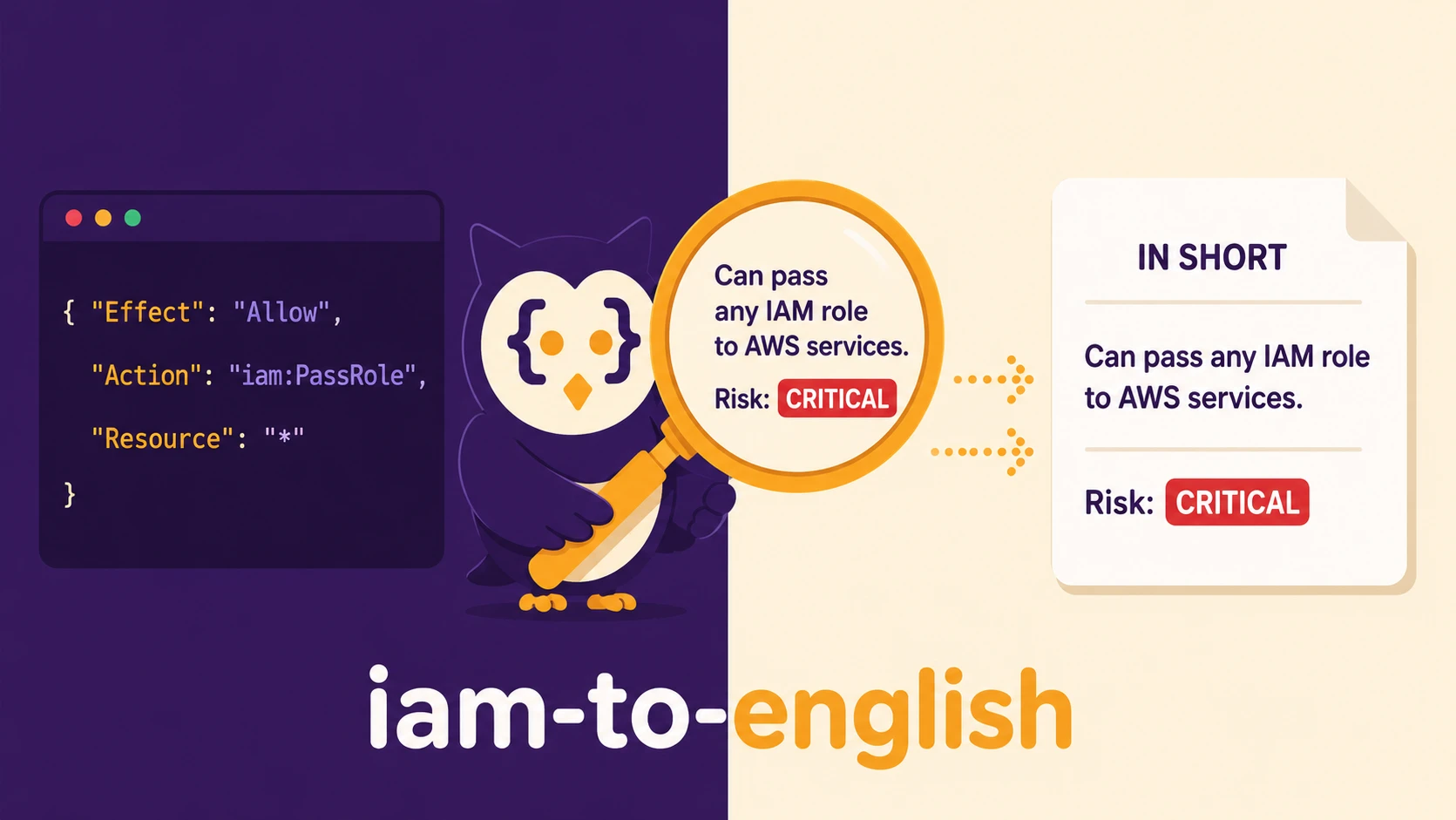
iam-to-english reads an IAM policy (identity policy, role trust policy, S3 bucket policy...) and tells you,
in plain English, what it allows, who it allows, and what could go wrong: privilege escalation
paths across statements, public access, wildcard abuse, risky trust relationships. It runs 100% offline and
deterministically, works in CI as a quality gate, and can optionally ask an LLM for a deeper review
(local Ollama, Amazon Bedrock, the Anthropic API or the OpenAI API).
$ iam-to-english examples/privilege-escalation.json
Policy: examples/privilege-escalation.json
2 statements | Services: IAM, Lambda
Risk: CRITICAL (1 privilege escalation path)

IN SHORT:
  #1 DeployLambdas: Can create Lambda functions, invoke Lambda functions and get Lambda function
      details, on all resources.
  #2 PassAnyRole: Can pass an IAM role to an AWS service, on all resources.

STATEMENT BY STATEMENT:

ALLOW #1 (DeployLambdas)
   Actions:
     - Create Lambda functions
       lambda:CreateFunction
     - Invoke Lambda functions
       lambda:InvokeFunction
     - Get Lambda function details
       lambda:GetFunction
   Resources:
     - All resources (no restriction)

ALLOW #2 (PassAnyRole)
   Actions:
     - Pass an IAM role to an AWS service
       iam:PassRole
   Resources:
     - All resources (no restriction)

PRIVILEGE ESCALATION PATHS (ways to gain more access than granted):

  [CRITICAL] PassRole + Lambda Code Execution
    Found in: Statement #1 (DeployLambdas), Statement #2 (PassAnyRole)
    Risk: Can pass a high-privilege IAM role to a new or modified Lambda function and invoke it to
      execute arbitrary commands.
    Permissions involved: iam:PassRole, lambda:CreateFunction, lambda:InvokeFunction
    How to fix: Restrict iam:PassRole using 'iam:PassedToService' condition to specific services and
      scope Resource to non-privileged roles.

  Run with --verbose to see the attack steps.
Why use it
- Readable by humans. Reviewers who do not speak IAM can understand a policy in seconds. Every
report opens with one plain sentence per statement ("Anyone (public access) can download objects from
S3, on all objects in S3 bucket 'my-website'."), then details each statement:
arn:aws:s3:::prod-data-*/*becomes "all objects in S3 buckets matching 'prod-data-*'" and{"Bool": {"aws:SecureTransport": "false"}}becomes "Request does NOT use HTTPS". Findings are sentences too, naming the statement they come from. - Finds what linters miss. 21 known privilege escalation paths (Rhino Security Labs research and
follow-ups) are detected across statements, while honouring
NotAction, explicitDeny,iam:PassedToService, resource scoping and${aws:username}self-service patterns. - Low noise. Tested against all 1,668 AWS managed policies:
ViewOnlyAccessandSecurityAuditcome out CLEAN,ReadOnlyAccessonly gets MEDIUM notes about secret-reading actions (ec2:GetPasswordData,ssm:GetParameter), whileAdministratorAccess,IAMFullAccessandAWSLambda_FullAccessare CRITICAL. A PassRole limited to one named role is reported as MEDIUM with a note to review that role, not as CRITICAL. - Built for CI.
--fail-on HIGH, stable exit codes, JSON output, Markdown for PR comments, a semantic--diffbetween two policy versions, a GitHub Action and a pre-commit hook. - Private by default. No network calls unless you fetch a policy from AWS or opt in to an AI review.
Installation
Requires Python 3.10+.
# pipx (recommended: isolated, puts iam-to-english on your PATH)
pipx install iam-to-english

# pip
pip install iam-to-english

# Upgrade
pipx upgrade iam-to-english            # or: pip install --upgrade iam-to-english

# Latest development version
pipx install git+https://github.com/kloudsec-io/iam-to-english

# From a clone (for contributors, see CONTRIBUTING.md)
git clone https://github.com/kloudsec-io/iam-to-english && cd iam-to-english
pip install -e ".[dev]"
No Python? Use the Docker image.
Check the install with iam-to-english --version.
Usage
Analyze a policy
iam-to-english policy.json              # JSON or YAML file
iam-to-english policy.yaml
iam-to-english policies/*.json          # several files at once (summary + combined exit code)
cat policy.json | iam-to-english -      # stdin
iam-to-english '{"Version":"2012-10-17","Statement":[{"Effect":"Allow","Action":"s3:GetObject","Resource":"*"}]}'
Raw AWS CLI output works as-is, no --query needed. The tool unwraps
get-policy-version, get-role, get-role-policy and get-bucket-policy responses
(and URL-encoded documents):
aws iam get-policy-version --policy-arn arn:aws:iam::123456789012:policy/MyPolicy --version-id v3 | iam-to-english -
aws iam get-role --role-name deploy | iam-to-english -          # the role's trust policy
aws s3api get-bucket-policy --bucket my-bucket | iam-to-english -
Fetch directly from AWS
Uses your normal AWS credentials (-p/--profile to pick a profile):
iam-to-english arn:aws:iam::aws:policy/ReadOnlyAccess -p myprofile   # managed policy (default version)
iam-to-english arn:aws:iam::123456789012:role/deploy                  # a role ARN = its trust policy
iam-to-english --role-name MyRole --trust-policy                      # same, by name
iam-to-english --role-name MyRole InlinePolicyName -p prod            # an inline role policy
iam-to-english s3://my-bucket                                         # a bucket policy
Output formats
iam-to-english policy.json                 # colored text (plain when piped or NO_COLOR is set)
iam-to-english policy.json -v              # + step-by-step attack paths for escalation findings
iam-to-english policy.json -f json         # machine-readable, includes summary.risk_level
iam-to-english policy.json -f markdown     # for PR comments / GitHub job summaries
What changed between two versions? (--diff)
iam-to-english old-policy.json --diff new-policy.json
The diff is semantic, not textual: it compares (action, resource) grants, so reordering statements or
changing the case of an action name is not a change, while an action quietly moving from one bucket to
"Resource": "*" is flagged:
$ iam-to-english old.json --diff new.json
IAM Policy Diff: old.json -> new.json
=====================================

RISK INCREASED: MEDIUM -> CRITICAL

NEW PRIVILEGE ESCALATION PATHS:
  + [CRITICAL] PassRole + EC2 Instance Profile
    Risk: Can launch an EC2 instance with an existing privileged IAM instance profile and access credentials via IMDS.
    Permissions involved: iam:PassRole, ec2:RunInstances

Permissions Added (+):
  + Launch EC2 instances (ec2:RunInstances), on all resources
  + Pass an IAM role to an AWS service (iam:PassRole), on all resources

Permissions Removed (-):
  - Launch EC2 instances (ec2:RunInstances), on arn:aws:ec2:eu-west-1:123456789012:instance/*

Widened to All Resources (!):
  ! Launch EC2 instances (ec2:RunInstances) now applies to all resources

Deny Guardrails Removed (!):
  - Every IAM action (iam:*), on all resources
It also reports removed/added Deny statements, relaxed or added conditions, new and resolved warnings,
and new and removed escalation paths. With --fail-on, the gate applies to the new policy's risk level.
Docker
The image is kloudsecio/iam-to-english on Docker Hub,
built for linux/amd64 and linux/arm64. The entrypoint is iam-to-english, so everything after the image
name is a normal CLI argument.
# Analyze a local file: mount the folder read-only at /data
docker run --rm -v "$(pwd):/data:ro" kloudsecio/iam-to-english /data/policy.json

# Options work as usual
docker run --rm -v "$(pwd):/data:ro" kloudsecio/iam-to-english /data/policy.json -f markdown --fail-on high

# Compare two versions
docker run --rm -v "$(pwd):/data:ro" kloudsecio/iam-to-english /data/old.json --diff /data/new.json

# From stdin (note -i)
cat policy.json | docker run --rm -i kloudsecio/iam-to-english -

# Inline JSON
docker run --rm kloudsecio/iam-to-english '{"Version":"2012-10-17","Statement":[{"Effect":"Allow","Action":"s3:GetObject","Resource":"*"}]}'
The container exit code is the CLI exit code (see Exit codes), so
docker run ... --fail-on high works as a CI gate.
Fetching from AWS
The container runs as root, so mount your AWS config at /root/.aws:
docker run --rm -v ~/.aws:/root/.aws:ro kloudsecio/iam-to-english \
  arn:aws:iam::aws:policy/ReadOnlyAccess -p myprofile

docker run --rm -v ~/.aws:/root/.aws:ro kloudsecio/iam-to-english \
  --role-name MyRole InlinePolicyName -p myprofile

docker run --rm -v ~/.aws:/root/.aws:ro kloudsecio/iam-to-english \
  s3://my-bucket -p myprofile
Or pass credentials as environment variables: -e AWS_ACCESS_KEY_ID -e AWS_SECRET_ACCESS_KEY -e AWS_SESSION_TOKEN -e AWS_REGION.
AI review
# Amazon Bedrock
docker run --rm -v "$(pwd):/data:ro" -v ~/.aws:/root/.aws:ro kloudsecio/iam-to-english \
  /data/policy.json --ai -p myprofile --ai-region eu-west-1

# Anthropic API (the key is passed by name, so it never appears in the command)
docker run --rm -v "$(pwd):/data:ro" -e ANTHROPIC_API_KEY kloudsecio/iam-to-english \
  /data/policy.json --anthropic

# Ollama running on your host: localhost inside the container is the container itself
docker run --rm -v "$(pwd):/data:ro" kloudsecio/iam-to-english \
  /data/policy.json --ollama --ollama-url http://host.docker.internal:11434
Build it yourself
docker build -t iam-to-english .
docker run --rm iam-to-english --version
Use it in CI
Exit codes
| Code | Meaning |
|---|---|
0 | Success, and no finding at or above --fail-on |
1 | A finding (warning or escalation path) is at or above --fail-on |
2 | Invalid input (missing file, not a policy, malformed statement), AWS/AI error, or bad usage |
--no-warnings only hides warnings from the output; --fail-on still evaluates them.
GitHub Action
# .github/workflows/iam.yml
name: IAM policy review
on: pull_request
jobs:
  iam:
    runs-on: ubuntu-latest
    steps:
      - uses: actions/checkout@v4
      - uses: kloudsec-io/iam-to-english@main   # or pin a release tag / commit SHA
        with:
          files: "policies/*.json"
          fail-on: HIGH          # or CRITICAL / MEDIUM / LOW, or "" to never fail
          format: markdown       # rendered in the job summary
pre-commit
# .pre-commit-config.yaml
repos:
  - repo: https://github.com/kloudsec-io/iam-to-english
    rev: main          # pre-commit recommends pinning a tag or commit SHA
    hooks:
      - id: iam-to-english
        # args: [--fail-on, CRITICAL]     # default is HIGH
        # files: ^infra/iam/.*\.json$     # default: files under iam/ or policies/, or named *policy*
Any other CI
pip install iam-to-english
iam-to-english policies/*.json --fail-on HIGH -f markdown > iam-report.md
What it checks
Privilege escalation paths (cross-statement)
| Path | Severity |
|---|---|
iam:PassRole + Lambda create/update + invoke (or event source / function URL) | CRITICAL |
iam:PassRole + ec2:RunInstances | CRITICAL |
iam:PassRole + CloudFormation CreateStack/UpdateStack | CRITICAL |
iam:PassRole + Glue dev endpoint / job | CRITICAL |
iam:PassRole + CodeBuild project + start build | CRITICAL |
iam:PassRole + ECS register task definition + run/start/service | CRITICAL |
iam:Attach{User,Role,Group}Policy | CRITICAL |
iam:Put{User,Role,Group}Policy | CRITICAL |
iam:UpdateAssumeRolePolicy (trust policy backdoor) | CRITICAL |
iam:PassRole + Data Pipeline / SageMaker notebook | HIGH |
iam:CreateAccessKey, iam:Create/UpdateLoginProfile (on other users) | HIGH |
iam:AddUserToGroup, iam:CreatePolicyVersion / SetDefaultPolicyVersion | HIGH |
| Permissions boundary removal/replacement | HIGH |
lambda:UpdateFunctionCode, glue:UpdateDevEndpoint, codebuild:StartBuild (hijack existing resources) | HIGH |
ssm:SendCommand / ssm:StartSession, ec2-instance-connect:SendSSHPublicKey | HIGH |
How findings are qualified:
- Actions granted through wildcards (
iam:*,iam:Put*,"*") orNotActioncount; the output says which pattern granted them (Granted by: NotAction s3:*). - An unconditional
Denyon"*"removes the path. Conditional denies are not assumed to apply. iam:PassedToServiceis honoured: PassRole limited tolambda.amazonaws.comdoes not enable the EC2 path."Action": "*"scoped to an S3 bucket is not an IAM escalation (resource relevance is checked).- PassRole limited to explicitly named roles is downgraded to MEDIUM with a note to review those roles; other paths limited to specific resources are downgraded one level.
iam:CreateAccessKeyon${aws:username}(manage your own keys) is not flagged; attaching policies to yourself still is.- A policy that is already full admin reports one CRITICAL finding, not 20 redundant paths.
Warnings
| Check | Severity |
|---|---|
Action: "*" on Resource: "*" (full admin), or NotAction on "*" that still allows IAM | CRITICAL |
Public principal ("*" or {"AWS": "*"}) with write access, or able to assume a role | CRITICAL |
GitHub OIDC trust without a token.actions.githubusercontent.com:sub condition | CRITICAL |
Action: "*" on specific resources, NotAction/NotResource/NotPrincipal with Allow | HIGH |
Public read access, GitHub OIDC sub that allows any repo, OIDC trust without conditions | HIGH |
~50 known dangerous actions (e.g. iam:PassRole, s3:PutBucketPolicy, kms:ScheduleKeyDeletion), including when reached through a wildcard like ec2:Get* | per action, one level lower when resource-scoped |
Service-wide wildcards (iam:*, kms:*... HIGH; others MEDIUM) | HIGH / MEDIUM |
Write actions on "*" (least-privilege hint), no MFA condition on high-impact actions, policy version not 2012-10-17 | LOW |
Every report starts with a single Risk verdict: the highest severity found, or CLEAN.
AI-Powered Deep Analysis (optional)
The offline engine is fast, free and deterministic, and is always the first part of the report. An LLM adds what rules cannot know: business intent ("this looks like a CI/CD deploy role"), least-privilege rewrites, and context-dependent judgement. Pick one backend:
| Mode | Flag | Credentials | Default model |
|---|---|---|---|
| Offline (always on) | none | none | none |
| Local LLM | --ollama | none (Ollama running locally) | best installed model |
| Amazon Bedrock | --ai | your AWS credentials (-p / --ai-profile) | Claude Haiku 4.5 |
| Anthropic API | --anthropic | ANTHROPIC_API_KEY | claude-opus-5-5 |
| OpenAI API | --openai | OPENAI_API_KEY | gpt-5 |
--ai-model overrides the model for any backend. API keys are read from the environment only, never from
the command line, so they do not end up in your shell history. The policy is sent to the selected
backend: prefer Ollama for sensitive policies.
With -f json the review is embedded in the report as an ai_analysis object (backend, model,
text, or error), so the output stays a single valid JSON document; with -f markdown it is appended
as an "AI Analysis" section. If the AI backend fails, the offline report is still printed and the exit
code is 2.
Anthropic API
export ANTHROPIC_API_KEY=...
iam-to-english policy.json --anthropic
iam-to-english policy.json --anthropic --ai-model claude-haiku-5-5     # faster, cheaper
Uses the official anthropic SDK (ANTHROPIC_BASE_URL is honored for gateways). With the default model
the request asks for a thorough review and enables server-side refusal fallbacks; the model that actually
answered is shown in the "AI Analysis" header.
OpenAI API
export OPENAI_API_KEY=...
iam-to-english policy.json --openai
iam-to-english policy.json --openai --ai-model gpt-5-mini
OPENAI_BASE_URL is honored, so any OpenAI-compatible endpoint works too.
Amazon Bedrock (default)
iam-to-english policy.json --ai -p myprofile --ai-region eu-west-1
iam-to-english policy.json --ai --ai-model eu.anthropic.claude-sonnet-4-6 --ai-region eu-west-1
Default model is Claude Haiku 4.5 (fastest, cheapest). Requires Amazon Bedrock access with the model
enabled, and a region: --ai-region, AWS_REGION / AWS_DEFAULT_REGION, or the region of your AWS
profile.
Recent models can only be called on demand through a cross-region inference profile (us., eu.,
apac., global....). Give the plain model ID and the tool picks the right profile for your region by
asking Bedrock (bedrock:ListInferenceProfiles); without that permission it tries the regional
geography, then global., then the plain ID. An explicit profile ID or inference profile ARN passed to
--ai-model is used as is. The model actually used is shown in the "AI Analysis" header.
Local Ollama (free, offline)
iam-to-english policy.json --ollama                       # picks an installed model automatically
iam-to-english policy.json --ollama --ai-model gemma3:4b
Without --ai-model, the tool asks Ollama which models are installed and prefers gemma3:4b, then
llama3.1:8b, phi4:14b, mistral, then whatever is installed. The context window is sized to fit
the whole policy (Ollama otherwise silently cuts long prompts) and the answer is capped at about 3,000
tokens, so a small model stuck in a loop cannot run forever. Install Ollama from
ollama.com, then:
ollama serve
ollama pull gemma3:4b      # 3.3 GB -- best quality/size ratio for IAM analysis
How good are the AI reviews?
Measured on 2026-10-18 with the default settings, one run per policy, on five policies. The expected risk
level was fixed before running: a 6-statement policy with conditions and a scoped PassRole (MEDIUM), full
admin (CRITICAL), PassRole + Lambda (CRITICAL), PassRole + CodeBuild (CRITICAL), and a cross-account
sts:AssumeRole trust policy protected by an ExternalId (LOW).
| gemma3:4b (3.4 GB) | llama3.1:8b (4.9 GB) | Bedrock Claude Haiku 4.5 | |
|---|---|---|---|
| Risk level exactly right | 1 / 5 | 2 / 5 | 3 / 5 |
| Risk level within one step | 4 / 5 | 5 / 5 | 5 / 5 |
| PassRole + Lambda / CodeBuild escalation | Described both | Listed the pieces separately for Lambda, described CodeBuild | Described both, with the attack path |
| ExternalId trust policy | Called the ExternalId "highly insecure" (it is a recommended safeguard) | Treated it as a safeguard | Correctly called it good practice |
| Average time per policy | 12 s | 13 s | 9 s |
| Cost | Free, runs locally | Free, runs locally | Per-token pricing |
This is a small sample, so read it as a rough guide. On the scoped 6-statement policy, gemma3:4b and Bedrock both rated it HIGH where MEDIUM was expected. The takeaway: a small local model is fine for a first look, but it can give wrong AWS-specific advice, so check its output. The offline engine does not depend on any model, and its escalation findings are what you should gate CI on.
For Bedrock costs, see the Amazon Bedrock pricing page.
What the offline engine cannot know
| Gap | Why |
|---|---|
| Whether a passed role is actually privileged | The target role's policies are not part of the input; scoped PassRole is flagged MEDIUM for review |
| Effective permissions across policies | SCPs, permission boundaries, session policies and other attached policies are not combined |
| Business intent | "Is s3:* on this bucket expected for this workload?" needs context (try --ai) |
| Condition semantics in depth | Conditions are translated and some are recognised as restricting, but not fully evaluated |
Options
Usage: iam-to-english [OPTIONS] [SOURCE]...

  -f, --format [text|json|markdown]  Output format (default: text)
  -d, --diff TEXT                    Compare SOURCE against another policy (semantic diff)
  --fail-on [critical|high|medium|low]
                                     Exit 1 if findings meet or exceed this severity
  -v, --verbose                      Show step-by-step attack paths
  -p, --profile TEXT                 AWS profile (for fetching policies from AWS)
  --role-name TEXT                   IAM role name (for inline or trust policies)
  --trust-policy                     Fetch the role's trust (assume role) policy
  --s3-bucket TEXT                   Fetch the bucket policy of this S3 bucket
  --ai                               Add an AI review (default backend: Amazon Bedrock)
  --ollama                           AI review with a local Ollama model (implies --ai)
  --anthropic                        AI review with the Anthropic API, key in ANTHROPIC_API_KEY
  --openai                           AI review with the OpenAI API, key in OPENAI_API_KEY
  --ollama-url TEXT                  Ollama API URL (default: http://localhost:11434)
  --ai-region TEXT                   AWS region for Bedrock (default: from your AWS profile)
  --ai-model TEXT                    Model for the chosen AI backend
  --ai-profile TEXT                  Separate AWS profile for Bedrock
  --no-color                         Disable colored output
  --no-warnings                      Hide warnings from the output (--fail-on still uses them)
  --version                          Show version
  -h, --help                         Show help
Examples
The examples/ directory contains policies to try:
iam-to-english examples/s3-readonly.json               # clean, least-privilege
iam-to-english examples/dynamodb-policy.yaml           # YAML input
iam-to-english examples/complex-policy.json            # conditions, Deny, scoped PassRole (MEDIUM)
iam-to-english examples/privilege-escalation.json      # PassRole + Lambda (CRITICAL)
iam-to-english examples/overly-permissive.json         # full admin (CRITICAL)
iam-to-english examples/github-oidc-trust-policy.json  # any GitHub repo can assume the role
iam-to-english examples/public-bucket-policy.json      # public website bucket with TLS enforcement
Contributing
See CONTRIBUTING.md. Bug reports with a (sanitized) policy that produces a wrong or noisy result are the most valuable contribution.
To report a security vulnerability, see SECURITY.md.
License
MIT
Maintained by KloudSec.
Tag summary
Content type
Image
Digest
sha256:d1b90fbb4…
Size
67.9 MB
Last updated
about 21 hours ago
docker pull kloudsecio/iam-to-english