knutkirkhorn/docker-container-status-notifier
🐳⏰ Notifier for Docker container statuses
1.1K
knutkirkhorn/docker-container-status-notifier repository overview
docker-container-status-notifier
🐳⏰ Notifier for Docker container statuses

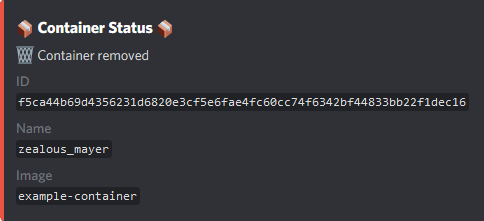
Notify for changes in Docker container statuses. Notify to a Discord channel using Discord Webhooks.
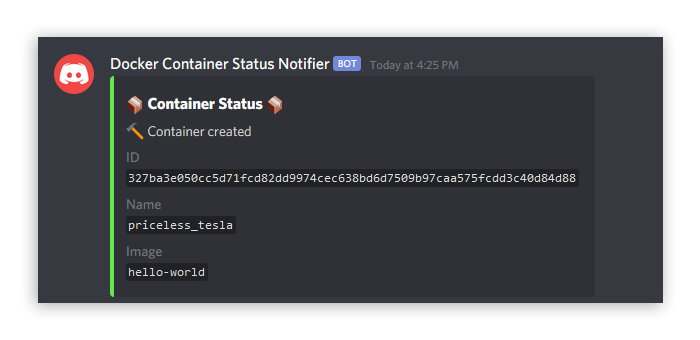
See screenshots for more example images.
Usage
Within a Docker container
It is possible to run this code inside a Docker container by passing the volume (-v) flag with the run command. This will pass the Docker daemon socket from the host to the container and enable calls to the Docker Engine API. In this code the API is called using the dockerode module by checking for updates in the stream to the Events API.
From Docker Hub Image
This will pull the image from Docker Hub and run the image with the provided configuration for web hooks as below. One can provide only the Webhook URL or both the Webhook ID and token.
# Providing Discord Webhook URL
docker run -d -v /var/run/docker.sock:/var/run/docker.sock \
    -e DISCORD_WEBHOOK_URL=<URL_HERE> \
    knutkirkhorn/docker-container-status-notifier

# Providing both Discord Webhook ID and token
docker run -d -v /var/run/docker.sock:/var/run/docker.sock \
    -e DISCORD_WEBHOOK_ID=<ID_HERE> \
    -e DISCORD_WEBHOOK_TOKEN=<TOKEN_HERE> \
    knutkirkhorn/docker-container-status-notifier
From source code
# Build container from source
docker build -t docker-container-status-notifier .

# Run the built container
docker run -d -v /var/run/docker.sock:/var/run/docker.sock \
    -e DISCORD_WEBHOOK_URL=<URL_HERE> \
    docker-container-status-notifier
Outside of a Docker container
# Install
npm install

# Run
npm start
Environment variables
Provide these with the docker run command or store these in a .env file. Only DISCORD_WEBHOOK_URL or both DISCORD_WEBHOOK_ID and DISCORD_WEBHOOK_TOKEN are required.
DISCORD_WEBHOOK_URL- URL to the Discord Webhook containing both the ID and the token
- Format:
DISCORD_WEBHOOK_URL=https://discordapp.com/api/webhooks/<ID_HERE>/<TOKEN_HERE>
DISCORD_WEBHOOK_ID- ID for the Discord Webhook
DISCORD_WEBHOOK_TOKEN- Token for the Discord Webhook
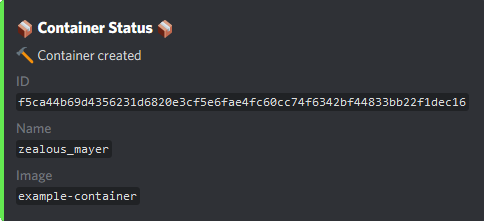
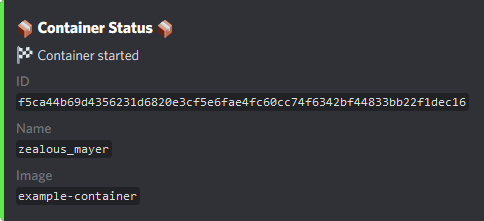
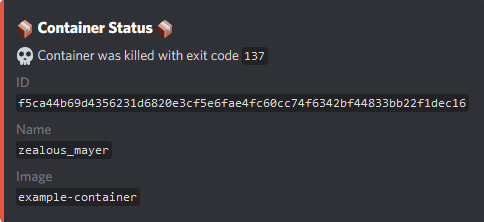
Screenshots

Tag summary
Content type
Image
Digest
sha256:48dc26808…
Size
58 MB
Last updated
over 3 years ago
docker pull knutkirkhorn/docker-container-status-notifier