kokuyouwind/esaba
Host your markdown docs on esa.io with your own css.
1.6K
kokuyouwind/esaba repository overview
esaba



What's this?
esaba hosts your markdown docs on esa.io. Url like /post/:post_number shows the post publicly.
| on esa.io | on esaba (with default css) |
|---|---|
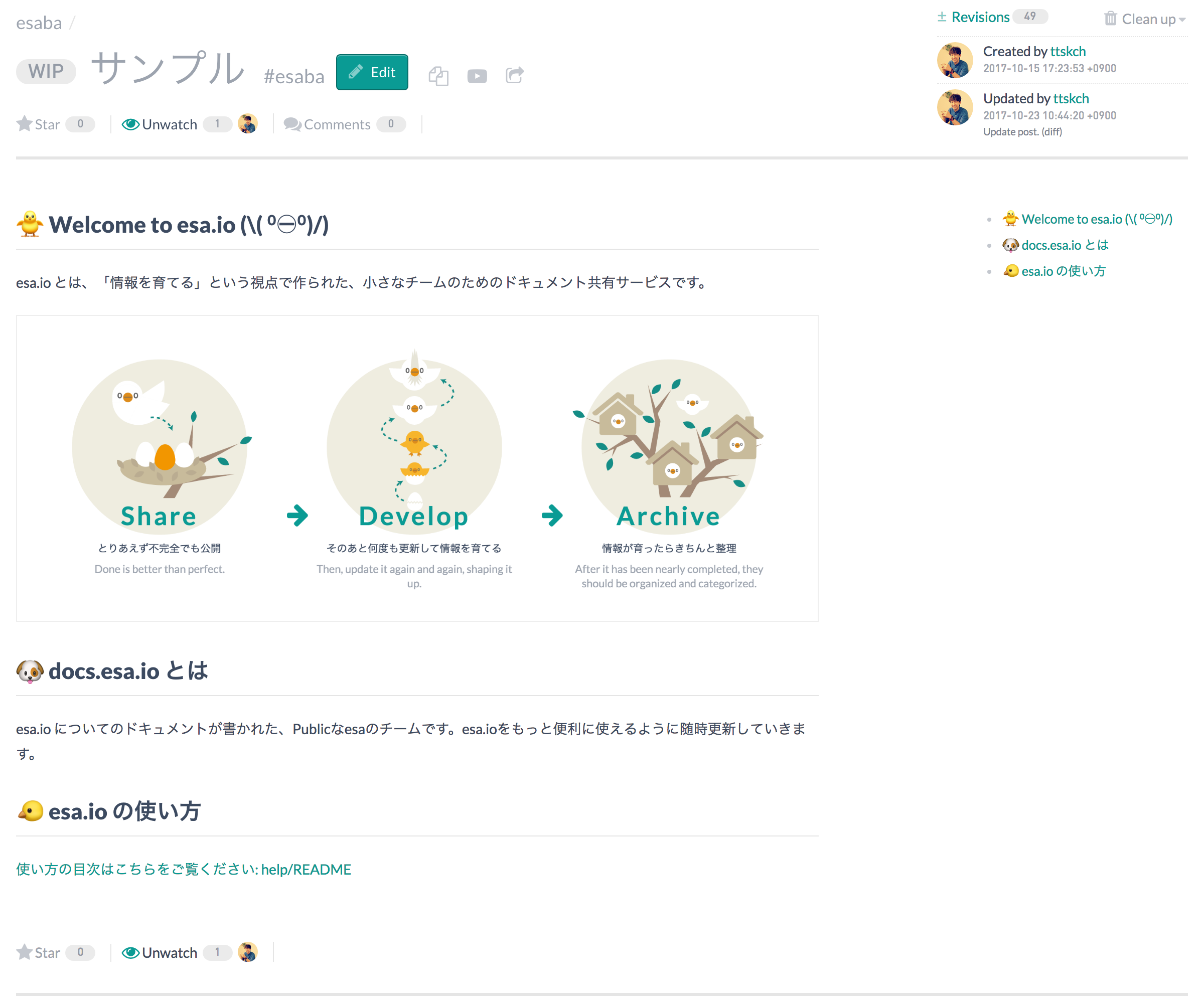 |  |
Advantages compared to built-in "Share Post" feature
- Can show posts with your own css/js (scss/webpack ready)
- Flexible setting of access restriction for each category/tag
- Useful for company internal publishing because it's on-premise
- No need to know the special sharing urls for each post because of auto replacement of link to other post with corresponding esaba url
Requirements
Or
- Docker
- Docker Compose
Installation
Installation without docker
$ composer create-project ttskch/esaba   # automatically npm install
$ cd esaba
$ cp config/config.secret.php{.placeholder,}
$ vi config/config.secret.php   # tailor to your env
You must to issue personal access token in advance.

Docker Installation
$ git clone [email protected]:ttskch/esaba.git
$ cd esaba
$ cp config/config.secret.php{.placeholder,}
$ vi config/config.secret.php   # tailor to your env
Similar to installation without docker, you must to issue personal access token in advance.
Usage
Running in dev
$ COMPOSER_PROCESS_TIMEOUT=0 composer run
If you use Docker, alternatively run following command.
$ docker-compose up # It take a while to install composer & npm libraries in first
And go to http://localhost:8888/index_dev.php/post/:post_number
Runnin in production
You can run production Apache server with kokuyouwind/esaba:latest.
$ docker-compose -f docker-compose.prod.yml up -d
# Run following commands only the first time
$ docker exec --it docker exec -it esaba_app_1 bash
$ cd /app/config
$ cp config.secret.php.placeholder config.secret.php
$ vim config.secret.php
# Write your settings
$ exit
And go to http://localhost/
Configuration
Access restriction
// config/config.php

$app['config.esa.public'] = [
    'categories' => [
        // category names to be published.
        // empty to publish all.
    ],
    'tags' => [
        // tag names to be published.
    ],
];

$app['config.esa.private'] = [
    'categories' => [
        // category names to be withheld.
        // this overwrites esa.public config.
    ],
    'tags' => [
        // tag names to be withheld.
        // this overwrites esa.public config.
    ],
];
Html replacements
esaba replaces links to other post in content html of post with links to see the post on esaba automatically. And you can also fix content before rendering with arbitrary replacements. For example, you can remove all target="_blank" by following.
// config/config.php

$app['config.esa.html_replacements'] = [
    // '/regex pattern/' => 'replacement',
    '/target=(\'|")_blank\1/' => '',
];
Switching css/js according to categories/tags
// config/config.php

$app['config.esa.asset'] = [
    // if post matches multiple conditions, tag based condition overwrites category based condition.
    // if post matches multiple category based conditions, condition based deeper category is enabled.
    // if post matches multiple tag based conditions, any one is arbitrarily enabled.
    'category/full/name' => [
        'css' => 'css/post/your-own.css',
        'js' => 'js/post/your-own.js',
    ],
    '#tag_name' => [
        'css' => 'css/post/your-own.css',
        // if one of 'css' or 'js' is omitted, default.(css|js) is used.
    ],
];
And deploy ./web/css/post/your-own.css and ./web/js/post/your-own.js.
Building your own assets with webpack
esaba is scss/webpack ready. ./assets/post/*.(scss|js) will be built and deploy to ./web/(css|js)/post/*.(css|js) by webpack automatically just like below.
$ vi assets/post/your-own.scss
$ npm run build
  :
$ tree web/css/post
web/css/post
├── default.css
└── your-own.css

0 directories, 2 files
Webhook
You can configure to automatically warm-up caches for created/updated posts using esa Generic Webhook.

// config/config.secret.php

$app['config.esa.webhook_secret'] = 'Secret here';
Unrestricting access to /webhook/
If you set some access restrictions on web server layer, you must unrestrict access to /webhook/ for webhook request from esa.io.
For example, on Apache 2.4, config like below.
<Location />
    Require ip xxx.xxx.xxx.xxx
</Location>

<LocationMatch ^/(index.php|webhook/?)$>
    Require all granted
</LocationMatch>
Tag summary
Content type
Image
Digest
Size
171.2 MB
Last updated
about 8 years ago
docker pull kokuyouwind/esaba