kumkju/facestream
Face recognition for your own cameras. Runs on your NAS, sends nothing to the cloud.
1.8K
kumkju/facestream repository overview
FaceStream.AI
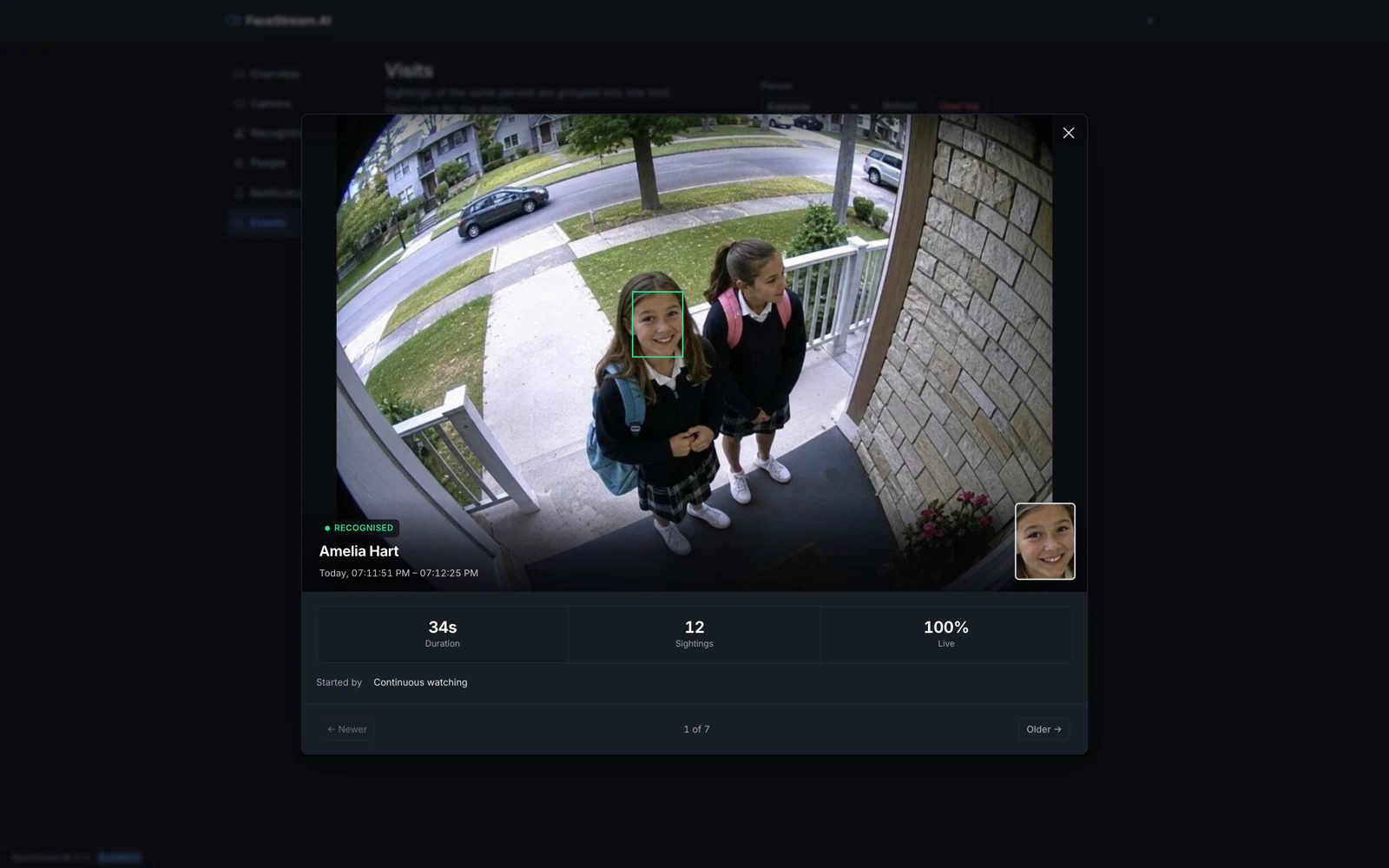
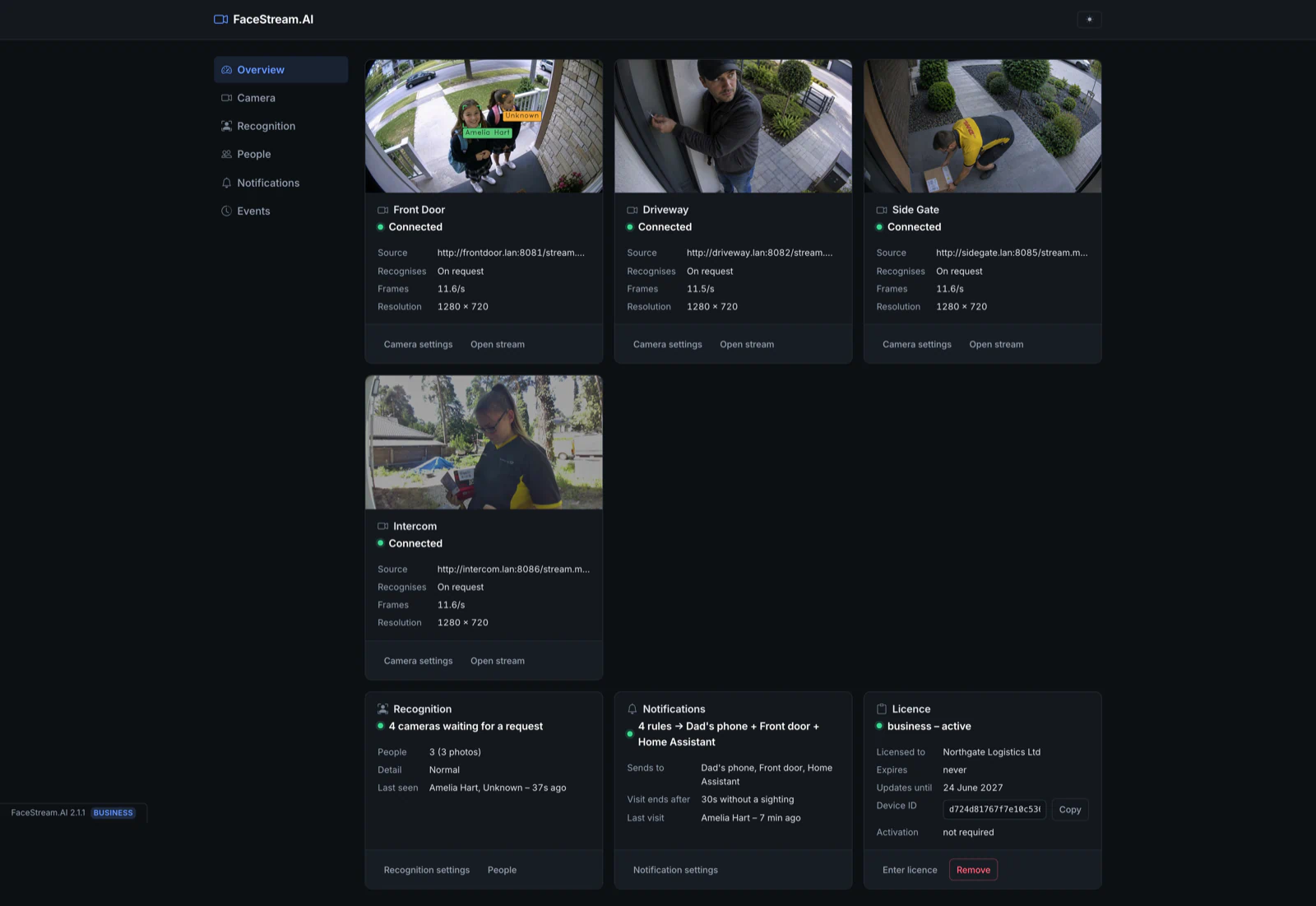
Face recognition for the cameras you already have. It watches a stream, recognises the people you enrolled, and turns every arrival into an event your own systems can act on. At a front door, an office entrance, a loading gate, a server room. On your machine. Without an account.
Start it
docker run -d --name facestream \
  -p 8000:8000 -p 8100:8100 \
  -v facestream-data:/data \
  -e TZ=Europe/Berlin \
  --restart unless-stopped \
  kumkju/facestream:latest
Or as compose.yaml:
services:
  facestream:
    image: kumkju/facestream:latest
    container_name: facestream
    ports:
      - "8000:8000"   # the interface
      - "8100:8100"   # the annotated video stream
    volumes:
      - facestream-data:/data
    environment:
      TZ: Europe/Berlin
    restart: unless-stopped

volumes:
  facestream-data:
Then open http://<host>:8000. The first page asks you to choose a password — there
is no preset one. After that it is three steps: add a camera, add a photo of someone,
write one rule.
linux/amd64 and linux/arm64, picked automatically. Older 32-bit ARM NAS models are
not supported.
Add a camera
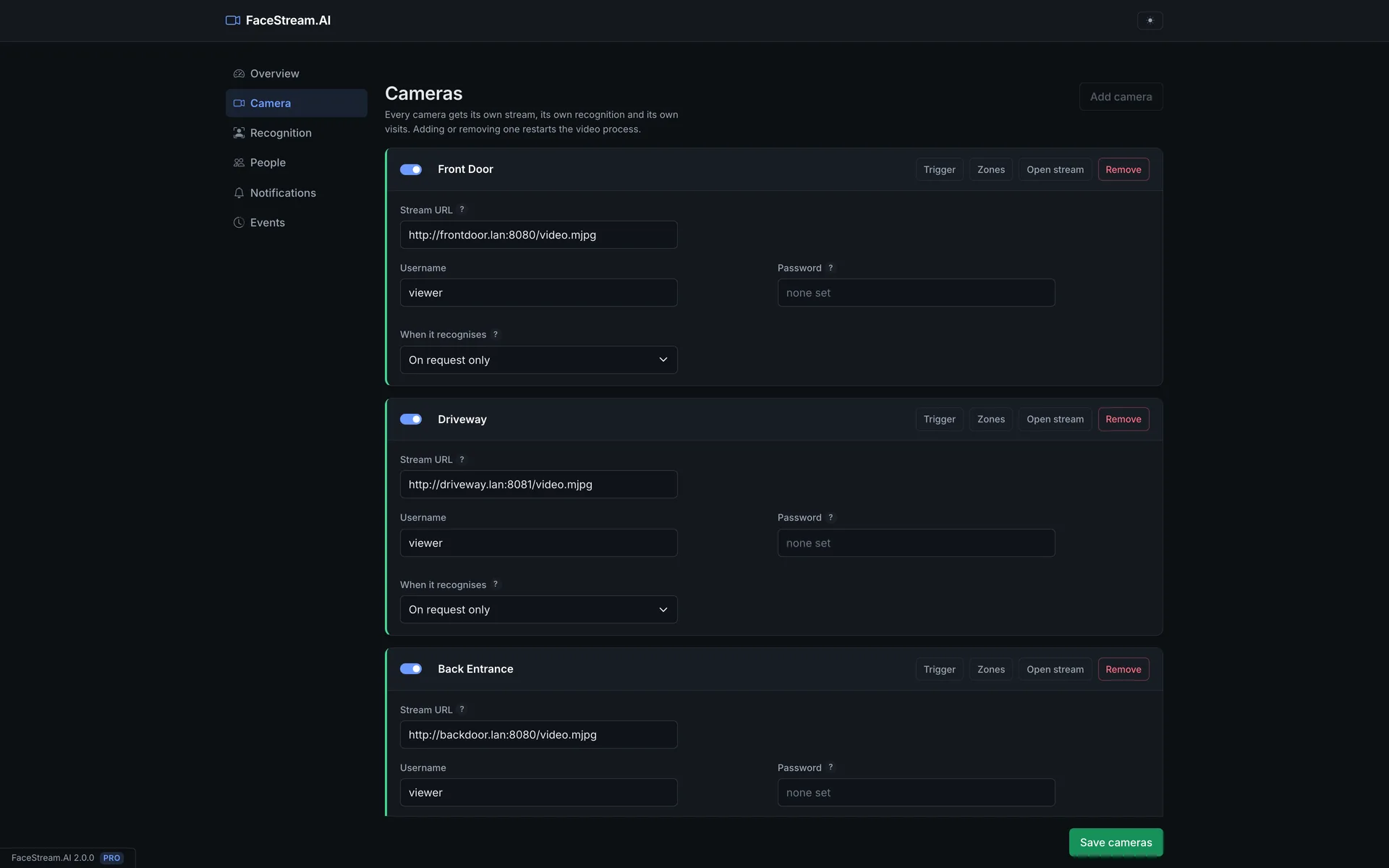
Anything that serves RTSP or MJPEG works — rtsp://cam.lan:554/stream1,
http://cam.lan:8080/video.mjpg. Enter the address, the camera's own username and
password if it wants one, and whether it should watch continuously or only when something
asks it to. Every camera gets its own stream, its own recognition and its own visits.
The annotated picture is on http://<host>:8100/stream, and per camera on
http://<host>:8100/stream/<camera-id>. It is not open to the network: you are either
signed in, or you append ?token=… with the stream token that camera shows you — which
is how it goes into a dashboard or a wall panel.
Environment variables
TZ | Set this. A container does not inherit the host's timezone, so without it every time in an e-mail, a message or a syslog line is UTC. Example Europe/Berlin |
DATA_FOLDER | Where everything that changes lives — settings, enrolled people, visits, the licence. Default /data, and there is rarely a reason to move it |
CONFIG_SERVER_PORT | The port of the interface inside the container, default 8000 |
STREAMING_SERVER_PORT | The port of the video stream inside the container, default 8100 |
FACES_FOLDER | The enrolled portraits, if they should not sit under /data. May point at a network share |
EVENT_IMAGES_FOLDER | The pictures kept for each visit, if they should not sit under /data. May point at a network share — this is the folder that grows |
If a host port is taken, change the host side only: -p 18000:8000 -p 18100:8100, and
open http://<host>:18000. The two port variables are for the other case host
networking, or a NAS that already owns port 8000.Then both processes need to agree,
so set both.
Volume: /data. Back that up and nothing else. The container itself is
disposable.
On a NAS
Synology Container Manager, QNAP Container Station and Unraid all ask for the same four things:
- the image
kumkju/facestream, taglatest - a folder on the NAS, for example
/volume1/docker/facestream, mounted at/data - TCP
8000 → 8000and8100 → 8100 - the variable
TZ, and automatic restart switched on
Do not forward these ports from your router. Keep the interface on the LAN, or put your NAS VPN or reverse proxy in front of it or you can also create a MacVLan
What people do with it
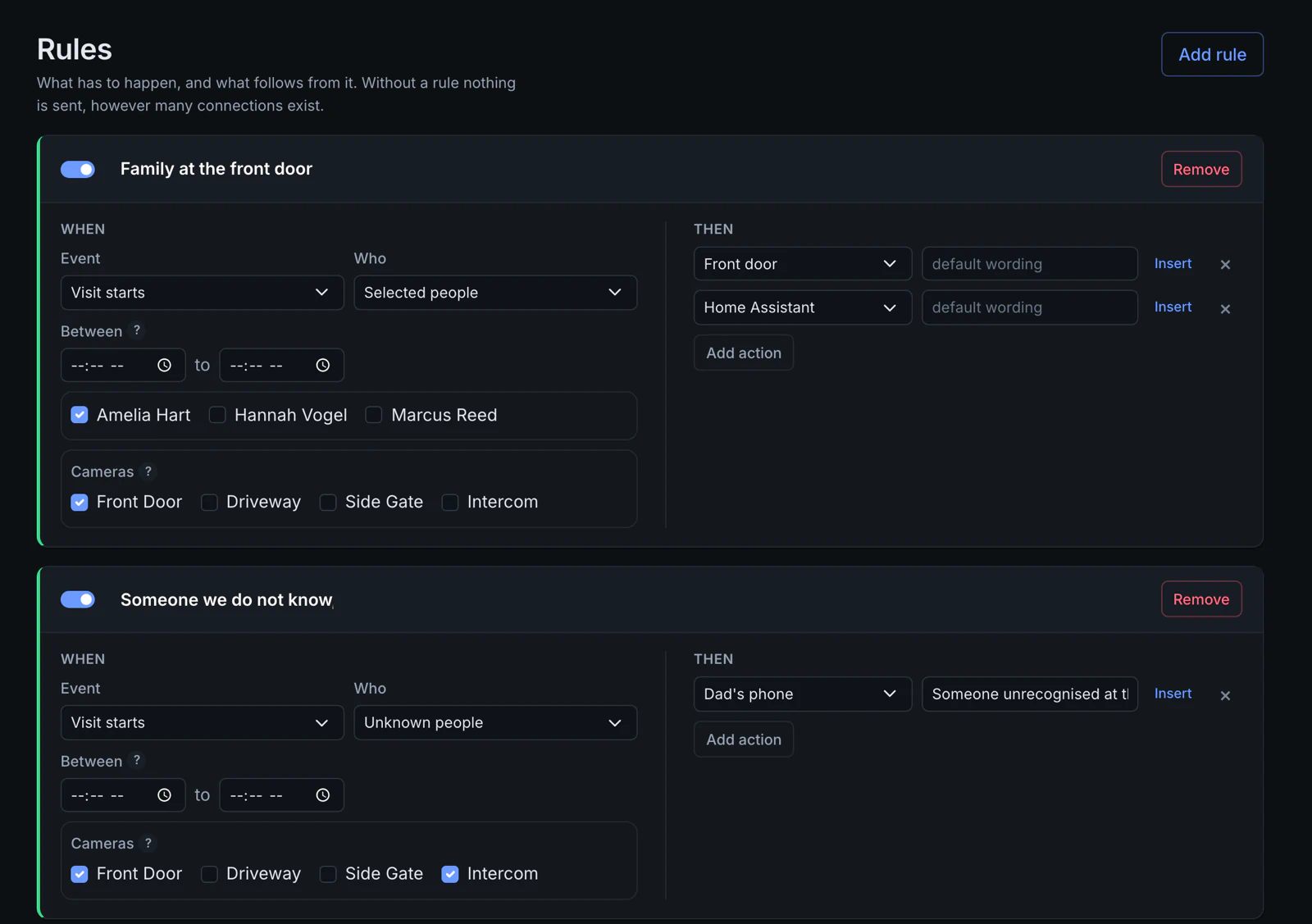
Let the house react. A rule is one sentence: when this happens to these people at this camera, send that. Family arrives at the front door → open it and tell Home Assistant. Somebody unknown rings → a message on your phone, with the picture. MQTT, webhook, KNX, Loxone, e-mail, Telegram, Pushover, ntfy, syslog, or a plain UDP datagram.
Read back what happened. Sightings of the same person become one visit, so somebody standing at the door for five minutes is one line and not three hundred. Old visits delete themselves, so the disk does not fill up.
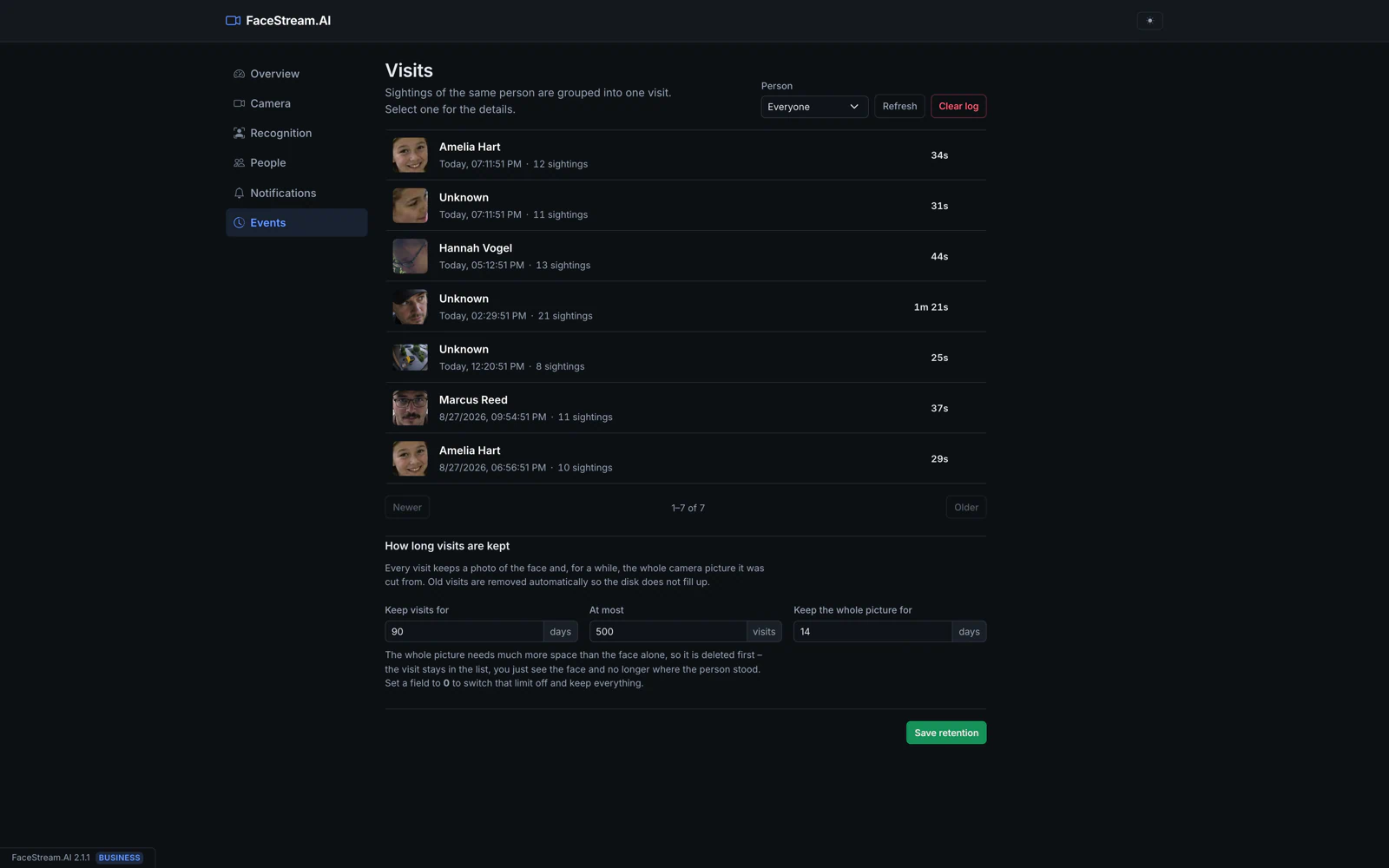
Nothing leaves your network unless you configure a connection that sends it there.
Tags and updates
latest moves with each release. Version tags such as 2.1.8 are fixed and never
rebuilt.
Updating is docker pull, then recreate the container with the same volume. The
installation checks whether a newer version exists.
Liveness check
The liveness check tells a real face from a printed photo or a phone screen held up on the off chance. It does not stop someone who prepared: a good display at the right distance can pass, and so can a mask. That is a limit of the camera, not of the software. If a door depends on this, treat the face as one factor and not the only one.
Tag summary
Content type
Image
Digest
sha256:9577aa183…
Size
166.5 MB
Last updated
24 days ago
docker pull kumkju/facestream