kyzimaspb/tixati
Tixati torrent client in a docker container
6.3K
kyzimaspb/tixati repository overview
Tixati torrent client in Docker



Attention
This crazy idea to run GUI applications in the Docker container, but unfortunately I did not find another way to run Tixati on the server. Use this image only on servers without a desktop environment. If your server has a DE, use the installer from the official site.
Reason for some versions missing:
3.21,3.22- Does not save transfers and settings after closing the program. This behavior is also outside the container.3.24,3.25- Does not save transmissions after program is closed. This behavior is also outside the container.
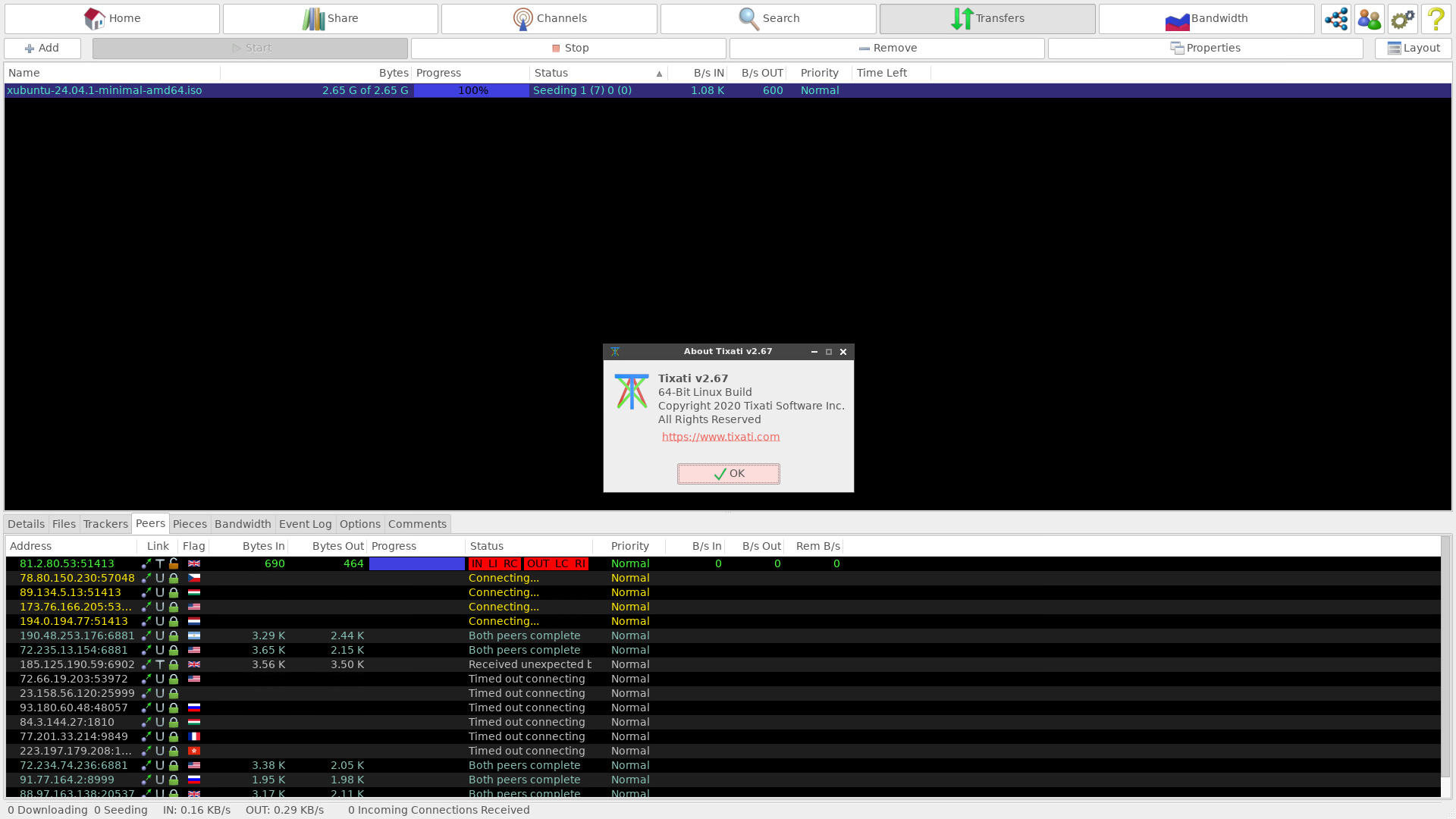
Run in daemon mode
$ docker run -d --name tixati_1 --network host kyzimaspb/tixati
Mount points
To store data permanently, two volumes are declared in the image:
/tixati/config- directory with tixati profile/tixati/downloads- directory with downloaded files
The /tixati/torrent-files directory can be used to mount torrent files into a container,
but this directory is not a Docker volume.
Environment Variables
XVFB_RESOLUTION- screen resolution of the virtual X server, by default1280x720VNC_SERVER_PASSWORD- password for the VNC server, by default not setVNC_SERVER_PASSWORD_FILE- password for the VNC server, by default not setUSER_UID- user ID, by default is1000USER_GID- user's group ID, by default is1000
Forwarded ports:
5900- TCP port for connecting VNC clients.
Run the container named tixati_1 in daemon mode and mount the specified volumes to the specified directories of the host machine:
$ docker run -d --name tixati_1 \
      --network host \
      -v tixati_config:/tixati/config \
      -v ./downloads:/tixati/downloads \
      -v ./torrent-files:/tixati/torrent-files \
      --restart unless-stopped \
      kyzimaspb/tixati
Autostart with a password
Automatically start the container at system startup with the password qwe123 to connect to the VNC server:
$ docker run -d --name tixati_1 \
      --network host \
      -e VNC_SERVER_PASSWORD=qwe123 \
      -v tixati_config:/tixati/config \
      -v ./downloads:/tixati/downloads \
      -v ./torrent-files:/tixati/torrent-files \
      --restart unless-stopped \
      kyzimaspb/tixati
Resource limits
You can use all resource limits available for the docker run command. For example, limit the amount of RAM:
$ docker run -d --name tixati_1 \
      --network host \
      -m 512M \
      -e VNC_SERVER_PASSWORD=qwe123 \
      -v tixati_config:/tixati/config \
      -v ./downloads:/tixati/downloads \
      -v ./torrent-files:/tixati/torrent-files \
      --restart unless-stopped \
      kyzimaspb/tixati
How to run a container as a specified user?
You can use any user or group ID - existing or not:
$ docker run -d --name tixati_1 \
      --network host \
      -e USER_UID=1001 \
      -e USER_GID=1001 \
      -e VNC_SERVER_PASSWORD=qwe123 \
      -v tixati_config:/tixati/config \
      -v ./downloads:/tixati/downloads \
      -v ./torrent-files:/tixati/torrent-files \
      --restart unless-stopped \
      kyzimaspb/tixati
How to change Tixati version?
The TIXATI_VERSION build argument allows you to specify the version of Tixati:
$ git clone https://github.com/kyzima-spb/docker-tixati.git
$ cd docker-tixati/docker
$ docker build -t tixati --build-arg TIXATI_VERSION=2.67 -f ./Dockerfile ./root
If you are using a version below 3.31,
then the official addresses for downloading the installer:
- https://download1.tixati.com/download
- https://download2.tixati.com/download
- https://download3.tixati.com/download
Therefore, the command for building will look like this:
$ git clone https://github.com/kyzima-spb/docker-tixati.git
$ cd docker-tixati/docker
$ docker build -t tixati \
      --build-arg TIXATI_DOWNLOAD_URL="https://download2.tixati.com/download" \
      --build-arg TIXATI_VERSION=3.29 \
      -f ./Dockerfile \
      ./root
How to change distribution release?
The RELEASE build argument allows you to specify the release of the Debian distribution.
Available values: bookworm-slim, bookworm, bullseye-slim, bullseye,
buster-slim, buster:
$ git clone https://github.com/kyzima-spb/docker-tixati.git
$ cd docker-tixati/docker
$ docker build -t tixati --build-arg RELEASE=buster-slim -f ./Dockerfile ./root
Tag summary
Content type
Image
Digest
sha256:5d9d6aaa1…
Size
214.6 MB
Last updated
3 months ago
docker pull kyzimaspb/tixati