lance159/12306-mcp repository overview
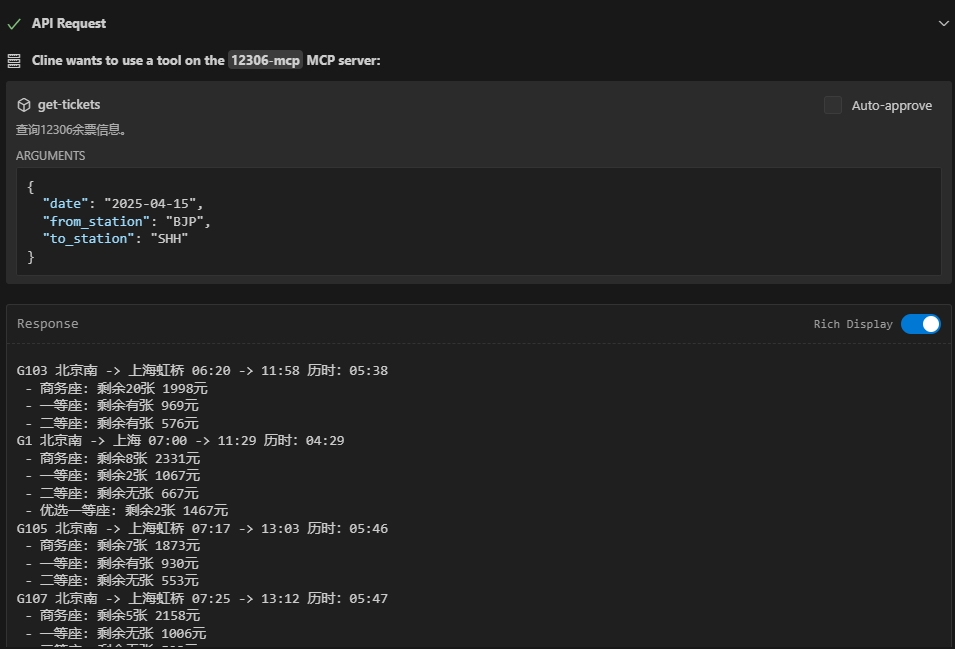
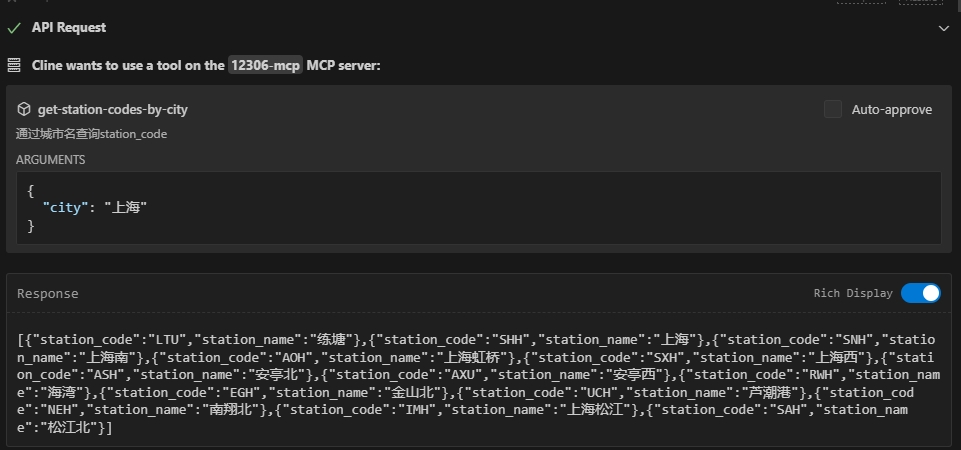
A 12306 ticket search server based on the Model Context Protocol (MCP). The server provides a simple API interface that allows users to search for 12306 tickets.
基于 Model Context Protocol (MCP) 的12306购票搜索服务器。提供了简单的API接口,允许大模型利用接口搜索12306购票信息。
主要功能
| 功能描述 | 状态 |
|---|---|
| 查询12306购票信息 | ✅ 已完成 |
| 过滤列车信息 | ✅ 已完成 |
| 过站查询 | ✅ 已完成 |
| 中转查询 | ✅ 已完成 |
| 其余接口,欢迎提feature | 🚧 计划内 |
⚙️Installation
⚠️ 基本部署
docker-compose.yaml
services:
  mcp12306:
    image: lance159/12306-mcp
    container_name: mcp12306
    command: npx 12306-mcp --port 8080
    ports:
      - "8080:8080"
    restart: unless-stopped
📌 建议版本(本机安全版)
只允许本机访问,不暴露公网。
services:
  mcp12306:
    image: lance159/12306-mcp
    container_name: mcp12306
    command: npx 12306-mcp --port 8080
    ports:
      - "127.0.0.1:8080:8080"
    restart: unless-stopped
🚀 生产级 docker-compose.yml
生产级 + 安全加固版,适合长期运行 12306 MCP 服务。
我会加上: ✅ 本机限定访问 ✅ 自动重启 ✅ 健康检查 ✅ 资源限制 ✅ 日志大小限制 ✅ 非 root 运行 ✅ 只读文件系统 ✅ 最小权限
version: "3.9"

services:
  mcp12306:
    image: lance159/12306-mcp
    container_name: mcp12306

    command: npx 12306-mcp --port 8080

    # 只允许本机访问(安全)
    ports:
      - "127.0.0.1:8080:8080"

    restart: unless-stopped

    # 资源限制(防止异常占满机器)
    deploy:
      resources:
        limits:
          cpus: "0.50"
          memory: 512M

    # 健康检查
    healthcheck:
      test: ["CMD", "curl", "-f", "http://localhost:8080"]
      interval: 30s
      timeout: 5s
      retries: 3
      start_period: 20s

    # 日志限制(防止磁盘爆炸)
    logging:
      driver: "json-file"
      options:
        max-size: "10m"
        max-file: "3"

    # 安全加固
    read_only: true
    security_opt:
      - no-new-privileges:true

    cap_drop:
      - ALL

    tmpfs:
      - /tmp

    # 非 root 用户(如果镜像支持)
    user: "1000:1000"

    networks:
      - internal

networks:
  internal:
    driver: bridge
⚠️ 重要注意
如果容器启动报错:
read-only file system
说明 12306-mcp 需要写缓存。
解决方法:
把:
read_only: true
删掉,或者加:
volumes:
  - ./data:/app/data
🚀 启动
docker compose up -d --build
查看健康状态:
docker compose ps
如果是 healthy,就说明稳定运行。
📊 这套配置适合:
- OpenClaw 本地 MCP
- 家庭服务器
- NAS
- 云服务器(建议加防火墙)
📚Documentation
Tag summary
Content type
Image
Digest
sha256:87ec5f98c…
Size
117.6 MB
Last updated
8 months ago
docker pull lance159/12306-mcp:1.0.0