lancelrq/llamapad
Self-hosted web panel to manage llama.cpp GGUF models: start/stop, config, downloads, monitoring.
302
lancelrq/llamapad repository overview
English
llamapad is a self-hosted, browser-based control panel for managing llama.cpp GGUF models with Docker. It runs as its own container, mounts docker.sock, and manages sibling llama.cpp containers — it does not do inference itself.
Preview release: features and config formats may still change before a stable version. If you run into a bug or have a feature idea, please open an issue. Thanks for trying it out!
Features
- Model management: list, one-click start/stop (Docker + GPU acceleration); run several models at once, with automatic port shifting on clashes and
model-based routing in the API relay - API relay & external upstreams: register other OpenAI-compatible services and reach them through the same endpoint as the models the panel runs; the panel keeps each upstream's key and swaps it in. Aliases, health probing, automatic fallback when the default upstream is unreachable, and an API Relay page listing the endpoint and every requestable model name
- MTP speculative decoding: detected from GGUF metadata; one switch for weights with built-in MTP layers, or link a separate MTP draft weight
- Models home: running models, recently updated repos, and Hugging Face trending/search for GGUF repos, with one-click download
- Parameter configuration: in-panel form editing with a merged-config preview; YAML import/export with automatic snapshots
- Namespaces: custom grouping, cross-namespace GGUF sharing, reference-safe deletion
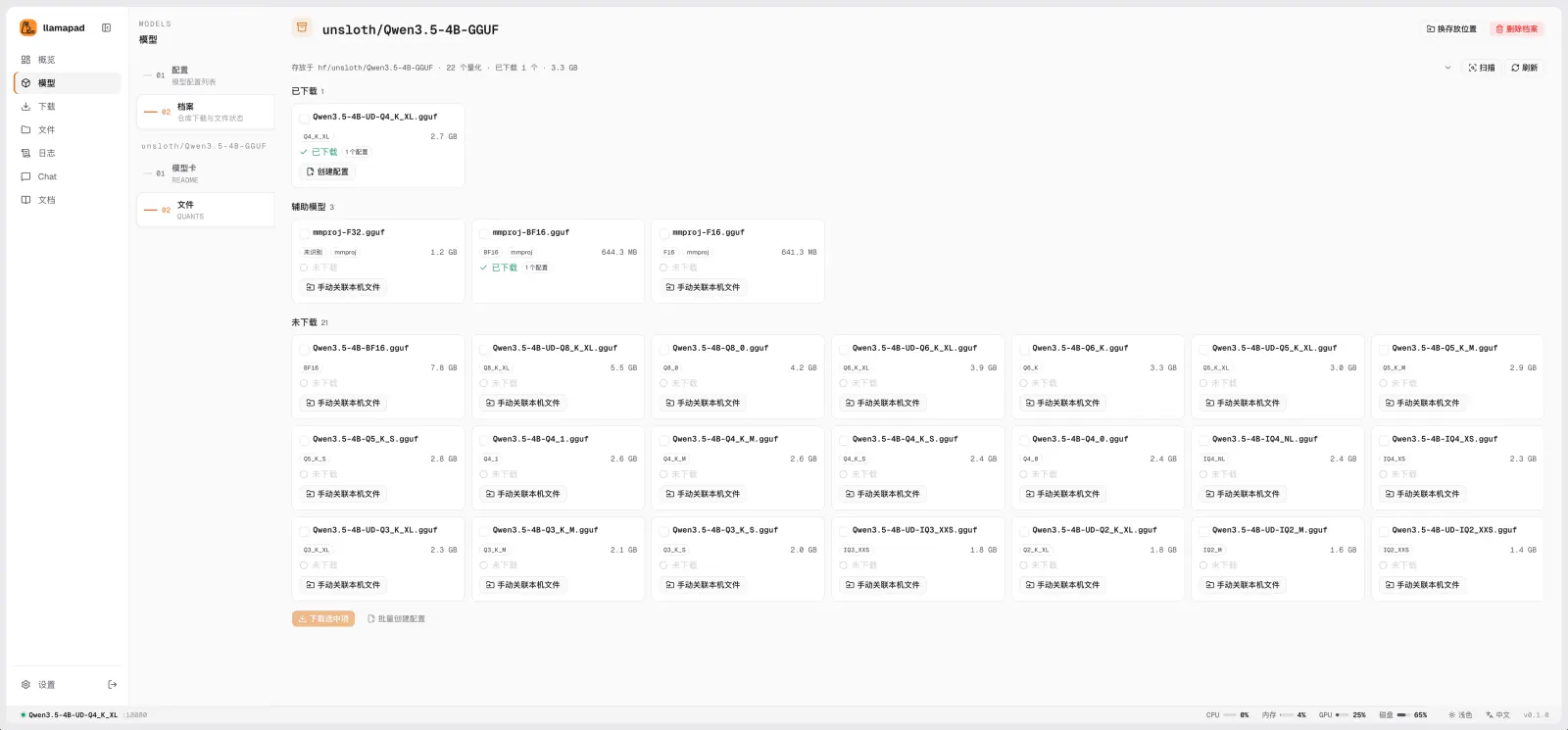
- Model downloads: Hugging Face (official/mirror) and direct URL, resumable downloads, sha256 verification, configurable proxy; repo files are auto-grouped by quantization and shards are detected automatically
- Setup wizard: pick a repo, pick files, save the config in one flow
- File manager: unified directory browsing, move/rename with reference checks, disk usage overview
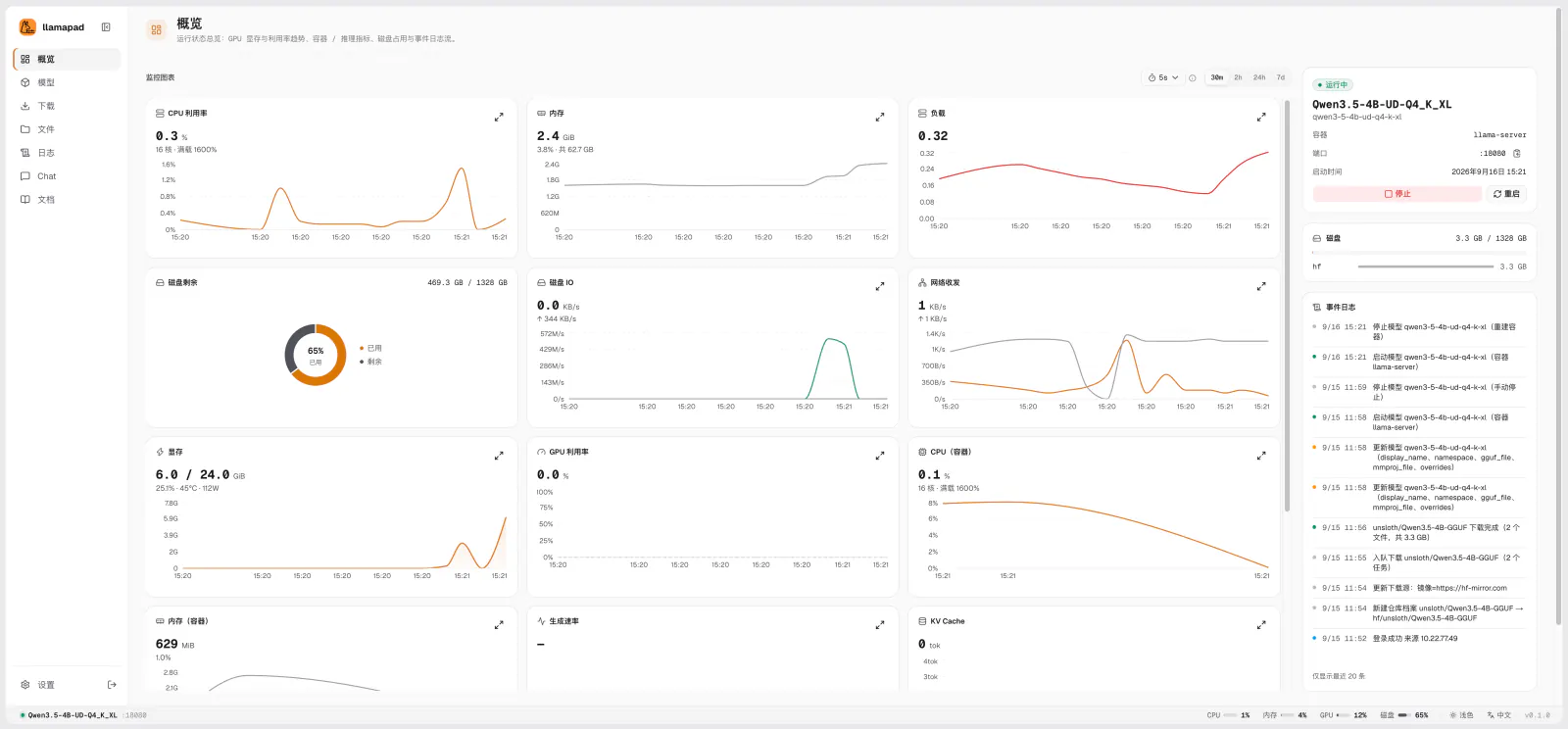
- Monitoring: container CPU/memory, llama.cpp inference metrics (slots/token rate), GPU memory & temperature, host disk & network, live logs
- Built-in chat Playground, plus an inference reverse proxy for scripts/SDKs
- Login authentication + REST API
- Bilingual UI (Chinese/English) with an in-app documentation center
Supported tags
| Tag | Notes |
|---|---|
0.3.0 | External upstreams with aliases, API Relay page |
0.2.1 | Runtime status reports models that are still starting |
0.2.0 | Multi-model, MTP support, models home with Hugging Face discovery |
0.1.0 | First published release |
latest | Always points to the latest stable (non-prerelease) release |
Built from the Dockerfile in this repository. linux/amd64 only.
Prerequisites
- Docker Engine with the Compose v2 plugin (
docker compose) - For GPU acceleration: NVIDIA Container Toolkit (GPU support comes from layering
docker-compose.gpu.ymlin via.env'sCOMPOSE_FILE; a CPU-only deployment just needsCOMPOSE_FILE=docker-compose.yml, no line to delete) - Port
28960reachable (or remapped viaPANEL_PORT)
Quick start
curl -fsSL https://raw.githubusercontent.com/LanceLRQ/llamapad/main/deploy/llamapad.sh | bash
The script checks Docker, installs to /opt/llamapad by default, walks you through the model library location (showing free space per disk), runtime identity, GPU, port and admin password (generated if left empty), detects the docker.sock gid, then pulls the image and starts the panel. Afterwards run llamapad from anywhere for the management menu (llamapad start|stop|status|logs -f|config|upgrade|doctor).
Prefer plain Compose? Download docker-compose.yml, docker-compose.gpu.yml and .env.example (copy to .env), fill in the required values, then docker compose up -d.
Environment variables
| Variable | Required | Default | Notes |
|---|---|---|---|
LLAMAPAD_VERSION | Yes | — | Image tag to run |
LLAMAPAD_IMAGE | No | lancelrq/llamapad | Image repository; set to llamapad for a local build (llamapad build) or another local image |
PANEL_ADMIN_PASSWORD | Yes | — | Admin password; the single source of truth — change it here and restart |
DOCKER_GID | Yes | — | gid of docker.sock (stat -c %g /var/run/docker.sock); the script keeps it in sync |
COMPOSE_FILE | No | docker-compose.yml | Add :docker-compose.gpu.yml to enable GPU |
PUID / PGID | No | 1000 | Runtime identity; must be able to write data/ and the model library |
PANEL_BIND / PANEL_PORT | No | 0.0.0.0 / 28960 | Listen address and host port; use 127.0.0.1 behind a reverse proxy |
MODELS_DIR | No | ./models | Host path of the model library |
TZ | No | Asia/Shanghai | Container timezone |
PANEL_LLM_BASE_URL / PANEL_LLM_API_KEY / PANEL_LLM_MODEL / PANEL_LLM_EXTRA_BODY | No | — | Optional OpenAI-compatible LLM for parsing recommended parameters from model READMEs |
Volumes
| Host path | Container path | Purpose |
|---|---|---|
./data | /app/config | Panel data: SQLite database, YAML export snapshots, logs |
$MODELS_DIR (default ./models) | /host-models | GGUF model library |
/var/run/docker.sock | /var/run/docker.sock | Required — lets the panel manage sibling llama.cpp containers |
/proc | /host/proc (read-only) | Optional — enables host network/disk-IO metrics |
Security notice
Mounting docker.sock is equivalent to granting host root privileges — anyone who can reach the panel can create privileged containers or mount arbitrary host paths. Never expose this panel directly to the public internet; put it behind an HTTPS reverse proxy and use a strong admin password. See the nginx reverse proxy guide.
Documentation
- Deployment & Operations
- Quick Start
- Chinese docs below, or browse docs/guide/zh
中文
llamapad 是一个自托管的浏览器管理面板,用 Docker 管理 llama.cpp 的 GGUF 模型。面板自身以容器方式运行,挂载 docker.sock 管理平级的 llama.cpp 容器——自己不做推理。
预览版本: 正式版之前功能与配置格式仍可能调整。使用中遇到 Bug 或有功能建议,欢迎提交 Issue,感谢试用!
特性
- 模型管理:列表、一键启动/停止(Docker + GPU 加速);可同时运行多个模型,端口冲突自动顺延,API 中转按
model字段路由 - API 中转与外部上游:登记其他 OpenAI 兼容服务,和面板自己启动的模型共用一个入口,面板代为保管并换上各上游的密钥;支持别名、存活探测,默认上游不可达时自动降级,「API 中转」页集中展示接入地址与所有可请求的模型名
- MTP 投机解码:按 GGUF 元数据识别,权重自带 MTP 层时一个开关即可开启,也可关联单独的 MTP 加速权重
- 模型首页:正在运行的模型、最近更新的仓库,以及 HuggingFace 上热门/搜索的 GGUF 仓库,一键下载
- 参数配置:面板内表单编辑,展示合并后的最终参数;支持 YAML 导入/导出与自动快照
- 命名空间:自定义空间分组、跨空间共享 GGUF、按引用安全删除
- 模型下载:HuggingFace(官方/镜像)+ URL 直链,断点续传、sha256 校验、代理可配;输入仓库自动按量化识别分组,分片模型自动成组
- 新建向导:选仓库、挑文件、保存配置一步完成
- 文件管理:统一目录浏览、移动/重命名带引用检查、磁盘占用一览
- 监控:容器 CPU/内存、llama.cpp 推理指标(slots/token 速率)、GPU 显存与温度、宿主机磁盘与网络、实时日志
- 面板自建对话 Playground,另提供推理接口反代(供脚本/SDK 使用)
- 登录鉴权 + REST API
- 中/英双语界面,面板内置文档中心
支持的标签
| 标签 | 说明 |
|---|---|
0.3.0 | 外部上游与别名、API 中转页 |
0.2.1 | 运行状态上报正在启动中的模型 |
0.2.0 | 多模型并行、MTP 支持、模型首页与 HuggingFace 发现 |
0.1.0 | 首个发布版本 |
latest | 始终指向最新的正式版(不含预发布版本) |
镜像基于本仓库的 Dockerfile 构建,仅提供 linux/amd64。
前置条件
- Docker Engine + Compose v2 插件(
docker compose) - GPU 加速需要 NVIDIA Container Toolkit(GPU 由
.env的COMPOSE_FILE是否叠加docker-compose.gpu.yml决定;纯 CPU 部署只需COMPOSE_FILE=docker-compose.yml,不用删任何行) - 放行
28960端口(或用PANEL_PORT改映射)
快速开始
curl -fsSL https://raw.githubusercontent.com/LanceLRQ/llamapad/main/deploy/llamapad.sh | bash
脚本会检查 Docker 环境,默认装到 /opt/llamapad,引导你选择模型库位置(列出各磁盘剩余空间)、运行身份、GPU、端口与管理员密码(留空随机生成),自动探测 docker.sock 的 gid,最后拉取镜像启动。之后在任意目录执行 llamapad 进入管理菜单(llamapad start|stop|status|logs -f|config|upgrade|doctor)。
想直接用 Compose:下载 docker-compose.yml、docker-compose.gpu.yml 与 .env.example(复制为 .env),填好必填项后 docker compose up -d。
环境变量
| 变量 | 必填 | 默认值 | 说明 |
|---|---|---|---|
LLAMAPAD_VERSION | 是 | — | 使用的镜像版本 |
LLAMAPAD_IMAGE | 否 | lancelrq/llamapad | 镜像仓库;本地构建(llamapad build)或使用其他本地镜像时改为对应镜像名(如 llamapad) |
PANEL_ADMIN_PASSWORD | 是 | — | 管理员密码的唯一来源:改这里并重启容器即生效 |
DOCKER_GID | 是 | — | docker.sock 的 gid(stat -c %g /var/run/docker.sock),脚本会自动保持同步 |
COMPOSE_FILE | 否 | docker-compose.yml | 追加 :docker-compose.gpu.yml 启用 GPU |
PUID / PGID | 否 | 1000 | 运行身份,须对 data/ 与模型库可写 |
PANEL_BIND / PANEL_PORT | 否 | 0.0.0.0 / 28960 | 监听地址与宿主机端口;放在反代之后用 127.0.0.1 |
MODELS_DIR | 否 | ./models | 模型库宿主机路径 |
TZ | 否 | Asia/Shanghai | 容器时区 |
PANEL_LLM_BASE_URL / PANEL_LLM_API_KEY / PANEL_LLM_MODEL / PANEL_LLM_EXTRA_BODY | 否 | — | 可选的 OpenAI 兼容 LLM,用于从模型 README 解析推荐参数 |
挂载卷
| 宿主机路径 | 容器内路径 | 用途 |
|---|---|---|
./data | /app/config | 面板数据:SQLite 数据库、YAML 导出快照、日志 |
$MODELS_DIR(默认 ./models) | /host-models | GGUF 模型库 |
/var/run/docker.sock | /var/run/docker.sock | 必需——面板经此管理平级的 llama.cpp 容器 |
/proc | /host/proc(只读) | 可选——启用宿主机网络/磁盘 IO 指标 |
安全提示
挂载 docker.sock 等价于赋予宿主机 root 权限——能访问面板的人就能创建特权容器、挂载宿主任意路径。不要把面板直接暴露到公网,务必放在 HTTPS 反代之后并使用强管理员密码。参见 nginx 反代文档。
文档
- 部署与运维
- 快速开始
- 英文文档见上方,或浏览 docs/guide/en
Tag summary
Content type
Image
Digest
sha256:5baa85e35…
Size
130.2 MB
Last updated
10 days ago
docker pull lancelrq/llamapad