ldaume/play-pass
A simple web based password manager which uses Play-Java 2.4.6, ArangoDB and DataTables.
1.7K
ldaume/play-pass repository overview
Abstract
Play-Pass is a very simple web based password manager which uses Play-Java 2.4.6 and ArangoDB.
All passwords are rendered with DataTables to provide great pagination, instant search and multi-column ordering.
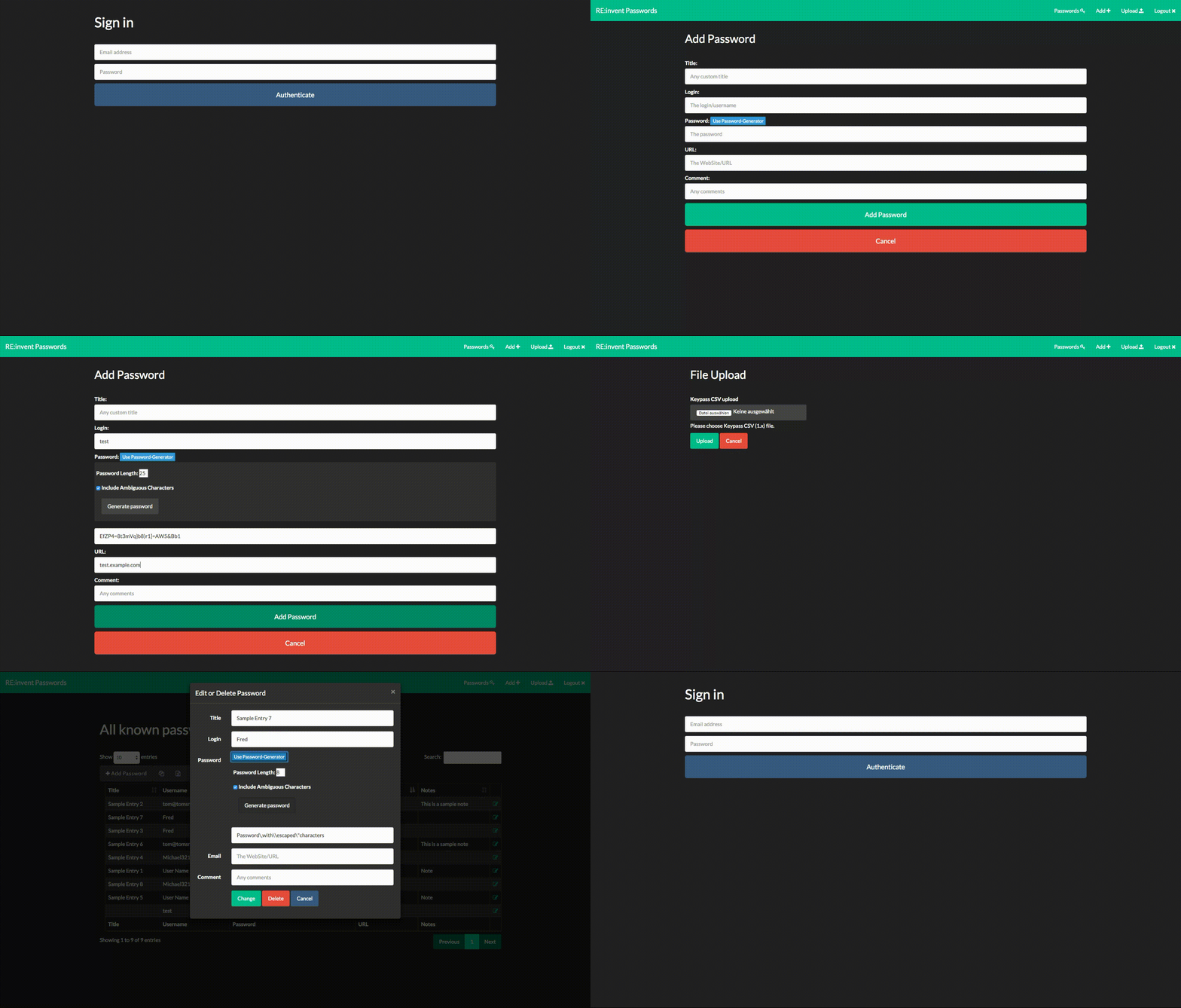
Demo
Sources
The sources are available at GitHub
Roadmap
Check the Roadmap to see changes made in the past and specific plans for upcoming releases.
Imports
KeePass
The CSV exports from KeePass can be imported into this app.
Usage
The App is available @ http[s]://<host>/play-pass.
Docker
The App and all dependencies are available with docker  .
.
Starting via Docker Compose
The easiest way to run the App is via Docker Compose
Compose File
One could create the docker-compose.yml file and start the App with docker-compose up.
play-pass-arango:
  image: arangodb/arangodb:2.8.1
  container_name: play-pass-arangodb
  environment:
    - ARANGODB_USERNAME=user
    - ARANGODB_PASSWORD=pw
#  volumes:
#    - /path/to/host/dir:/var/lib/arangodb
#  restart: always
play-pass:
  image: ldaume/play-pass:latest
  container_name: play-pass
  links:
    - play-pass-arango
  ports:
    - "80:9000"
# Uncomment for SSL usage
#    - "443:9443"
  environment:
    - ARANGO_HOST=play-pass-arango
    - ARANGO_PORT=8529
    - ARANGO_USER=user
    - ARANGO_PASSWORD=pw
    - AUTHORISED_USERS=[{email:'[email protected]',password:'test'}]
#  Change the enrtrypoint to use SSL
#  entrypoint: bin/play-pass -Dhttps.port=9443
Tag summary
Content type
Image
Digest
Size
162.7 MB
Last updated
over 10 years ago
docker pull ldaume/play-pass