
levialabs/sabertooth
Beat Saber map checker, one-click fixer, cropper and generator. Web UI, VR mode, MCP.
462
levialabs/sabertooth repository overview

saber-tooth
Check, fix and generate Beat Saber custom levels from your own music.


Give it a song or an existing map and it writes a map folder into your CustomLevels
directory. It builds all five Standard difficulties, finds impossible swings, broken parity
and empty stretches in existing maps, and adds atmospheric lighting learned from the maps you
already have installed. It uses vanilla features only: no Chroma, Noodle Extensions or
Vivify. Every change is reviewed by you in the browser first, and fixes go into a new sibling
folder so the original map is never touched.
Source, issues and full documentation: https://github.com/Levia-Labs/saber-tooth
Features
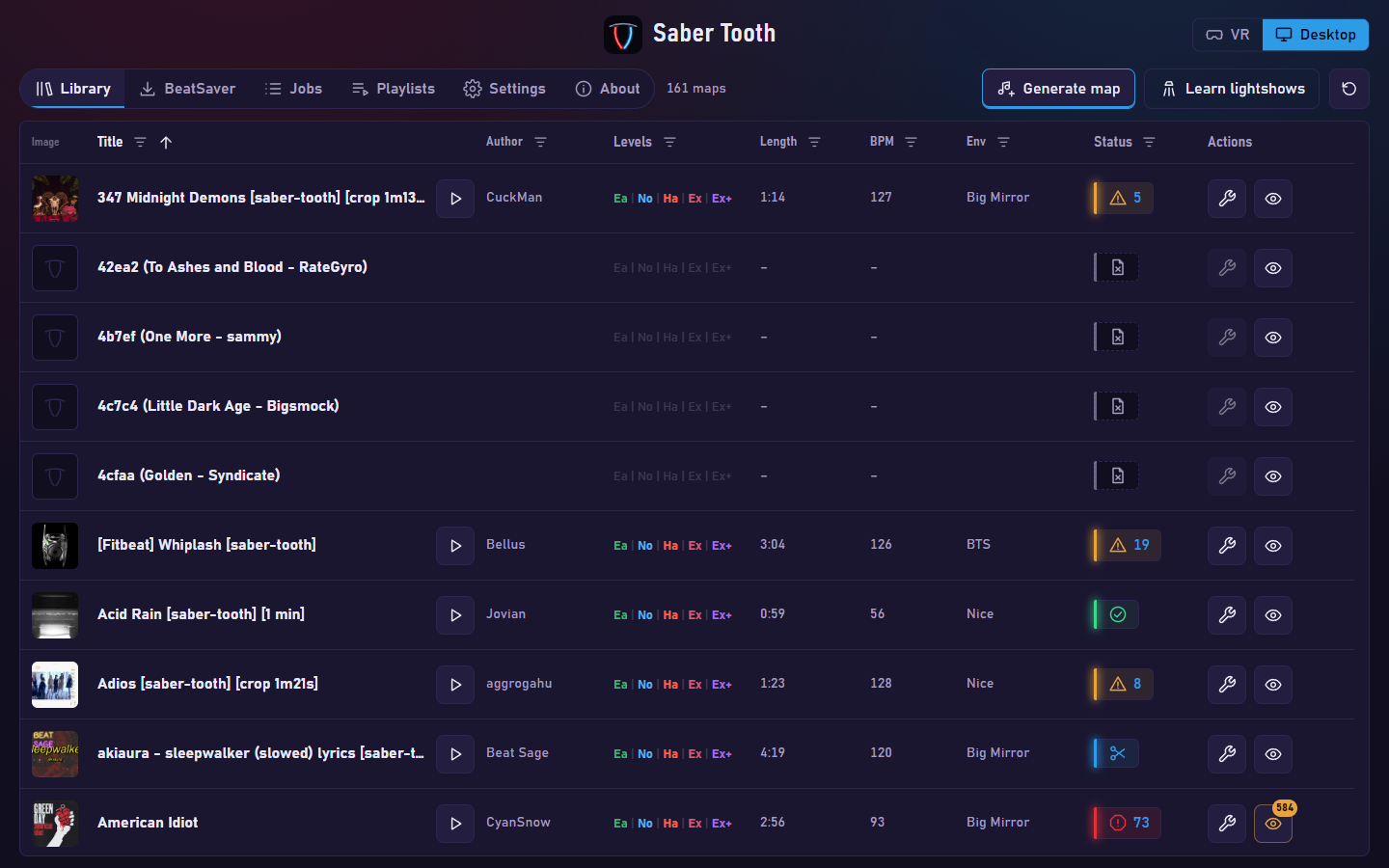
- Library with status filters; once a map is fixed, its original is hidden.
- One-click Fix writes
<map> [saber-tooth]with all five Standard difficulties. Scan and Fix run in batches, save as they go and resume after a cancel, timeout or error. - Scan, Approve and Apply proposals, each verified to reach zero findings.
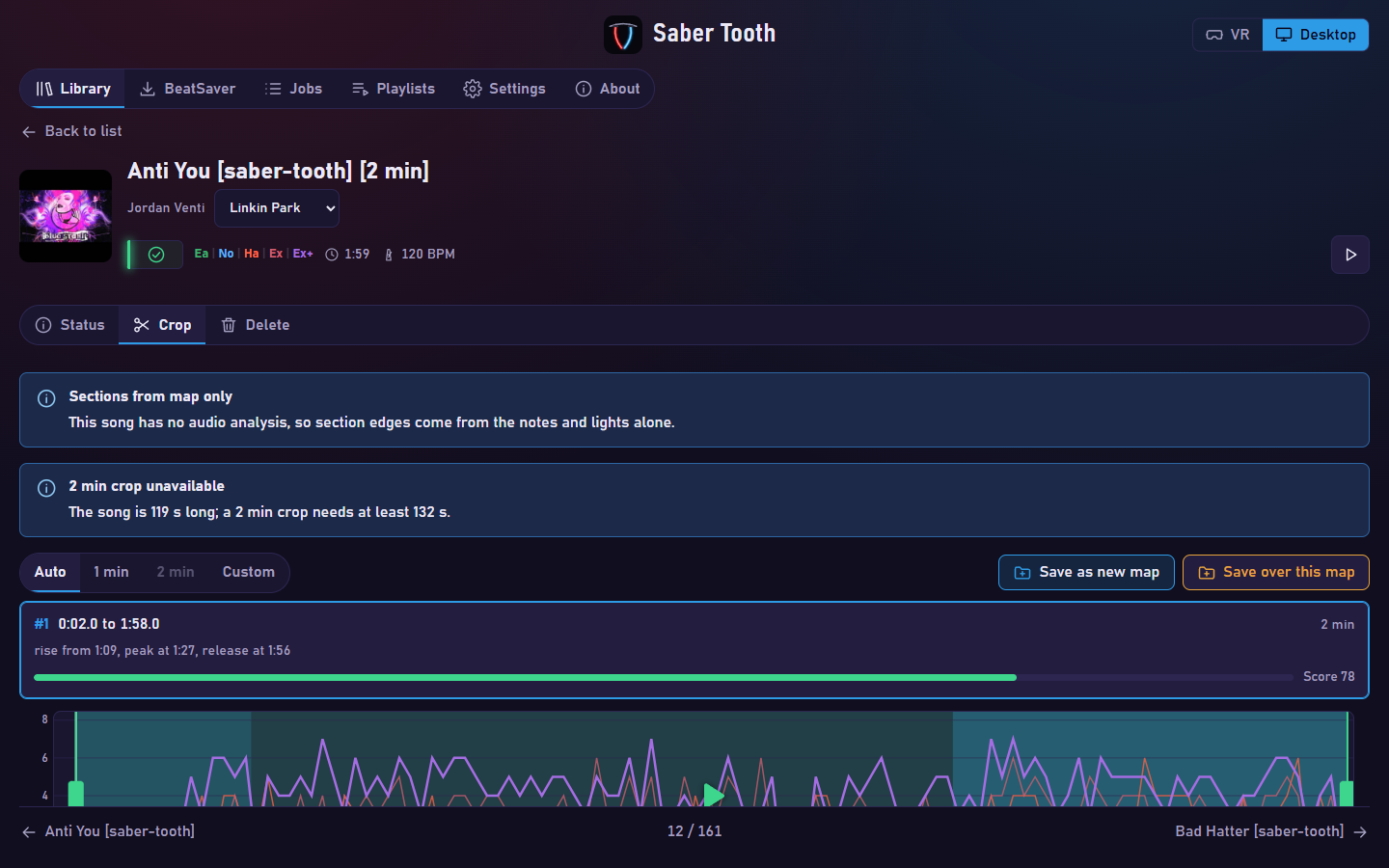
- Map page with Status, Crop, Relight and Delete tabs, rename from the page, a copy-folder-path button, and bottom toasts. Regenerate, regenerate all, fix all and a findings summary; bulk delete with a strict map-folder guard; per-chain re-indexing keeps delete, rename, fix and crop fast. The Status tab lists the findings and, after a Fix, why each unfixed finding was left.
- Crop to a highlight of a set length (free cutting down to 1 second) with an NPS chart, sections, bound times and playback; Auto crop proposes up to three windows scored in points (70 and up), cut in quiet valleys, with an expandable score breakdown; saving overwrites the single
[saber-tooth]copy. - Relight a map in another vanilla environment from a mood-based catalogue with custom vanilla colour schemes; the lightshow is regenerated, without strobing, and the fixes stay. Arcs and chains are placed; light-strobe, note-converge and no-rest checks run with generator rest zones.
- One-step generation from a YouTube link or a dropped audio file.
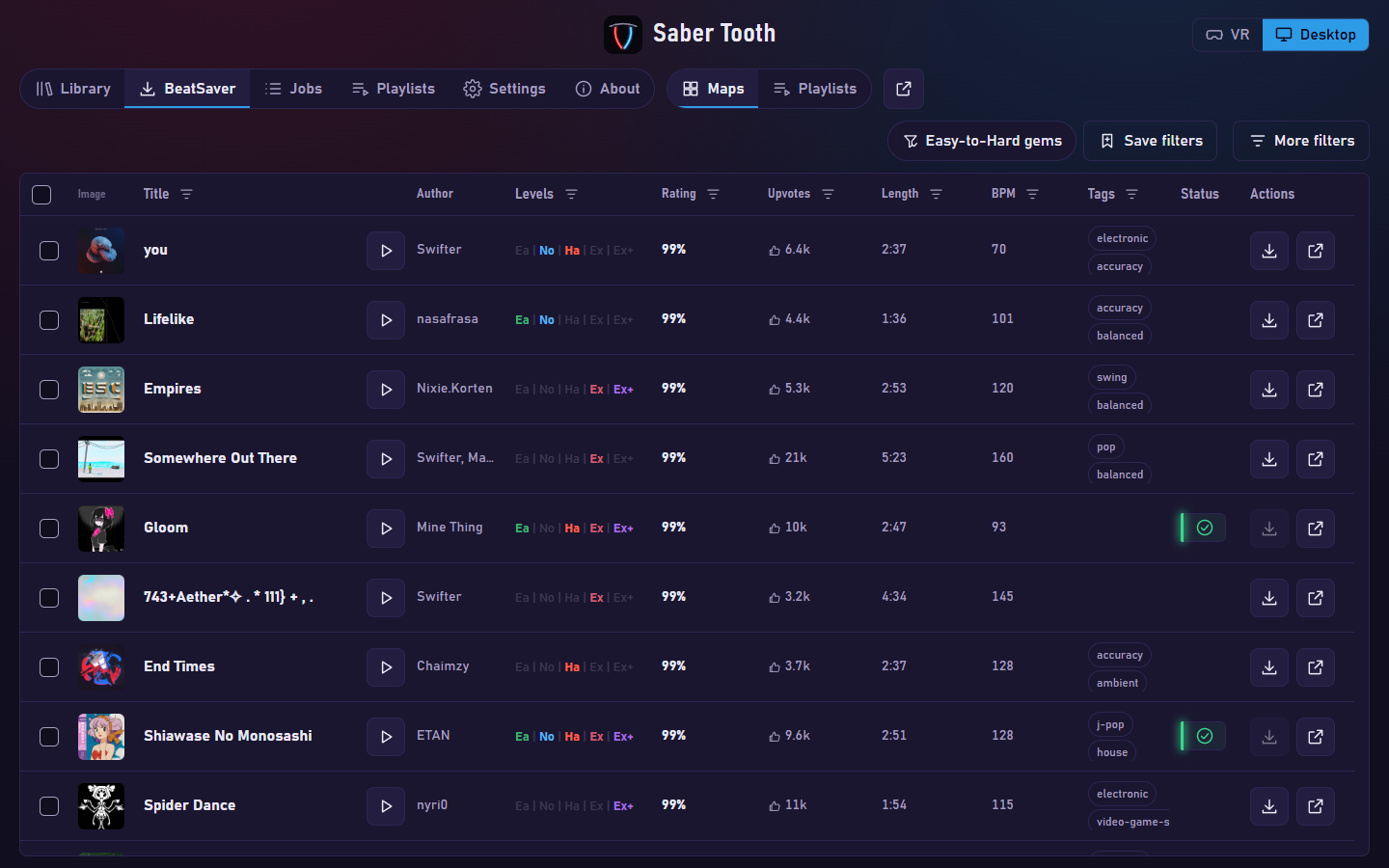
- BeatSaver search, presets and downloads.
- Playlists tab: build playlists from library maps, with SongCore hashes,
.bplistexport and sync URLs that PlaylistManager refreshes on its own. - Jobs tab: what the server is running, what waits and what finished in the last day, with cancel, retry and restart; queued jobs survive a restart.
- Settings tab: how many fix and scan jobs run at once, shown with the cores and memory the container has, and a PlaylistManager check with a one-click install from BeatMods.
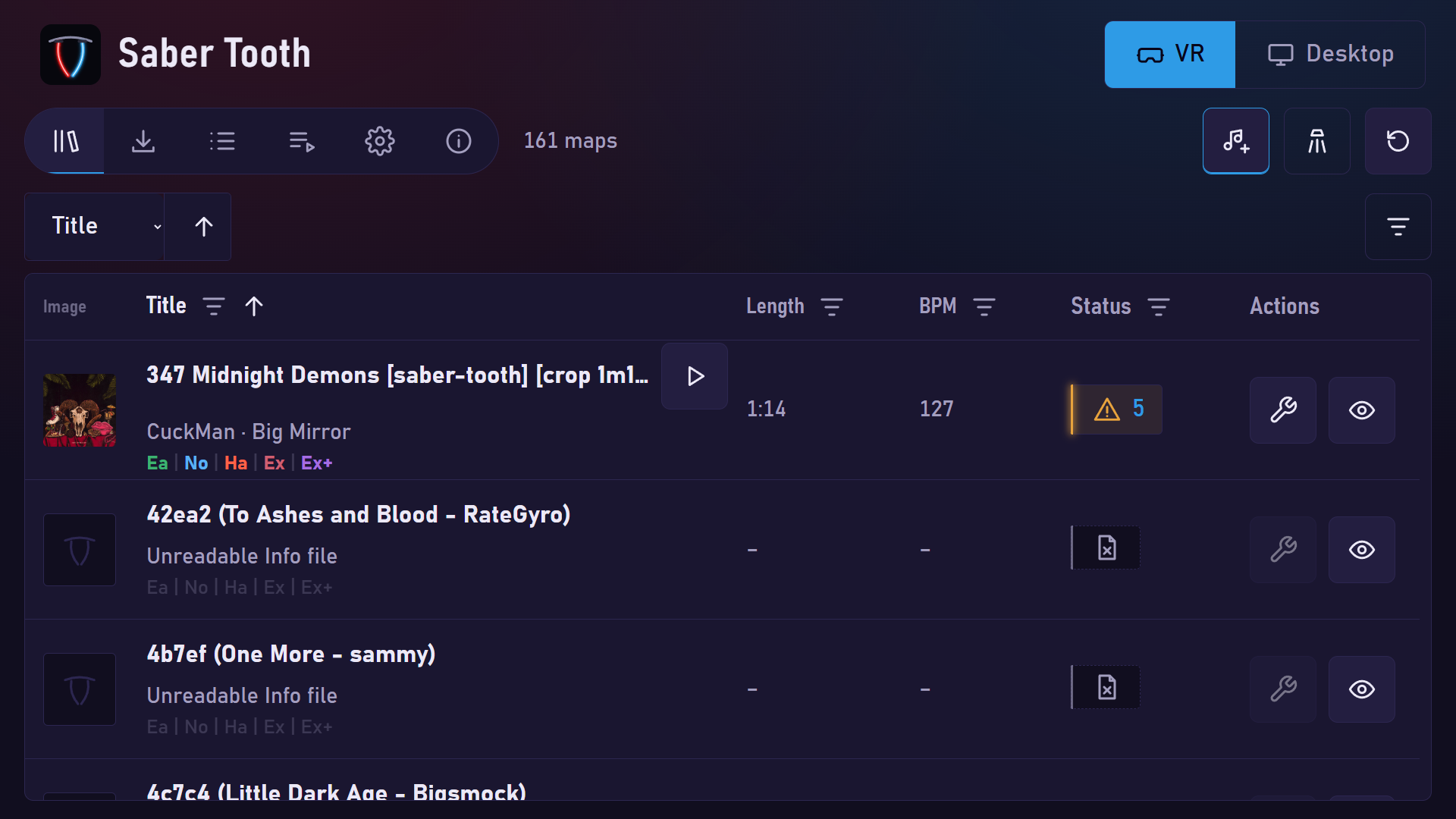
- VR mode at
/vr, with a host helper that detects the headset; desktop, VR and mobile layouts. - About page.
- MCP tools for agents.
Screenshots
How it works
- A song (YouTube URL or uploaded audio file) or an existing map goes in.
- The beat-analyser sidecar downloads the audio and returns the beat grid and onsets.
- The generator places notes, the checks look for problems, and the fixer proposes repairs, each verified to reach zero findings before it is offered.
- You review each proposal on a timeline in the browser.
- Approved changes are written as a new map folder in
CustomLevels. - FastAPI serves a React web UI, a JSON API and an MCP endpoint on port 8100. ffmpeg is built into the image.
Quick start
The service needs beat-analyser next to it. Save this as docker-compose.yml:
services:
  app:
    image: levialabs/sabertooth:latest
    ports: ["127.0.0.1:8100:8100"]
    environment:
      LEVELS_DIR: /levels
      DATA_DIR: /data
      ANALYSER_URL: http://beat-analyser:8000
      ANALYSER_UPLOADS: /analyser
      PUID: 1000
      PGID: 1000
    volumes:
      - "/path/to/Beat Saber_Data/CustomLevels:/levels"
      - analyser-uploads:/analyser:ro
      - saber-data:/data
    depends_on:
      beat-analyser:
        condition: service_healthy
  beat-analyser:
    image: levialabs/beat-analyser:latest
    volumes: ["analyser-uploads:/app/uploads"]
    read_only: true
    tmpfs: ["/tmp"]
    healthcheck:
      test:
        - CMD
        - python
        - -c
        - import urllib.request; urllib.request.urlopen('http://127.0.0.1:8000/folders', timeout=4)
      interval: 10s
      timeout: 5s
      retries: 6
      start_period: 20s
volumes:
  analyser-uploads:
  saber-data:
Then run docker compose up -d and open http://127.0.0.1:8100.
For HTTPS with a self-signed certificate, add SABER_TLS: "1" to the environment block and open https://127.0.0.1:8100, accepting the browser warning. The pair is generated once into /data/tls; SABER_TLS_HOSTS adds names, SABER_TLS_CERT and SABER_TLS_KEY use your own pair. HSTS is never sent.
The container starts as root only to apply PUID and PGID, then drops to that user. It
never changes ownership of /levels: on Linux, the mounted levels folder must be writable by
the PUID user.
The source repository has the full docker-compose.yml with the optional settings, including
the Playlists folder.
Volumes
| Mount | Purpose |
|---|---|
/levels | Your CustomLevels folder. Maps are read here and new folders written |
/data | Service state: scan results, proposals, caches, learned lightshows |
/analyser | beat-analyser's uploads volume, mounted read-only to read its output |
/playlists | Optional. Beat Saber Playlists folder for .bplist export |
Configuration
| Variable | Default | Meaning |
|---|---|---|
LEVELS_DIR | /levels | Where the service reads and writes maps |
DATA_DIR | /data | Where the service keeps its own state |
ANALYSER_URL | http://beat-analyser:8000 | Base URL of the beat-analyser service |
ANALYSER_UPLOADS | /analyser | Where beat-analyser's output volume is mounted |
ANALYSER_CONCURRENCY | 1 | Analyser requests in flight at once, shared by all job workers |
PLAYLISTS_DIR | unset | Playlists folder; setting it enables the .bplist export |
MAX_UPLOAD_MB | 200 | Largest audio upload |
SABER_ALLOWED_HOSTS | empty | Extra Host names accepted besides 127.0.0.1, localhost and [::1] |
SABER_TRUSTED_PROXY_IPS | empty | Comma list of single proxy addresses whose X-Forwarded-* headers are trusted |
PUID, PGID | 1000 | User and group the service runs as |
VR_AGENT_URL | unset | VR headset helper; compose default http://host.docker.internal:8101/status |
SABER_BIND | 127.0.0.1 | Host address of the published port (compose); 0.0.0.0 opens it to the LAN |
Warning: with SABER_BIND=0.0.0.0 anyone on the network can fix, crop, download and permanently delete map folders, because the service has no login. Also set SABER_ALLOWED_HOSTS to the names the headset uses, and set SABER_BIND back to 127.0.0.1 when done. See VR mode.
MAX_UPLOAD_MB and YT_MAX_MINUTES (default 20) also apply to the beat-analyser container.
API and MCP
The REST API lives under /api. Routes that start work answer {"job": "<id>"}; poll
GET /api/jobs/{id} until status is done or failed.
| Method | Path | Does |
|---|---|---|
| GET | /api/health | {"status": "ok"}, the container health check |
| GET | /api/maps | One page of the library, with search, sort and filters |
| POST | /api/maps/{id}/scan | Check one map |
| POST | /api/maps/{id}/fix | One-click fix, written to a new <name> [saber-tooth] folder |
| POST | /api/generate | New map from a YouTube URL or an uploaded audio file |
| GET | /api/maps/{id}/proposals | Proposed changes for a map, with before and after excerpts |
| POST | /api/maps/{id}/apply | Write the approved proposals into a new sibling folder |
| POST | /api/lightshow/learn | Learn lightshow styles from the installed maps |
| GET | /api/beatsaver/search | Search BeatSaver |
| POST | /api/beatsaver/download | Install up to 100 BeatSaver maps as new folders |
Errors are JSON: {"error": "..."}. The route list is longer than this table; see the
API reference.
Agents can connect over MCP (Streamable HTTP) at /mcp:
claude mcp add --transport http saber-tooth http://127.0.0.1:8100/mcp
Tools: list_maps, get_proposals, scan_map, job_status, approve_proposal,
reject_proposal, apply_map, generate_from_youtube, learn_lightshows, map_timeline,
crop_map, beatsaver_search and beatsaver_download. Details are in the
MCP section.
Security
The API has no authentication. Publish the port on 127.0.0.1 (as above) unless the service
sits behind something that authenticates. Requests with a Host outside the allowlist get
403, and state-changing requests whose Origin does not match are refused. Behind a TLS
proxy, set SABER_ALLOWED_HOSTS and SABER_TRUSTED_PROXY_IPS. Fixes are written to a new
folder and the original map is never changed.
Tags
| Tag | What it is |
|---|---|
1.5.0 | The 1.5.0 release |
latest | The same build as 1.5.0 |
1.4.0 | The 1.4.0 release, kept |
1.3.0 | The 1.3.0 release, kept |
1.2.0 | The 1.2.0 release, kept |
1.1.0 | The 1.1.0 release, kept |
1.0.0 | The 1.0.0 release, kept |
Limits
- Standard characteristic only: the five Standard difficulties are generated and checked.
- Vanilla features only. Maps that require Noodle or Mapping Extensions are refused on BeatSaver download.
- Map generation needs beat-analyser; YouTube downloads need outbound internet.
- Only YouTube URLs are accepted for generation. Other sites are refused.
- The service is built for a single user on localhost.
Part of Levia Labs
- beat-analyser: the audio download and beat and onset analysis service that saber-tooth runs next to.
- Crepidoma: the base every Levia Labs project stands on, a Claude Code plugin with shared Task namespaces, configs and ADRs.
- Levia-Labs on GitHub: every public project.
Licence
MIT.
Tag summary
Content type
Image
Digest
sha256:ed6d3ff5d…
Size
259 MB
Last updated
11 days ago
docker pull levialabs/sabertooth