lginc/drone-portainer
This plugin of drone can be used to deploy a Docker image to Portainer
1.1K
lginc/drone-portainer repository overview
drone-portainer

- plugin of drone continuous deployment to portainer
- The drone plugin can be used to deploy a Docker image to a Drone environment.The below pipeline configuration demonstrates simple usage:
docker-compose in step
steps:
- name: portainer
  image: lginc/drone-portainer
  settings:
    serverurl: http://xxxxx:9000
    username:
      from_secret: portainer_username
    password:
      from_secret: portainer_password
    endpointId: 1
    stackname: xxxservice
    variables:
      - tag=dev
    imagenames:
      - xxx/xxx
      - myhub.com/xx1/xxx
    env:
      - TZ:Asia/Shanghai
      - myTag:App
    docker_compose: |
      version: "3"
      services:
        xxx:
          image: xxx/xxx:{{ tag }}
          ports:
          - 80:80
        xx1:
          image: myhub.com/xx1/xxx
or
docker-compose in repository
steps:
- name: portainer
  image: lginc/drone-portainer
  settings:
    serverurl: http://xxxxx:9000
    access_token:
      from_secret: portainer_ak
    endpointId: 2
    stackname: xxxservice
    imagenames:
      - xxx/xxx
    env:
      - myTag:App
    docker_compose_path: deploy/docker-compose.yaml
    repo_username:
      from_secret: repo_username
    repo_password:
      from_secret: repo_password
Parameter Reference
-
serverurl : required, portainer server url. like this: http://xxx.com:9000
必填, portainer服务器url, 如 http://xxx.com:9000 -
username : optional, portainer username
可选 登录portainer的用户名 -
password : optional, portainer password
可选 登录portainer的密码 -
access_token : optional, portainer account access token, login by username password or access_token. click on my account in the top right -> Scroll down to the Access tokens section -> click the Add access token
可选 portainer账户的 访问令牌, 登录方式二选一 用户名-密码 或者 访问令牌. 创建访问令牌在 portainer 右上角 myAccount, 下拉到Access Token, 点击 Add access token,输入描述 确定 -
endpointId : optional, portainer endpoint id,default 1, localhost is 1
portainer终结点id,默认是1,即第一个,一般为localhost -
stackname : required, name of stack, show in stack list
必填 服务栈的名称,会在stacks列表里显 -
imagenames : optional, names of pull images, a arrary. add this param because not auto pull image when image:tag not change in docker-compose
可选 将会进行拉取镜像的镜像名列表, 为数组.加这个参数是因为docker-compose里的镜像名:tag 没有变化则不会自动拉取镜像
like this:
- mcr.microsoft.com/dotnet/core/aspnet:6.0-alpine
- alpine:latest
-
env: : optional, environments of stack.
可选 环境变量列表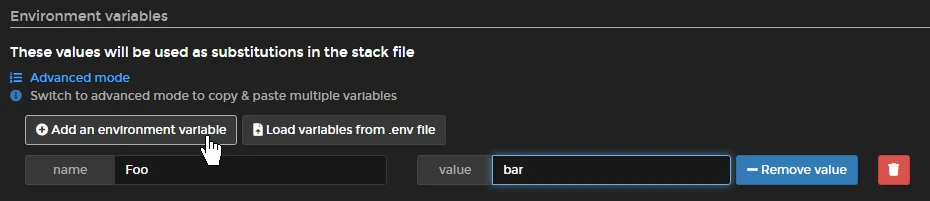
-
variables: : optional, these variables will be replaced in docker-compose file, Foo=bar will replace {{ Foo }} for bar.
可选,会自动替换docker-compose中的变量 如设定Foo=bar, 则会把docker-compose中的{{ Foo }}替换为bar -
docker_compose : optional, content of docker-compose.yml. it will be filled by original stack when stack exist.
可选, docker-compose.yaml的内容. 如果stack已经存在,不填则会自动获取已经存在的stack内容 sample like this:
docker_compose: |
  version: "3"
  services:
    dotnettest:
      image:  mcr.microsoft.com/dotnet/core/aspnet:6.0-alpine
      container_name: dotnet_runtime
-
docker_compose_path : optional, docker-compose.yml in repository relative path. just need choose one between docker_compose and docker_compose_path. note: if stack exist, it will be use original content of stack, not content of docker-compose.yml in repository, so docker_compose_path can work when stack not exist
可选, docker-comose.yml在git仓库中的相对路径, docker_compose和docker_compose_path二选一即可, 注意,如果stack已存在会先使用已存在的stack的内容,即docker_compose_path仅能用于创建stack的情况 -
repo_username : optional, username of git repository
可选, git仓库用户名 -
repo_password : optional, password of git repository
可选, git仓库密码
Tag summary
Content type
Image
Digest
Size
5.8 MB
Last updated
over 4 years ago
docker pull lginc/drone-portainer