libzonda/core-keeper-dedicated-server
Core Keeper Dedicated Server with Web GUI, Multi-instance, Steam SDR & Direct Connect, Mod.io & Work
1.9K
libzonda/core-keeper-dedicated-server repository overview

Core Keeper Dedicated Server & Web Manager







An all-in-one, production-ready Docker image for Core Keeper Dedicated Server, featuring Multi-Instance Support, Steam SDR relay (no port forwarding required), Direct Connect, and a modern Flutter Web management dashboard.
🌟 Highlights & Features
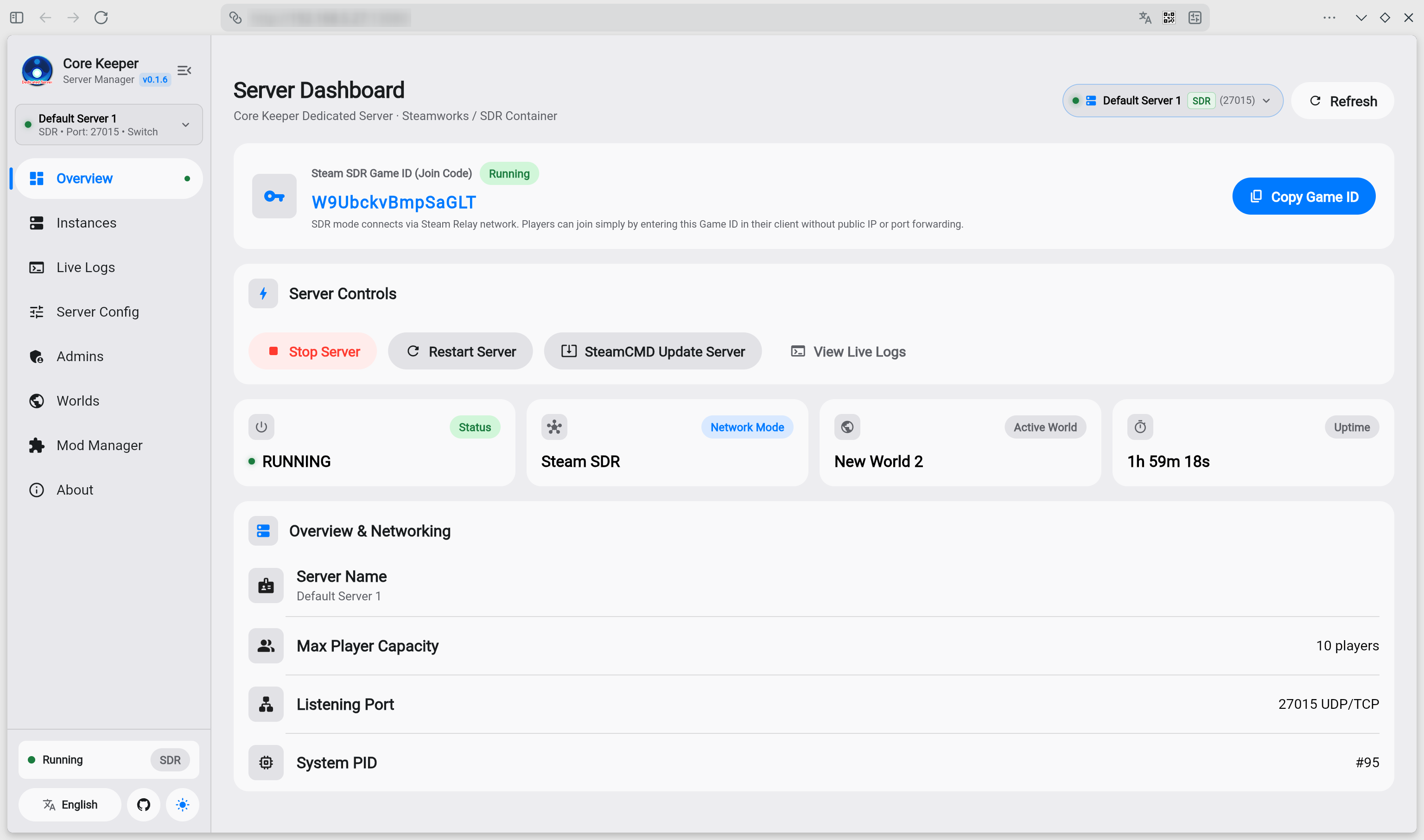
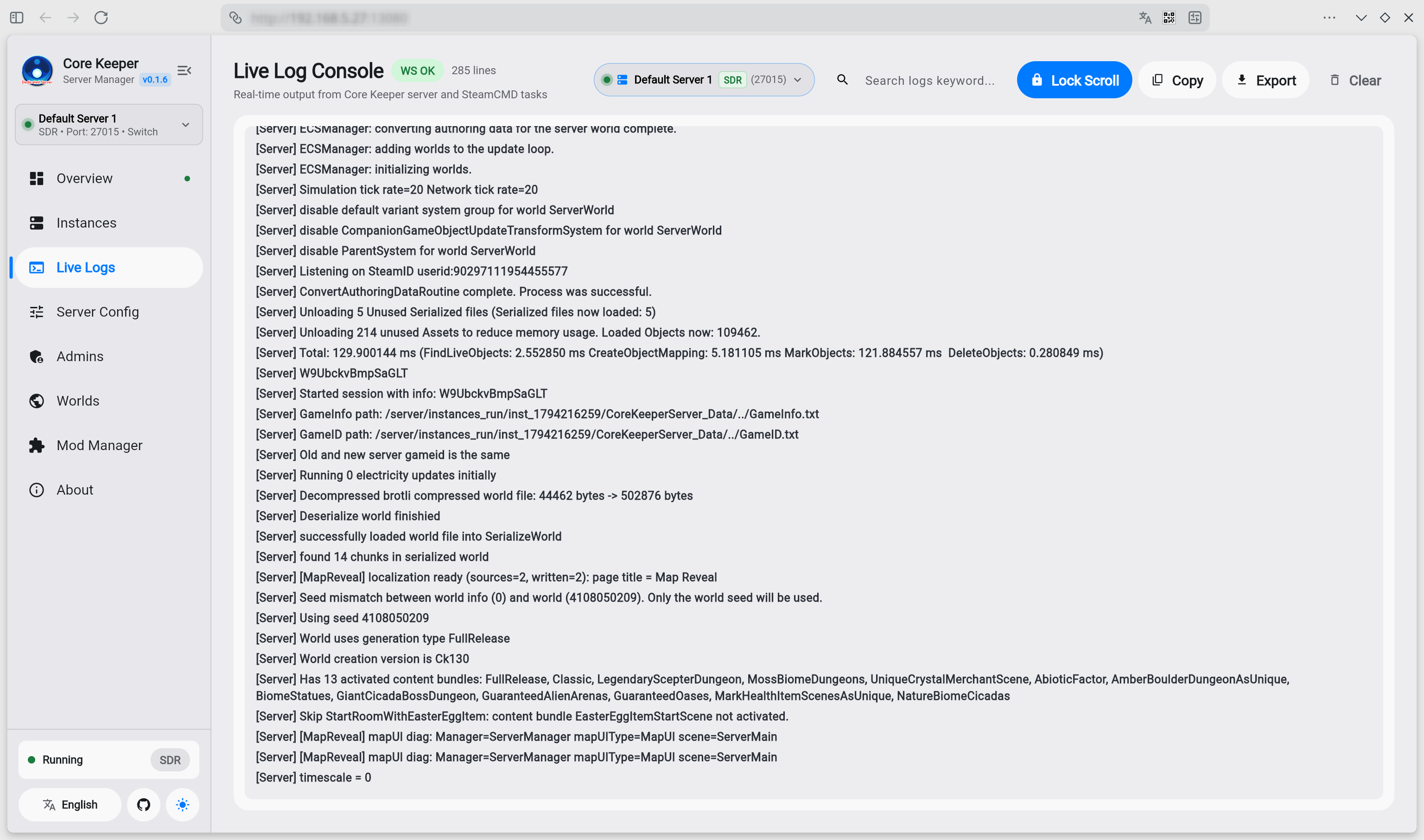
- 🖥️ Full Web Visual Management: Complete browser-based GUI built with Flutter Web. Control server lifecycle, view real-time WebSocket console logs, configure server parameters, and monitor process metrics with zero terminal operations.
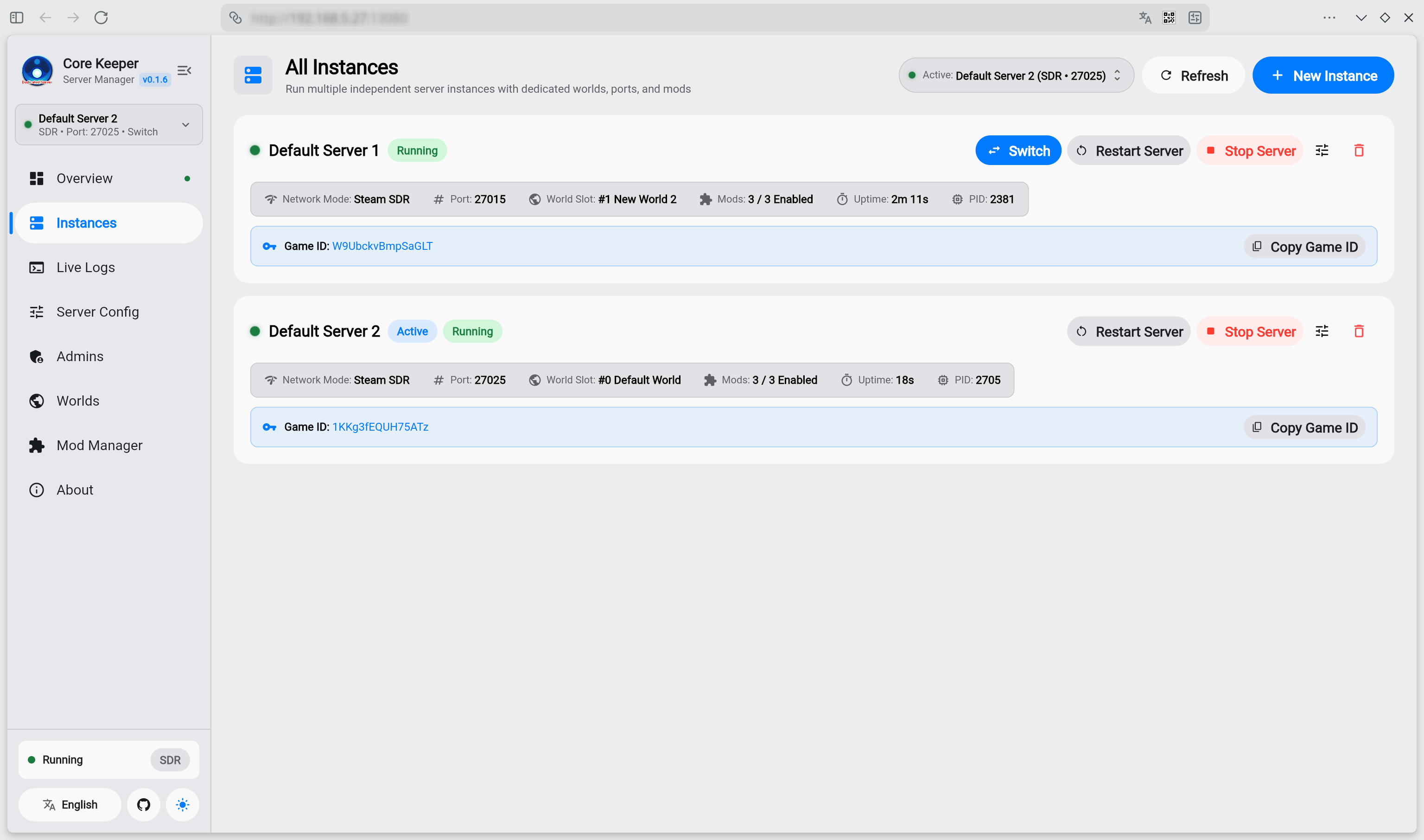
- 🏢 Multi-Instance Management: Run multiple isolated server instances simultaneously in a single container. Easily create, switch, start/stop, and configure instances with dedicated worlds, ports, admins, and runtime sandboxes.
- 🚀 Dual Network Modes (SDR / Direct Connect):
- Steam SDR (Default): Official Steam Datagram Relay. Generates a Game ID on launch—join directly with no public IP or router port forwarding required.
- Direct Connect: Traditional UDP direct connection with custom IP, port, and password for LAN or low-latency dedicated hosts.
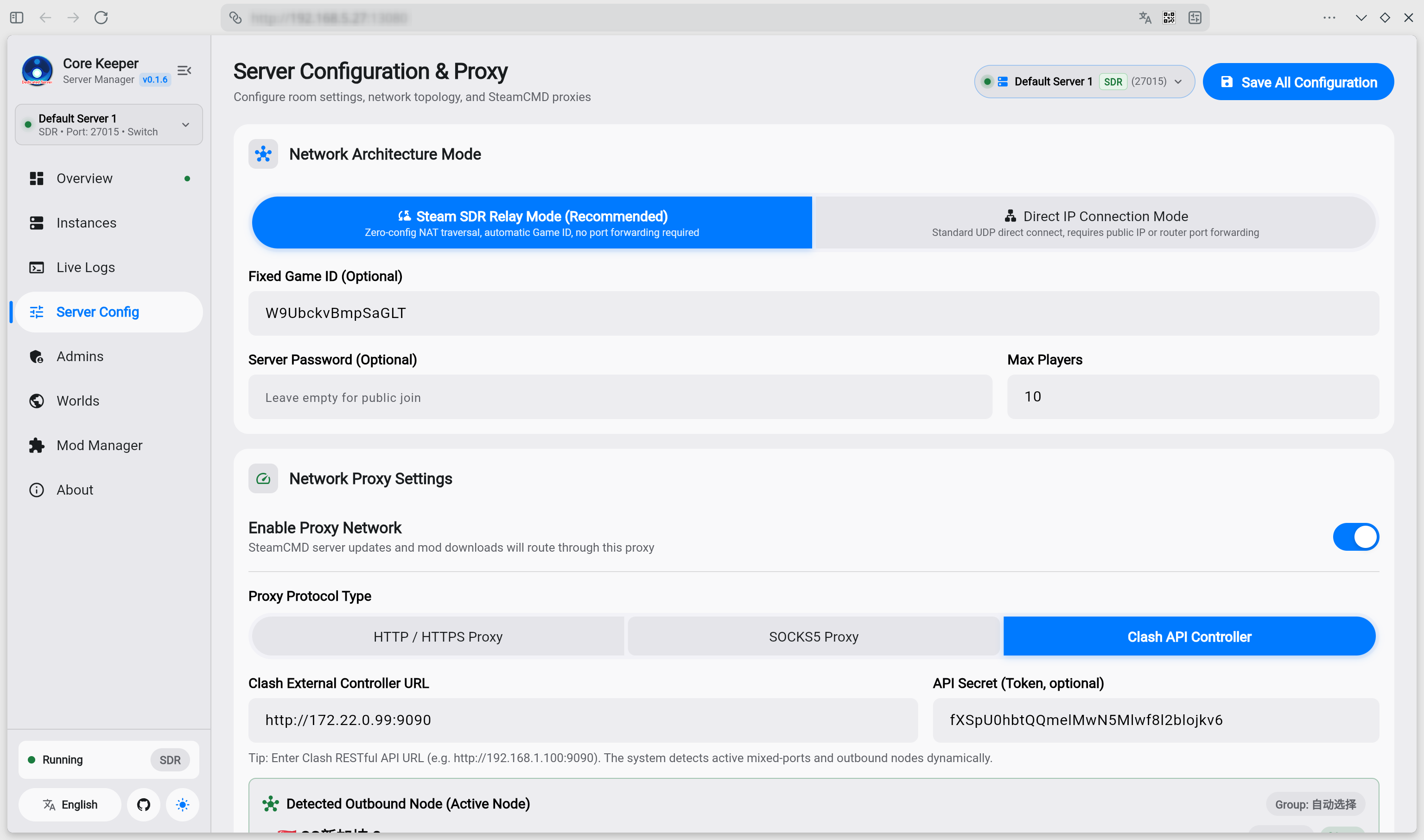
- 🛡️ Network Proxy & Clash Integration: Built-in support for HTTP, SOCKS5, and Clash REST API proxies. Connect your Clash controller to switch nodes on-the-fly and accelerate SteamCMD updates, SDR handshakes, and overseas mod downloads.
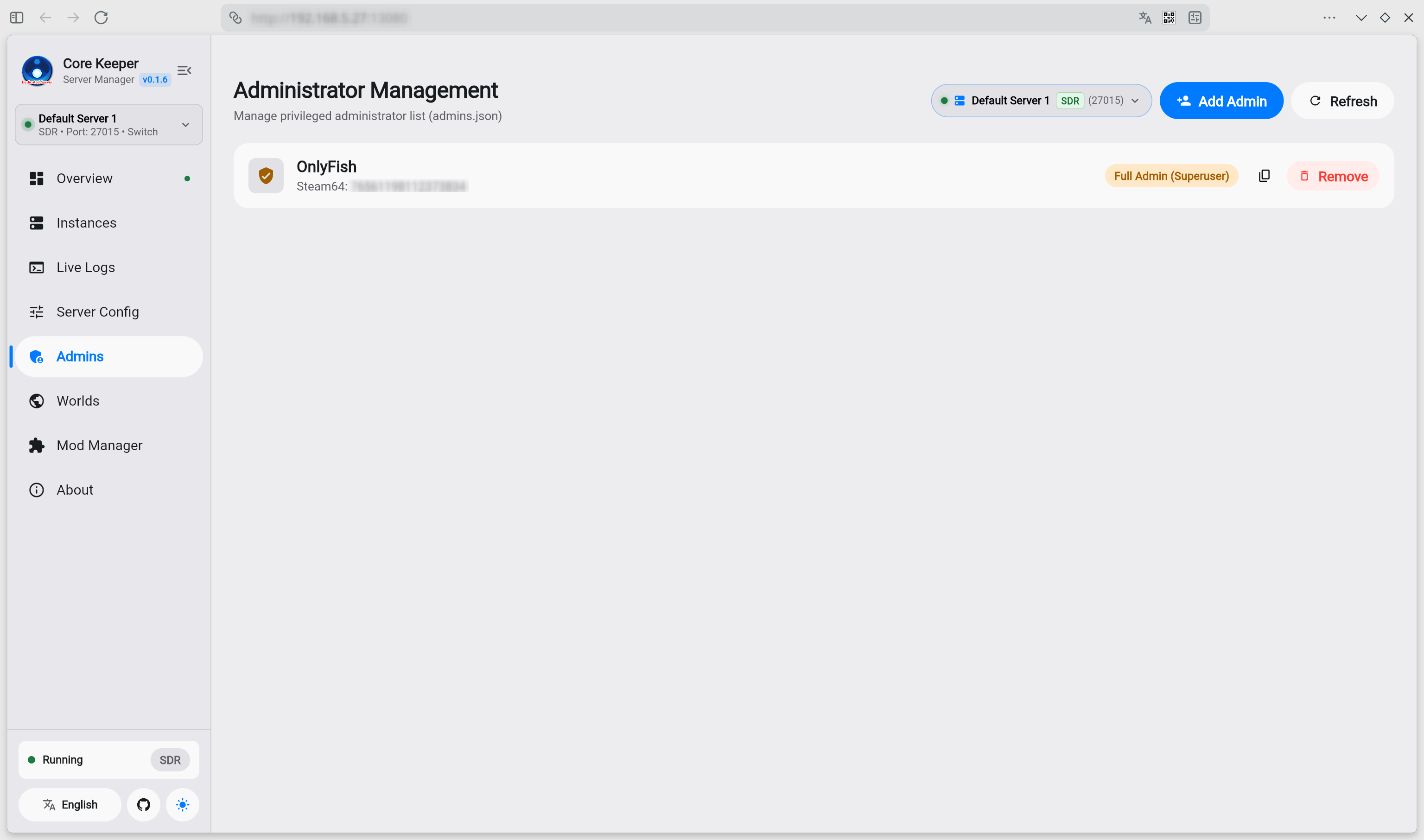
- 👑 In-Game Admin Management: Visually add, modify, and remove in-game administrators (
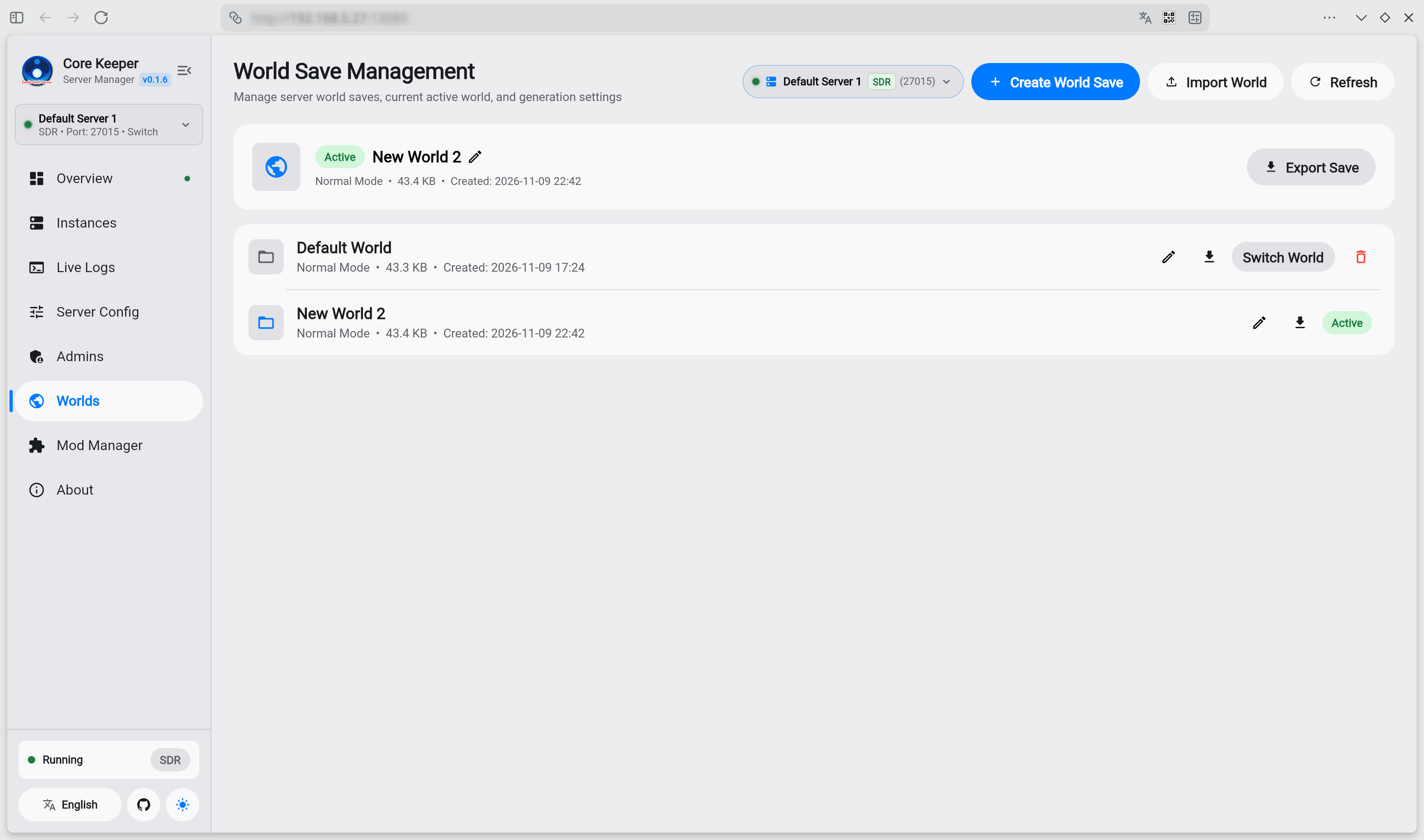
Admins.json) with automatic 17-digit Steam64 ID validation and permission tiers (Superadmin / Admin). - 🌍 Multi-World Save Switch, Export & Import: Manage official world slots (0–29). Switch active worlds on-the-fly, rename saves, import external single-player worlds directly, and export backups (
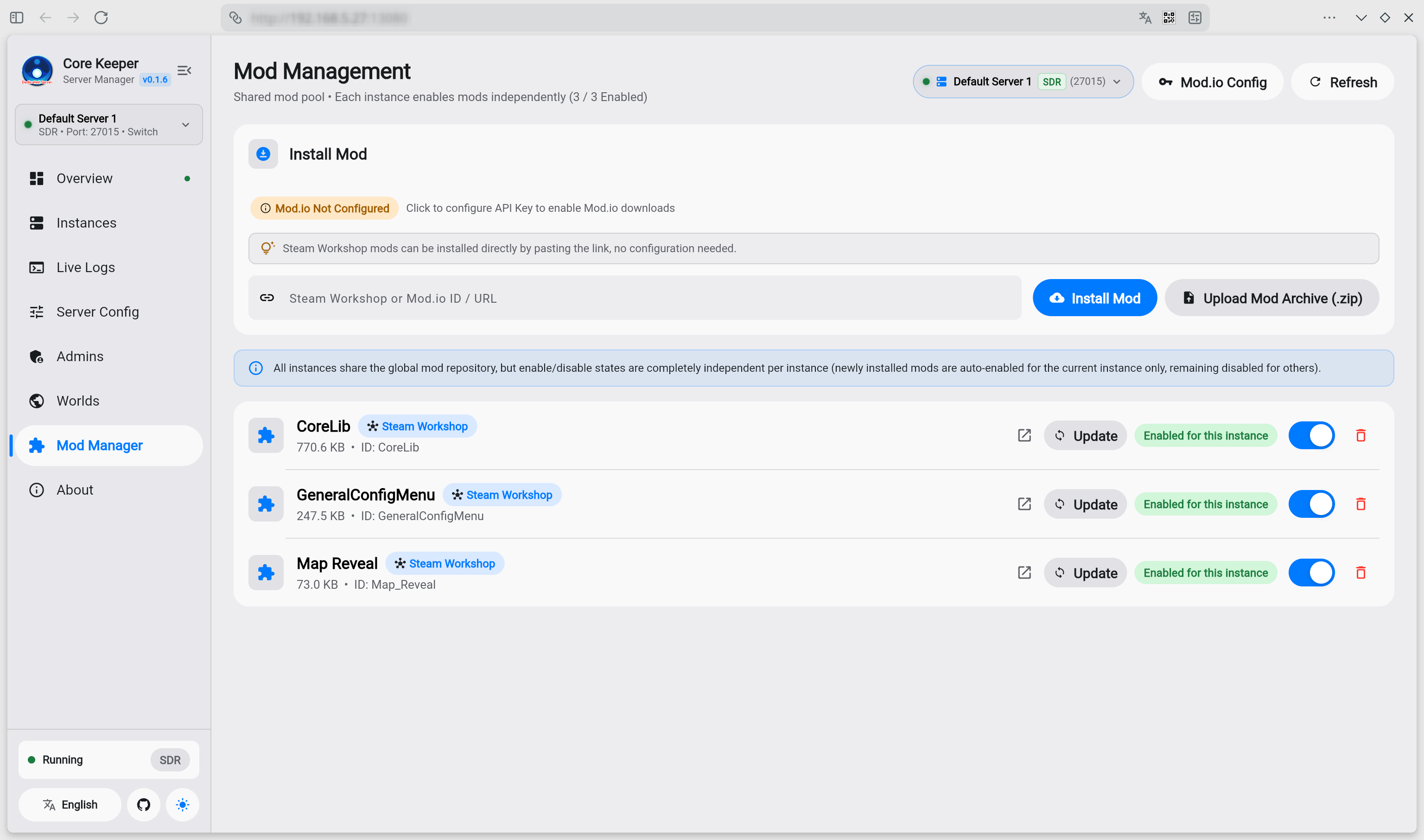
.world.gzip) with one click. - 🧩 Comprehensive Mod Management (Mods):
- Steam Workshop: Paste any Workshop URL or Item ID to install directly—no configuration required.
- Mod.io Platform: Built-in Mod.io REST API integration with global API key configuration, supporting mod search, installation via links/slugs, and one-click auto-updates across all instances.
- Local Upload: Upload local
.zipmod packages with automatic manifest parsing and deployment.
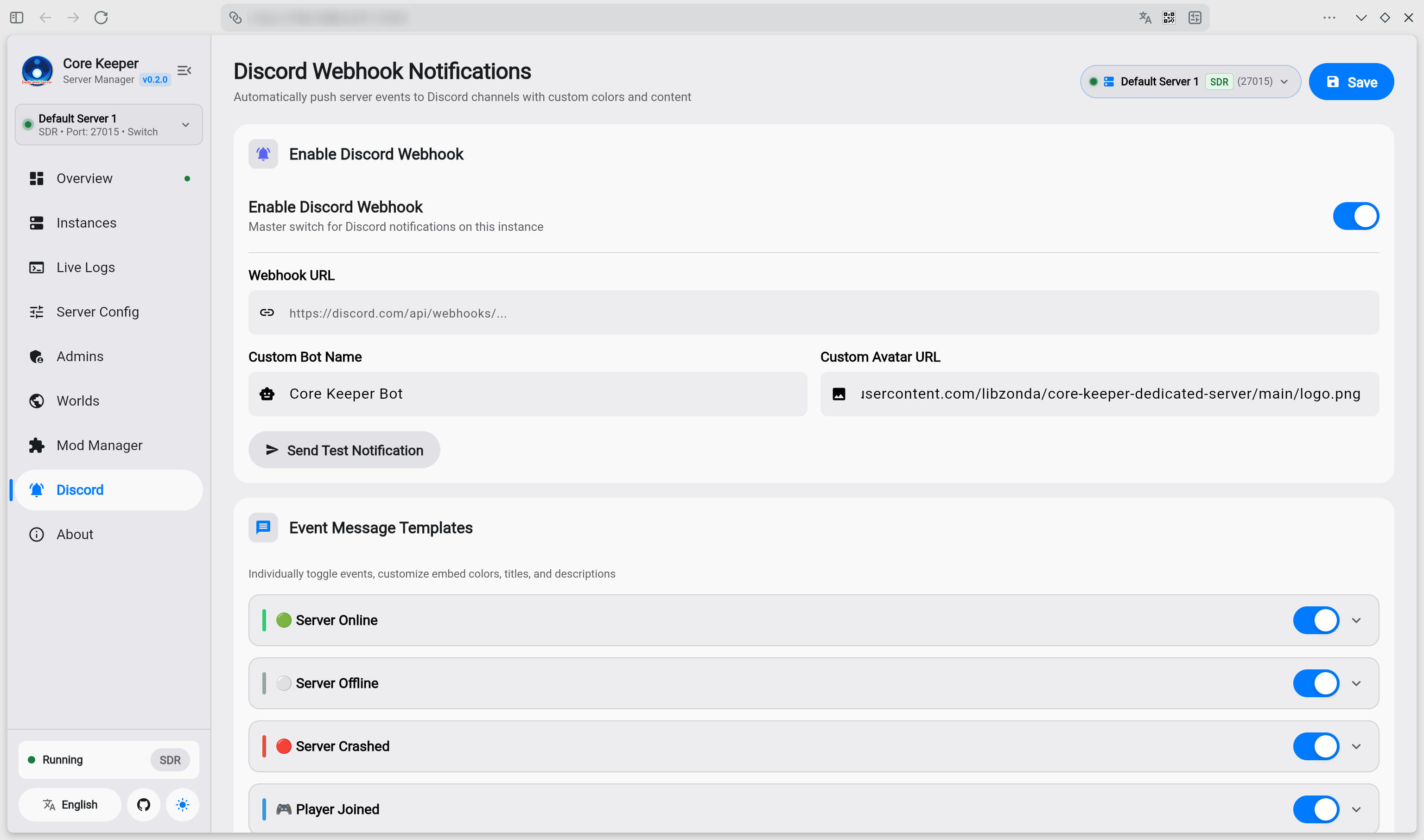
- 🔔 Discord Webhook Notifications: Built-in Discord Webhook integration per instance. Real-time notifications for server online/offline, crashes (with error log excerpt), and player join/leave events. Fully customizable embed colors, titles, and message templates with one-click test notification and optional proxy routing support.
- 💻 Cross-Platform Desktop Clients (Windows, Linux, macOS): Standalone desktop apps with built-in server daemon and Flutter GUI are available directly on GitHub Releases. Control remote servers or host locally on Windows/Linux/macOS with zero installation.
📸 Screenshots
| 🖥️ Server Dashboard & Overview | 🏢 Multi-Instance Management |
|---|---|
|  |
| 📜 Live Logs & WebSocket Console | ⚙️ Server Configuration & Proxy Settings |
|---|---|
 |  |
| 👑 In-Game Admin Management | 🌍 World Save Management & Backup |
|---|---|
 |  |
| 🧩 Integrated Mod Manager (Steam Workshop & Mod.io) | 🔔 Discord Webhook Notifications |
|---|---|
 |  |
🚀 Quick Start (Docker Compose)
1. docker-compose.yml
Create a docker-compose.yml file in your project directory:
services:
  core-keeper-server:
    image: libzonda/core-keeper-dedicated-server:latest
    # Or use GitHub Container Registry:
    # image: ghcr.io/libzonda/core-keeper-dedicated-server:latest
    container_name: core-keeper-server
    restart: unless-stopped
    ports:
      # Web Management Dashboard
      - "8080:8080"
      # Batch UDP Port Range for Multi-Instance Direct Connect
      # (Reserve ports for instances using Direct Connect, e.g. 27015, 27025, 27035...)
      # In Steam SDR mode, official relay is used so no UDP port forwarding is needed.
      - "27015-27065:27015-27065/udp"
    environment:
      # Web Dashboard Port (Default: 8080)
      - WEB_PORT=8080
    volumes:
      # Persistent storage (all instances, configs, saves, and shared mods)
      - ./server-data:/server/data
      # Game server binaries (auto-downloaded & updated via SteamCMD)
      - ./server-game:/server/game
Tip: You do not need to configure any game instance parameters in
docker-compose.yml. All settings (World Name, Seed, Difficulty, Max Players, Network Mode, Game Port, Admins, and Mods) are created and managed visually in the Web Dashboard. If you exclusively use Steam SDR mode, you don't even need to expose any UDP port range.
2. Start the Server
docker compose up -d
3. Access Web Dashboard
Open http://<your-server-ip>:8080 in your browser.
💻 Native Desktop Clients (Windows, Linux, macOS)
Don't want to use Docker? Standalone desktop applications with an embedded server daemon and Flutter GUI are available directly on GitHub Releases:
| Platform | Package | Architecture | Description |
|---|---|---|---|
| Windows | CoreKeeperManager-Windows-x64.zip | x64 (amd64) | Win32 desktop application + Go server daemon + start-windows.bat |
| Linux | CoreKeeperManager-Linux-x64.tar.gz | x64 (amd64) | GTK desktop application + Go server daemon + start-linux.sh |
| macOS | CoreKeeperManager-macOS-Universal.zip | Universal (Apple Silicon & Intel) | CoreKeeperManager.app bundle + Universal Go daemon + start-macos.command |
🏢 Multi-Instance Setup & Networking
The system supports running multiple server instances concurrently:
- Creating Instances: Go to the Instances tab in the Web Dashboard and click "New Instance".
- Port Allocation: When using Direct Connect mode, each instance must use a distinct port (recommended spacing of 10 ports, e.g.,
27015,27025,27035). Ensure the corresponding UDP port range is mapped indocker-compose.yml. - SDR Multi-Instance: Under SDR mode, each instance automatically generates its own independent Game ID. No port conflicts exist in SDR mode.
- Shared Mod Pool: Mods are stored centrally in
server-data/shared_modsand can be enabled/disabled per instance with a single click.
🎮 How Players Join
- Steam SDR (Default & Recommended): Copy the Game ID from the Web Dashboard. In the Core Keeper game client, choose Join Game and paste the Game ID. Works behind NAT/firewalls without port forwarding.
- Direct Connect: Ensure UDP ports (e.g.
27015) are open. Players join by entering<Server-IP>:<Port>and server password (if set).
📂 Volume Mounts & Directory Structure
| Host Path | Container Path | Description |
|---|---|---|
./server-data | /server/data | Stores all instance metadata, world save files (.world.gzip), admin configs, proxy settings, and shared mod pool. |
./server-game | /server/game | Core Keeper Dedicated Server binaries automatically downloaded and updated by SteamCMD. |
.
├── docker-compose.yml          # Container configuration
├── logo.png                    # Brand logo
├── server-data/                # Persistent user data (mounted to /server/data)
│   ├── instances.json          # Server instances registry
│   ├── manager_config.json     # Global web manager & proxy configuration
│   ├── shared_mods/            # Shared mod repository pool
│   └── instances/              # Isolated instance directories
│       └── <instance_id>/      # Instance-specific runtime files
│           ├── ServerConfig.json       # Game engine official config
│           ├── manager_config.json     # Instance manager config
│           ├── Admins.json             # Steam admin permissions
│           ├── PlayerBans.json         # Banned players list
│           ├── GameID.txt              # Generated Steam SDR Game ID
│           ├── worlds/                 # World saves (.world.gzip)
│           ├── mods/                   # Active mods symlinks for this instance
│           └── backups/                # Save rollbacks & backups
└── server-game/                # Core Keeper official binaries (mounted to /server/game)
⚙️ Container Environment Variables
Since this manager natively supports multi-instance management, all instance configurations (worlds, difficulty, game ports, passwords, player limits, admins, and mods) as well as proxy and Mod.io configurations are managed visually inside the Web Dashboard.
Only the container Web service port can be optionally overridden:
| Variable | Default | Description |
|---|---|---|
WEB_PORT | 8080 | Port for the Web management dashboard |
🔗 Links & Documentation
- GitHub Repository: https://github.com/libzonda/core-keeper-dedicated-server
- English README: README.md
- Chinese Documentation (简体中文): README_zh-CN.md
- Issue Tracker: https://github.com/libzonda/core-keeper-dedicated-server/issues
📄 License
This project is licensed under the GNU Affero General Public License v3.0 (AGPL-3.0).
Tag summary
Content type
Image
Digest
sha256:a289f4d8c…
Size
249.4 MB
Last updated
about 17 hours ago
docker pull libzonda/core-keeper-dedicated-server