lifailon/logporter
A lightweight alternative to cAdvisor, log collector for sending to Lok, and searching for new image
1M+
lifailon/logporter repository overview

A lightweight alternative to 🦉 cAdvisor for exporting metrics from Docker containers, a log collector for sending to Lok, and searching for new image versions in remote registries based on semantic analysis of tags or digests in a single container.
Quick start
Clone the repository and run the monitoring full-stack with one command:
git clone https://github.com/Lifailon/logporter
cd logporter
docker-compose up -d --pull always
The stack includes Prometheus with an exporter connected and alerts configured, a Loki server targeted by a log collector, and Grafana with pre-configured data sources and added dashboards.
Go to Grafana UI: http://localhost:3000 and enter admin:admin.
Dashboard
The project supports a built-in dashboard that contains summary information on the status of all containers, images, and volumes. The interface is based on go-template and vanilla JavaScript. Cached data is used for rendering, so it does not impact the exporter performance.
Go to Dashboard: http://localhost:9333.
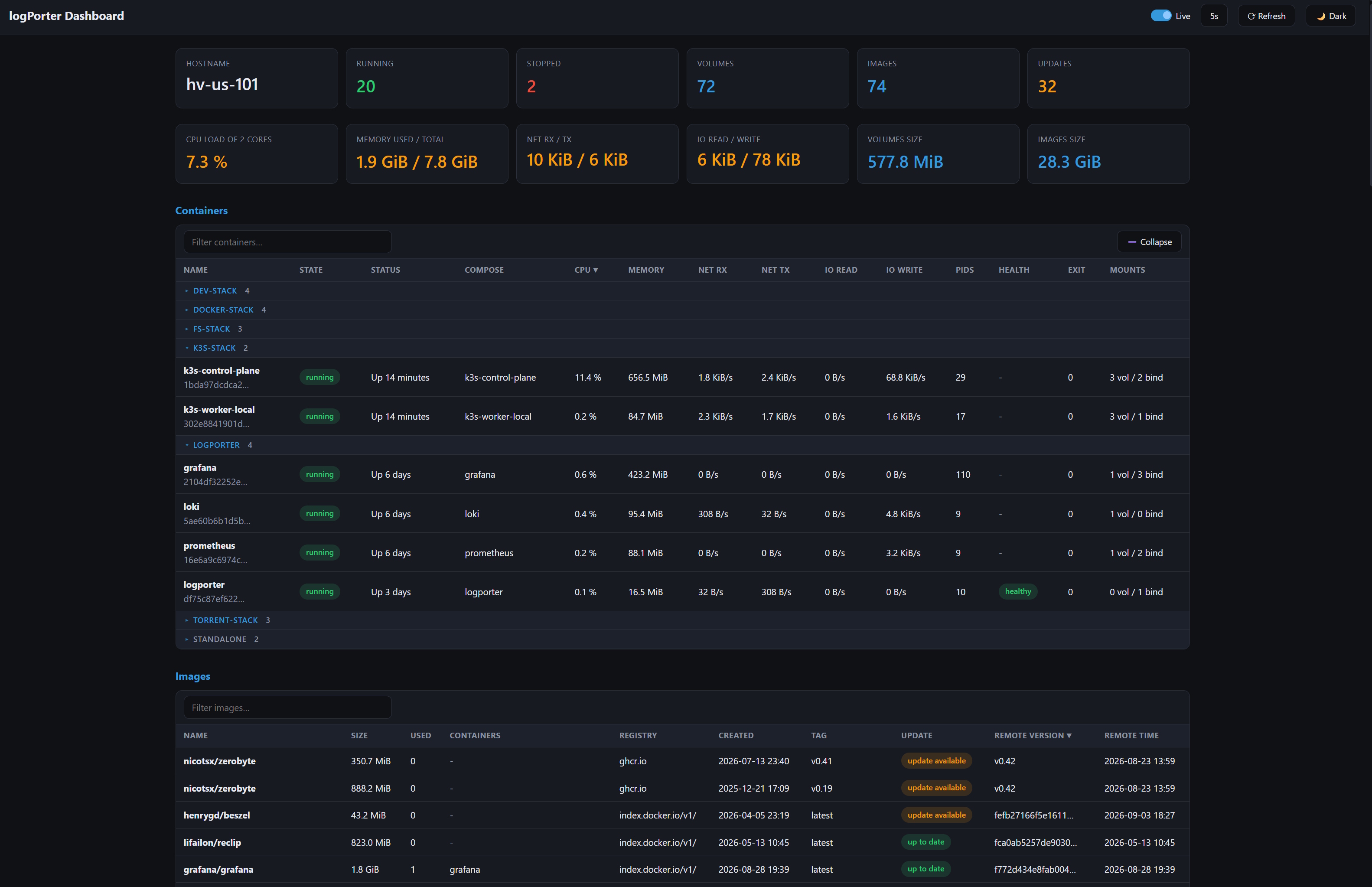
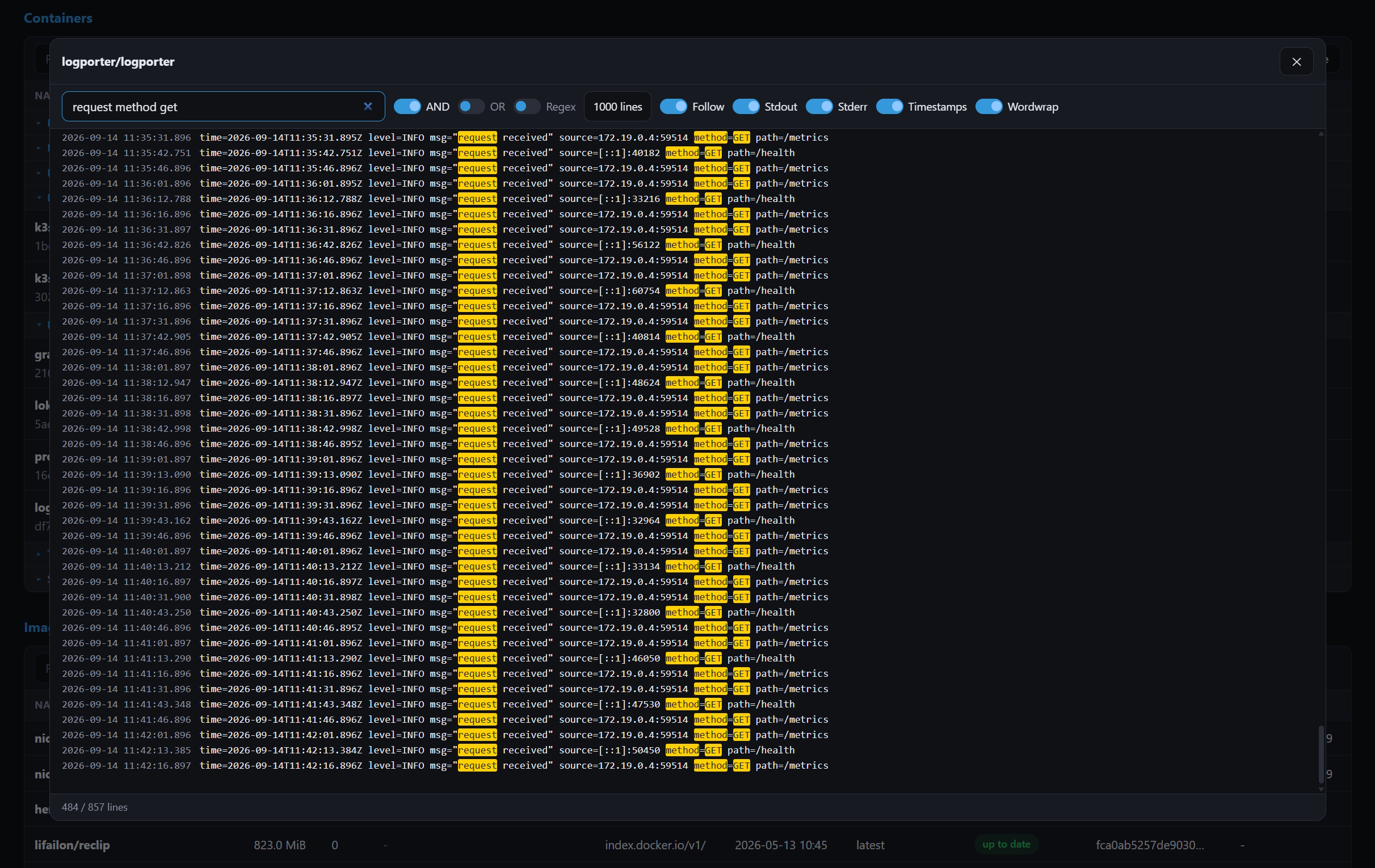
The dashboard provides real-time access to container logs using an SSE stream. It handles large log histories efficiently through DOM virtualization (rendering only visible lines to ensure high performance), offers various filtering modes, and allows navigation through the loaded content using an interactive timeline.
Manual setup
Exporter
- Run the exporter in a container using the image published on Docker Hub:
docker run -d --name logporter \
  -v /var/run/docker.sock:/var/run/docker.sock:ro \
  -p 9333:9333 \
  --restart=always \
  lifailon/logporter:latest
All metrics are retrieved directly from the Docker socket, which requires read-only access (:ro).
Or use compose to fine-tune access to the Docker socket through a proxy:
services:
  logporter:
    image: lifailon/logporter:latest
    container_name: logporter
    restart: always
    ports:
      - 9333:9333
    environment:
      - DOCKER_HOST=tcp://docker-proxy:2375

  docker-proxy:
    image: lscr.io/linuxserver/socket-proxy:latest
    container_name: docker-proxy
    restart: always
    environment:
      - CONTAINERS=1
      - INFO=1
      - SYSTEM=1
      - IMAGES=1
      - DISTRIBUTION=1
      - ALLOW_LOGS=1
    volumes:
      - /var/run/docker.sock:/var/run/docker.sock:ro
List of environment variables to configure:
| Label | Type | Default | Description |
|---|---|---|---|
LOG_LEVEL | string | info | Use debug to get detailed output of the exporter operation or error to suppress the output of info messages. |
DOCKER_METRICS_HOST | string | "0.0.0.0" | The host or IP address on which the HTTP server listens (defaults to all interfaces). Specify 127.0.0.1 when running the standalone binary outside of Docker. |
DOCKER_METRICS_PORT | int | 9333 | The port on which the exporter is listening. |
DOCKER_METRICS_HOSTNAME | string | "" | Custom hostname displayed in Prometheus and Loki labels (by default from Docker API or OS). |
DOCKER_METRICS_CUSTOM_LABELS | string | "" | List of custom labels that will be added to all container metrics (only if present, e.g. org.opencontainers.image.version). |
DOCKER_METRICS_CACHE | int | 15 | Cache time for all collected metrics in seconds. Until the cache expires, queried metrics will return the last value received. |
DOCKER_METRICS_VOLUME | boolean | true | Enable metrics collection for all volumes and their size. Data collection occurs in the background, without waiting for scrape. |
DOCKER_METRICS_VOLUME_CACHE | int | 30 | Cache time for collected volumes metrics in minutes. |
DOCKER_METRICS_IMAGE_UPDATE | boolean | true | Enable digest-based update check metric. |
DOCKER_METRICS_IMAGE_INTERVAL | int | 30 | Image update check interval in minutes. |
DOCKER_HOST | string | "" | Change the socket address to monitor a remote host or proxy instead of mounting a Docker socket for increased security (optional). |
DASHBOARD_USERNAME | string | "" | Username for accessing the control panel. |
DASHBOARD_PASSWORD | string | "" | Password for accessing the control panel. If no username and password are specified, authentication is disabled. |
DASHBOARD_AUTH_TTL | int | 0 | Session lifetime in seconds before re-authorization. |
- Connect the new target to the Prometheus configuration file:
scrape_configs:
  - job_name: logporter
    scrape_interval: 15s
    scrape_timeout: 2s
    static_configs:
      - targets:
        - localhost:9333
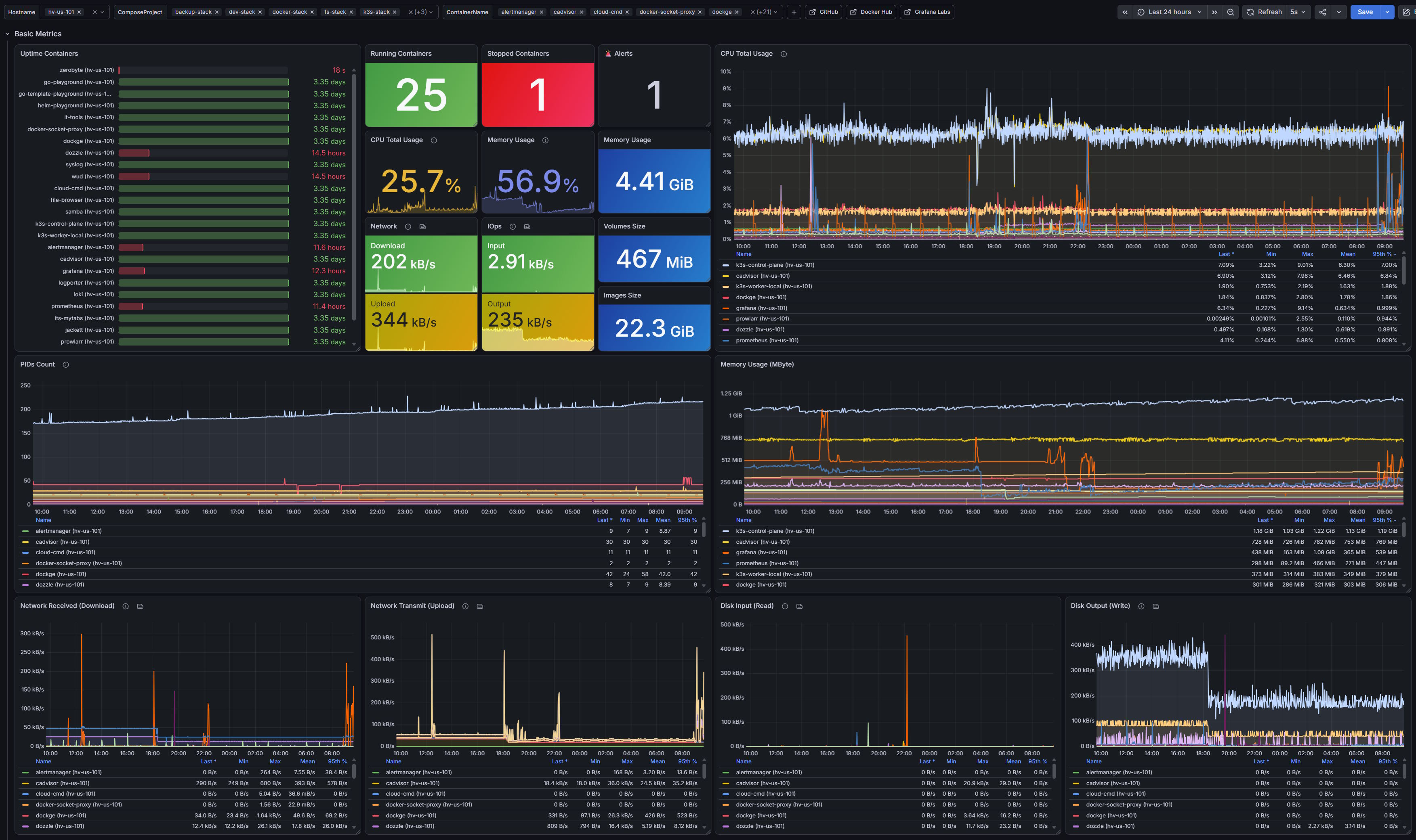
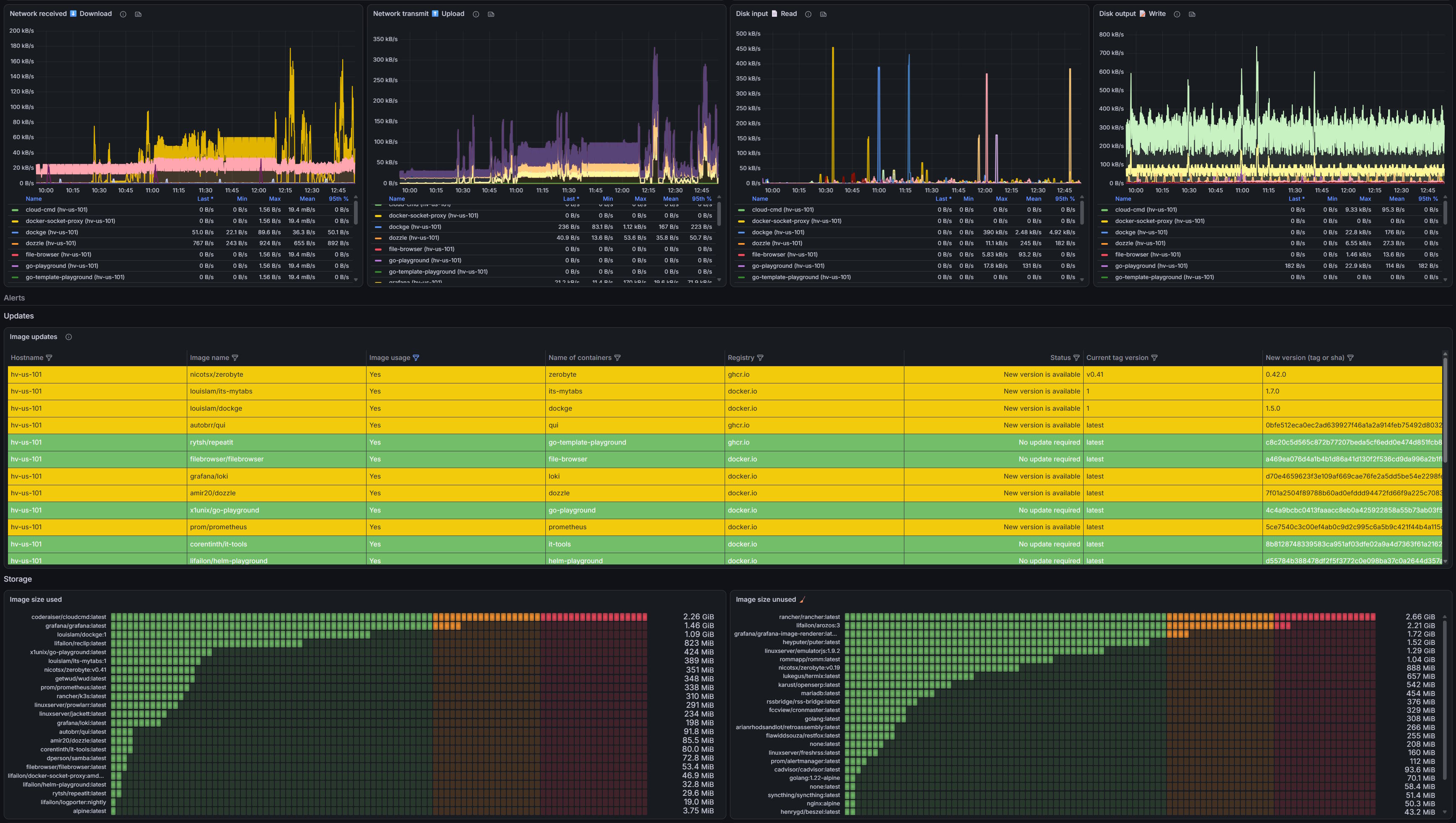
- Import the prepared public Grafana dashboard using the id
23848or from json file.
Loki
- Configure a connection with Loki to send logs using environment variables:
| Label | Type | Default | Description |
|---|---|---|---|
LOKI_URL | string | "" | Loki server address and port |
LOKI_USERNAME | string | "" | basic auth username for Loki (optional) |
LOKI_PASSWORD | string | "" | basic auth password for Loki (optional) |
LOKI_TENANT_ID | string | "" | Tenant id sent in the X-Scope-OrgID header (optional) |
LOKI_PUSH_SECONDS | int | 5 | Maximum wait time in seconds before pushing the batch to Loki |
LOKI_PUSH_LINES | int | 1000 | Maximum number of log entries (lines) before pushing the batch in one request |
LOKI_BUFFER_LINES | int | 10000 | Buffer size in entries before they are dropped (memory protection) |
By default, metrics collection is disabled if the LOKI_URL variable is empty.
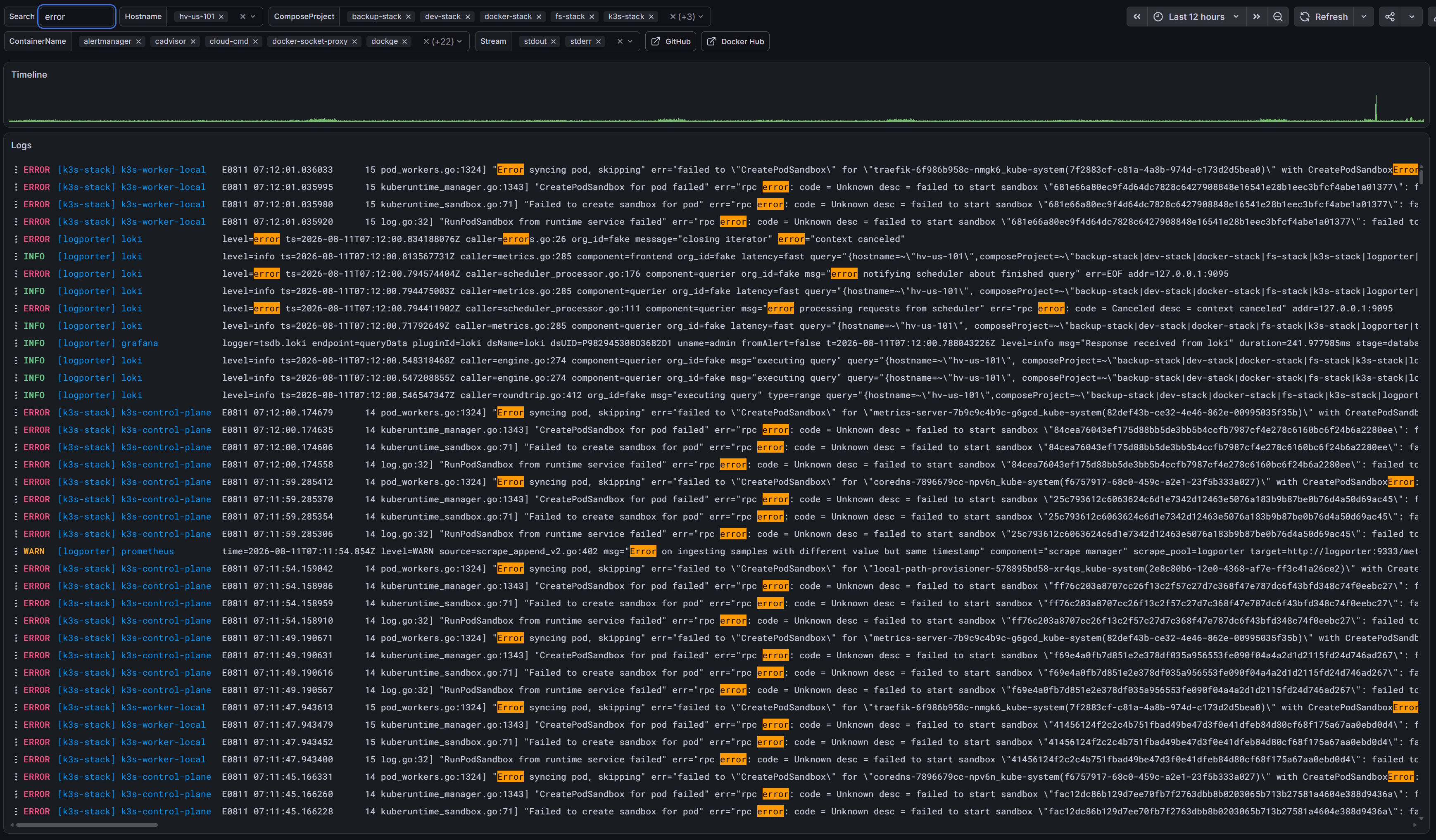
- Import the prepared Loki log dashboard into Grafana from json file.
Tag summary
Content type
Image
Digest
sha256:1341b9ab8…
Size
8.3 MB
Last updated
2 days ago
docker pull lifailon/logporter