ljishen/vnc-android-studio
Android Studio in Docker via VNC
Image
2
1.4K
ljishen/vnc-android-studio repository overview
Android Studio in Docker via VNC
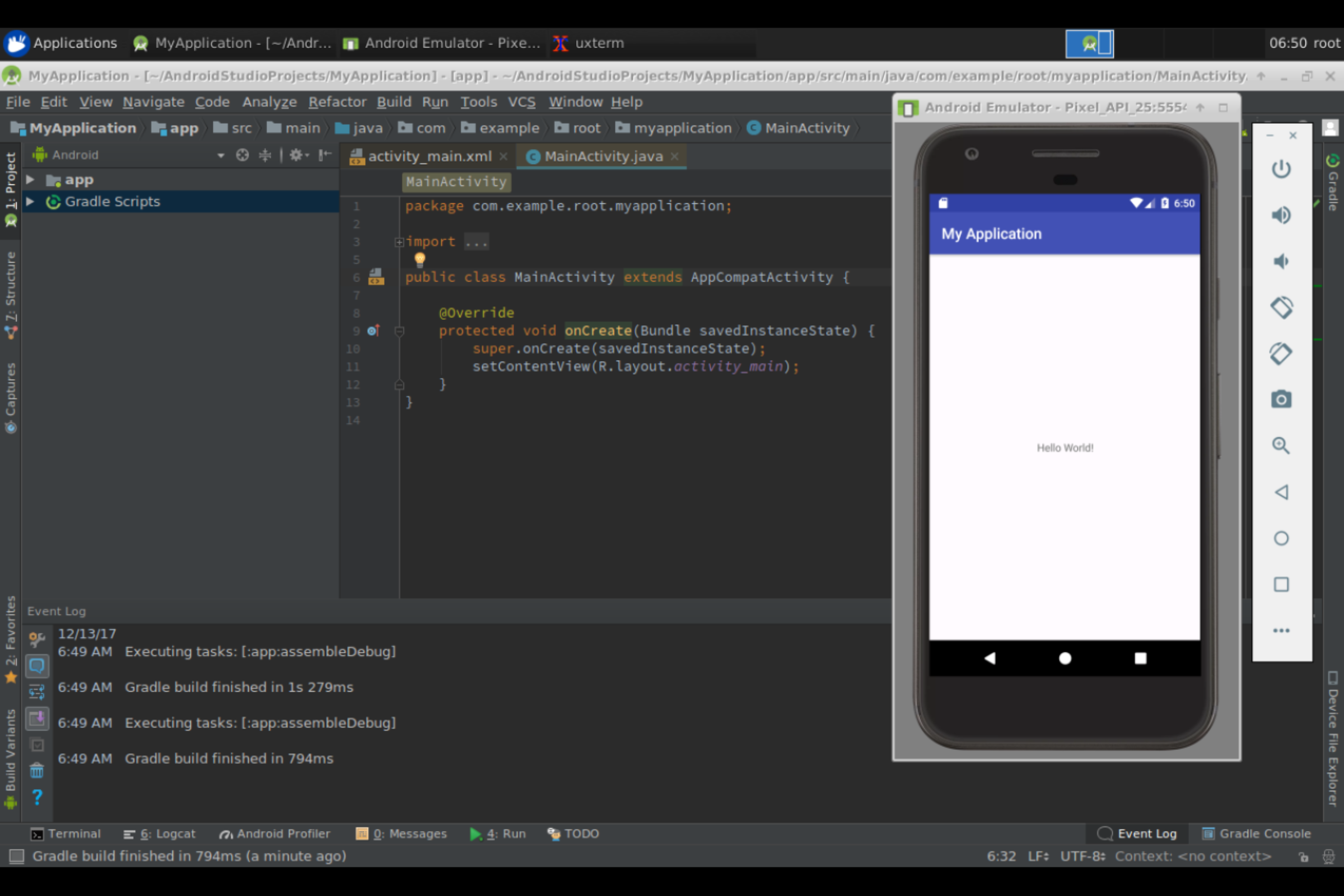
This image helps you to bootstrap your Android development environment in the remote host.
Prerequisites
- Make sure you have
KVMinstalled properly in the host (e.g. KVM installation for Ubuntu) - The current user
$USERhas enough permission to access/dev/kvm
Usage
-
Download and extract the Android Studio
.zipbundle in the remote hostunzip android-studio-ide-XXX.XXXXXXX-linux.zip -d $HOME/android -
Start VNC server with the
runscript./run -
Connect to the remote host via VNC viewer
[HOST_IP]:5901, default password:vncpasswordYou can also connect via browsing
http://[HOST_IP]:6901/vnc.html, default password:vncpassword -
You should see the Android Studio already started on the desktop, otherwaise you can launch it via command line
studio.sh
Credit
- More configurations and options can be found from docker-headless-vnc-container
Tag summary
Content type
Image
Digest
Size
473.7 MB
Last updated
over 8 years ago
docker pull ljishen/vnc-android-studio