lxdware/dashboard
This LXD dashboard is a web-based user interface for managing LXD containers and virtual machines
100K+
lxdware/dashboard repository overview
Quick Reference
- Maintained by: LXDWARE
- Source Code: https://github.com/lxdware/lxd-dashboard
- Where to learn more: https://lxdware.com
- License: GNU AFFERO GENERAL PUBLIC LICENSE v3.0
Supported tags
- latest, 3.8.0
What is this software?
This open source LXD dashboard is developed by LXDWARE and provides a web-based user interface capable of managing multiple LXD servers from a single location. The dashboard container can be run in your data-center or even on your personal laptop. Some of the features include:
- Connect and manage multiple LXD servers
- Create LXD container and virtual machine instances from either a form or JSON input
- Start, stop, rename, and delete LXD instances
- Copy instances to create new instances
- Create, restore and delete snapshots of instances
- Create instances from snaphots
- Migrate instances between hosts on an LXD cluster
- Download LXD container and virtual machine images to LXD hosts
- Create, edit, apply, and remove LXD profiles
- Create, edit, and delete networks, storage pools, storage volumes, and projects
- Switch between projects on an LXD host
- Interact with instances using web-based terminal
- Create and download backups of LXD instance to your local computer
- Create local users and groups
- Apply role based access control
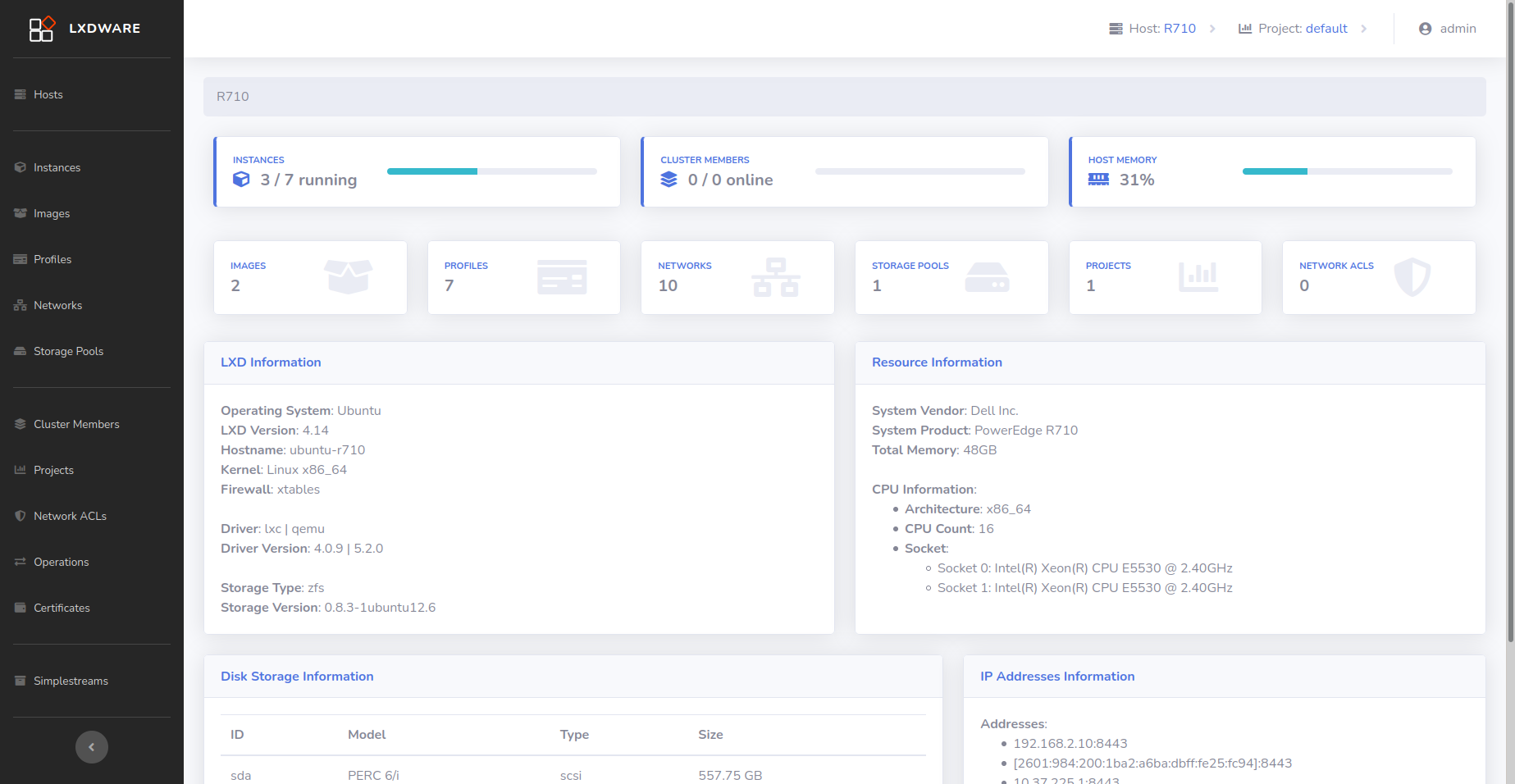
What is in this image
The LXDWARE dashboard is built using Ubuntu 20.04. The web server is the latest version of NGINX with PHP as a server-side language. The dashboard securely connects to your remote LXD servers and make changes using the LXD REST API
How to use this image
docker run -d --name dashboard -p 80:80 -v ~/lxdware:/var/lxdware --restart=always lxdware/dashboard:latest
This will create a container that keeps persistent data, such as your remote server information and keypairs. The web dashboard can be accessed using the IP address as the URL of your server. It runs on port 80.
Exposed ports
- 80: This is the default http port.
HTTPS
The dashboard doesn't support HTTPS itself. As with many docker images, it should be reverse proxied by NGINX, Apache, HAProxy or similar tool that will allow for the HTTPS connection.
Screenshots
Screenshots are available at https://lxdware.com/screenshots/
License
The LXDWARE dashboard is licensed under GNU AFFERO GENERAL PUBLIC LICENSE v3.0.
As with all Docker images, these likely also contain other software which may be under other licenses (such as Bash, etc from the base distribution, along with any direct or indirect dependencies of the primary software being contained).
Tag summary
Content type
Image
Digest
sha256:7fd3e839c…
Size
128.3 MB
Last updated
about 3 years ago
docker pull lxdware/dashboard