mablhq/link-agent
The mabl Link Agent provides a secure tunnel for mabl to access non-public test environments
500K+
mablhq/link-agent repository overview
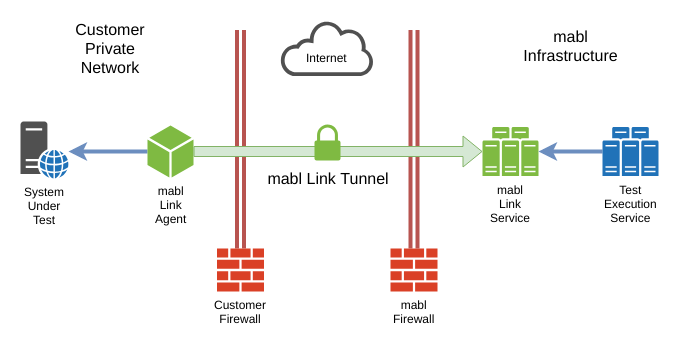
Using this Image
Supported tags
latest
Running the container
The Link Agent requires a minimum of two arguments:
- Your API key
- A valid agent name (conforming to the regular expression
^[a-z0-9-]{1,24}$) that will be used to identify the agent in the mabl app
Here is an example showing how to use this container to start a Link Agent:
$ docker run mablhq/link-agent --api-key <your-api-key> --name <agent-name>
Alternatively, you can run the agent as a daemon:
$ docker run -d --name mabl-link-agent mablhq/link-agent \
--api-key <your-api-key> --name <agent-name>
If your test needs to access services running on the docker host (the machine/VM where docker is running), such as localhost URLs, you will need to add an additional flag when starting docker: --net="host". For example:
$ docker run --net="host" mablhq/link-agent --api-key <your-api-key> --name <agent-name>
Unfortunately, the --net="host" flag only works in the Linux version of Docker. It will not work on MacOS or Windows. See #1, #2, and #3 for more information.
Documentation
For more information please review the following documentation:
Tag summary
Content type
Image
Digest
sha256:5d97675c9…
Size
418 MB
Last updated
7 days ago
docker pull mablhq/link-agent