majindageta/gdownloader-docker
A docker version of GDownloader with UI
138
majindageta/gdownloader-docker repository overview
GDownloader Docker
Unofficial Docker image for GDownloader, with the original Swing GUI accessible from a browser through noVNC. The image targets linux/amd64 exclusively and includes GDownloader, yt-dlp, Deno, FFmpeg, and ffprobe. gallery-dl and spotDL are not included and are disabled in the initial configuration.
This is a fixed image: the application and dependencies are updated by rebuilding and recreating the image. GDownloader does not update itself automatically inside the container.
Interface Preview
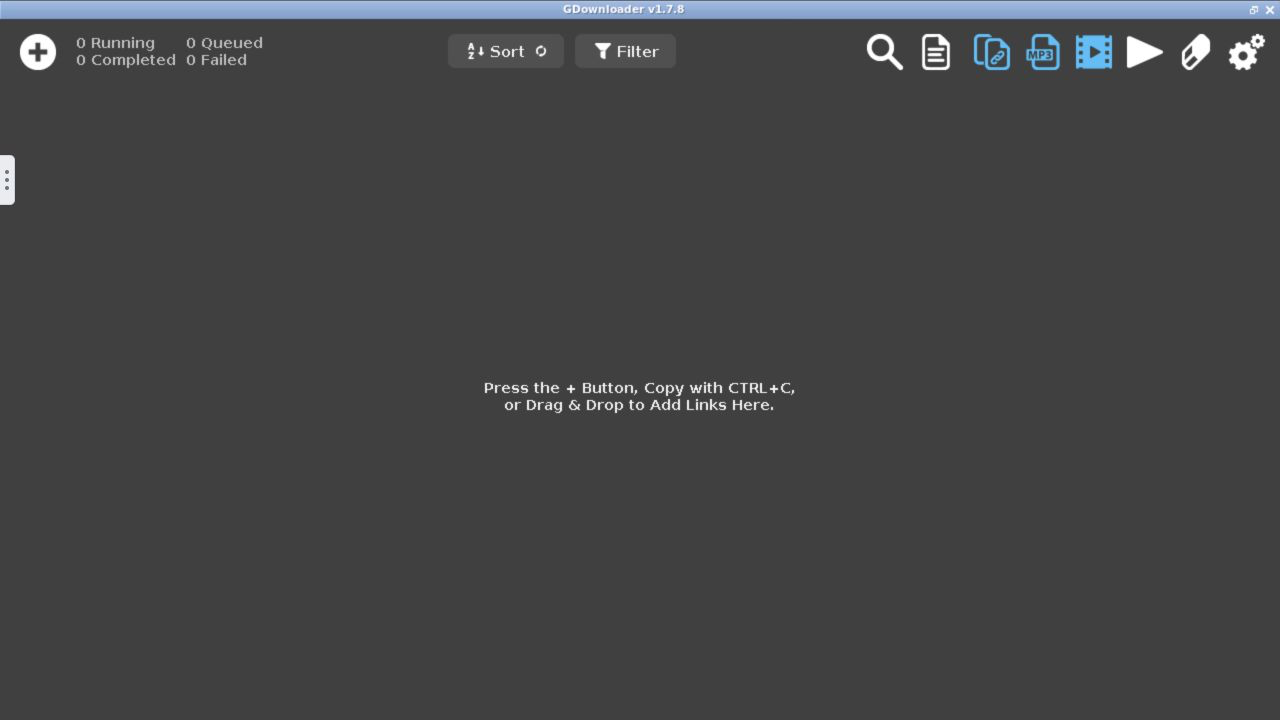
The original GDownloader Swing interface is available directly in a browser through noVNC.
Project Documentation
- Architecture: build, startup, GUI, persistence, and system boundaries.
- Glossary: canonical vocabulary used in the repository.
- Maintenance: component updates, checksums, tests, deployment, and rollback.
- Releasing: maintainer credentials, release publication, verification, and token replacement.
- End-to-end verification: evidence collected for the current image.
- Contributing: development workflow and repository hygiene.
- Security policy: supported version and private vulnerability reporting.
Agents modifying the repository must start with AGENTS.md.
Runtime Requirements
To run the container, you only need to choose:
- the host port to map to the container's web port
5800; - a persistent directory to mount at
/config; - a directory for downloaded files to mount at
/output.
No separate temporary volume is required. VNC port 5900 is not published.
Build
From a checkout of this repository:
./scripts/build.sh
The build reads versions.env, verifies artifact checksums, and produces gdownloader-docker:1.7.8-2 for linux/amd64.
Stable images are also published on Docker Hub. The current stable image corresponds to GitHub Release v1.7.8-2.
Running with Docker
Adjust both host paths and, if necessary, the number to the left of 5800:5800:
docker run -d \
    --name=gdownloader \
    -p 5800:5800 \
    -v /docker/appdata/gdownloader:/config:rw \
    -v /home/user/Downloads:/output:rw \
    --restart unless-stopped \
    majindageta/gdownloader-docker:1.7.8-2
Open http://<SERVER-IP>:5800. To use host port 8080, for example, change the mapping to -p 8080:5800 and open http://<SERVER-IP>:8080.
Docker Compose
The compose.yaml file contains the minimal configuration:
services:
  gdownloader:
    image: majindageta/gdownloader-docker:1.7.8-2
    container_name: gdownloader
    ports:
      - "5800:5800"
    volumes:
      - /docker/appdata/gdownloader:/config:rw
      - /home/user/Downloads:/output:rw
    restart: unless-stopped
After adjusting the port and paths:
docker compose up -d
Portainer Stack
- Confirm that the Docker node can pull
majindageta/gdownloader-docker:1.7.8-2from Docker Hub. - In Portainer, open Stacks, select Add stack, and paste the contents of
compose.yamlinto the Web editor. - You must adjust the host port,
/configpath, and/outputpath for your server. - Select Deploy the stack and open
http://<SERVER-IP>:5800.
Portainer pulls the referenced versioned tag from Docker Hub when it is not already present on the node.
Optional Variables
No variable is required. The jlesage base defaults are:
| Variable | Default | Purpose |
|---|---|---|
USER_ID | 1000 | UID used by the application process |
GROUP_ID | 1000 | GID used by the application process |
UMASK | 0022 | Permission mask for new files |
TZ | Etc/UTC | Container time zone |
LANG | en_US.UTF-8 | Container language/locale |
DISPLAY_WIDTH | 1920 | Virtual desktop width |
DISPLAY_HEIGHT | 1080 | Virtual desktop height |
To add them to docker run, use -e TZ=Europe/Rome, for example. In Compose, add them under an environment: section.
Persistence and Backup
/config contains GDownloader configuration, logs, and state; /output contains downloads. Recreating the container with the same mounts preserves both. Do not mount the same host directory at both paths.
For a consistent configuration backup, stop the container and archive the host directory:
docker stop gdownloader
tar -C /docker/appdata -czf gdownloader-config-backup.tgz gdownloader
docker start gdownloader
Updating
A manual update consists of changing versions and checksums in versions.env, rebuilding with ./scripts/build.sh, and recreating the container with the same volumes. Back up /config before the operation.
The typical Compose procedure is:
./scripts/build.sh
docker compose up -d --force-recreate
The absence of automatic updates is an intentional limitation of the first version: dependencies and GDownloader remain reproducible and change only with a new image.
Publishing a Stable Release
This section is for repository maintainers. GitHub Actions publishes an image only when a GitHub Release is published. The release tag must exactly match the version in versions.env: GDOWNLOADER_VERSION=1.7.8 and CONTAINER_REVISION=2 require GitHub tag v1.7.8-2.
The repository requires GitHub Actions variable DOCKERHUB_USERNAME and secret DOCKERHUB_TOKEN. Use a dedicated Docker Hub token with Read & Write permission and never commit or print it. The complete credential setup, release sequence, publication checks, and replacement procedure are documented in Releasing.
After the complete test suite passes and the changes are on main, publish the matching GitHub Release. The workflow tests the built image before authenticating and then publishes both majindageta/gdownloader-docker:1.7.8-2 and majindageta/gdownloader-docker:latest.
Security
This configuration is intended for exposure only on a trusted local network. Do not publish the web UI directly on the Internet: the default mapping listens on all host interfaces, and the base does not enable authentication by default. For remote access, use a VPN or an authenticated reverse proxy protected with TLS.
Troubleshooting
- Permissions: verify that the configured UID/GID can write to the host directories mounted at
/configand/output. Startup logs clearly identify any unwritable directory. - Health check: run
docker inspect --format '{{json .State.Health}}' gdownloaderand verify that internal port5800responds. - Logs: use
docker logs gdownloader; persistent application logs are stored in/config/logs/current.log. - FFmpeg: check with
docker exec gdownloader ffmpeg -versionanddocker exec gdownloader ffprobe -version. The initial configuration uses the system executables included in the image. - UI unreachable: check
docker ps, the port mapping, and the server firewall.
Included Component Sources
License
The Docker packaging in this repository is distributed under the GNU General Public License v3.0, identified as GPL-3.0-only. Redistributed applications and dependencies retain their respective licenses and attribution requirements, which are listed in THIRD_PARTY_NOTICES.md.
GDownloader is an upstream project by hstr0100. This repository is an unofficial packaging project and is neither affiliated with nor supported by the original project.
Tag summary
Content type
Image
Digest
sha256:9891413d4…
Size
392.1 MB
Last updated
2 months ago
docker pull majindageta/gdownloader-docker