mauricelambert/webscripts
WebScripts is a tool to run scripts and display the result in a Web Interface.
2.2K
mauricelambert/webscripts repository overview

WebScripts containers - Docker
WebScripts
Description
WebScripts is a tool to run scripts and display the result in a Web Interface.
Documenation
The documentation is available on readthedocs and on my github wiki.
Sources
Sources are available on my github.
Containers
Three tags are available on Docker hub.
- The WebScripts Server (tag is the version, example:
3.0.11) - Deployment of WebScripts Server with Apache and mod_wsgi (tag are apache_<version>, example:
apache_3.0.11andlastest, default container) - Deployment of WebScripts Server with Nginx as HTTPS proxy (tag is nginx_<version>, example:
nginx_3.0.11)
Dockerfiles are available on my github.
WebScripts with Apache deployment using mod_wsgi
Docker hub
Demo
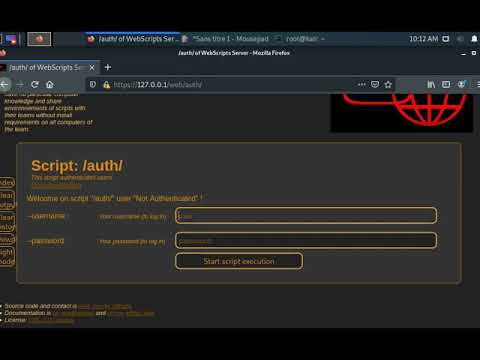
Deploy WebScripts with Docker - Youtube video
Download
Using default docker image:
docker pull mauricelambert/webscripts
Using default docker image:
docker pull mauricelambert/webscripts:latest
Using specific version of WebScripts:
docker pull mauricelambert/webscripts:apache_3.0.11
Run
For test:
docker run --name WebScripts -d mauricelambert/webscripts:apache_3.0.11
For deployment:
docker run --name WebScripts --restart always -p 80:80/tcp -p 443:443/tcp --mount type=volume,source=apache_webscripts_data,target=/usr/src/WebScripts/lib/data -d mauricelambert/webscripts:apache_3.0.11
Github
Clone
git clone https://github.com/mauricelambert/WebScriptsContainers.git
Build
NOTE: the volume is not compatible with the Nginx deployment and the basic WebScripts container because the owner is not the same, you should change the owner of each files to use the apache deployment volume with nginx container or the basic WebScripts container.
cd apache
docker build --build-arg PASS=<AdminPassword> -t apache_webscripts .
docker volume create apache_webscripts_data
Run
For test:
docker run --name WebScripts -d apache_webscripts
For deployment:
docker run --name WebScripts --restart always -p 80:80/tcp -p 443:443/tcp --mount type=volume,source=apache_webscripts_data,target=/usr/src/WebScripts/data -d apache_webscripts
WebScripts with Nginx as HTTPS proxy
Docker hub
Download
docker pull mauricelambert/webscripts:nginx_3.0.11
Run
For test:
docker run --name WebScripts -it --rm mauricelambert/webscripts:nginx_3.0.11
For deployment:
docker run --name WebScripts --restart always -p 80:80/tcp -p 443:443/tcp --mount type=volume,source=apache_webscripts_data,target=/usr/src/WebScripts/data -d mauricelambert/webscripts:nginx_2.4.9
Github
Clone
git clone https://github.com/mauricelambert/WebScriptsContainers.git
Build
NOTE: the volume is compatible with the basic WebScripts container but not with the Apache deployment because the owner is not the same, you should change the owner of each files to use the nginx deployment volume with apache container.
cd nginx
docker build --build-arg PASS=<AdminPassword> -t nginx_webscripts .
docker volume create webscripts_data
Run
For test:
docker run --name WebScripts -it --rm nginx_webscripts
For deployment:
docker run --name WebScripts --restart always -p 80:80/tcp -p 443:443/tcp --mount type=volume,source=apache_webscripts_data,target=/usr/src/WebScripts/data -d nginx_webscripts
Simple WebScripts
The connection is not secure (the socket is not secure by SSL. It's HTTP not HTTPS).
Docker hub
Download
docker pull mauricelambert/webscripts:3.0.11
Run
For test:
docker run --name WebScripts -it --rm mauricelambert/webscripts:3.0.11
For deployment:
docker run --name WebScripts --restart always -p 80:8000/tcp --mount type=volume,source=apache_webscripts_data,target=/usr/src/WebScripts/data -d mauricelambert/webscripts:3.0.11
Github
Clone
git clone https://github.com/mauricelambert/WebScriptsContainers.git
Build
NOTE: the volume is compatible with the Nginx deployment but not with the Apache deployment because the owner is not the same, you should change the owner of each files to use the basic WebScripts deployment volume with apache container.
cd simple
docker build --build-arg PASS=<AdminPassword> -t webscripts .
docker volume create webscripts_data
Run
For test:
docker run --name WebScripts -it --rm webscripts
For deployment:
docker run --name WebScripts --restart always -p 80:8000/tcp --mount type=volume,source=apache_webscripts_data,target=/usr/src/WebScripts/data -d webscripts
Useful commands
Console output
docker logs <dockerID>
Pull files
docker cp <dockerID>:/usr/src/WebScripts/data data
docker cp <dockerID>:/usr/src/WebScripts/hardening/audit.html audit.html
docker cp <dockerID>:/usr/src/WebScripts/logs logs
Interactive Bash in the container
docker exec -it WebScripts bash
Tag summary
Content type
Image
Digest
sha256:a095ac424…
Size
396.9 MB
Last updated
over 1 year ago
docker pull mauricelambert/webscripts