maximleus/awscli-addons
Fast AWS CLI tools for MFA, role assumption, ECR management, and session identity.
649
maximleus/awscli-addons repository overview
🚀 AWSCLI-Addons
High-performance CLI utilities to extend and simplify AWS workflows





A collection of high-performance, standalone CLI utilities designed to extend and simplify your daily AWS workflows. These tools bridge the gap between complex aws cli commands and common developer tasks like MFA authentication, role assumption, ECR management, and identity verification.
🛠️ Features
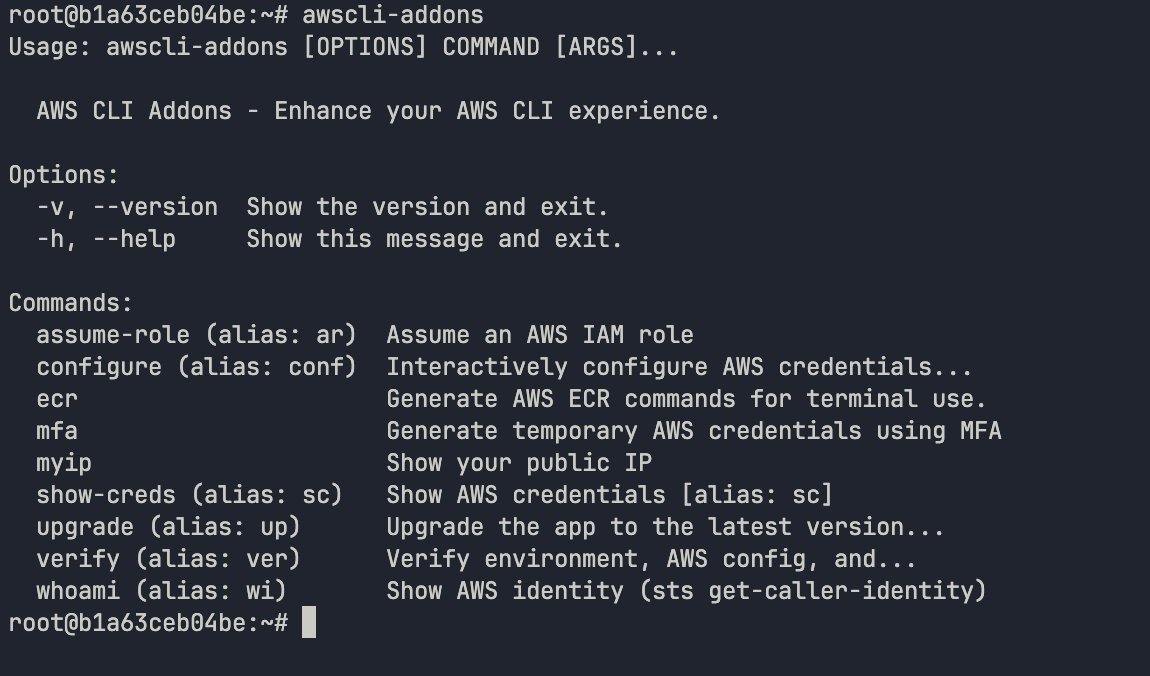
This suite adds specialized commands to your toolkit (with built-in shorthand aliases!):
whoami(wi): Quickly identifies the current IAM identity, account ID, and region.mfa: Streamlines the generation of temporary session tokens using a multi-factor authentication device.assume-role(ar): Simplifies switching between AWS accounts and IAM roles.show-creds(sc): View your active AWS credentials (with options to export or reveal secrets).configure(conf): Interactively configure AWS credentials and settings.myip: Instantly retrieves your current public IP address (crucial for updating Security Group ingress rules).verify(ver): Validates your current credentials and connection to ensure your environment is cloud-ready.ecr: A suite of subcommands to generate Docker/Helm login commands and manage repositories.upgrade(up): Seamlessly update the CLI to the latest version.
📂 Project Structure
awscli-addons
├── Dockerfile              # Container definition for consistent environments
├── awscli_addons/          # Main Python source package
│   ├── cli.py              # Application entry point & command routing
│   ├── commands/           # Logic for individual CLI subcommands
│   └── utils/              # Internal helper modules
│       └── aws_config.py   # shared logic for parsing ~/.aws files
├── docs/                   # Detailed documentation suite
│   ├── CONFIGURATION.md    # Guide for AWS profiles & aliases
│   ├── DEPLOYMENT.md       # Binary compilation & release info
│   ├── DEVELOPMENT.md      # Setup guide for contributors
│   ├── KUBERNETES.md       # Pod/CronJob & IRSA usage (Recommended)
│   ├── OVERVIEW.md         # Technical architecture deep-dive
│   └── TODO.md             # Project roadmap & pending tasks
├── pyproject.toml          # Modern Python build config & dependencies
└── tools/                  # Automation and distribution scripts
    ├── build.sh            # Script to compile standalone binaries
    └── installer.sh        # One-line installation & alias setup script
🚀 Installation
Instant Install (Recommended)
Use our hosted installer to automatically detect your OS and Architecture.
| Mode | Command |
|---|---|
| Auto | curl -sSL https://raw.githubusercontent.com/MaksymLeus/awscli-addons/main/tools/installer.sh | bash |
| Force Binary | curl -sSL https://raw.githubusercontent.com/MaksymLeus/awscli-addons/main/tools/installer.sh | BINARY_CMD=true bash |
| Force Python | curl -sSL https://raw.githubusercontent.com/MaksymLeus/awscli-addons/main/tools/installer.sh | PYTHON_ONLY=true bash |
Prerequisites: git and python 3.11+ (for Python mode).
Install a Specific Version:
curl -sSL https://raw.githubusercontent.com/MaksymLeus/awscli-addons/main/tools/installer.sh | VERSION=v1.1.2 bash
Manual Installation
Download the appropriate binary for your platform from the Releases page:
# Example for Linux AMD64
wget https://github.com/MaksymLeus/awscli-addons/releases/download/${VERSION}/awscli-addons-linux-amd64
chmod +x awscli-addons-linux-amd64
sudo mv awscli-addons-linux-amd64 /usr/local/bin/awscli-addons
📖 Usage
Once installed, use the commands directly or via the native AWS CLI integration.
Direct Usage
# Check your current identity using the alias 'wi'
awscli-addons wi

# Generate MFA session for a specific profile
awscli-addons mfa --profile default --mfa-code 123456

# View AWS credentials for the current session
awscli-addons sc --reveal

# Generate ECR Docker login command
awscli-addons ecr login --profile my-profile
Power User: Native AWS CLI Integration
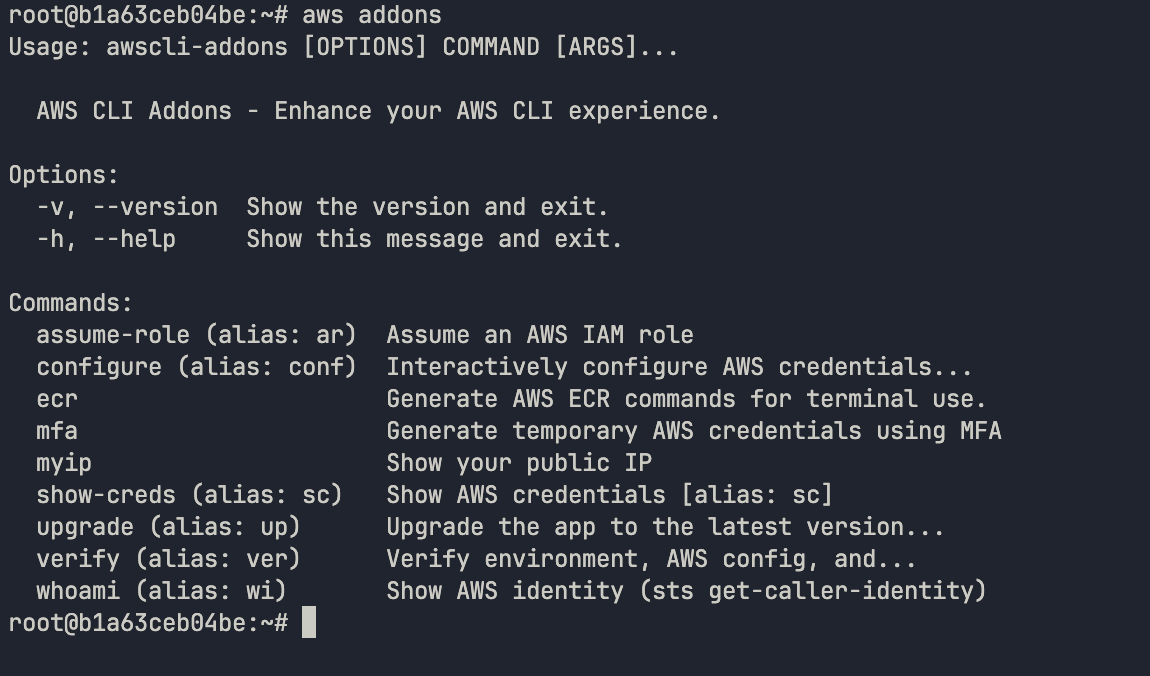
The installer automatically configures an AWS CLI alias for you. If you install the official AWS CLI after these addons, the integration will be ready to use.
It adds a persistent alias to your ~/.aws/cli/alias configuration, mapping aws addons directly to your awscli-addons binary.
🔨 Development & Building
To build the project from source or add new commands:
-
Install dependencies:
pip install . -
Add a command:
Create a new
.pyfile inawscli_addons/commands/and register it incli.py. -
Build standalone binaries:
./tools/build.sh
Docker
Run the tools inside a container:
# Interactive identity check
docker run --rm -v ~/.aws:/root/.aws awscli-addons whoami

# Drop into a shell inside the container
docker run --rm -it --entrypoint bash awscli-addons
Kubernetes
Use the addons for debugging or automation inside your cluster.
# Bypass entrypoint to reach bash
kubectl run aws-debug -it --rm --image=your-repo/awscli-addons:latest --command -- /bin/bash

# Run identity check directly
kubectl run aws-check --rm -it --image=your-repo/awscli-addons:latest -- wi
📚 Documentation
For more detailed information, please refer to the docs/ directory:
| Document | Purpose |
|---|---|
OVERVIEW.md | Architecture and command reference. |
CONFIGURATION.md | Tool setup and AWS profile management. |
DEPLOYMENT.md | Binary compilation and distribution. |
DEVELOPMENT.md | Guide for contributing and building from source. |
TODO.md | Roadmap & planned improvements. |
Contributing
- Fork the repository
- Create a feature branch (
git checkout -b feature/amazing-feature) - Commit your changes (
git commit -m 'feat: Add amazing feature') - Push to the branch (
git push origin feature/amazing-feature) - Open a Pull request
See docs/DEVELOPMENT.md for development setup.
📄 License
MIT License — see LICENSE.md for details.
Support
Tag summary
Content type
Image
Digest
sha256:00d30873a…
Size
137.4 MB
Last updated
8 months ago
docker pull maximleus/awscli-addons