mbraut/nettools
web application to monitor your local network and measure your Internet connection speed.
1.9K
mbraut/nettools repository overview

NetTools
Self-hosted network monitor and speed test
GitHub • Quick Start • Features • Screenshots • Configuration
Description
NetTools is a self-hosted web application to monitor your local network and measure your Internet connection speed. It provides a modern, responsive interface with three main modules: Net Speed (speed tests), Net Alert (device discovery) and Net Check (diagnostic tools).
Key Features
- Automatic and manual speed tests with Ookla Speedtest CLI
- Local network device discovery with arp-scan and nmap
- Diagnostic tools: Ping, Traceroute and NSLookup
- Telegram notifications when new devices are detected
- Interactive charts with speed, latency and device history
- Light, dark and auto themes
- Customizable accent colors
- Configurable timezone
- Full REST API
- No cloud dependencies - everything runs on your server
Quick Start
Docker Run
docker run -d \
  --name nettools \
  --network host \
  -v nettools-data:/data \
  -e TZ=Europe/Madrid \
  -e NETTOOLS_PORT=8080 \
  -e NETTOOLS_BACKEND_PORT=8000 \
  --restart unless-stopped \
  mbraut/nettools:latest
Docker Compose
services:
  nettools:
    image: mbraut/nettools:latest
    container_name: nettools
    restart: unless-stopped
    network_mode: host
    volumes:
      - nettools-data:/data
    environment:
      - TZ=Europe/Madrid
      - NETTOOLS_PORT=8080        # Web UI port
      - NETTOOLS_BACKEND_PORT=8000 # API backend port (internal)

volumes:
  nettools-data:
    driver: local
docker compose up -d
Access http://your-server:8080
Note:
network_mode: hostis required forarp-scanandnmapto discover devices on your local network. Without it, speed tests and diagnostic tools will work, but network scanning won't detect devices.
Upgrade
docker pull mbraut/nettools:latest
docker compose down
docker compose up -d
Screenshots
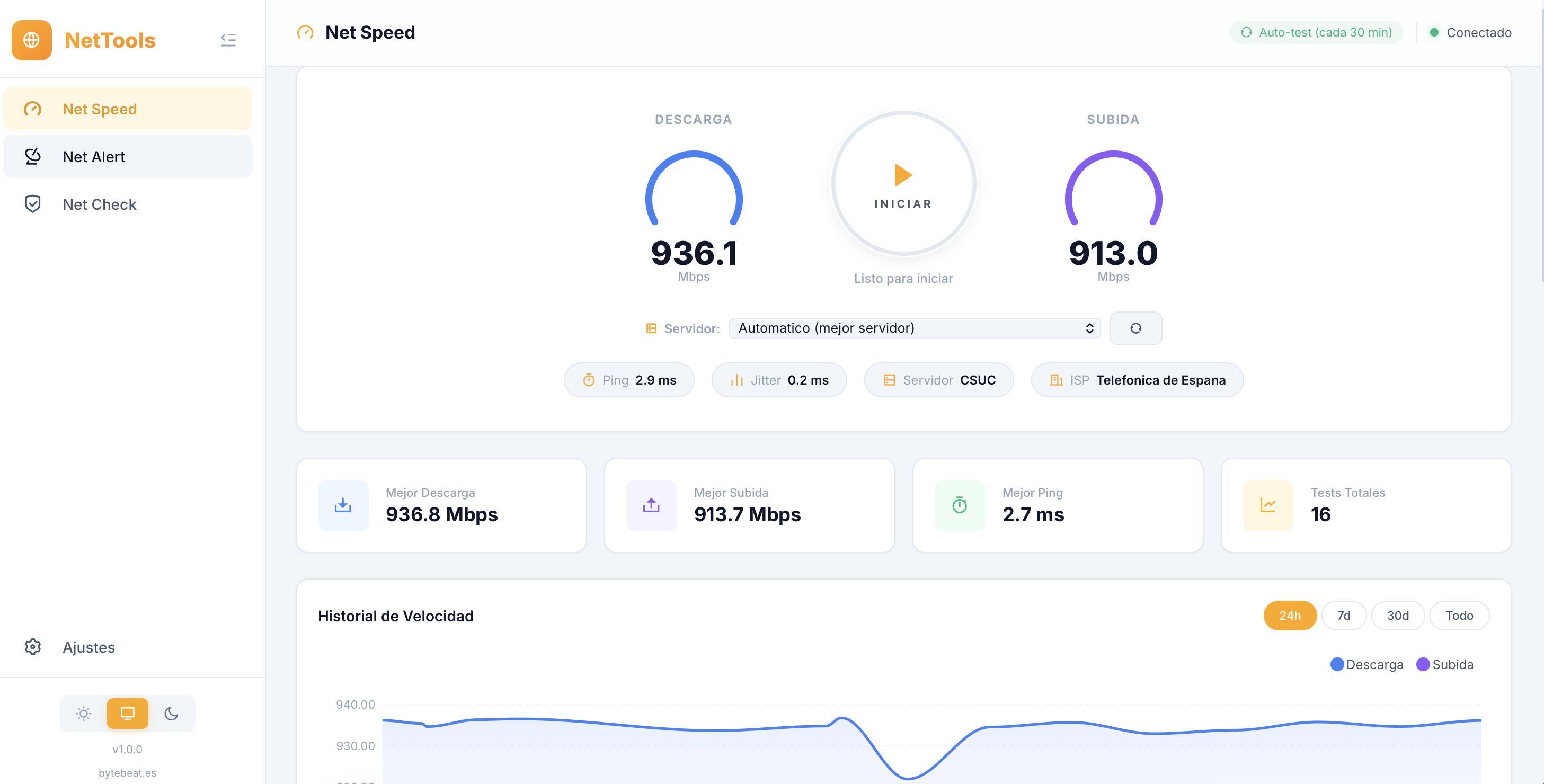
Net Speed
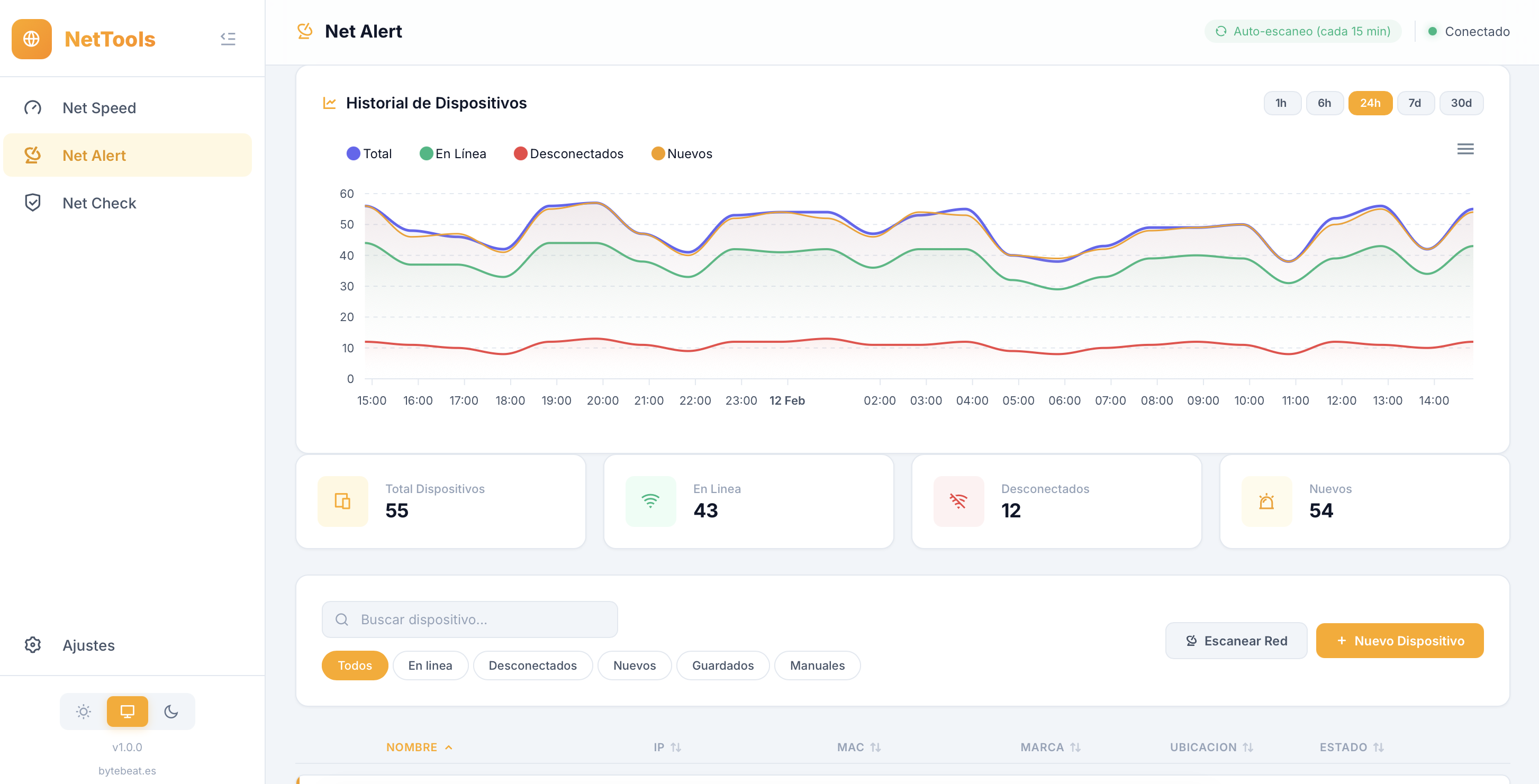
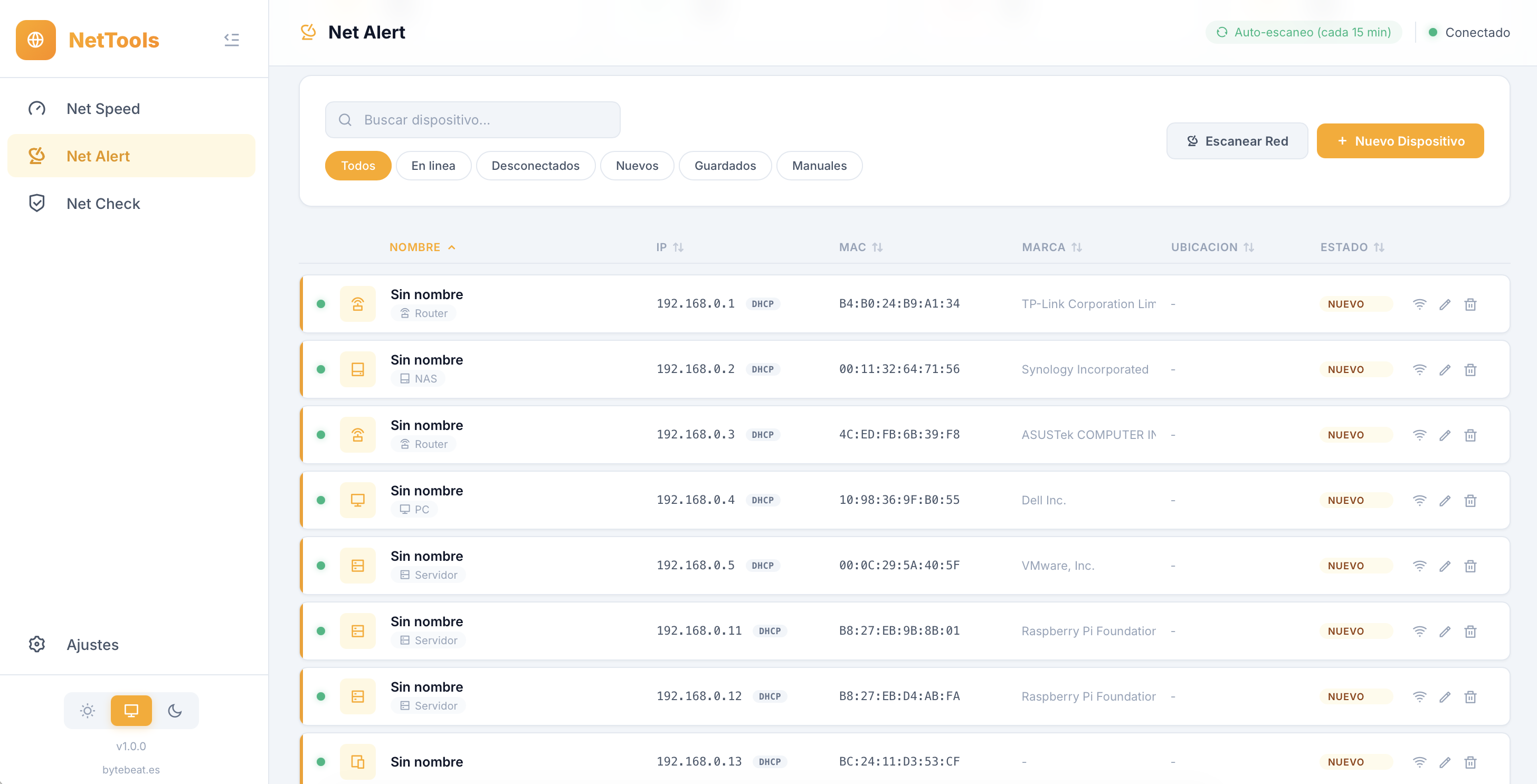
Net Alert
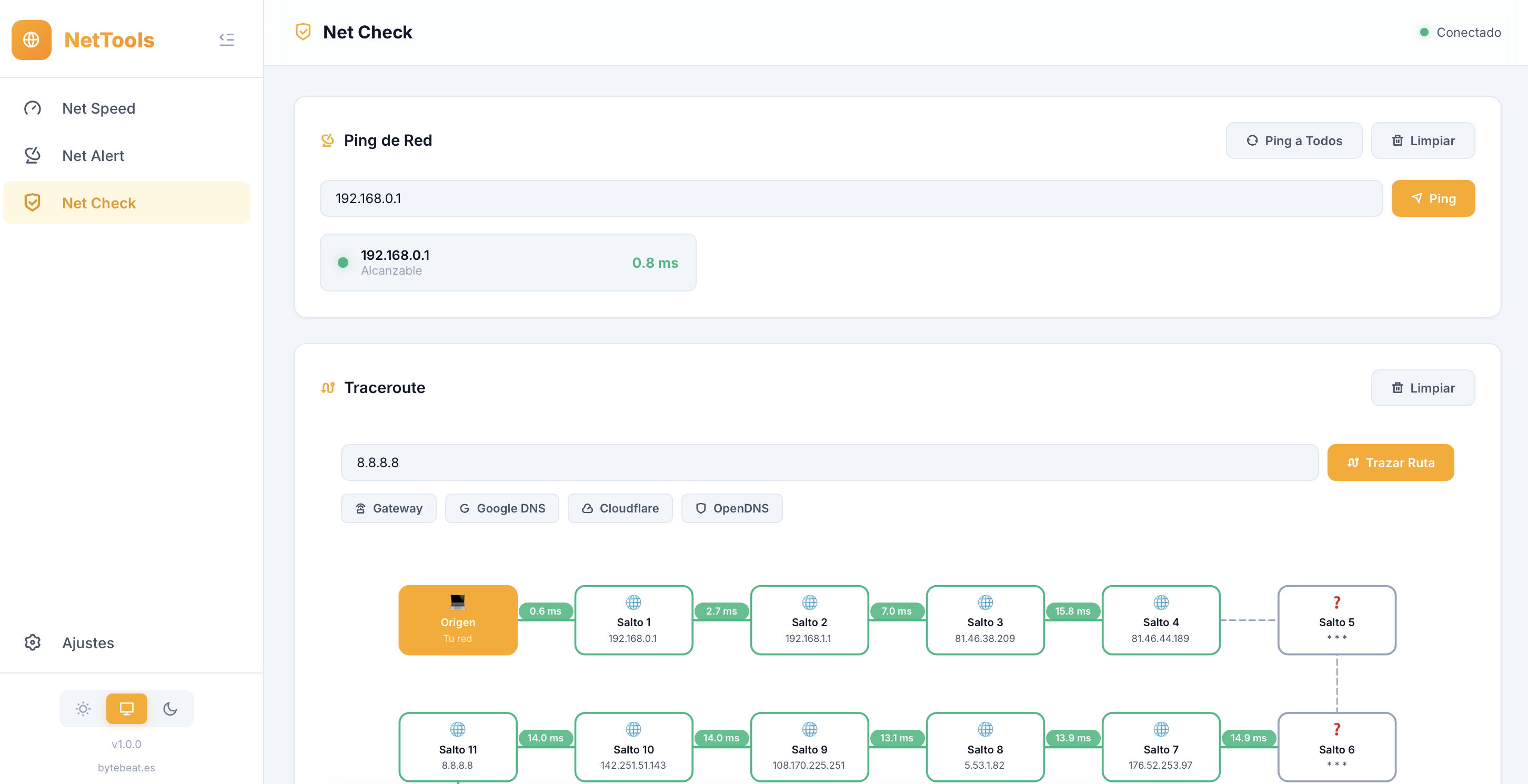
Net Check
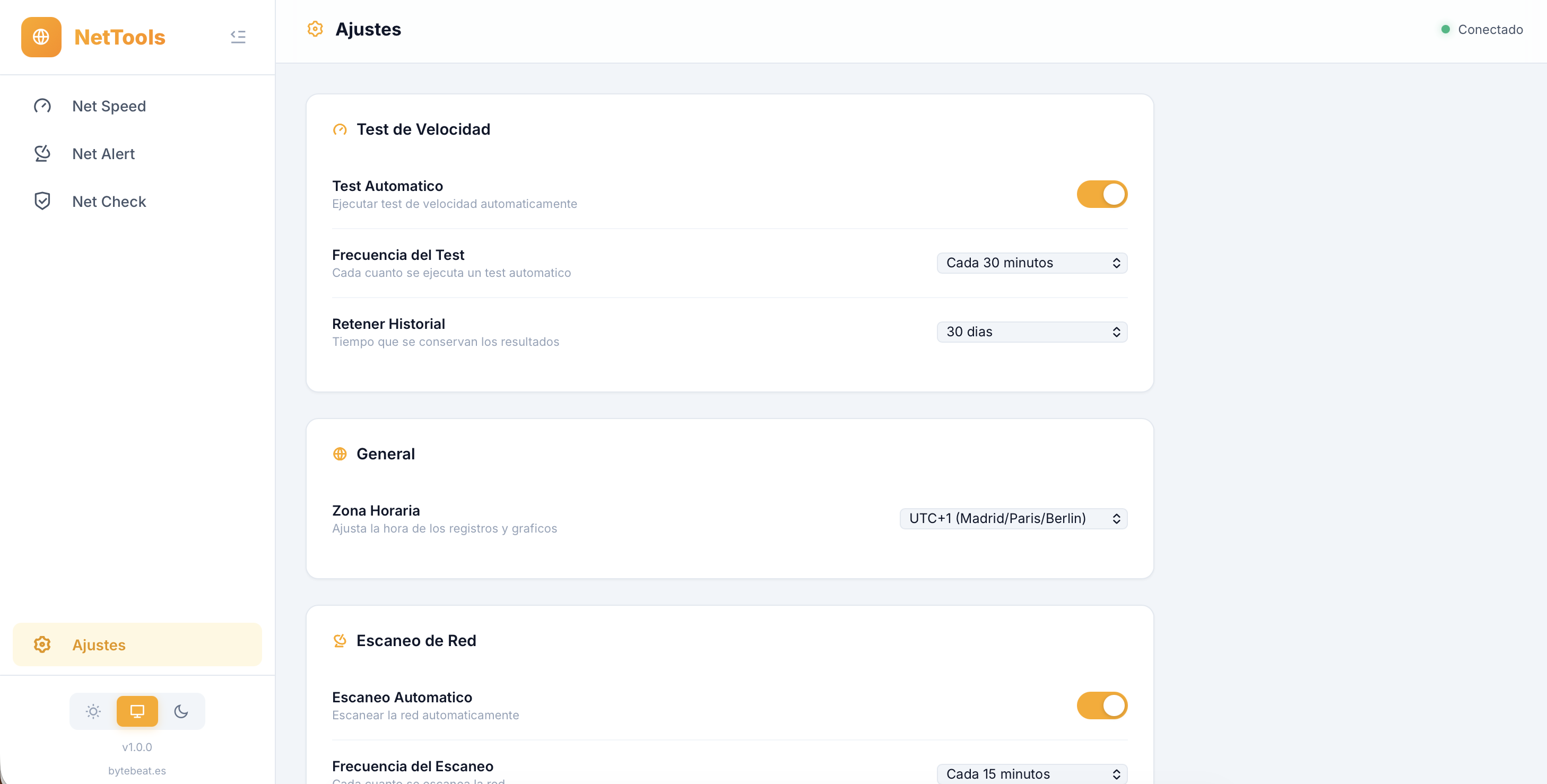
Settings
Features
Net Speed
- Manual speed test with server selection
- Scheduled automatic tests (15 min - 24 h)
- Speed history charts (download/upload)
- Latency charts (ping/jitter)
- Hourly speed averages
- Recent tests table
- Statistics: best download, best upload, best ping, total tests
Net Alert
- Automatic local network scan (arp-scan + nmap)
- New device detection
- Manufacturer identification by MAC address
- Device editing: name, type, location, description
- Static IP or DHCP tagging
- Filters: all, online, offline, new, saved, manual
- Connected devices history (chart)
- Telegram notifications for new devices
Net Check
- Ping: single IP or all saved devices
- Traceroute: route visualization with hop map and detailed table
- NSLookup / DNS: A, AAAA, MX, NS, TXT, CNAME, SOA, PTR, SRV, ANY queries with DNS server selector
Settings
- Automatic test frequency and network scan frequency
- Network range (CIDR) and history retention
- Timezone configuration
- Telegram notifications (bot token + chat ID + connection test)
- Color customization (accent, background, download, upload)
- Data export (JSON)
Configuration
Environment Variables
| Variable | Default | Description |
|---|---|---|
NETTOOLS_PORT | 8080 | Web UI port |
NETTOOLS_BACKEND_PORT | 8000 | API backend port (internal) |
NETTOOLS_DB_PATH | /data/nettools.db | Database path |
TZ | Europe/Madrid | Container timezone |
PYTHONUNBUFFERED | 1 | Real-time logs |
Data Volume
| Path | Contents |
|---|---|
/data/nettools.db | SQLite database with tests, devices and settings |
To backup, simply copy the /data/nettools.db file.
Telegram Setup
- Create a bot with @BotFather on Telegram
- Copy the Bot Token
- Get your Chat ID (you can use @userinfobot)
- In NetTools > Settings > Telegram Notifications:
- Enable Telegram
- Paste the Bot Token and Chat ID
- Click "Send Test" to verify
- Save settings
Architecture
              NETTOOLS_PORT (default 8080)
                        |
                    [ Nginx ]
                    /       \
              Static       /api/*
            (Frontend)        |
                    [ Uvicorn :NETTOOLS_BACKEND_PORT ]
                           (FastAPI)
                              |
                       [ SQLite DB ]
                        /data/nettools.db
| Component | Technology |
|---|---|
| Frontend | HTML5, CSS3, JavaScript (Vanilla) |
| Charts | ApexCharts |
| Backend | Python 3.12, FastAPI, Uvicorn |
| Database | SQLite (WAL mode) |
| Speed Test | Ookla Speedtest CLI |
| Network Scan | arp-scan, nmap |
| Notifications | Telegram Bot API |
System Requirements
| Resource | Minimum |
|---|---|
| CPU | 1 core |
| RAM | 256 MB |
| Disk | 100 MB + database |
| Network | LAN access for scanning |
Compatible with amd64, arm64 (Raspberry Pi 4/5) and armhf.
Source Code
Full source code, manual installation guide and API documentation available on GitHub.
License
MIT License
Developed by bytebeat.es
Tag summary
Content type
Image
Digest
sha256:64bedda01…
Size
80.2 MB
Last updated
8 months ago
docker pull mbraut/nettools