mertskaplan/yaygara
Yaygara is a fun party game for 4 to 16 players, blending elements of taboo and charades.
10K+
mertskaplan/yaygara repository overview








Yaygara - Fun party game based on narration and guessing
Yaygara is a vibrant, mobile-first, and offline-ready party game based on narration and guessing. It brings people together for fast-paced fun, blending the best elements of classic games like Taboo and Charades.
It can be used directly through a browser or as an APK file on Android devices.
Live: yaygara.mertskaplan.com


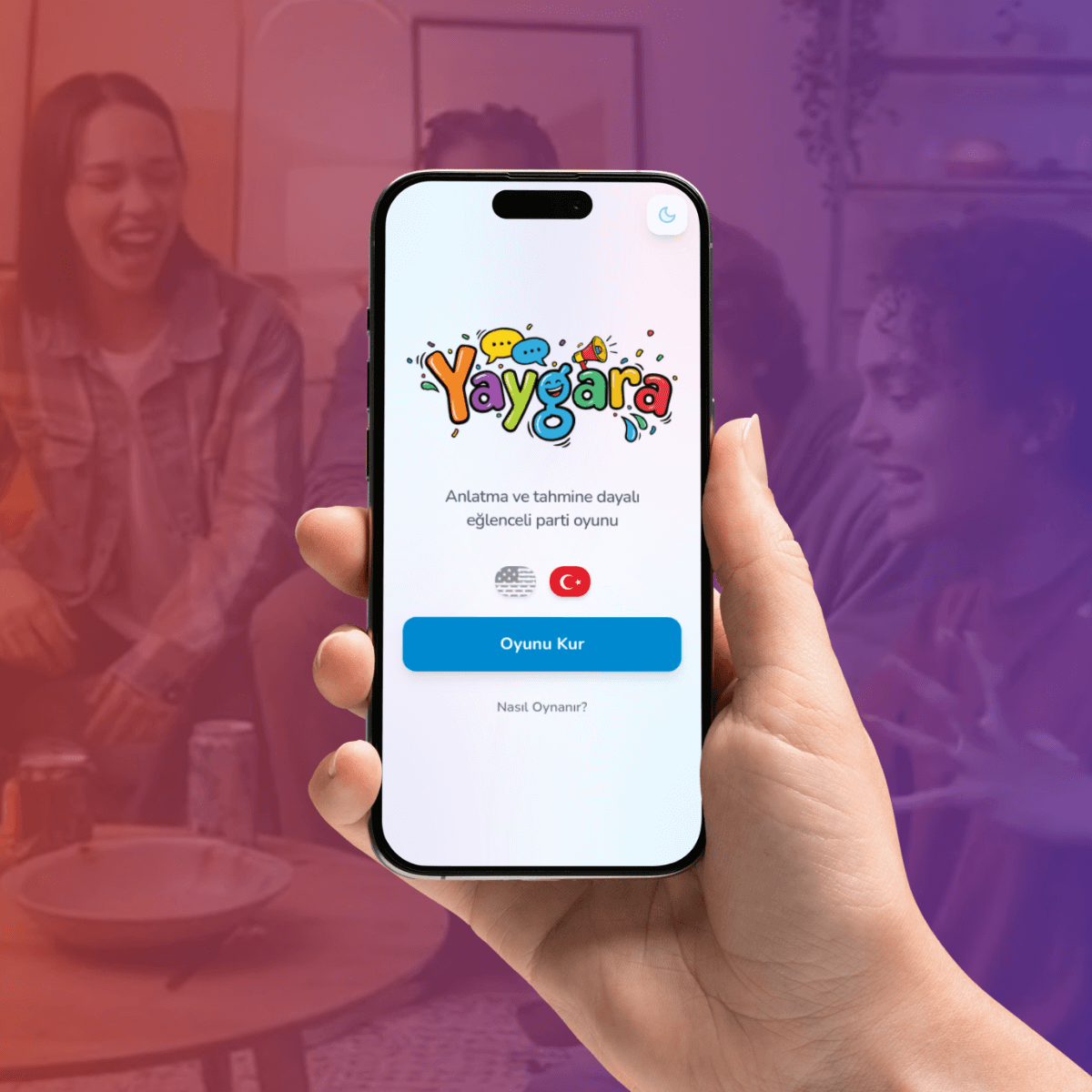
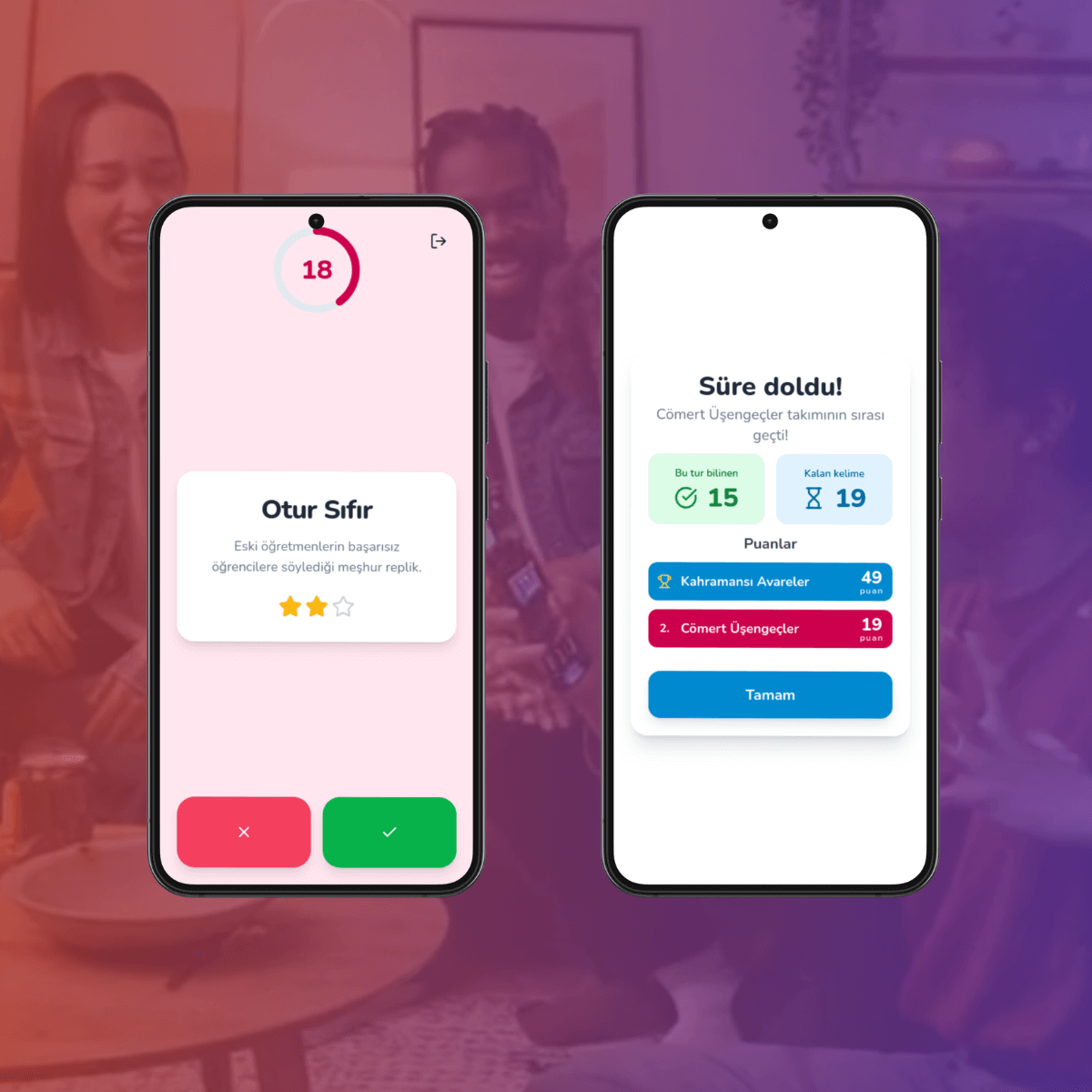
📱 Screenshots
✨ Key Features
- Unlimited Decks with Master Prompt: Create custom word decks instantly using a specialized AI prompt.
- Mobile-First Design: Optimized for a seamless experience on smartphones and tablets.
- PWA Support: Installable as a native-like app on your home screen.
- Audio Feedback: Immersive sound effects for correct answers, passes, and timer alerts.
- Customizable Game Rules: Set the number of teams, turn duration, and word count per game.
- Team Customization: Choose your own team names and vibrant colors.
- Multi-language Support: Play in English or Turkish.
- Offline Capable: Works perfectly without an internet connection once loaded.
- Ready-to-Play Decks: Comes with numerous built-in word decks across various categories.
- Auto-Pause: The game automatically pauses if you switch tabs or leave the app.
🛠 Tech Stack
- Frontend: React + TypeScript + Vite
- Styling: Tailwind CSS + Shadcn UI
- State Management: Zustand (with Persistence & Immer)
- Animations: Framer Motion
- Icons: Lucide React
- Runtime: Bun
🚀 Getting Started
🐋 Run with Docker (Recomended)
You can run Yaygara directly from Docker Hub with a single command:
docker run -d -p 8727:80 mertskaplan/yaygara
Using Docker Compose
Create a docker-compose.yml file with the following content:
version: '3.8'
services:
  yaygara:
    image: mertskaplan/yaygara:latest
    container_name: yaygara
    ports:
      - "8727:80"
    restart: unless-stopped
Then run:
docker-compose up -d
💻 Local Development
-
Clone the repository:
git clone https://github.com/mertskaplan/yaygara.git cd yaygara -
Install dependencies:
bun install -
Start the development server:
bun run dev
📊 Telemetry
Yaygara includes an optional telemetry system to help improve game balance and deck quality.
- Disabled by Default: Telemetry is completely inactive unless explicitly enabled.
- User Consent: When enabled, game data is only submitted at the end of the game if the user explicitly chooses to share it.
- Anonymous Data: Only game-related data (such as played deck, game duration, and team scores) is collected.
To use telemetry, you must also set up the Yaygara Telemetry software.
Docker Configuration
Add these environment variables to your docker-compose.yml file:
    environment:
      - TELEMETRY_ENABLED=true
      - TELEMETRY_URL=https://lab.mertskaplan.com/yaygara-telemetry/api
Local Development
Run the project with the environment variables:
VITE_TELEMETRY_ENABLED=true VITE_TELEMETRY_URL=https://lab.mertskaplan.com/yaygara-telemetry/api bun run dev
You can visit lab.mertskaplan.com/yaygara-telemetry/ (or test mode) to see the telemetry data for the main Yaygara repository. The API address will not accept data from your server. Therefore, you need to set up your own telemetry service and configure the address accordingly.
📂 Project Structure
src/components/: Reusable UI components and modals.src/pages/: Main application screens (Home, Setup, Game, Score).src/stores/: Game state management using Zustand.src/lib/: Utilities for sound, deck fetching, and helper functions.src/hooks/: Custom React hooks for translations and logic.public/decks/: JSON files containing the word decks.prompts/: Specialized prompts for AI deck generation.
🌲 File Tree
├── 📁 prompts
├── 📁 public
│   ├── 📁 decks
│   ├── 📁 icons
│   ├── 📁 locales
├── 📁 src
│   ├── 📁 assets
│   ├── 📁 components
│   │   ├── 📁 ui
│   ├── 📁 hooks
│   ├── 📁 lib
│   ├── 📁 pages
│   ├── 📁 stores
│   ├── 📁 types
├── 📁 worker
🃏 Adding New Decks
To add a new word deck to the game:
- Create a JSON file in
public/decks/following this structure:{ "id": "my-cool-deck.en", "name": "My Cool Deck", "language": "en", "difficulty": "medium", "words": [ { "term": "Example", "hint": "A short clue", "difficulty": 1 } ] } - Add the filename (e.g.,
"my-cool-deck.en.json") to the array inpublic/decks-manifest.json.
📄 License
Yaygara is free software, and its source code is licensed under the GNU General Public License v3.0 (GPLv3), while its game content and assets are licensed under Creative Commons Attribution-ShareAlike 4.0 International (CC BY-SA 4.0).
Built with ❤️ by Mert S. Kaplan.
☕ Support
Free software projects like Yaygara have infrastructure and sustainability costs. To ensure similar projects can be developed ad-free and available to everyone, you can provide support via Kreosus.
Tag summary
Content type
Image
Digest
sha256:b007aabd4…
Size
21.3 MB
Last updated
4 months ago
docker pull mertskaplan/yaygara