mikegemut/armorclaw
Hardened container for OpenClaw with encrypted secret storage (SQLCipher) and host hardening.
10K+
mikegemut/armorclaw repository overview
ArmorClaw - Your Secure Platform for OpenClaw
Image:
mikegemut/armorclaw:latestVersion: 4.3.0 Last Updated: 2026-03-05
Run AI agents on your VPS that work for you 24/7.
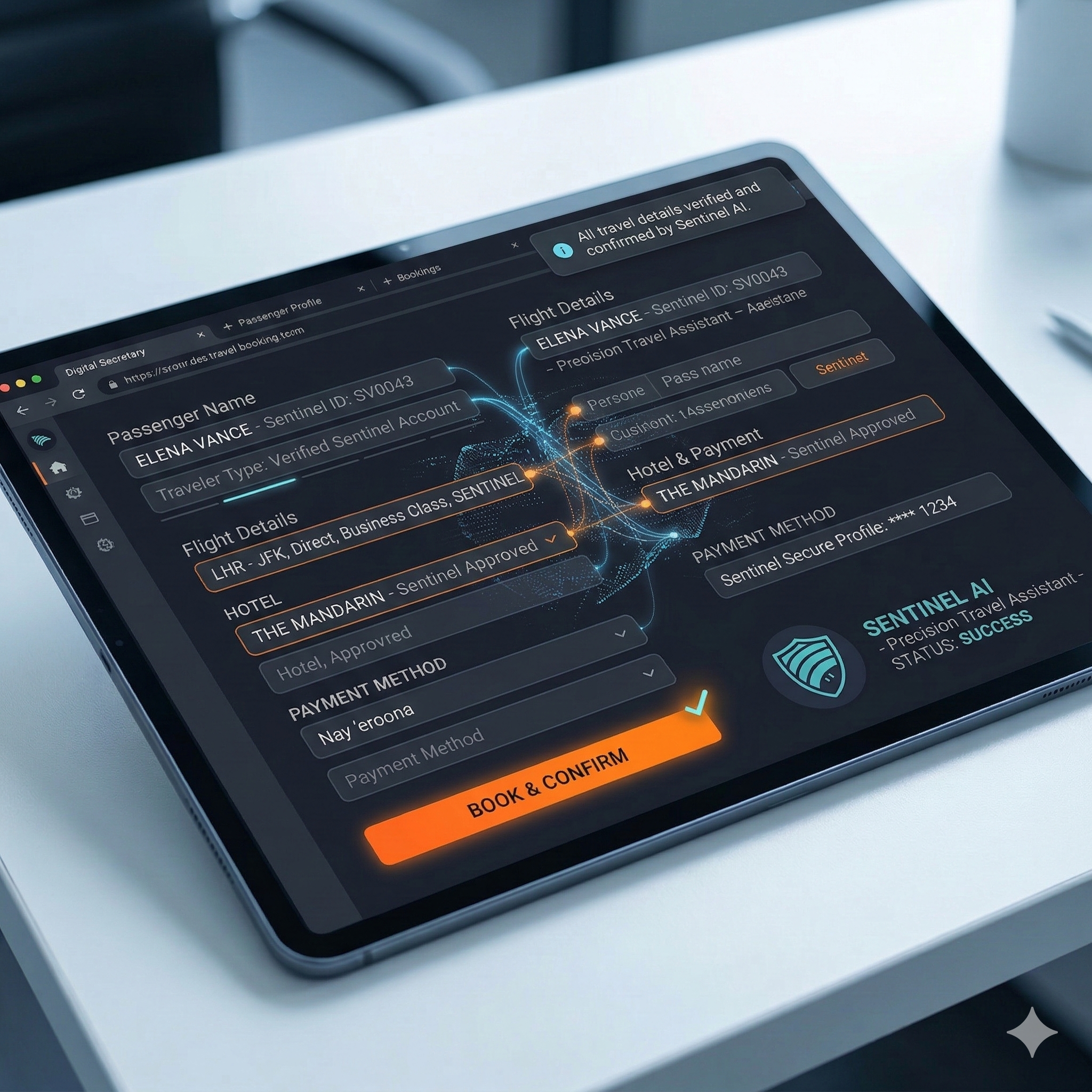 |
ArmorClaw turns a server into a secure AI “digital secretary” that can browse websites, fill forms, research information, and complete tasks while you control it from your phone.
What ArmorClaw Does
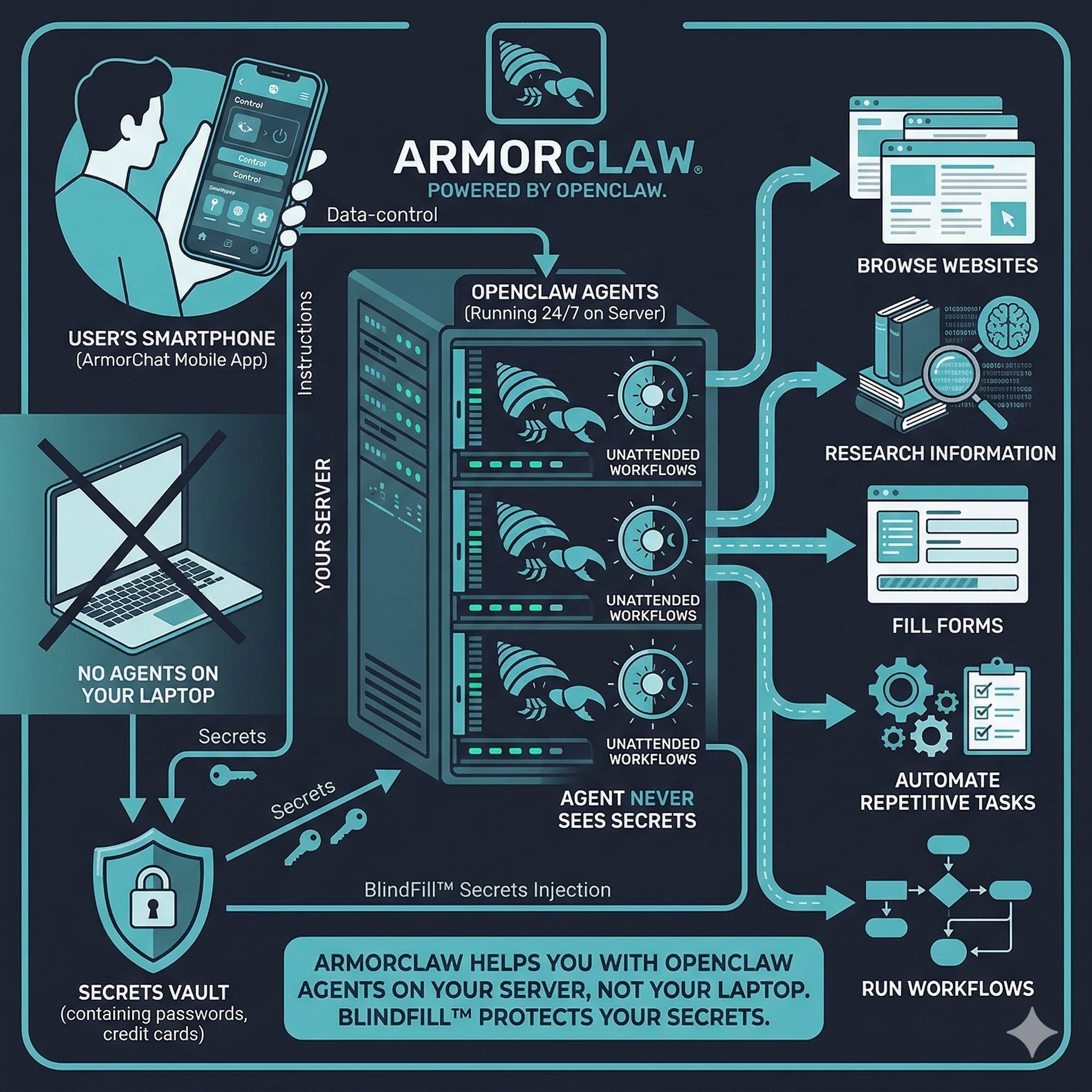 ArmorClaw runs OpenClaw agents on your server instead of on your laptop.
These agents can:
- browse websites
- research information
- fill forms
- automate repetitive tasks
- run workflows 24/7
You control them using the ArmorChat mobile app.
Sensitive data (passwords, credit cards, etc.) is protected using BlindFill™, which injects secrets directly into the browser so the AI never sees them.
Recommended VPS
ArmorClaw works on most Linux servers.
Minimum VPS
| Resource | Minimum |
|---|---|
| CPU | 1 core |
| RAM | 2 GB |
| Disk | 10 GB |
| OS | Ubuntu 20.04+ |
| Docker | 24+ |
Recommended VPS
| Resource | Recommended |
|---|---|
| CPU | 2 cores |
| RAM | 4 GB |
| Disk | 20 GB |
| OS | Ubuntu 22.04 |
Good VPS Providers
Common providers that work well:
- DigitalOcean
- Hetzner
- Vultr
- AWS EC2
- Google Cloud
Any Linux VPS with Docker works.
Install ArmorClaw (2 Minutes)
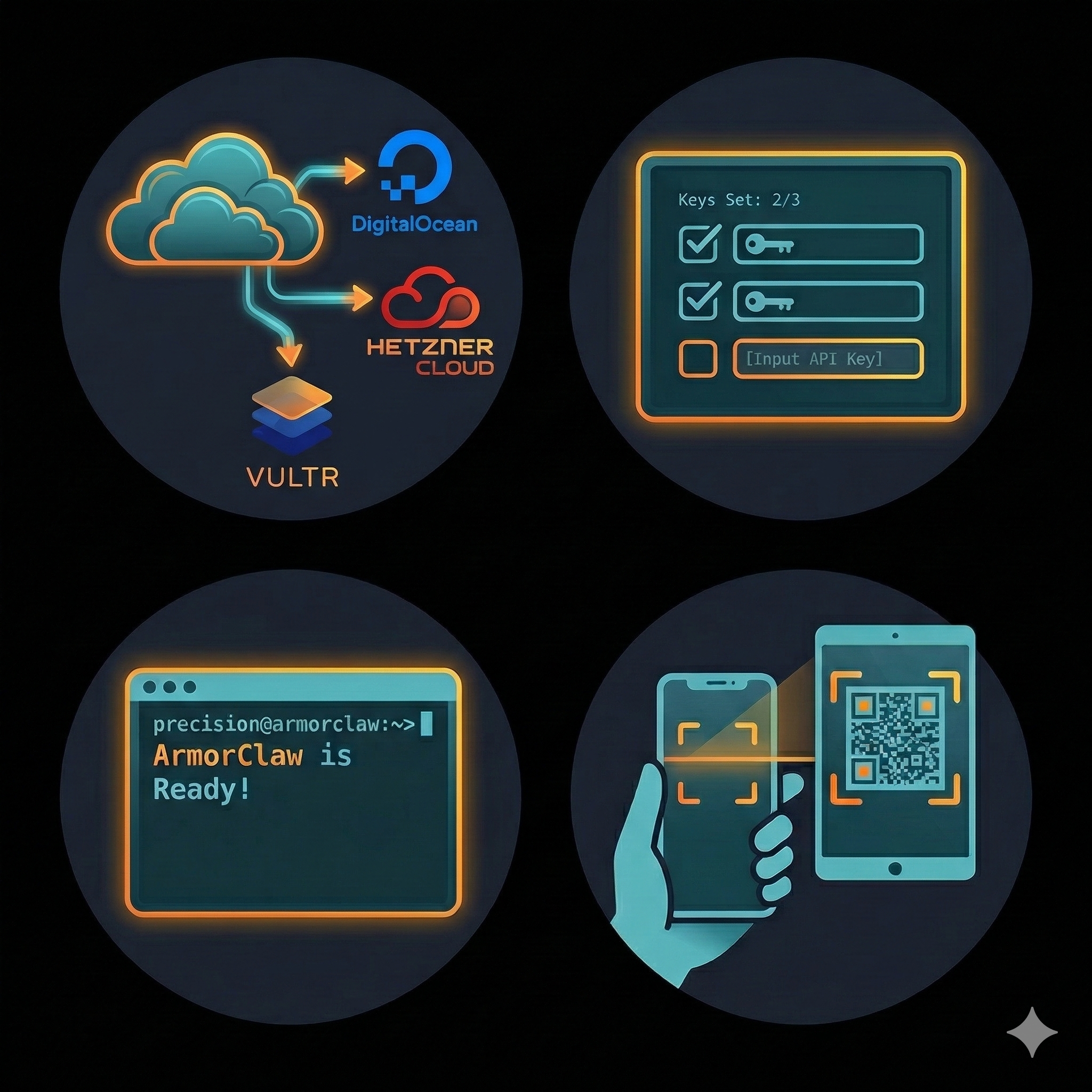 Run this command on your VPS:
curl -fsSL https://raw.githubusercontent.com/armorclaw/armorclaw/main/deploy/install.sh | bash
The setup wizard asks 4 questions:
- AI provider (OpenAI, Anthropic, Google, etc.)
- API key
- Admin username
- Admin password
After setup you will see something like:
ArmorClaw is Ready!

Bridge:  http://192.168.1.50:8443
Matrix:  http://192.168.1.50:6167

Admin: admin / <generated-password>

[QR CODE]
Connect From Your Phone
- Install ArmorChat from Google Play
- Open the app
- Scan the QR code shown in the server logs
Your AI agent is now connected.
Run Your First Agent
In ArmorChat send:
!agent create name="Researcher" skills="web_browsing"
Then ask it something:
Find the best restaurants in NYC for a birthday dinner
The agent will open websites, gather information, and report back.
How ArmorClaw Works
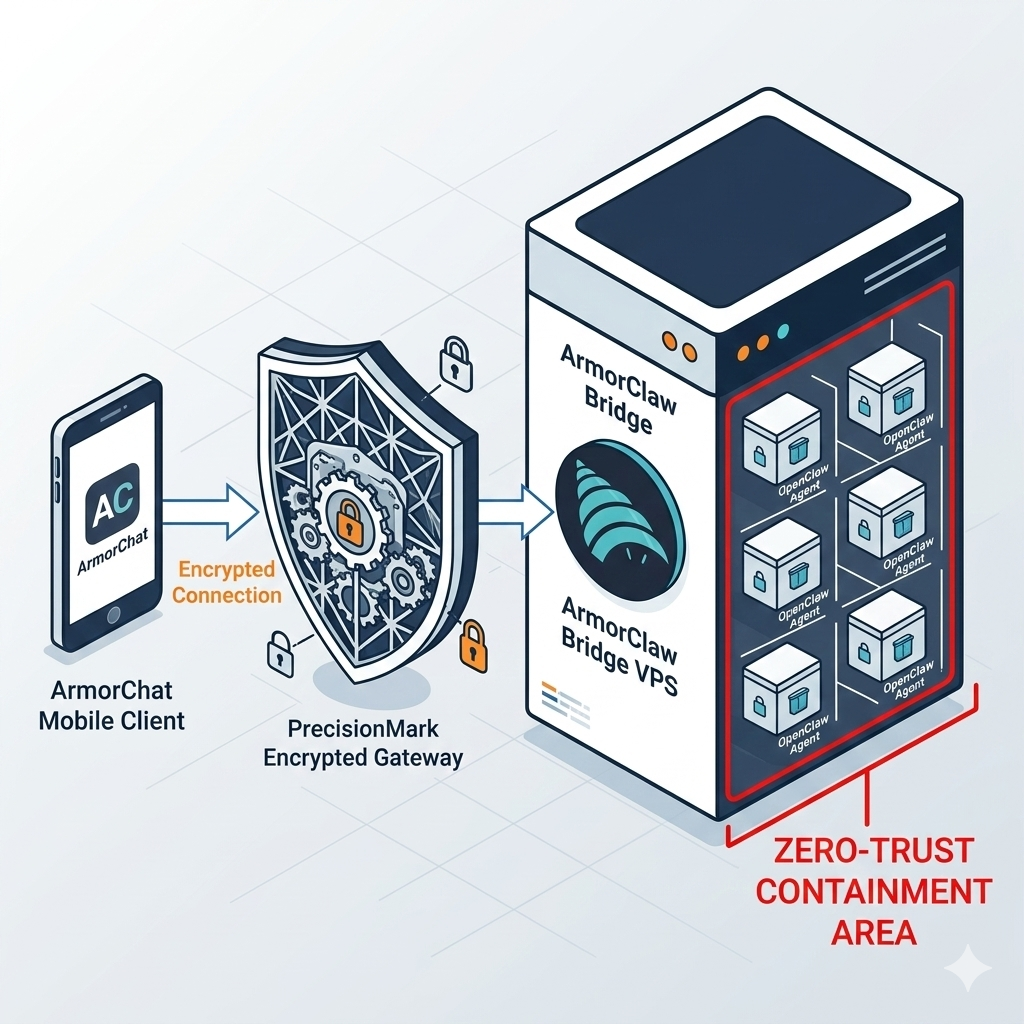
Phone
ArmorChat
    │
    │ encrypted
    ▼
ArmorClaw Bridge (your VPS)
    │
    ▼
Agent Container
(OpenClaw worker)
    │
    ▼
Automated Browser
Each agent runs in its own isolated container.
Secrets are injected into the browser without being exposed to the AI.
Security Model
ArmorClaw is designed for secure automation.
| Layer | Protection |
|---|---|
| Network | End-to-end encrypted Matrix communication |
| Secrets | Memory-only injection (BlindFill™) |
| Agents | Isolated containers |
| Storage | Encrypted keystore |
| Audit | Logged access to sensitive data |
Troubleshooting Quick Checks
Check if ArmorClaw is running:
docker ps
View logs:
docker logs -f armorclaw
If ports are in use see:
Additional Documentation
Advanced topics from the original overview are available below.
- System Requirements
- Deployment Modes
- Non-Interactive Deployment
- Manual Docker Run
- Deployment Profiles
- Enterprise Runtime Options
- Common Issues
- Upgrading
- Uninstalling
System Requirements
| Requirement | Minimum | Recommended |
|---|---|---|
| CPU | 1 core | 2+ cores |
| RAM | 2 GB | 4 GB |
| Disk | 10 GB | 20 GB |
| OS | Linux (Ubuntu 20.04+) | Ubuntu 22.04 |
| Docker | 24.0+ | Latest |
Deployment Modes
| Mode | Command | Use Case |
|---|---|---|
| Full Stack | default | ArmorChat mobile integration |
| Bridge Only | --bridge-only | Testing |
| Bootstrap | --bootstrap | Generate docker-compose |
| Show Ports | --ports | Debug port conflicts |
Non-Interactive Deployment
You can deploy without prompts using environment variables.
export ARMORCLAW_PROVIDER=openai
export ARMORCLAW_API_KEY=sk-your-api-key
export ARMORCLAW_ADMIN_USER=admin
export ARMORCLAW_ADMIN_PASSWORD=$(openssl rand -base64 24)

curl -fsSL https://raw.githubusercontent.com/armorclaw/armorclaw/main/deploy/install.sh | bash
Manual Docker Run
Full stack example:
docker run -it --name armorclaw \
  --restart unless-stopped \
  --user root \
  -v /var/run/docker.sock:/var/run/docker.sock \
  -v armorclaw-config:/etc/armorclaw \
  -v armorclaw-keystore:/var/lib/armorclaw \
  -p 8443:8443 \
  -p 6167:6167 \
  -p 5000:5000 \
  mikegemut/armorclaw:latest
Auto Port Detection
If default ports are busy ArmorClaw will select new ones automatically.
| Service | Default | Fallback |
|---|---|---|
| Bridge RPC | 8443 | 30000-40000 |
| Matrix | 6167 | 30000-40000 |
| Push Gateway | 5000 | 30000-40000 |
Deployment Profiles
| Profile | Runtime | Security |
|---|---|---|
| Quick | Docker | Standard |
| Advanced | Docker hardened | Enhanced |
| Enterprise | Docker / containerd / Firecracker | Maximum |
Enterprise Runtime Options
| Runtime | Status | Use Case |
|---|---|---|
| Docker hardened | Available | Default enterprise |
| containerd | v5.0 | Kubernetes environments |
| Firecracker | On request | Maximum isolation |
Common Issues
Port already in use
Check with:
ss -ltn | grep 8443
Wizard crashes
Use environment variables instead.
Upgrading
docker rm -f armorclaw
docker pull mikegemut/armorclaw:latest
curl -fsSL https://raw.githubusercontent.com/armorclaw/armorclaw/main/deploy/install.sh | bash
Uninstalling
docker rm -f armorclaw
docker volume rm armorclaw-config armorclaw-keystore
Support
GitHub https://github.com/armorclaw/armorclaw
Issues https://github.com/armorclaw/armorclaw/issues
License
MIT License - See LICENSE for details.
Tag summary
Content type
Image
Digest
sha256:217ea100e…
Size
233 MB
Last updated
5 months ago
docker pull mikegemut/armorclaw