milz0/hashtopolis-vast-hashcat
Quicky deploy workers from vast.ai to hashtopolis
788
milz0/hashtopolis-vast-hashcat repository overview
Hashtopolis, Hashcat v6.x.x, Vast.ai
This container provides a streamlined solution for the one-click deployment of numerous agents directly from vast.ai to your Hashtopolis server, facilitating hash cracking sessions on demand. This means that you can quickly set up your environment to begin cracking hashes without extensive manual configuration.
It is important to emphasize that familiarity with the necessary prerequisites for both Hashcat and Hashtopolis is absolutely essential for ensuring a smooth operation. This document is not intended to be a comprehensive step-by-step guide; rather, it assumes a certain level of expertise. Additionally, having reliable access to a Hashtopolis server is a key requirement, as it is vital for the overall functionality of your hash cracking endeavours.
Prerequisites
In order to fully utilise this container you'll require the following...
- hashtopolis server which is remotely accessible
- vast.ai account
Usage and Information
This is a one-click setup with vast.ai. Simply click the "Rent" button, and your client will automatically register with your hashtopolis server, instantly starting on any pending tasks.
This container streamlines the process by eliminating the need to manually check boxes and add parameters for each agent when registering multiple agents at once.
Hashtopolis Modifications
Whenever you register a new agent to your HTP server, it is necessary to manually update the "Agent Trust Status." During this process, you might run into a specific error related to hashcat, which reads: "clGetPlatformIDs(): CL_PLATFORM_NOT_FOUND_KHR." Fortunately, this issue can be addressed quite easily within Hashtopolis by utilizing the "whitelist feature" designed specifically for handling errors.
It is important to note that although hashcat generally overlooks this error and continues its operations without interruption, Hashtopolis takes a different approach. In the context of Hashtopolis, this error is treated as a fatal issue, which leads to the agent coming to a complete stop. By default, the behavior of the agent is to deactivate whenever it encounters any error related to hashcat.
To effectively whitelist this particular error in Hashtopolis and prevent the agent from stopping, you will need to add the string clGetPlatformIDs(): CL_PLATFORM_NOT_FOUND_KHR to the config.php file. This addition should be made under the Server Settings page, specifically in the section that is labeled "Ignore error messages from crackers which contain given strings (multiple values are separated by comma)." By doing this, you can ensure that the agent continues to function smoothly despite the occurrence of this specific error.
Workaround for Trust Agent
In order to ensure that your Hashtopolis server is functioning optimally, you should incorporate a scheduled cron script that will regularly update the MySQL database once every minute. This script should specifically focus on marking any newly added agents as trusted members within the system. Make sure to carefully adjust this particular line of code according to the specific requirements and settings of your environment to achieve the desired functionality.
cd ~/
echo mysql -D your_hashtopolis_db -e \"UPDATE Agent SET isTrusted = '1'\" > set_trust.sh && chmod +x set_trust.sh
type crontab -e and add...
* * * * * /root/set_trust.sh >/dev/null 2>&1

config.json
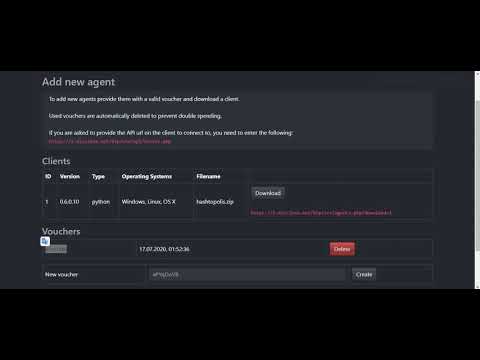
Make sure that the option for reusable voucher codes is activated in your Hashtopolis installation. To do this, navigate to the specific URL at https://{your_domain}/config.php?view=5. Once there, look for the checkbox that allows for the multiple uses of vouchers and ensure that it is checked. This will enable users to utilize the voucher codes more than once, providing greater flexibility in your configuration.
Vast.ai
Edit Image & Config and use milz0/hashtopolis-vast-hashcat as your custom image
Your onstart-script should be written out as so in vast.ai, not before replacing both values {server} and {voucher_id} with your own.
cd htpclient
python3 hashtopolis.zip --url {server} --voucher {voucher_id}

Miscellaneous
For additional parameters like -w4 (workload) and -O (optimized kernels), You can set these globally per task in the command box #HL#
Demo
Enjoy!
Tag summary
Content type
Image
Digest
sha256:329cf6796…
Size
3.5 GB
Last updated
about 2 years ago
docker pull milz0/hashtopolis-vast-hashcat