minormending/viz-image-deobfuscate
Deobfuscate Viz manga images
380
minormending/viz-image-deobfuscate repository overview
Viz Manga Deobfuscator
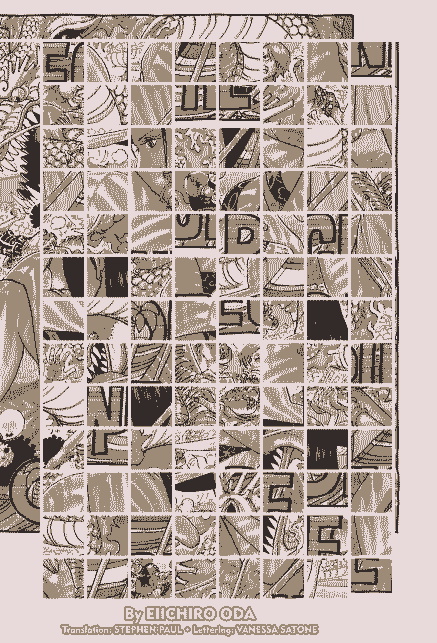
Viz manga pages are delivered to the browser as obfuscated images and the client JS is responsible for deobfuscation of those images for the viewer to read. This program reproduces the deobfuscate logic to produce a readable image.
obfuscated image:
deobfuscated image:
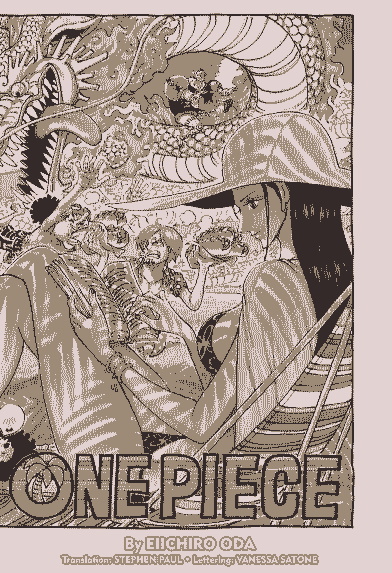
The image Exif metadata stores a hex digest to deobfuscate the image. Using the each byte value of the digest with it's position in the digest, we can select the appropriate tile in the obfuscated image and put it in the proper place in the deobfuscated image.
DISCLAIMER: I am not licensed or affiliated with Viz Media and this repository is meant for informational purposes only.
CLI Usage
Bundled with this package is a CLI tool for scripting/testing purposes.
usage: image-deobfuscate-cli [-h] obfuscated_image deobfuscated_image

Deobfuscate manage page image.

positional arguments:
  obfuscated_image    Path to the obfuscated image.
  deobfuscated_image  Output path to the obfuscated image.

options:
  -h, --help          show this help message and exit
Example
>>> image-deobfuscate-cli raw1.jpg page1.jpg

Successfully deobfuscated image at: page1.jpg
Docker
>>> docker build -t viz .
>>> docker run -v /home/user/images/:/app/images viz images/raw1.jpg images/page1.jpg

Successfully deobfuscated image at: images/page1.jpg
Tag summary
Content type
Image
Digest
Size
89.6 MB
Last updated
over 4 years ago
docker pull minormending/viz-image-deobfuscate