mixaverross88/java-e-commerce repository overview
e-commerce Web Application using JEE and JSF framework
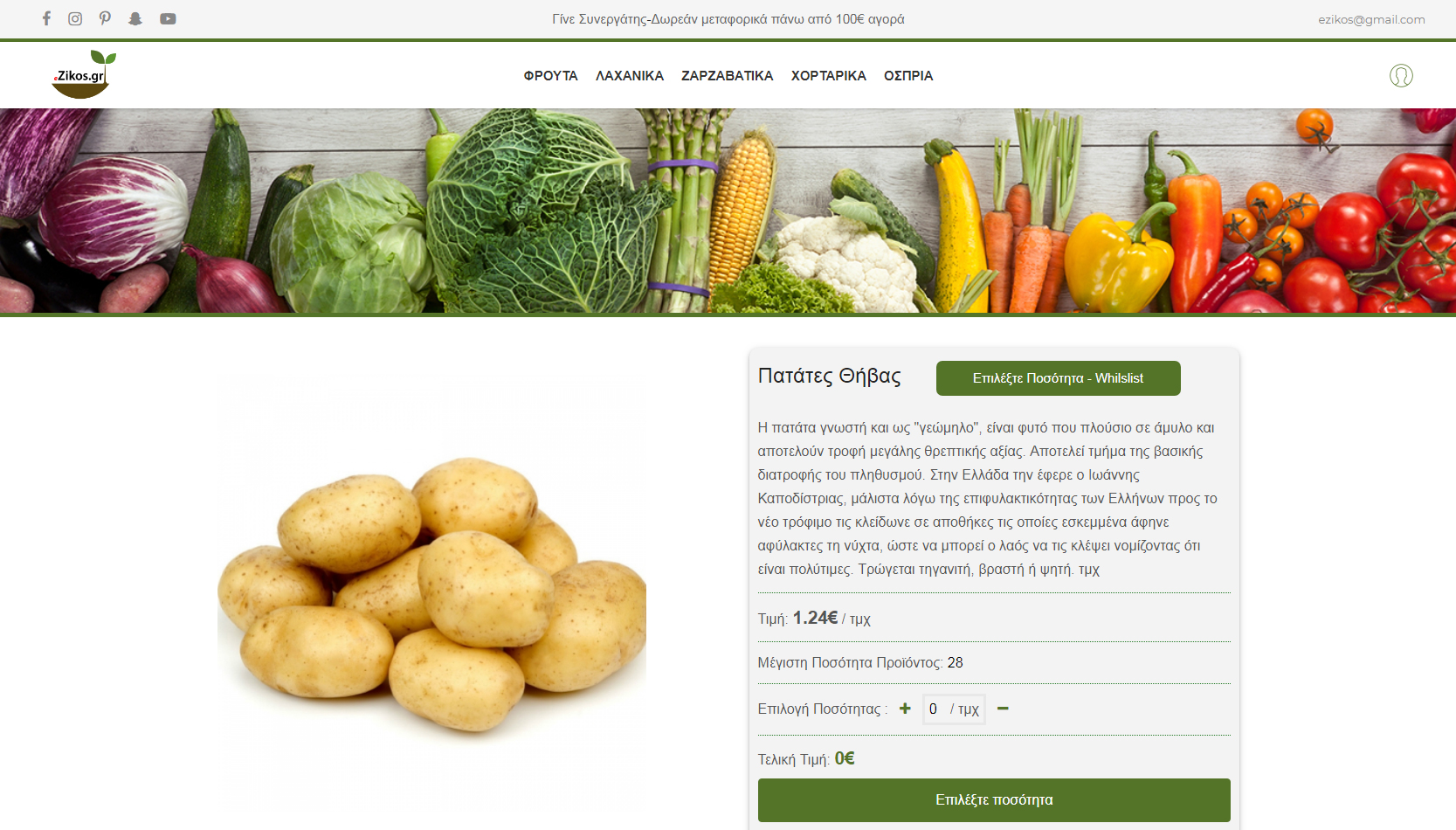
:ghost: This project was created for the final examination of Boot Camp 3
The main idea behind this, is that we have to create a e-grocery store that sales several products from various vendors. The grocery shop earn profits only through commissions.
:pencil: List of requirements
Admin Panel
A Vendor can
- Create account.
- Add quantity on existed products.
- View all the sales that he commited to the consortium.
- View all the orders of his products.
- View a chart with the last five days orders.
A Admin can
- Create , Update, Delete accounts.
- Approval or disapproval orders and sales.
- Create , Update, Delete Categories.
- Create , Delete images.
Front panel
A User can
- Create account.
- Reset password.
- Log in.
- Buy Products.
- See order history.
When a user commit an order, automatically the web app send them an email with the order details and the invoice of the order in pdf format.
:file_folder: File Details
web.xml : JSF 2.0 Servlet Configuration
persistence.xml: database configurations
:paperclip: Context params
The “context-param” tag is define in “web.xml” file and it provides parameters to the entire web application.
- vat: 0.24
Navigate to the following link
[docker-machine ip]:80/java-e-commerce/
:computer: Deploy instructions
Use the maven plug-in (tomcat7-maven-plugin) for tomcat server in order to automatically deploy this project in your local server. You can find this plug-in in pom.xml file in order to modify with yours configurations, also don't forget to add in settings.xml your credentials for tomcat server.
<servers>
    <server>
        <id>TomcatServer</id>
        <username>admin</username>
        <password>password</password>
    </server>
</servers>
You can run the below command in order to deploy the artifact in your local tomcat server
mvn clean tomcat7:deploy
:scroll: Database instructions
You can use the dataBase.sql in order to create the poll database and insert some values.
:passport_control: Initial admin credentials
Username:
Password:
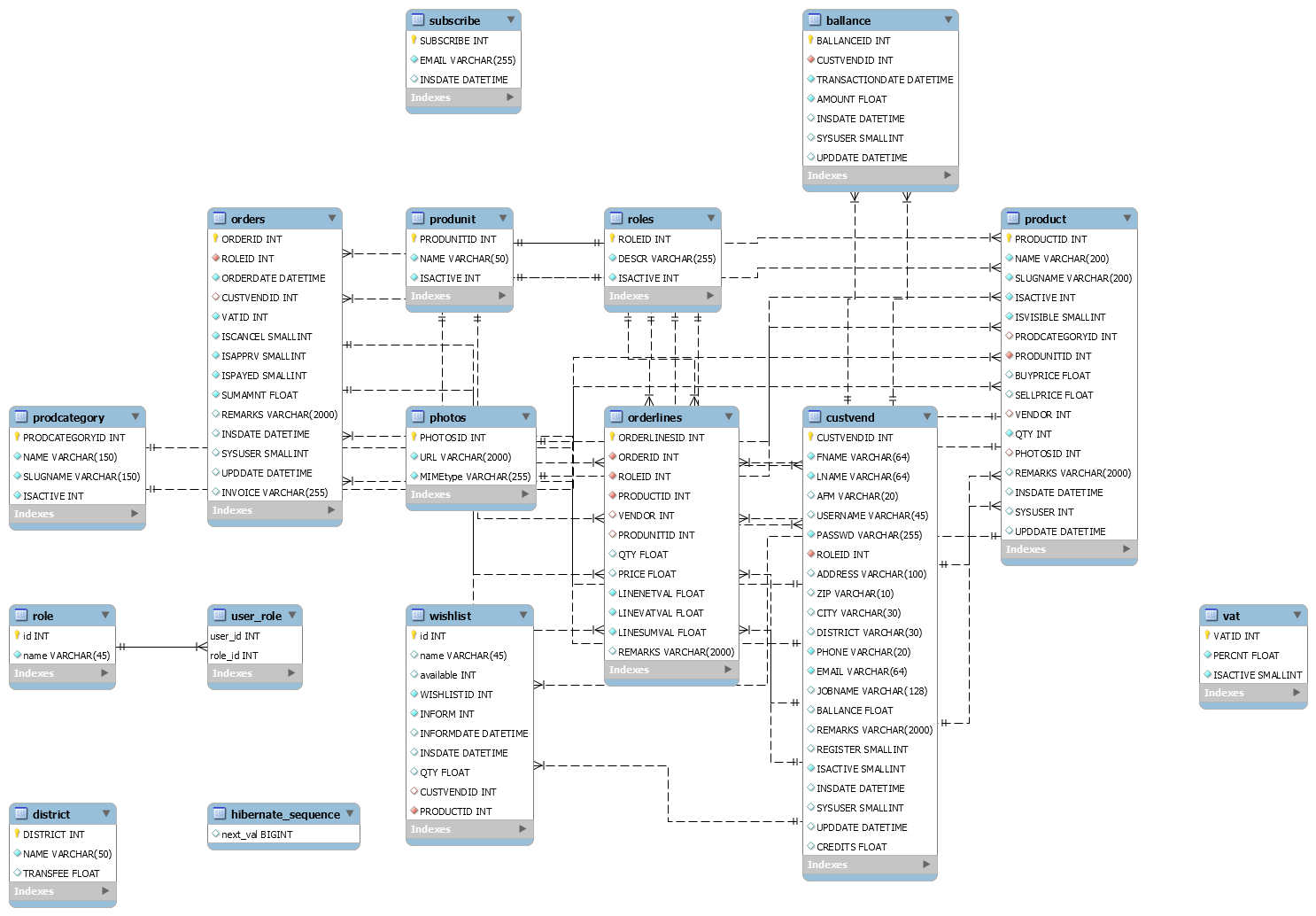
Database Diagram
Tag summary
Content type
Image
Digest
Size
124.1 MB
Last updated
over 6 years ago
docker pull mixaverross88/java-e-commerce