mochoa/coder-docker-extension
VS Code for the Web Docker Desktop Extension
50K+
mochoa/coder-docker-extension repository overview
VS Code Web Docker Extension
VS Code Web extension for Docker Desktop
Installation from Marketplace
Since Docker Desktop v4.11.0 VS Code Web Extension is available in Marketplace page, just click on + Add Extensions, find VS Code Web Extension, click Install and that's all; VS Code Web icon its shown at left side menu.
Manual Installation
If you are using Docker Desktop v4.10.1 or less you can install just by executing:
$ docker extension install mochoa/coder-docker-extension:4.90.2
Extensions can install binaries, invoke commands and access files on your machine.
Are you sure you want to continue? [y/N] y
Image not available locally, pulling mochoa/coder-docker-extension:4.90.2...
Installing new extension "mochoa/coder-docker-extension:4.90.2"
Installing service in Desktop VM...
Setting additional compose attributes
VM service started
Installing Desktop extension UI for tab "VS Code Web"...
Extension UI tab "VS Code Web" added.
Extension "VS Code Web" installed successfully
Note: Docker Extension CLI is required to execute above command, follow the instructions at Extension SDK (Beta) -> Prerequisites page for instructions on how to add it.
Using VS Code Web Docker Extension
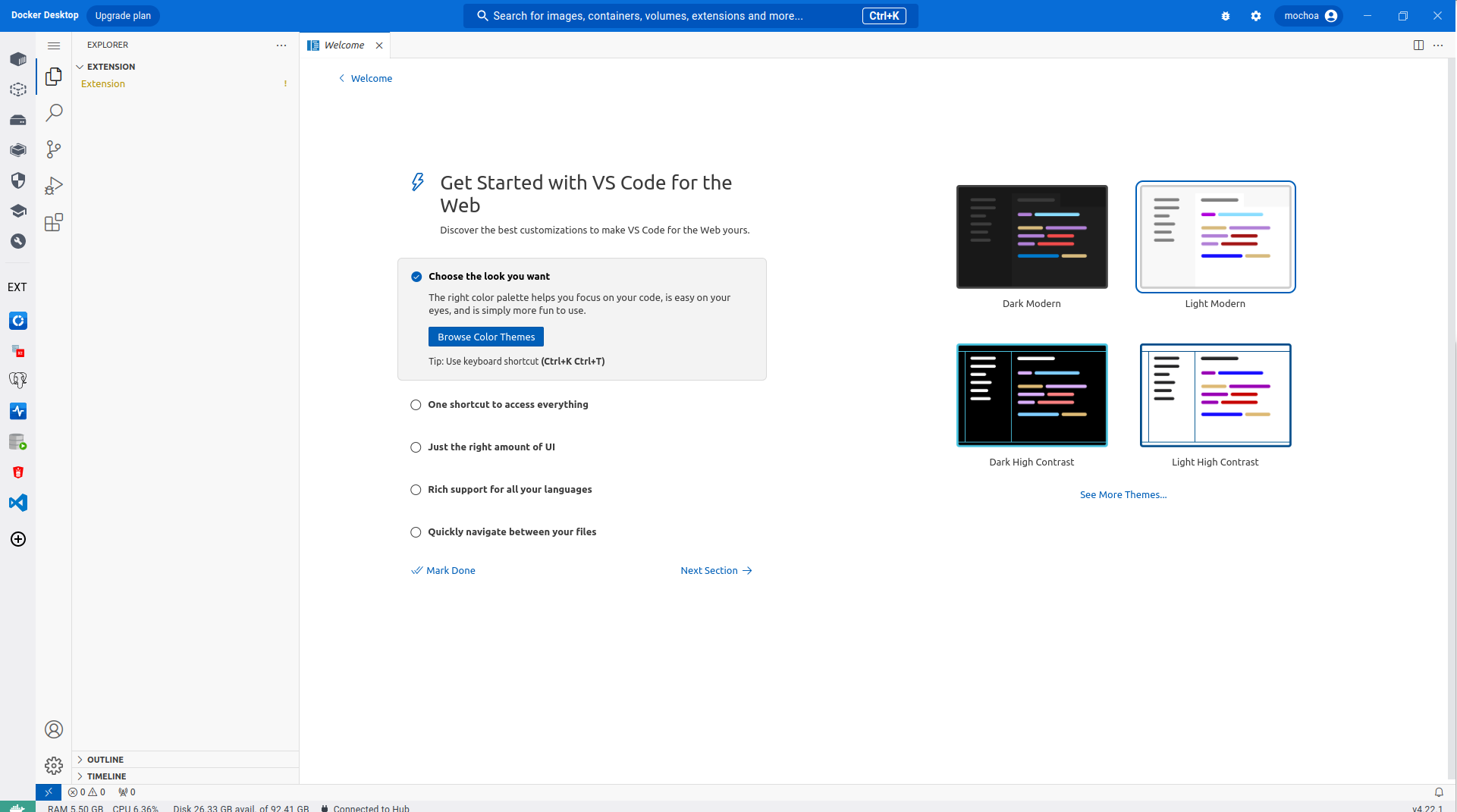
Once the extension is installed a new extension is listed at the pane Extension of Docker Desktop.
By clicking at VS Code Web icon the extension main window will display the VS Code Web site once it has loaded.
Addind extra packages
If want to run/debug NodeJS application for example, a node command must be installed prior you checkout your project. To simplify that an script is provided as post installation step, here an example of using them:
docker exec -ti --user root coder_embedded_dd_vm /bin/sh -c "curl -s https://raw.githubusercontent.com/marcelo-ochoa/coder-docker-extension/main/addNodeJS.sh | bash"
Other run time extensions:
docker exec -ti --user root coder_embedded_dd_vm /bin/sh -c "curl -s https://raw.githubusercontent.com/marcelo-ochoa/coder-docker-extension/main/addDocker.sh | bash"
docker exec -ti --user root coder_embedded_dd_vm /bin/sh -c "curl -s https://raw.githubusercontent.com/marcelo-ochoa/coder-docker-extension/main/addJava.sh | bash"
docker exec -ti --user root coder_embedded_dd_vm /bin/sh -c "curl -s https://raw.githubusercontent.com/marcelo-ochoa/coder-docker-extension/main/addGKS.sh | bash"
docker exec -ti --user root coder_embedded_dd_vm /bin/sh -c "curl -s https://raw.githubusercontent.com/marcelo-ochoa/coder-docker-extension/main/addPython.sh | bash"
Note 1: that if you upgrade VS Code Web Docker Desktop Extension above post installations steps must be re-done.
Note 2: If you add Docker Client/Extension support addDocker.sh coder_embedded_dd_vm need to be restarted, execute:
$ docker restart coder_embedded_dd_vm
coder_embedded_dd_vm
Persistent storage
Any project that you checkout using git command into /home/coder directory will persistent against Docker Desktop restart also VS Code Web extension upgraded.
Know kveats
If your Docker Desktop is running in Dark Mode, first execution of VS Code Web will start in Light mode, switch to other pane and back again to the extension and it will run in Dark mode. For the next switchs changing Docker Deskop UI colors will change automatically the extension setting.
Uninstall
To uninstall the extension just execute:
$ docker extension uninstall mochoa/coder-docker-extension:4.90.2
Extension "VS Code Web" uninstalled successfully
Sources
As usual the code of this extension is at GitHub, feel free to suggest changes and make contributions, note that I am a beginner developer of React and TypeScript so contributions to make this UI better are welcome.
Tag summary
Content type
Image
Digest
sha256:f5f3d7423…
Size
5.8 MB
Last updated
11 months ago
docker pull mochoa/coder-docker-extension:4.106.2-39